





The best VPN for remote work is not necessarily the service with the biggest marketing budget or the longest feature list.
It is the one that offers a reliable kill switch, stable connections, useful split tunneling, suitable device support, and a clear privacy policy. A good VPN should quietly protect your connection without slowing down a client call or blocking access to an important work dashboard.
This guide compares several popular VPN options for remote workers, freelancers, digital nomads, and home-office users. It focuses on practical situations such as working on public Wi-Fi, joining video calls, accessing IP-restricted systems, and protecting several work devices.
Important: A personal VPN does not replace an employer-provided corporate VPN, zero-trust access system, multifactor authentication, endpoint protection, or company security policy. Check what your organization permits before connecting through a consumer VPN.
Quick Verdict – Top VPN Picks for Remote Work
Table of Contents
Remote-work VPN comparison
The following comparison covers the features most likely to affect a professional remote-work setup. Pricing changes frequently depending on the subscription period, region, and promotion, so the table focuses on practical differences rather than temporary introductory rates.


Which VPN features matter for remote work?
A VPN can be useful when working from hotels, airports, coffee shops, shared apartments, or other networks you do not control. The most important features are the ones that keep your work session stable while reducing the risk of an accidental data leak.
Kill switch
A kill switch blocks internet traffic when the encrypted VPN connection unexpectedly drops. This helps prevent your real IP address and unencrypted network activity from becoming visible during the interruption.
Split tunneling
Split tunneling lets selected apps use the VPN while others connect directly to the internet. A remote worker might route a browser and work dashboard through the VPN while keeping a latency-sensitive video call or local printer outside the tunnel.
Dedicated IP
A dedicated IP gives you a consistent address that is not shared with other subscribers. It can be useful when an employer restricts access to approved IP addresses or when shared VPN addresses trigger repeated CAPTCHAs and login checks.
A dedicated IP is not automatically more private than a shared address. Because it belongs to one subscriber, activity can be easier to associate with that user.
Fast reconnection
A VPN used while travelling should reconnect quickly when a laptop moves between hotel Wi-Fi, a mobile hotspot, and an office network. Long reconnection delays can interrupt calls, cloud documents, and remote desktop sessions.
Audited privacy policy
Look for a provider that publishes clear information about data handling and commissions independent security or no-logs assessments. Marketing promises alone should not be the basis of a business-security decision.
NordVPN
Best for: remote workers looking for a strong balance of performance, security tools, and remote-access features.
NordVPN combines its NordLynx protocol with features aimed at users who move between work locations or need access to devices outside the office.
Its optional dedicated IP service can help with systems that only accept connections from an approved address. Meshnet provides another useful tool by creating encrypted connections between approved devices, which can help users reach a home computer or shared files remotely.
Daily use: NordLynx is designed to deliver strong speeds with relatively low overhead, making it suitable for video calls, cloud applications, large uploads, and remote desktop sessions.
Trade-off: dedicated IP access costs extra, and the app includes more options than some users will need.
Surfshark
Best for: freelancers, families, and small teams protecting many personal and work devices.
Surfshark’s main advantage is its support for unlimited simultaneous connections. One subscription can cover a laptop, phone, tablet, backup device, smart TV, and other supported hardware without forcing the user to remove older devices.
NoBorders mode detects certain network restrictions and selects servers intended to work more reliably under those conditions. Bypasser provides split-tunneling controls, while an optional dedicated IP is available for users who need a consistent address.
Daily use: Surfshark is particularly convenient for people who switch between several devices during the working day and do not want to manage a connection limit.
Trade-off: the wider Surfshark security suite can feel unnecessary when the main requirement is a straightforward VPN connection.
ExpressVPN
Best for: users who want a straightforward app and reliable reconnection while travelling.
ExpressVPN’s Lightway protocol is built around fast connection establishment and stable performance. That can be useful when moving between Wi-Fi networks and mobile data during a trip.
Split tunneling allows selected applications to bypass the VPN, while Network Lock blocks traffic when the VPN connection is interrupted. ExpressVPN also offers optional dedicated IP access on eligible subscription plans.
Daily use: the apps are designed to require little configuration, which makes ExpressVPN suitable for users who prefer to choose a location and connect without adjusting many technical settings.
Trade-off: it can cost more than competing services, and the number of simultaneous connections depends on the subscription tier.
WireGuard
Best for: users who prioritize speed, efficiency, and lower resource use.
WireGuard is a VPN protocol rather than a subscription service. It provides the underlying technology used by many modern VPN applications, including Surfshark and modified systems such as NordVPN’s NordLynx.
Its relatively lean design can reduce connection overhead, CPU use, and battery consumption compared with heavier configurations. That makes it useful for laptops handling large downloads, cloud backups, remote repositories, and long working sessions away from a charger.
Daily use: select WireGuard or a WireGuard-based protocol in the VPN app when speed and latency are the main concerns.
Trade-off: manually configuring WireGuard is more technical than selecting it inside a commercial VPN application.
Avast and McAfee
Best for: remote workers who prefer antivirus, web protection, and VPN functionality in one security package.
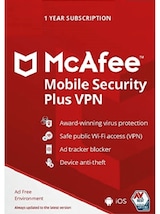
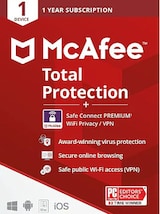
Avast and McAfee offer security suites that combine device protection with VPN access. This reduces the number of separate applications and subscriptions a user needs to manage.
McAfee Total Protection packages can include antivirus protection, scam protection, identity monitoring, password tools, and Secure VPN. Avast provides standalone SecureLine VPN subscriptions alongside broader Premium Security packages.
Daily use: these suites suit users who want protection to operate quietly in the background without assembling several separate security tools.
Trade-off: bundled VPNs may provide fewer advanced networking options than dedicated services such as NordVPN, Surfshark, or ExpressVPN.
Why protocol choice matters
The protocol affects connection speed, stability, battery use, and the VPN’s ability to reconnect after a network change.
- WireGuard and WireGuard-based protocols: strong choices for speed, lower latency, and efficient laptop use.
- Lightway: designed by ExpressVPN for quick connections, stable switching, and everyday reliability.
- OpenVPN: a mature and widely supported option that remains useful on networks where another protocol has trouble connecting.
- Obfuscated modes: can help on networks that attempt to identify or restrict ordinary VPN traffic, subject to local law and employer policy.
The fastest protocol is not automatically the best in every location. Hotel, airport, mobile, and corporate networks can behave differently, so it is worth keeping a second protocol available as a fallback.
The remote worker’s VPN checklist
- Kill switch: blocks traffic when the encrypted connection fails.
- Split tunneling: lets selected apps connect outside the VPN.
- Privacy transparency: look for independent audits and clear data-handling policies.
- Dedicated IP: useful when a company system only accepts approved addresses.
- Router support: protects devices that cannot run a native VPN app.
- Mobile apps: important for work performed through iOS or Android.
- Linux support: verify that the available app or command-line client fits your distribution.
- Fast reconnection: helps when moving between Wi-Fi and mobile networks.
- Support availability: useful when a connection problem interrupts working hours.
- Company approval: confirm that a consumer VPN is permitted before using it for work.
VPN and security offers on G2A.COM
These GLOBAL key offers cover several of the services discussed above. Always check the activation details, supported devices, subscription length, and regional restrictions before ordering.
Check for additional savings with G2A Plus
G2A Plus can provide lower prices on eligible marketplace offers, Plus Points, monthly bonuses, and premium support after a purchase.
Related G2A News articles
- Improve Your Online Security With These Pro Tips
- How to Protect Your Online Privacy
- Complete Guide to Choosing Antivirus Software
VPN for remote work FAQ
Secure the connection, then get back to work
The best VPN for remote work in 2026 depends on how and where you work.
NordVPN offers a strong overall combination of speed, dedicated IP access, and remote-device features. Surfshark is the practical choice for people protecting many devices under one subscription. ExpressVPN focuses on simple apps, fast reconnection, and travel-friendly operation.
WireGuard remains an important protocol for users who prioritize speed and battery efficiency, while Avast and McAfee provide convenient alternatives for people who prefer VPN and antivirus protection in one package.
Whichever service you choose, verify that it fits your employer’s policy, supports the devices you actually use, and remains stable during the tasks that matter most. Security software is most useful when it protects your connection without becoming another problem to solve during the working day.