





If you’re building a new PC, upgrading from Windows 10, or setting up a laptop, one question comes up almost immediately: how can you get Windows 11 cheap without taking unnecessary risks?
Check Windows 11 Offers on G2A
The good news is that paying the full retail price isn’t your only option. There are legitimate ways to buy a Windows 11 license for less, especially through trusted digital marketplaces like G2A, where multiple sellers compete by offering digital activation keys.
Here’s what you should know before buying.
TL;DR
- Windows 11 licenses don’t have to cost full retail price.
- Digital marketplaces often offer lower prices than traditional stores.
- G2A allows multiple sellers to compete, helping buyers find better deals.
- Windows 11 can be a practical choice for gamers, students, remote workers, and SOHO users.
- Always verify the edition, activation region, and license type before purchasing.
- A legitimate activation key gives you access to all Windows 11 features after activation.
Why Windows 11 Can Cost Less
Many people assume Microsoft sets one fixed price for Windows licenses everywhere.
Microsoft Windows 11 Home (PC) - Microsoft Key - GLOBAL
Release Date: October 5, 2021
Genres: Software/OS
In reality, prices vary depending on:
- retailer;
- region;
- promotions;
- license availability;
- seller pricing.
Digital marketplaces work differently from traditional stores. Instead of buying from a single retailer, buyers can compare offers from multiple independent sellers in one place. This competition often results in lower prices.
Is It Safe to Buy a Windows 11 Key?
Yes – provided you buy from a trusted marketplace and review the product information carefully.
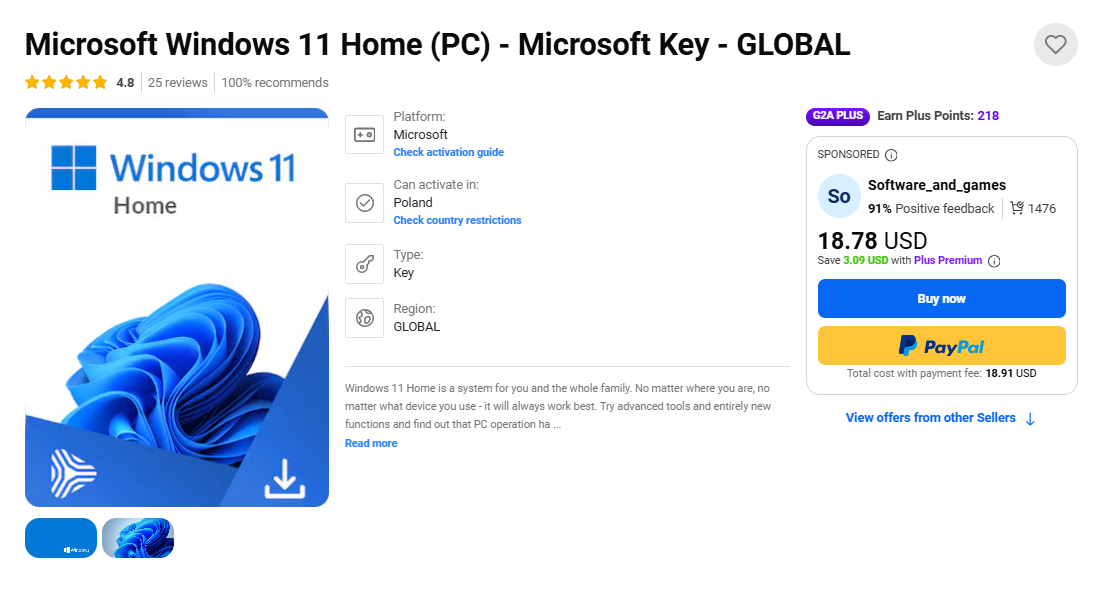
Before purchasing, check:
- the Windows edition (Home or Pro);
- the activation platform;
- activation region;
- seller rating;
- product description.
A legitimate activation key activates Windows directly through Microsoft’s activation servers.
Why Buy Windows 11 on G2A?
G2A is a digital marketplace for software, games, and other digital products.
Buying Windows 11 on G2A offers several advantages.
Competitive Prices
Multiple sellers list Windows licenses on the marketplace.
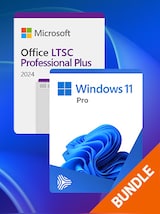
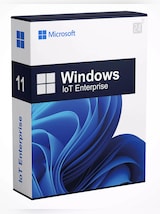
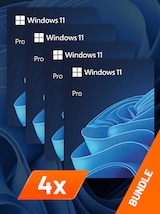
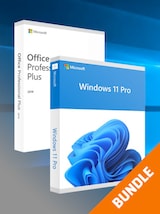
Since sellers compete with one another, buyers can often find prices below the official retail price.
Instant Digital Delivery
There’s no waiting for physical shipping.
After completing your purchase, the activation key is typically delivered digitally, allowing you to activate Windows quickly.
Wide Selection
Depending on availability, you can find:
- Windows 11 Home
- Windows 11 Pro
- Upgrade licenses
- OEM licenses
- Retail licenses
This makes it easier to choose the version that fits your needs and budget.
Seller Reviews
Each seller has ratings and customer feedback that help buyers make informed decisions before purchasing.
Convenient Payments
G2A supports multiple payment methods, making purchasing convenient for customers in different regions.
Who Should Consider Buying Windows 11?
Windows 11 isn’t just for gamers. It’s designed for a wide range of users who need a modern, secure, and reliable operating system for everyday tasks.
Whether you’re studying, working remotely, creating content, managing a small business, or simply using your PC at home, choosing the right Windows license can improve your overall experience.
Windows 11 for Students
Students often rely on their computers every day for lectures, assignments, research, online classes, and collaboration tools like Microsoft Teams.
Windows 11 offers features that make studying easier, including:
- improved multitasking with Snap Layouts;
- better virtual desktop management;
- Microsoft Office compatibility;
- cloud synchronization with OneDrive;
- enhanced security for personal files.
Buying a Windows 11 key at a competitive price can be a practical way to equip a study laptop without exceeding a student budget.
Windows 11 for Home Office and Remote Work
For professionals working from home, Windows 11 provides a modern workspace designed for productivity.
It’s well suited for:
- video meetings;
- document editing;
- project management;
- cloud collaboration;
- multitasking across multiple applications.
Users who need advanced business features may prefer Windows 11 Pro, which includes tools such as BitLocker encryption, Remote Desktop, and domain support.
Check Windows 11 Offers on G2A
Windows 11 for SOHO Users
Small Office and Home Office (SOHO) users often need a reliable operating system without paying enterprise-level prices.
We’ve got dedicated category for Freelancers and SOHO. Check our guide about Programs Every Freelancer Must Have in 2026.
Whether you’re running a freelance business, managing invoices, creating marketing materials, handling customer communication, or coordinating projects, Windows 11 provides a stable environment for everyday business tasks.
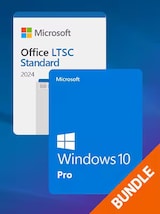
Choosing a competitively priced license helps reduce setup costs while still giving access to Microsoft’s operating system, updates, productivity tools, and security features.
Windows 11 for Content Creators
Designers, video editors, photographers, programmers, and streamers also benefit from Windows 11.
Its modern interface and compatibility with professional software make it suitable for creative workloads, including:
- Adobe Creative Cloud;
- DaVinci Resolve;
- Blender;
- Visual Studio;
- OBS Studio.
A genuine Windows license ensures full access to updates and security improvements that professionals rely on.
How to Choose the Right Windows 11 License
Not every Windows license is identical.
Before buying, consider these factors.
| Feature | Why it matters |
|---|---|
| Edition | Home or Pro |
| Region | Must match activation requirements |
| License type | OEM or Retail |
| Delivery | Digital key |
| Seller rating | Helps evaluate reliability |
Reading the product page carefully helps avoid activation issues.
Windows 11 Home vs Pro
Choose the edition that matches your needs.
| Windows 11 Home | Windows 11 Pro |
|---|---|
| Everyday home use | Business and professional use |
| Gaming | Advanced security |
| Streaming | Remote Desktop |
| School and university work | BitLocker encryption |
| Basic productivity | Domain support |
Most gamers, students, and everyday users will find Windows 11 Home sufficient.
Professionals, remote workers, and small businesses may benefit from Windows 11 Pro’s additional management and security features.
Looking for more amazing software deals? Check G2A Marketplace Best Software Deals right now!
How to Activate Windows 11
Activating Windows is straightforward.
- Open Settings.
- Select System.
- Open Activation.
- Choose Change Product Key.
- Enter your Windows 11 key.
- Complete the activation process.
Once activated successfully, Windows becomes linked to your license.
Tips for Buying Safely
When shopping for Windows 11:
- compare offers;
- check seller ratings;
- read the product description;
- verify activation region;
- confirm the Windows edition;
- ensure the license type meets your needs.
Taking a few minutes to review these details can help you choose the right product.
Why Many Buyers Choose G2A
People looking for affordable Windows licenses often choose G2A because it combines:
- competitive pricing;
- instant digital delivery;
- a wide selection of Windows editions;
- multiple sellers;
- customer ratings and reviews;
- convenient payment methods.
Whether you’re building a gaming PC, preparing a laptop for university, upgrading your family computer, or setting up a home office, G2A makes it easy to find a Windows 11 license that fits both your needs and your budget. With multiple sellers competing on the marketplace, buyers can compare offers and choose the solution that works best for gaming, education, remote work, small business, or everyday computing.
Instead of paying full retail price, buyers can compare available offers and choose the option that best fits their budget, device, and intended use.
Get Your Windows 11 Right Now on G2A!
Frequently Asked Questions
Where can I get Windows 11 cheap?
Digital marketplaces like G2A often provide competitive prices by allowing multiple sellers to offer Windows 11 licenses in one place.
Is buying Windows 11 on G2A safe?
Buying from reputable sellers with strong ratings and carefully reviewing the product page helps reduce the risk of purchasing the wrong product.
Can I activate Windows 11 with a digital key?
Yes. After entering the activation key through Windows Settings, Windows verifies the license with Microsoft’s activation service.
Which Windows 11 edition should I buy?
Windows 11 Home is suitable for most home users, students, and gamers, while Windows 11 Pro includes additional business, networking, and security features.
Is Windows 11 suitable for students?
Yes. Windows 11 supports study, research, online classes, productivity applications, cloud storage, and collaboration tools.
Is Windows 11 good for a home office?
Yes. Windows 11 supports video conferencing, document editing, project management, cloud collaboration, and multitasking. Windows 11 Pro may be more suitable for users who need advanced security or remote access features.
Why is Windows 11 cheaper on G2A?
Because multiple independent sellers compete on the marketplace, prices may be lower than the official retail price.
Can I compare different Windows 11 offers?
Yes. G2A allows you to compare available listings, prices, seller ratings, and product details before making a purchase.