




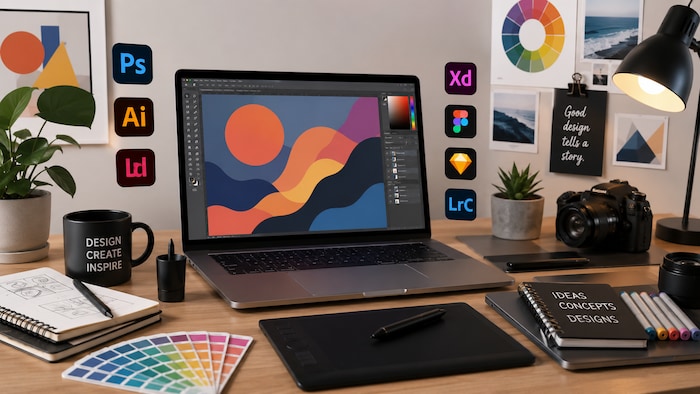
A freelance graphic designer does not only need one design app, but a complete software stack for creation, collaboration, delivery, communication, and billing.
The right setup helps you create professional work, manage client feedback, deliver files cleanly, and handle the business side of freelancing without unnecessary friction.
Let’s start with a quick breakdown of the graphic design tools for freelancers and who each tool is best suited for.
Quick Summary – Graphic Design Tools for Freelancers
Table of Contents
- Best Software for Freelance Graphic Designers by Workflow Stage
- Core Design Software for Daily Client Work
- Adobe Creative Cloud
- Affinity Designer
- CorelDRAW
- Autodesk
- UI Design, Wireframing, and Prototype Tools
- Figma
- Fast Content Creation and Template Tools
- Canva
- Project Management and Client Communication
- Notion
- Slack
- File Storage and Delivery Tools
- Dropbox
- Google Workspace
- Invoicing and Business Tools
- FreshBooks
- AI Support Tools
- ChatGPT
- Photo Management and Utility Tools
- ACDSee
- Ashampoo
- FAQ
Best Software for Freelance Graphic Designers by Workflow Stage
Below is a clear breakdown of the best software for freelance graphic designers, grouped by workflow stage so you can quickly see which tools support your creative workflow, from design to delivery and business tasks.





Core Design Software for Daily Client Work
Core design tools are the foundation of a freelance graphic designer’s workflow. These are the apps you use for client-facing creative work, from brand identity and illustration to print assets, photo editing, CAD, and 3D visuals.
Adobe Creative Cloud
Adobe Creative Cloud is used for full-scale professional design work and client projects. It covers a wide range of creative tasks, including branding, illustration, layout design, photo editing, and advanced visual production.
It is best for experienced designers working with agencies and high-end clients who expect industry-standard file formats and polished deliverables.
Adobe offers the strongest industry ecosystem, but it requires a subscription and has a learning curve, especially if you use several apps within the suite.
You should use it for: complete brand identity projects, advanced creative work, professional photo editing, and multi-format client deliverables.
Affinity Designer
Affinity Designer is used for vector design and branding without subscriptions. It is a strong option for freelancers who want professional design features without committing to a monthly software plan.
It is best for independent freelancers and budget-focused designers who mainly create logos, layouts, icons, and brand assets.
Affinity Designer is affordable long-term, but it has a smaller ecosystem than Adobe, which can matter when working with agencies or clients who expect Adobe file compatibility.
You should use it for: creating logos, layouts, vector illustrations, and full brand guidelines for clients.
CorelDRAW
CorelDRAW is used for vector and print design work. It is especially useful for designers who focus on illustration, signage, packaging, brochures, and other print-oriented layouts.
It is best for print designers and illustration-focused freelancers who need precise vector control and reliable output for physical materials.
CorelDRAW is strong in vector workflows, but it is less common in modern agency pipelines than Adobe Creative Cloud, so client compatibility may depend on your niche.
You should use it for: print materials, vector-based layouts, signage, and illustration-heavy projects.
Autodesk
Autodesk software is used for 3D design, CAD, architecture, and product modeling. It is more technical than traditional graphic design software and is built for precision-based work.
It is best for architects, engineers, product designers, 3D artists, and freelancers who work on technical or spatial design projects.
Autodesk offers powerful precision tools, but it has a technical learning curve and is usually unnecessary for standard branding or social media design work.
You should use it for: product visualization, technical drawings, architectural projects, CAD work, and 3D design.
UI Design, Wireframing, and Prototype Tools
UI and prototype tools help designers move beyond static graphics. They are useful when a project involves websites, apps, landing pages, interactive mockups, or product design collaboration.
Figma
Figma is used for designing websites, apps, wireframes, and prototypes. It is one of the most practical tools for UI and UX designers because it supports both design and collaboration in the same workspace.
It is best for UI and UX designers working in teams, especially when developers, product managers, or clients need to review designs in real time.
Figma allows real-time collaboration and smooth handling of revision rounds with clients, but it depends on internet access for the best experience.
You should use it for: digital product design, interactive mockups, website layouts, app interfaces, and client feedback sessions.
Fast Content Creation and Template Tools
Fast content tools are useful when speed matters more than deep customization. They help freelancers create social posts, simple ads, thumbnails, presentations, and recurring content formats quickly.
Canva
Canva is used for social media design, including posts, ads, stories, banners, and quick graphics. It is built around speed, templates, and easy visual editing.
It is best for marketers, content creators, and freelancers who need to produce visual assets quickly without building everything from scratch.
Canva is very fast and beginner-friendly, but it is limited for advanced design control, original brand systems, and highly customized layouts.
You should use it for: daily content production, simple promotional graphics, social media templates, and quick client assets.
Project Management and Client Communication
Design work is not only about making visuals. Freelancers also need to manage client briefs, approvals, revision rounds, timelines, and feedback without losing important details.
Notion
Notion is used for managing projects, tasks, briefs, notes, and client workflows. It works well as a flexible workspace where you can organize both creative and business information.
It is best for freelancers handling multiple clients or projects at the same time.
Notion is flexible, but it takes setup time. If your workspace is not organized well, it can become harder to navigate as your client list grows.
You should use it for: workflow organization, project dashboards, creative briefs, client notes, timelines, and content planning.
Slack
Slack is used for real-time client and team communication. It helps keep project conversations organized by channel instead of scattering updates across personal messages or long email threads.
It is ideal for remote work environments where fast feedback, active collaboration, and frequent check-ins are needed.
Slack is fast, but it can become distracting if every small update turns into an instant notification.
You should use it for: active project communication, team collaboration, client updates, and quick revision discussions.
File Storage and Delivery Tools
File delivery is an important part of a designer’s professional image. Clients need clean access to final assets, source files, exports, brand materials, and project folders.
Dropbox
Dropbox is used for professional file delivery to clients. It gives you a simple way to organize, share, and hand off finished design files.
It is best for clean client handoff, especially when delivering large files, brand assets, image libraries, or final export folders.
Dropbox is simple and reliable, but free storage is limited, so active freelancers may need a paid plan.
You should use it for: final deliveries, asset folders, client handoff packages, and organized project archives.
Google Workspace
Google Workspace is used for documents, email, shared folders, and collaboration. It helps freelancers manage briefs, proposals, comments, and client-facing documents in one familiar ecosystem.
It is perfect for shared project work, especially when clients need to edit text, review documents, or access files from different devices.
Google Workspace is strong for collaboration, but it is less polished for final design delivery than a dedicated file handoff system like Dropbox.
You should use it for: briefs, proposals, shared files, client notes, contracts, feedback documents, and collaborative planning.
Invoicing and Business Tools
Freelancers need business tools that make payments, expenses, and financial admin easier to manage. A clean invoicing process also makes your work look more professional to clients.
FreshBooks
FreshBooks is used for invoices, expenses, payments, and basic freelance finance management. It helps designers reduce manual admin and keep track of client billing.
It is best for working freelancers who regularly handle paying clients and want a more professional billing process.
FreshBooks saves time, but it requires a subscription, so it makes the most sense once you invoice clients regularly.
You should use it for: invoices, payment tracking, expense management, and freelance financial organization.
AI Support Tools
AI tools can support a freelance designer’s workflow by helping with ideas, copy, client communication, content planning, and creative direction. They should support your process rather than replace creative judgment.
ChatGPT
ChatGPT helps speed up creative work and is used for ideas, writing, naming, project planning, and workflow support.
It is best for all freelancers who need quick brainstorming, content support, or help turning rough ideas into clearer client-facing text.
ChatGPT is fast, but it still needs human editing, especially for brand voice, visual strategy, and final client communication.
You should use it for: brainstorming campaign concepts, writing project descriptions, drafting client emails, creating design brief questions, and supporting content ideas.
Photo Management and Utility Tools
Photo management and utility tools are helpful when your workflow includes image libraries, quick edits, file organization, and lightweight creative tasks that do not require a full professional design suite.
ACDSee
ACDSee is used for photo management, organization, and quick image editing. It is useful when you need to sort, browse, rate, and adjust large numbers of images efficiently.
It is ideal for photographers and designers handling large image libraries.
ACDSee offers fast browsing and lightweight editing, but it is not a full design suite for advanced layout, branding, or vector work.
You should use it for: sorting, selecting, organizing, and managing photo assets.
Ashampoo
Ashampoo is used for simple, all-in-one creative and utility tasks. It is designed for users who need basic tools without the complexity of advanced professional software.
It is best for beginners and users who need simple editing tools for everyday creative work.
Ashampoo is easy to use, but it is limited compared to professional design software such as Adobe Creative Cloud, Affinity Designer, or CorelDRAW.
You should use it for: light editing, quick fixes, basic creative work, and simple utility tasks.
FAQ
The best software stack for freelance graphic designers depends on the kind of work you do most often. Adobe Creative Cloud, Affinity Designer, CorelDRAW, Figma, and Canva cover the creative side, while Notion, Slack, Dropbox, Google Workspace, and FreshBooks help you manage the business side professionally.