





Finding the right cloud backup in 2026 comes down to specific use cases rather than a single universal winner. This comparison examines five leading solutions to determine the best fit for various scenarios.
IDrive is the top choice for multi-device setups, Backblaze excels at simple unlimited storage for a single gaming rig, Acronis True Image provides heavy cybersecurity for power users, Carbonite Safe acts as a traditional set-and-forget option, and CrashPlan handles small business endpoint protection perfectly. Decisions should be based on device count, budget, and specific recovery needs.
TL;DR
- IDrive is best for multi-device households.
- Backblaze is best for unlimited backup on one computer.
- Acronis True Image is best for full system imaging and cybersecurity.
- Carbonite Safe is best for simple set-and-forget file backup.
- CrashPlan is best for small businesses and endpoint protection.
Table of content
- Why This Decision Carries More Weight in 2026
- 5 Top Cloud Backup Solutions
- IDrive
- Backblaze
- Acronis True Image
- Carbonite Safe
- CrashPlan
- Cloud Backup Market in 2026
- How to Choose the Right Cloud Backup
- Build a Complete Backup Strategy
- How to Test Backup Recovery
- Cloud Backup Tutorials
- Backup Software on G2A.COM
- Related G2A News Guides
- FAQ
- Choose Before You Need to Restore






Why This Decision Carries More Weight in 2026
Hardware failures, nasty ransomware attacks, stolen laptops, and corrupted game save directories are common themes on tech forums. With the rise of remote work, massive game installs, and digital hoarding, data resilience is mandatory.
We need to make a clear distinction here: cloud sync (like Google Drive or Dropbox) is not cloud backup. Sync merely mirrors files; a ransomware infection on a local drive instantly encrypts the synced cloud folder. Cloud storage serves as a manual online locker. True cloud backup runs continuously in the background, keeping historical file versions safe from malware and accidental deletions.
5 Top Cloud Backup Solutions
Each service does a different job well. Some fit a single packed gaming PC, some make more sense for homes with several devices, and one is clearly built for small business use.
IDrive
IDrive makes the most sense for households with a gaming desktop, a work laptop, a phone, maybe another phone, and a few extra devices that somehow keep piling up.
- Strongest use case: Multi-device coverage, with a single 5TB or 10TB pool shared across an unlimited number of devices.
- Drawback: A fixed storage cap instead of an unlimited model.
- Key strengths: IDrive Express lets you request a physical hard drive by mail for large initial backups or full restores, which skips slow internet transfers.
- Why it works: Massive first-year discounts keep the cost low, and reviews point to good speed, easy setup, and strong price-per-terabyte value across multiple devices.
Backblaze
Backblaze has a very different pitch, and that is part of why people like it. One computer, one flat price, unlimited backup. For single PC gamers, streamers, or creators with huge external drives, that simplicity is hard to beat. You install it, let it run, and stop thinking about it.
- Strongest use case: Unlimited data for a flat fee. All external drives can be plugged in, allowing the software to run silently in the background.
- Drawback: One license covers only one computer, and mobile backups are not included.
- Key strengths: The “Restore by Mail” feature ships an 8TB USB drive with recovered data via FedEx. Returning the drive within 30 days results in a full refund.
- Why it works: Priced at $9 a month, it serves as the ultimate set-it-and-forget-it safety net for users hoarding massive amounts of media.
Acronis True Image
Acronis True Image aims at people who want more than file backup. This is the option for users who care about full disk imaging and want security tools running alongside backup features.

Acronis True Image 2025
Release Date: 2025
Genres: Software
- Strongest use case: Creating a 1:1 system clone while actively protecting files from ransomware.
- Drawback: Pricing tiers are complicated and expensive, and the software can use a lot of system resources.
- Key strengths: Enterprise-grade AES 256 encryption, vulnerability scans, and blockchain based notarization on higher tiers.
- Why it works: A solid all-in-one option for avoiding full Windows reinstalls. Active Protection runs in the background and monitors the system in real time.
Carbonite Safe
Perfect for casual users who want basic protection running quietly in the background without dealing with setup. Not everyone needs a long feature list. Some people just want their files backed up and left alone.
- Strongest use case: Simple unlimited backup for a single machine.
- Drawback: The basic plan does not include external drives or automatic video backups. Upload speeds can occasionally be slow.
- Key strengths: A clean interface uses color coded dots to show which files are backed up locally.
- Why it works: A solid choice for simple, reliable backups of documents, photos, and game configurations.
CrashPlan
CrashPlan is built with a different audience in mind. Small businesses, freelance developers, and teams managing multiple endpoints get the most from it.
- Strongest use case: Unlimited storage combined with infinite file versioning.
- Drawback: High resource usage during scans; no mobile app available for home users.
- Key strengths: 90-day deleted file retention and silent deployment options for IT administrators.
- Why it works: Built for teams that need to keep every version of a project. It makes it possible to go back to a specific version before corruption or a ransomware incident.
Cloud Backup Market in 2026
The cloud backup market looks very different now. What once felt like simple offsite storage now covers backup, recovery planning, and endpoint protection in one space.
Providers are not competing on storage alone anymore. Recovery speed, version history, and ransomware resilience carry just as much weight, and in many cases they carry more.
Acronis began as a disk cloning tool and grew into a broader security suite. CrashPlan left the consumer space years ago and put its focus on small business and company endpoints. Backblaze stayed close to its unlimited storage model. IDrive adjusted to the fact that many homes now run several devices at once, not one desktop sitting in the corner. That makes the choice easier, because each service now lines up with a more specific type of user.
How to Choose the Right Cloud Backup
Start by listing the devices and data you need to protect. The right service for one large desktop may be very different from the right service for a household, freelancer, or small company.
Before subscribing, check how the service handles external drives, deleted files, historical versions, mobile devices, physical restore media, private encryption keys, and storage overages.
Also consider the recovery process. A low monthly fee is less valuable when restoring several terabytes would take longer than the downtime you can tolerate.
Build a Complete Backup Strategy
A cloud service should be one layer of the backup plan, not the only layer. A practical setup follows the 3-2-1 approach:
- Three copies: keep the original data and at least two backup copies.
- Two storage types: use different media, such as an internal drive, external drive, NAS, or cloud service.
- One offsite copy: keep at least one backup away from the main computer or physical location.
Users concerned about ransomware can add an offline or immutable copy that cannot be easily changed from the main computer.
For a gaming PC, that may mean cloud backup for save files, screenshots, mods, and personal media, plus a system image on an external drive. Large game installations can often be downloaded again, but locally stored saves and customized content may be impossible to replace.
For a small business, the plan should also cover project files, financial records, cloud applications, customer information, and the devices used by team members.
How to Test Backup Recovery
A successful backup notification does not prove that every file can be restored. Recovery tests should be performed before an emergency.
- Restore several individual files: choose documents, photos, archives, and project files from different folders.
- Check previous versions: confirm that an older copy can be recovered after a file is edited or deleted.
- Test external-drive coverage: verify that connected drives are included and have not expired under the provider’s retention rules.
- Review encryption access: make sure recovery passwords, private keys, and authentication methods are available.
- Estimate restore time: calculate how long a large download or physical drive shipment would take.
- Test bootable recovery media: system-image users should confirm that the recovery environment starts correctly.
- Document the process: save simple instructions so recovery does not depend on remembering every step under pressure.
Store recovery information separately. Backup codes, encryption keys, emergency contacts, and restore instructions should remain accessible when the main computer or cloud account is unavailable.
Cloud Backup Tutorials
These official tutorials show how two of the services discussed in the comparison handle installation and initial backup setup.
Backup Software on G2A.COM
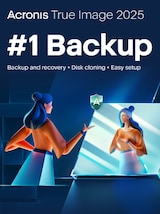
The cloud subscriptions discussed above are not all available as marketplace keys. The following offers cover related system imaging, local backup, cloning, file recovery, and disaster-recovery tasks.
Check the operating system, device limit, subscription duration, activation instructions, storage requirements, and regional restrictions before ordering.
Check for Better Software Deals with G2A Plus
A G2A Plus subscription can provide additional discounts on eligible marketplace offers, a monthly gift, Plus Points and discount benefits, and priority support.
Related G2A News Guides
- Top 5 Solutions for Backup and Data Security
- How to Secure Your Freelance Business in 2026
- Cybersecurity Checklist for Small Businesses
- Programs Every Freelancer Must Have in 2026
FAQ
Choose Before You Need to Restore
The five services in this comparison solve different backup problems.
IDrive suits homes and freelancers with several devices. Backblaze keeps the decision simple for one computer with a large amount of data. Acronis True Image adds full system imaging and security features, while Carbonite Safe focuses on automatic personal file protection.
CrashPlan makes the most sense when business devices, administration, retention, and project history matter more than a consumer-focused interface.
The service is only one part of the decision. Check retention rules, test a real restore, protect recovery credentials, and keep another copy outside the main computer.
A backup subscription becomes valuable at the moment something fails. The preparation has to happen before that moment arrives.