


Crimson Desert looks blurry on PS5? There’s a simple fix that can instantly improve your image quality.
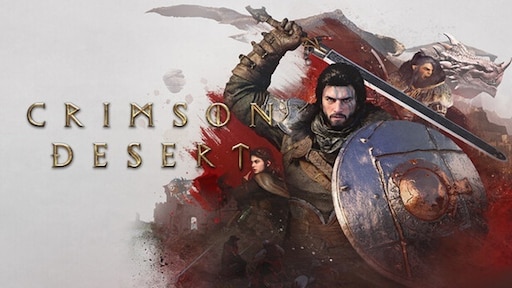
Crimson Desert
Release Date: March 19, 2026
Genres: RPG, Action, Adventure
If you’re experiencing soft or unclear visuals, the quickest solution is to disable 120Hz output in your PS5 settings. This workaround has already helped many players restore sharp 4K clarity.
TL;DR – Crimson Desert Blurry Fix (PS5)
- Blurry visuals are caused by forced 120Hz output
- Most noticeable on displays without full 4K @ 120Hz support
- Disable 120Hz in PS5 settings to fix it
- Works in both performance and fidelity modes
- Official patch likely needed for permanent fix
Table of contents:
Explanation of the Issue
Players across Reddit, Discord, and social media have reported blurry visuals in Crimson Desert, and the issue appears regardless of graphics mode.
What makes it frustrating is that:
- The blur occurs in both performance and fidelity modes
- Switching settings in-game often does not fix the problem
- The issue is more visible on certain TVs and monitors
The main cause appears to be the game forcing 120Hz output, even on displays that don’t fully support 4K resolution at 120Hz.
When that happens, the system may:
- Lower the internal resolution
- Introduce softer image quality
- Create additional visual artifacts
Post-processing effects like anti-aliasing and sharpening can make things worse, especially when combined with reduced resolution.
Step-by-step Fix
Here’s the easiest and most effective workaround:
- Go to PS5 Settings
- Select Screen and Video
- Open Video Output
- Disable Enable 120Hz Output
This forces your console back to 60Hz, which allows the game to display proper 4K resolution without scaling issues.
Many players — even those using HDMI 2.1 — report that this fix works instantly, making it the go-to solution until an official patch is released.
PC Issues and Broader Technical Context
The problem isn’t limited to PS5. PC players are also reporting similar visual issues, although the fixes are less consistent.
Common complaints include:
- Oversharpening effects
- Flickering textures
- Inconsistent image clarity
Some temporary solutions include:
- Restarting the game
- Adjusting graphics settings
However, results vary depending on hardware and configuration.
Conclusion
Disabling 120Hz output is currently the fastest and most reliable fix for blurry visuals in Crimson Desert on PS5.
While this workaround works for many players, it’s not a permanent solution. A proper fix will likely require an official patch from the developers.
Until then, keeping an eye on updates and using temporary fixes like this is the best way to improve your experience.