




If Ace Combat 8 is your first Ace Combat, start simple: use Standard controls, choose Pilot difficulty, learn how to get behind an enemy before firing, and do not spend every bit of MRP the moment you earn it. You do not need to fly like an actual fighter pilot. You need to understand positioning, speed, missile timing, and when to tell your wingmen to help.
Ace Combat 8: Wings of Theve is an arcade-style flight combat game, but the first few missions can still feel hectic if you are trying to steer, watch the radar, change targets, dodge missiles, manage special weapons, and listen to mission chatter at the same time. The trick is to learn those jobs in the right order instead of attempting everything at once.
This beginner’s guide focuses on the skills that matter most early in the campaign: choosing your controls, surviving dogfights, firing missiles when they actually have a chance to hit, using Joker Flight properly, and spending your first MRP without wasting it. If you are still deciding whether the game is for you, our complete Ace Combat 8 guide covers the wider picture.
Best starting setup: Standard controls + Pilot difficulty. Concentrate on throttle control, target selection, getting behind enemies, and firing from good angles. Move to Expert controls once basic flying stops taking all of your attention.
Research basis: Official Bandai Namco gameplay, controls, difficulty, aircraft, and launch information, plus official PlayStation hands-on material.
Checked: Control modes, difficulty, combat basics, countermeasures, wingman commands, campaign progression, aircraft customization, and current marketplace availability.
Table of Contents
- Best Ace Combat 8 settings for beginners
- The controls you actually need to learn first
- How to win dogfights without flying in circles forever
- Missile timing: A lock does not mean you should fire
- Use your wingmen instead of forgetting they exist
- What should you spend your first MRP on?
- Seven beginner mistakes to stop making
- Quick pre-sortie checklist
- Still need Ace Combat 8?
- More Ace Combat reading
Best Ace Combat 8 settings for beginners
Ace Combat 8 gives you two flight control styles: Standard and Expert. If this is your first Ace Combat, Standard is the easiest place to begin.
With Standard controls, moving left or right produces the kind of intuitive turn you probably expect from an action game. Expert controls give you more direct control over the aircraft. Left and right input rolls the plane, after which you pitch to turn. It takes more coordination, but it also gives you much better control over your orientation once you understand what the aircraft is doing.
Do not feel pressured to switch to Expert immediately because somebody tells you it is the “real” way to play. Standard is there to let you learn combat without also fighting the controls. Once you start thinking about the enemy instead of thinking about how to make your aircraft turn, Expert becomes much easier to learn.
The controls you actually need to learn first
Ace Combat throws a lot of information at you, but you do not need to memorize every button before your first sortie. Learn the controls that directly affect positioning and firing first.
On PS5, the basic layout puts acceleration on R2 and deceleration on L2. Holding both is used for a high-G turn. Triangle switches targets, Square changes your selected weapon, Circle fires missiles or the selected special weapon, and X fires the machine gun. The directional buttons are used for wingman commands.
The exact prompts differ by platform and control device, so use the in-game bindings as your reference outside PS5. The important part is knowing where target switching, throttle, countermeasures, weapon switching, and wingman orders live. Those are the controls you will use constantly.
Beginner habit: Get comfortable switching targets without staring at the radar for several seconds. Ace Combat becomes much easier once target selection turns into muscle memory.
How to win dogfights without flying in circles forever
The classic beginner dogfight goes like this: you lock onto an enemy, chase it, the enemy turns, you follow, and suddenly both aircraft have spent the last minute drawing circles in the sky without anybody getting a clean shot.
The way out is to stop thinking only about keeping the target directly in front of you. Your real goal is to create a good firing position.
Bandai Namco’s own combat guidance breaks the basic loop down cleanly: use your thrust to close the distance, maneuver into a favorable position, ideally behind the enemy, and then attack with missiles or machine guns. That sounds obvious, but it changes how you approach a fight.
Control your speed instead of holding the accelerator forever
More speed is not always better. Acceleration helps you close a gap or regain energy after a hard maneuver, while slowing down can tighten your turn and stop you from overshooting a target. The useful skill is changing speed deliberately rather than flying at one throttle setting for the entire mission.
Use high-G turns to reposition, not as your normal turn
High-G turns let you change direction aggressively, which is excellent when an enemy is about to escape your firing arc or you need to break a pursuit. They also cost speed. Hold them too long and you can leave yourself slow, exposed, and badly positioned for whatever happens next.
Use them in short, purposeful bursts. Turn hard, point the aircraft where you need it, then accelerate again.
Do not forget the gun
Missiles are easier to understand, so beginners tend to treat the machine gun as an emergency backup. It is much more useful than that. If an enemy passes close in front of you or you settle directly behind a target, the gun gives you another way to deal damage without waiting on missile reloads or wasting a shot with terrible geometry.
Look outside the targeting box
Your radar is essential, but Ace Combat 8 also gives you useful visual information. Contrails, smoke, reflections, and the movement of aircraft across the sky can help you understand where a fight is developing. Train yourself to read the whole battle instead of locking your attention onto one square in the HUD.
Missile timing: A lock does not mean you should fire
One of the biggest early mistakes in Ace Combat is treating the lock-on tone as an instruction to shoot. It is not. It only means the weapon can track the target.
A missile still has to reach an aircraft that is moving, turning, accelerating, and potentially using countermeasures. Fire at a target crossing your nose at a horrible angle and it may simply turn away from the missile. Fire from behind an enemy with less lateral movement and your chances improve dramatically.
That last point matters. New players often get so focused on finishing a target that they ignore the missile warning screaming at them. If somebody has a good shot on you, abandon your attack for a moment. Evade, regain control of the situation, then come back.
Missile discipline also saves ammunition. That becomes increasingly useful during longer missions where wasting volleys early can leave you short on options when the important targets finally appear.
Use your wingmen instead of forgetting they exist
Ace Combat 8 brings wingman commands back through Joker Flight, and new players should get used to them early. Your squadmates are not just background characters flying near you. You can change what they are trying to accomplish during a fight.
The important habit is changing the order when the battle changes. Do not select one command at the beginning of the mission and then forget the system exists.
If the battlefield is full of ordinary targets, spreading the squad out makes sense. If one dangerous aircraft or objective needs to disappear quickly, focus the attack. If three enemies have decided you are the most interesting person in the sky, asking for cover becomes much more valuable.
Easy rule: Lots of targets? Spread out. Important target? Attack. You are getting overwhelmed? Cover. Tough targets worth extra firepower? Let Joker Flight use special weapons.
What should you spend your first MRP on?
MRP is earned through campaign missions and is used to expand your aircraft options. The temptation is to treat every new unlock as something you should immediately buy.
Do not.
Ace Combat missions can emphasize very different jobs. One sortie might be dominated by enemy fighters. Another can involve ground support, ships, or a mixture of everything. Bandai Namco’s own guidance repeatedly emphasizes reading the briefing and matching your aircraft, special weapons, and parts to the objective.
That makes a flexible early setup more useful than racing blindly toward whichever aircraft happens to look coolest.
A sensible first spending order
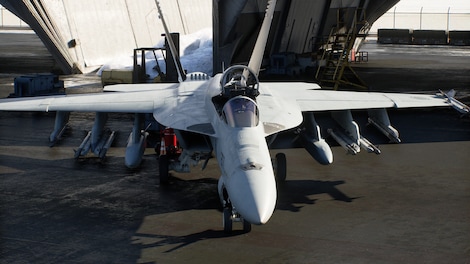
Your early F/A-18C is a useful example of why flexibility matters. It is a multirole aircraft, and Ace Combat 8 gives it access to weapons suited to air, ground, and naval targets. That lets you learn what kind of missions and weapons you actually enjoy before committing heavily to one specialization.
Most importantly, read the mission briefing before spending MRP specifically to solve a problem. Buying an anti-ground option because the previous mission had lots of tanks does not help much if the next sortie is dominated by aircraft.
We are also preparing a dedicated Ace Combat 8 aircraft and MRP guide. Until then, our older Ace Combat 7 aircraft guide is useful background for how the series approaches aircraft progression, although the exact aircraft tree and progression are different in Ace Combat 8.
Important: Campaign progression and ACE COMBAT ONLINE progression are separate. Do not plan your campaign spending around the assumption that your aircraft and progression simply carry into the online mode.
Seven beginner mistakes to stop making
Quick pre-sortie checklist
Before launching, take ten seconds and ask yourself five questions:
- Is this mainly an air-to-air, ground, naval, or mixed mission?
- Does my aircraft fit that job?
- Do my special weapons match the targets I expect to fight?
- Are my parts helping the aircraft do something I actually need?
- Am I buying an upgrade because it helps, or only because I have enough MRP for it?
Once the mission starts, simplify things again: control your speed, choose useful targets, attack from good angles, listen for missile warnings, and remember that you have three other pilots in Joker Flight who can help.
That foundation matters much more than trying to learn every advanced maneuver immediately. If you are coming directly from Ace Combat 7, our Ace Combat 8 vs. Ace Combat 7 comparison breaks down the systems that have changed.
Still need Ace Combat 8?
If you are reading ahead before starting the campaign, you can compare current Ace Combat 8 marketplace offers on G2A.COM. Check the available options, make sure the offer fits what you need, and then get back to worrying about missiles instead of shopping tabs.
G2A Plus can add more value to eligible purchases
G2A Plus includes reward and member benefits, while Plus Premium can also provide member discounts on eligible marketplace items and additional monthly perks.
Fly smarter before you fly faster
Ace Combat 8 becomes much less intimidating once you stop trying to master the whole cockpit at once. Learn how to put an enemy in a bad position. Learn when not to fire. Learn what your wingmen can do. Spend MRP with a purpose.
The flashy maneuvers can come later. A beginner who chooses good targets and takes good shots will get much further than somebody performing beautiful turns while firing missiles at impossible angles.