



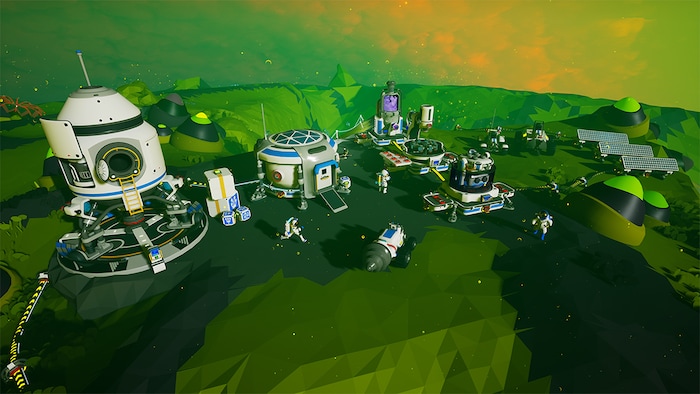
Developed by System Era Softworks, Astroneer is a colorful sandbox adventure game officially released in 2019. Since the title lets its players freely explore procedurally generated planets, gather resources, build bases, and unravel all the secrets of space, it’s understandable that it still gathers hundreds of active users daily in 2025. The only question is – can they play together regardless of platform? This Astroneer crossplay guide answers that question!
TL;DR — Does Astroneer have crossplay?
- Astroneer is cross-platform (PC, Xbox, PlayStation, Switch).
- Cross-play works, but with limitations.
- Microsoft Store (PC) and Xbox can play together easily.
- Most other combinations require a dedicated server.
- Nintendo Switch does not support cross-play.
Table of Contents
What is Cross-Platform and Cross-Play?
To explain how Astroneer’s multiplayer works, we first need to learn what these two terms represent!
Cross-platform means that the game is available on multiple devices, such as PC, Xbox, and so on.
Cross-play, on the other hand, supports online play compatibility between players on different platforms.
What Platforms is Astroneer Available On?
Astroneer falls into the cross-platform category, as it’s available on:
- Windows (Steam and Microsoft Store game versions)
- Xbox One
- Xbox Series X/S
- PlayStation 4
- PlayStation 5
- Nintendo Switch
Does Astroneer Support Crossplay?
Yes, but with some limitations! Here’s what you need to do to play with users on other platforms.
PC (Microsoft version) with Xbox
Astroneer supports cross-play between these platforms since release. Players can join each other without setting up a separate server. The only requirement is sending an invitation via the Windows Xbox app or directly through Xbox. Once connected, you’ll see a house icon on the planet.
PC (Steam version) with Xbox
Steam PC users can connect with Xbox players only through a self-hosted server (consoles cannot host servers) or a rented dedicated server. Important: Microsoft platform players can only connect to authenticated servers, which are usually paid.
PC (Microsoft version) with PlayStation
Microsoft Store PC players cannot create self-hosted servers. To play with PlayStation users, you must rent a dedicated server from a Microsoft Preferred provider such as Gportal or Nitrado.
PC (Steam version) with PlayStation
These platforms cannot connect directly. To play together, the Steam PC user must create a self-hosted server (complex setup) or both players must join a rented dedicated server.
Xbox with PlayStation
Cross-play between Xbox and PlayStation is only possible through a rented dedicated server.
Nintendo Switch
Nintendo Switch does not support cross-play with other platforms. Switch players can only play with other Switch users.
Mobile & Remote Play
There is no standalone mobile cross-play support. However, players can access Astroneer via PS Remote Play (PlayStation users) or Xbox Remote Play (Xbox users).
A Word About Servers
As you can see, only PC (Microsoft) and Xbox users can enjoy cross-play without additional setup. All other platform combinations require either:
- A self-hosted server (requires a PC), or
- A rented third-party dedicated server.
Reliable providers include Nitrado, Gportal, and Citadel Servers. Keep in mind that Microsoft versions can only connect to authorized servers, typically from Gportal or Nitrado.
Conclusion
Hopefully, now you know how to play Astroneer with others, regardless of platform! While connecting with users on different platforms can seem complicated, setting up a self-hosted or renting a dedicated server can absolutely be worth the effort.
Now grab your oxygen tanks, power up your rover, and start exploring the galaxy together!