





Cyberpunk 2077 console players can finally use community-created mods without moving to PC.
Update 2.5 introduces official cross-platform mod support on PlayStation 5, PS5 Pro, Xbox Series X|S, PC, Mac, and Nintendo Switch 2 through mod.io.
The system is designed to be much simpler than traditional PC modding. Supported mods can be browsed through a new in-game menu, installed directly from Cyberpunk 2077, and enabled or disabled without manually copying files or installing tools such as Cyber Engine Tweaks.
There are limits, however. Console players are getting a curated selection rather than unrestricted access to the full PC mod ecosystem, more compatible mods will be added over time, and loading a modded save on console disables trophies or achievements for that save.
Quick answer: Cyberpunk 2077 Update 2.5 adds an official mod browser powered by mod.io. On PS5 and Xbox Series X|S, you can browse supported community mods from the game’s menu, install them directly, enable or disable them, and then play without using a PC. Modded console saves are marked separately and cannot earn trophies or achievements.

G2A Plus: Members earn Plus Points on eligible purchases and can use them toward future orders. Plus Premium also includes better member prices on selected items, higher discount codes, monthly digital rewards, and priority help after purchase.
Table of Contents
Which Cyberpunk 2077 consoles support mods?
Cross-platform mod support is part of Cyberpunk 2077 Update 2.5 and is officially supported on:
- PlayStation 5
- PlayStation 5 Pro
- Xbox Series X
- Xbox Series S
- PC
- Mac
- Nintendo Switch 2
PS4 and Xbox One are excluded because Update 2.5 is not being released for the last-generation versions of Cyberpunk 2077.
Switch 2 support is also confirmed, although the Switch 2 version of Update 2.5 is arriving after the initial PC, PS5, and Xbox Series launch.
How Cyberpunk 2077 console mods work
CD PROJEKT RED has partnered with mod.io to bring community-created content directly into Cyberpunk 2077.
Instead of downloading files through a browser, extracting archives, or moving them into specific directories, console players get a dedicated mod browser inside the game itself.
Associate Game Director Paweł Sasko explained during the Update 2.5 presentation that the menu is available directly from the game’s main menu and has been designed to feel familiar to players who have used CDPR’s newer mod.io implementation in The Witcher 3.
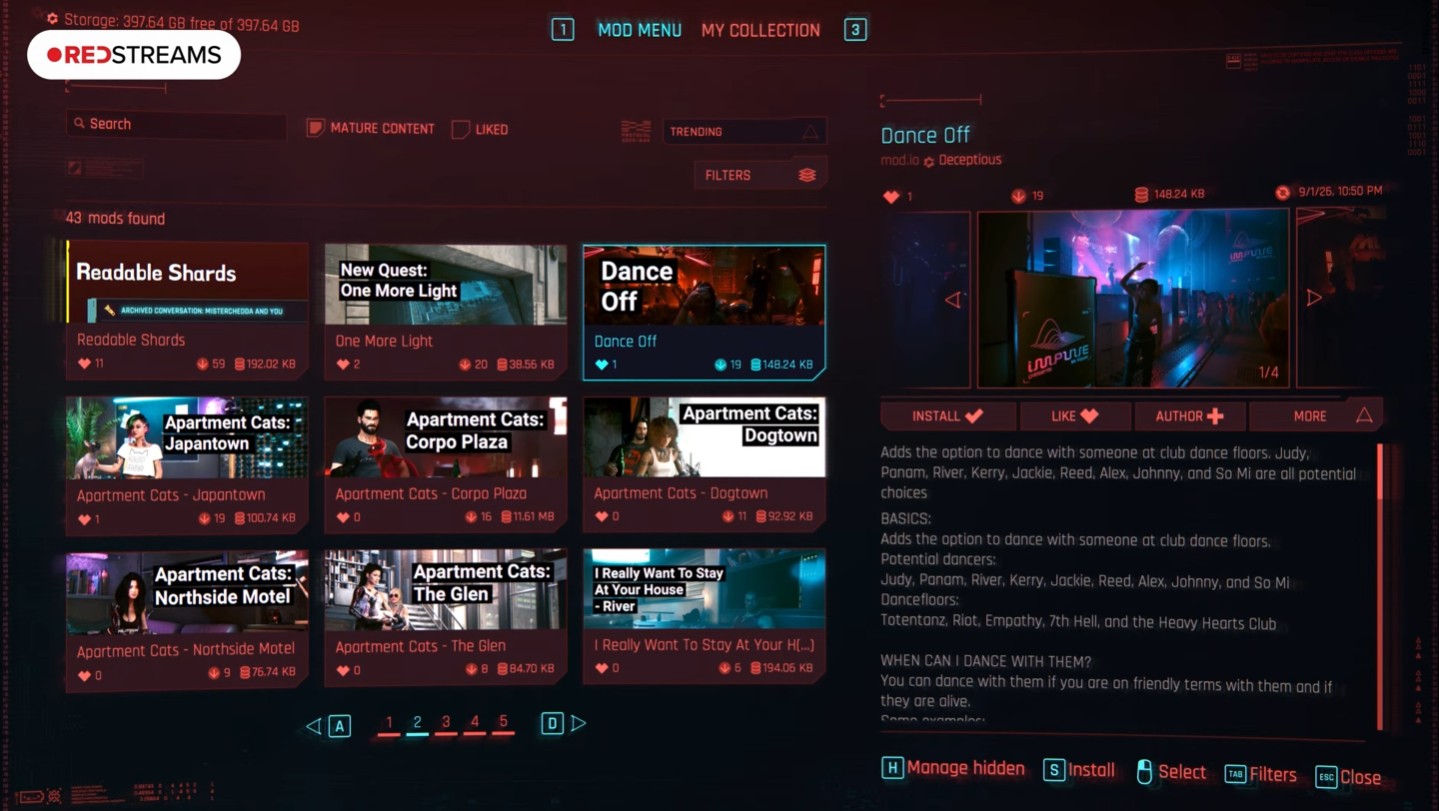
The menu allows players to search through supported mods, install them, and control which ones are active. CDPR says the available mods have gone through a curation process before entering the official browser.
Important: “Cross-platform mod support” does not mean every PC mod automatically works on PS5 or Xbox. The in-game browser contains a supported selection, and CDPR says more mods will be added over time.
How to install Cyberpunk 2077 mods on PS5 and Xbox
The exact button prompts vary by platform, but the basic process is deliberately straightforward:
- Install Cyberpunk 2077 Update 2.5.
- Open the Mods menu from the game’s main menu.
- Browse or search the available mod.io library.
- Select the mod you want to use.
- Download and install it through the in-game interface.
- Enable the mod before loading the relevant playthrough.
- Keep an unmodded manual save if you still want to earn console trophies or achievements.
You do not need the PC version of Cyberpunk 2077, Steam Workshop, Vortex, Cyber Engine Tweaks, or manual access to the console’s file system for the official mod.io system.
Which Cyberpunk 2077 mods are available on consoles?
This is where expectations need to stay realistic.
The official wording is that Update 2.5 provides access to a selection of player-created mods. CDPR has not promised that the complete Nexus Mods library will be ported to mod.io or consoles.
That matters because some of Cyberpunk 2077’s most ambitious PC modifications depend on external frameworks, script extensions, native code, or unrestricted access to game files. Those requirements do not necessarily translate to a closed console environment.
The better comparison is a curated ecosystem: mod creators submit compatible content, supported mods enter the browser, and the available catalog expands over time.
| Modding feature | PS5 / Xbox | Traditional PC modding |
|---|---|---|
| In-game mod browser | Yes | Yes with 2.5, plus external options |
| mod.io library | Yes | Yes |
| Full Nexus Mods ecosystem | No | Yes |
| Manual file installation | No | Yes |
| External frameworks such as CET | Not through the standard console system | Available on PC |
Do Cyberpunk 2077 mods disable trophies and achievements?
Yes on consoles when playing from a modded save.
CDPR explicitly warns that trophies and achievements cannot be earned while playing on console from a save containing mods.
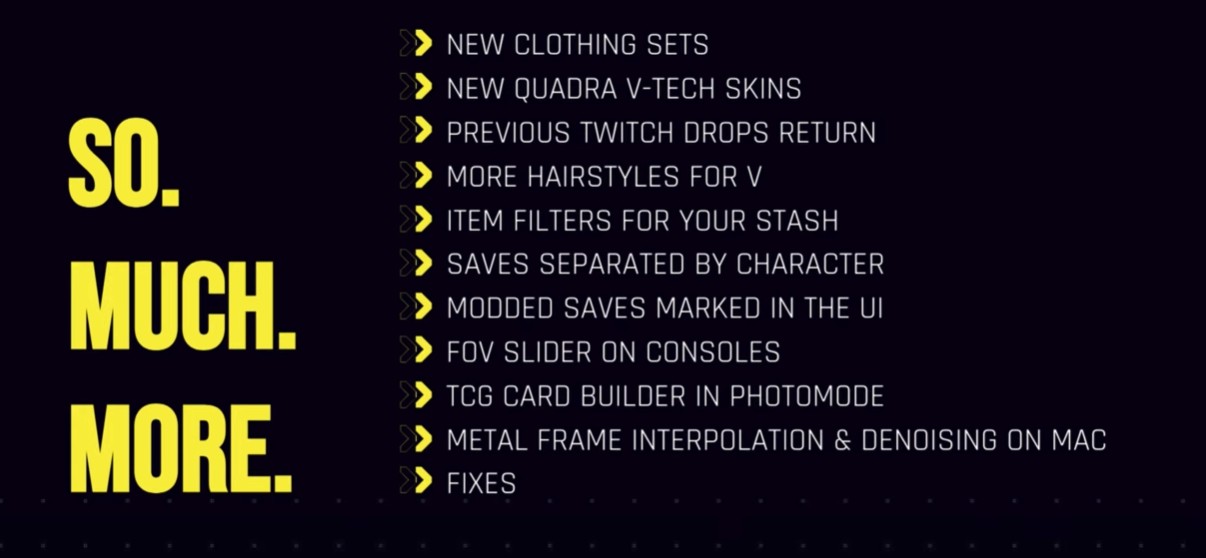
Update 2.5 therefore adds a dedicated icon to the Load Game menu so that modded saves can be identified more easily. Saves are also now grouped by separate playthrough, which should make maintaining a clean vanilla character alongside a modded run considerably easier.
Best practice: create a manual save before activating your first mod and keep that save untouched. Use a separate branch of saves for modded gameplay if trophies or achievements still matter to you.
Console mod support does not replace Cyberpunk’s full PC mod scene
For console players, Update 2.5 is a major expansion. For PC players, mod.io is more of an additional route than a replacement for existing tools.
Cyberpunk 2077 has had an extensive PC modding ecosystem for years through REDmod, Nexus Mods, Vortex, WolvenKit, Cyber Engine Tweaks, and manual installation.
That ecosystem can support modifications that reach much deeper into the game than console-friendly mods. Script-heavy gameplay systems, extensive UI changes, save editing, console commands, and mods requiring additional frameworks may still remain PC-only.
Our existing Cyberpunk 2077 console commands guide covers one good example: Cyber Engine Tweaks remains a PC framework rather than something installed through a normal PS5 or Xbox setup.
How to use Cyberpunk 2077 mods safely
The integrated system removes much of the manual installation risk, but mods can still affect stability.
During the official presentation, Sasko cautioned players against simply enabling huge numbers of mods at once. Even individually compatible modifications can interact in unexpected ways when several of them alter the same systems.
A safer approach is:
- keep at least one clean manual save,
- install a small number of mods first,
- check whether the game starts and loads normally,
- add more mods gradually,
- avoid removing major gameplay mods halfway through a save unless the creator says it is safe,
- check compatibility again after future Cyberpunk 2077 updates.
This is especially useful on a long-running save. A cosmetic mod breaking is annoying; a mod changing progression, quests, inventory, or character data has more potential to create persistent problems.
Why console mods could matter more than another quest
Update 2.5 already adds plenty of conventional content: dual-wielding, Clampdown, Welcome to Paradise, new tarot cards, cyberware customization, clothing, hairstyles, and technical improvements.
Mod support has a different kind of value because it can keep expanding after the update itself stops changing.
New cosmetic packs can give V more customization. Balance mods can create different combat rules. Convenience mods can make repeat playthroughs faster. If the supported library grows substantially, console players may finally get some of the experimentation that has helped Cyberpunk 2077 maintain such a long life on PC.
The key question is therefore not whether console modding works. It is how large and ambitious the approved mod.io library becomes over the coming weeks and months.
Cyberpunk 2077 console mods FAQ
Does Cyberpunk 2077 have mods on PS5?
Yes. Update 2.5 adds official mod.io-powered mod support to PS5 and PS5 Pro. Supported mods can be browsed and installed through the game.
Does Cyberpunk 2077 have mods on Xbox Series X and Series S?
Yes. Xbox Series X|S is included in the official Update 2.5 cross-platform mod system.
Can you install Nexus Mods on PS5 or Xbox?
Not directly. Console players use the curated mod.io library built into Cyberpunk 2077 rather than manually installing the complete Nexus Mods catalog.
Do Cyberpunk 2077 console mods disable trophies?
Yes. CDPR says trophies and achievements cannot be earned on consoles while playing from a modded save. Update 2.5 marks those saves with a dedicated icon.
Bottom line: Cyberpunk 2077’s new console mod support is deliberately simpler than traditional PC modding. You open the in-game browser, choose from compatible community mods, install what you want, and keep a separate vanilla save if achievements matter. The current library will not match the full PC ecosystem, but its ability to grow over time may make this one of Update 2.5’s most important additions.