




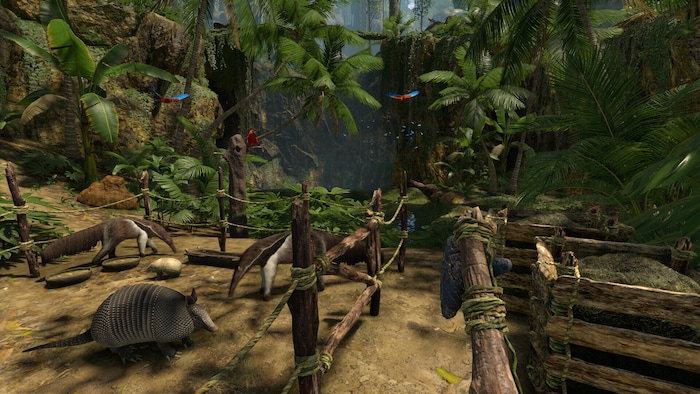
Green Hell Console Commands & Cheats Guide
Green Hell is an exciting survival game set in the vast Amazon jungle. The player must face all kinds of dangers hidden among the trees, as well as deal with hunger, disease, and mental challenges. The experience becomes even more engaging with the use of console commands and debug mode. Players often use commands not only to fix in-game bugs but also to make survival easier or to test new features and game modes.
In this short guide, we’ll walk you through Green Hell console commands and cheats. First, let’s take a look at how to activate them.
TL;DR — Green Hell cheats in 30 seconds
- Enable Debug Mode by creating a DEBUG file inside GH_Data/Resources/scripts/debug.
- Use F1–F11 and keybinds to spawn items/creatures, toggle godmode, change time, and more.
- Save first and test one command at a time to avoid bugs and crashes.
- Most mods work with Debug Mode — but back up saves before installing anything.
Table of Contents
How to enable cheats in Green Hell
Activating Green Hell debug mode is relatively simple and it requires following steps:
- Open your Steam and in the Library find Green Hell. Click on the game and look for Properties
- Select the ‘Local Files’ tab, then click ‘Browse’. A folder with the game files will open
- Open GH_Data/Resources
- You have to make a folder ‘scripts’ and folder ‘debug’. Place ‘debug’ folder inside ‘scripts’
- In the Debug folder, right-click, select ‘New’ → ‘Text Document’. Name the file DEBUG and remove the .txt suffix. When a window asking you to do so appears, click ‘Yes’. The file will then be converted into a proper system file
Now you have an activated debug mode and you can enter console commands.
Most useful commands
Let’s take a look at the most handy Green Hell cheats. This survival title offers a variety of useful console commands – from changing time and character speed, to modifying the weather and spawning creatures. Green Hell console commands also allow players to teleport, fly, or restore energy, health, and stamina.
In Debug Mode, pressing specific ‘F’ keys can help fix on-screen issues – for example, the F5 key is used to manage AI behavior.
You can see the most useful commands here:
Source: Reddit
Are there any good practices you should follow when using Green Hell Debug Mode?
Yes – always test one command at a time, as using multiple commands at once may cause errors. It’s also essential to save your game beforehand and create backup saves, just in case something goes wrong. Most importantly, maintain balance – overusing cheats can spoil the challenge and fun of the game.
Mods compatibility
Most mods available for Green Hell are fully compatible with console commands and the debug mode. However, just like with any modded content, some may require specific activation commands or debug features to function properly. The game supports community-created content, and players can easily access and download mods from Nexus Mods – the most popular modding platform.
Some of the most well-known and useful mods include:
- Increased Fall Distance, which lets players fall from heights without taking damage
- Build Anywhere, allowing to construct buildings everywhere on the map without restrictions
- Craftable Resources, lets players craft essential materials without need to look for them
- Ray’s Green Hell Enhancements, making survival easier by expanding inventory, health and carry capacity
Mods can also give you a lot of freedom and possibility to experiment. They can be used with console commands most of the time, but remember to create backup saves before installing or activating any mods.
A crucial thing when using cheats is avoiding potential bugs and errors. How can you do that?
Keep in mind that commands like teleportation, weather changes, or altering health conditions can sometimes cause your character to become stuck or even freeze the game. In such cases, the best solution is to reload your last save or restore the game from a backup.
Conclusion
Now you can master Green Hell through commands and take your survival experience to the next level. Whether you’re looking to expand your adventure in the vast rainforest or simply have some fun, the debug mode in Green Hell makes almost anything possible.
Just remember to use console commands and cheats wisely – maintaining balance is key to enjoying everything this intense survival title has to offer without spoiling the challenge.