



You can claim them either online through the internet or by entering special codes. But here’s the thing: you have to grab them before they disappear, because they’re only available for a limited time. So if you see a new Mystery Gift, don’t wait too long or you’ll miss out!
Want to unlock Mystery Gifts? Check out our Pokopia free rewards guide!
TL;DR — Pokémon Pokopia Mystery Gifts
- Mystery Gifts give players exclusive items, decorations, and bonuses.
- Rewards can be claimed online or with redemption codes.
- Most Mystery Gifts are available only for a limited time.
- The current active reward is the Ditto Rug decoration.
- The Ditto Rug can be claimed from March 5, 2026 to February 1, 2027.
Table of Contents
- Current Active Mystery Gifts
- What the Ditto Rug Reward Is
- How to unlock the Mystery Gift feature
- Steps to unlock Mystery Gifts
- How to claim Mystery Gifts
- Expiration and limited-time rewards
- Conclusion
Current Active Mystery Gifts
Right now, there’s an active Mystery Gift that you won’t want to miss! It’s the Ditto Rug decoration item, and you can grab it through the ‘Get via Internet’ option in the Mystery Gift menu. The only thing is, you need to own the game before the reward expires.
Luckily, it’s available for quite a while (from March 5, 2026, until February 1, 2027), so you’ve got plenty of time to claim it and add it to your collection.
What the Ditto Rug Reward Is
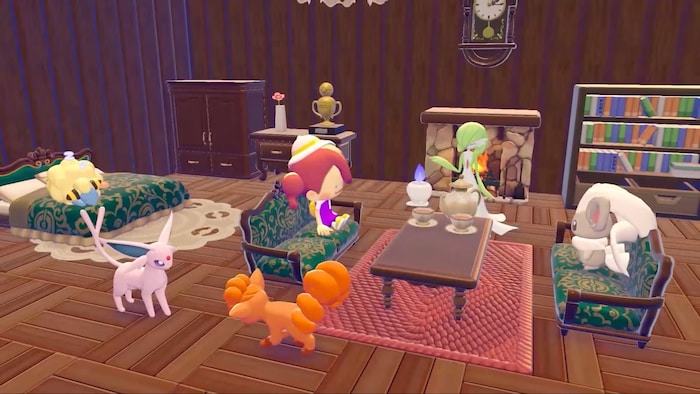
The Ditto Rug is a fun decorative item you can place in your environment or home area in the game. It doesn’t change gameplay, but it’s part of the game’s habitat customization features, which let you make your space personal and unique. If you enjoy decorating, you can use it to:
- add a cozy touch to your home area
- personalize your environment with fun, cosmetic items
- show off special rewards you’ve earned
How to unlock the Mystery Gift feature
The Mystery Gift menu isn’t available right away when you start the game. To unlock it, you need to:
- complete the early story quests
- improve your starting area’s environmental level
During this process, Professor Tangrowth will guide you to an abandoned human structure that contains a PC. Once you activate it, you gain access to environmental level challenges that help boost the area’s environment, and unlock Pokemon gift mechanics. After that, the Mystery Gift feature becomes available.
Steps to unlock Mystery Gifts
To get access to Mystery Gifts in Pokémon Pokopia, you need to complete the Professor Tangrowth tutorial quest. Just follow these steps:
| Step | Action |
|---|---|
| 1 | Follow Professor Tangrowth to the ruins that contain the PC. |
| 2 | Complete at least one challenge from the PC challenge list. |
| 3 | Return to the Pokemon Center PC system and open the menu again. |
| 4 | The Shop and Get Items menus will now become available. |
How to claim Mystery Gifts
Once you’ve unlocked the Mystery Gift feature, you can claim rewards by interacting with the PC at a Pokémon Center and opening the Get Items menu. From there, select Mystery Gifts, and you’ll see three options:
- Get via Internet – claim rewards through internet reward distribution
- Get with Code/Password – unlock items using the redemption code system
- Check Mystery Gifts – review the gifts you’ve already received
Remember, an internet connection is required for online Mystery Gifts, and some rewards are limited time event gifts, so don’t wait too long!
Expiration and limited-time rewards
Mystery Gifts are usually only available for a limited time, so it’s important to claim them before they expire. Right now, there aren’t any expired gifts in Pokémon Pokopia, but it’s always a good idea to stay on top of new rewards.
Conclusion
Overall, Mystery Gifts are an easy way to get exclusive items and decorations for your environment. Now that you know how to unlock mystery gifts Pokopia, make sure to check the Mystery Gift menu regularly, so you don’t miss out on new rewards or special limited-time events.
So, which Mystery Gift are you going to claim first?