




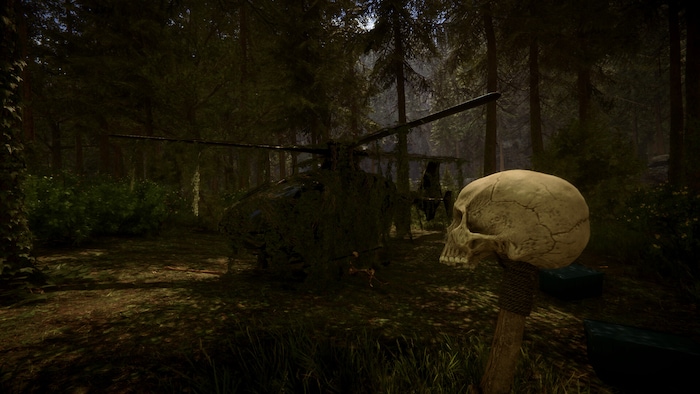
Sons of the Forest Console Commands & Cheats Guide
Want to make Sons of the Forest gameplay easier or more open to experimenting with its various aspects? Say no more!
Sons of the Forest cheats and mods offer a wide range of new features to unlock, from creating multiple companions to enjoying godmode to acquiring the best weapons. And although it’s a challenging survival game, with these tools you can explore its gameplay anew!
How to access Sons of the Forest debug/console mode
Debug/console mode is a dedicated area in the game where you can enter and confirm cheats to enjoy their effects. Luckily for you, summoning this console in Sons of the Forest is as easy as pie. How to enable cheats in Sons of the Forest? Follow this procedure!
- Start a new game or load one of your existing saves.
- Once in, enter the word “cheatstick” (without the quotes). Type it in-game (no chat box needed). When done, the playable character will move.
- Press F1 to summon the console (upper left corner). You may also see autofill suggestions.
- Type your chosen cheat and press Enter. Then press F1 again and enjoy the effect!
Useful commands
| Command | What it does |
|---|---|
save | Quick game save. |
godmode on | Enable God Mode (immortality). |
godmode off | Turn off God Mode (immortality). |
buffstats | Restore KP, quench thirst, replenish endurance. |
regenhealth | Restore your health. |
addallitems | Get all items. |
removeallitems | Clear inventory (removes almost all items). |
additem [item name] | Add an item to your inventory (examples: shovel, chainsaw). |
spawnworldobject [item name] | Spawn an object on the ground (examples: stick, rock). |
instantbookbuild on | Build everything selected in the workbook instantly. |
instantbookbuild off | Disable instant workbook construction. |
forcerain heavy | Change weather to heavy rain. |
forcerain sunny | Change weather to sunny. |
showhud off | Hide HUD. |
showhud on | Show HUD. |
season summer | Switch season to summer. |
season autumn | Switch season to autumn. |
season winter | Switch season to winter. |
season spring | Switch season to spring. |
superjump on | Activate super jump. |
superjump off | Disable super jump. |
speedyrun on | Enable fast running. |
speedyrun off | Turn off fast running. |
cavelight on | Turn on lighting around the player. |
cavelight off | Turn off lighting around the player. |
createlight | Add a light source in the open world. |
settimeofday X | Change the time in the game (X = 1–24). |
settimeofday morning | Switch to early morning. |
settimeofday night | Switch to night. |
locktimeofday morning | Lock time to morning. |
buildermode on | Disable enemies + enable God Mode + build without resources (Buildhack). |
buildermode off | Turn off builder mode. |
buildhack on | Creative mode: build without spending resources. |
buildhack off | Turn off buildhack. |
buildallghosts | Instant construction of all placed blueprints/ghosts. |
cancelallghosts | Cancel all building projects. |
loghack on | Carry logs endlessly as long as one is in your hands (drops/weapon use disables it). |
loghack off | Turn off loghack. |
PlaceBuiltObjects Ex_GardenUndergroundBuilt2 1 | Bed in the cave. |
PlaceBuiltObjects TreeHouseChalet_Built_Anchor 1 | Alpine tree house without rope. |
PlaceBuiltObjects TreeHouseChalet_Built_Rope 1 | Alpine tree house with a rope. |
PlaceBuiltObjects TreeHouse_Built_Anchor 1 | Tree house without a rope. |
placeallghosts | Place a building project right in front of the player. |
PlaceBuiltObjects TreeHouse_Built_Rope 1 | Tree house with a rope. |
PlaceBuiltObjects TreePlatform_Built_Anchor 1 | Platform on a tree without a rope. |
PlaceBuiltObjects TreePlatform_Built_Rope 1 | Platform on a tree with a rope. |
PlaceBuiltObjects TreesapCollectorBuilt 1 | Resin storage. |
PlaceBuiltObjects Ex_WallChunkBuilt 1 | Wall. |
PlaceBuiltObjects Trap_FishBuilt 1 | Fish trap. |
PlaceBuiltObjects ArmorMannequinBuilt 1 | Armor rack. |
PlaceBuiltObjects ArrowBasketBuilt 1 | Basket for arrows. |
PlaceBuiltObjects Bed_Built 1 | Bed. |
PlaceBuiltObjects Birdhouse_Built 1 | Birdhouse. |
PlaceBuiltObjects BoneBasketBuilt 1 | Basket for bones. |
PlaceBuiltObjects BoneChair_Built 1 | Bone chair. |
PlaceBuiltObjects BoneFrame_Built 1 | Bone frame for a picture. |
PlaceBuiltObjects BonFireBuilt 1 | Big fire. |
PlaceBuiltObjects CeilingSkullLightBuilt 1 | Ceiling lamp. |
PlaceBuiltObjects ChairBuilt 1 | Chair. |
PlaceBuiltObjects Chandelier_Built 1 | Bone chandelier. |
PlaceBuiltObjects Decoration_deerSkinBuilt 1 | Decorative deer skin. |
PlaceBuiltObjects Decoration_GroundWeaponHolderBuilt 1 | Ground weapon storage. |
PlaceBuiltObjects Decoration_RabbitSkinBuilt 1 | Decorative rabbit fur. |
PlaceBuiltObjects Decoration_skullBuilt 1 | Decorative skull. |
PlaceBuiltObjects Ex_CraneBuilt 1 | Crane/elevator. |
addcharacter cannibal X | Spawn X random cannibals. |
addcharacter cannibal Gold Mask X | Spawn X Gold Mask cannibals. |
addcharacter cannibal Danny X | Spawn X Danny cannibals. |
addcharacter cannibal Funny X | Spawn X Fanny cannibals. |
addcharacter cannibal Carl X | Spawn X Carl cannibals. |
addcharacter cannibal Billy X | Spawn X Billy cannibals. |
addcharacter cannibal Destiny X | Spawn X Destiny cannibals. |
addcharacter cannibal Crystal X | Spawn X Crystal cannibals. |
addcharacter cannibal Brandy X | Spawn X Brandy cannibals. |
addcharacter Heavy X | Spawn X heavy cannibals. |
addcharacter Heavy Faceless X | Spawn X heavy faceless cannibals. |
addcharacter sluggy X | Spawn X Sluggies. |
addcharacter Mr Puffy X | Spawn X Mr Puffy. |
addcharacter Miss Puffy X | Spawn X Miss Puffy. |
addcharacter fingers X | Spawn X Fingers. |
addcharacter Twins X | Spawn X Twins. |
addcharacter baby X | Spawn X babies. |
addcharacter Demon X | Spawn X demons. |
addcharacter John2 X | Spawn X John 2.0 enemies. |
addcharacter muddy X | Spawn X muddy enemies (monkey people). |
addcharacter dirty male X | Spawn X dirty male enemies. |
addcharacter BlueBird X | Spawn X blue birds. |
addcharacter Squirrel X | Spawn X squirrels. |
addcharacter Deer X | Spawn X deer. |
addcharacter Shark X | Spawn X sharks. |
addcharacter Rabbit X | Spawn X rabbits. |
addcharacter Seagull X | Spawn X seagulls. |
addcharacter Bat X | Spawn X bats. |
addcharacter Duck X | Spawn X ducks. |
addcharacter Moose X | Spawn X moose. |
addcharacter Turtle X | Spawn X turtles. |
addcharacter robby 1 | Spawn Kelvin (companion). |
addvirginia | Spawn Virginia (companion). |
aishowthoughts on | Map AI paths/thoughts. |
aighostplayer on | Enemies can’t see the protagonist (stealth mode on). |
aighostplayer off | Enemies can see the protagonist (stealth mode off). |
aipause | All monsters/creatures, including companions, stop moving. |
aidisable | All monsters/creatures, including companions, begin to move. |
aigodmode on | Enable God Mode (immortality) for companions. |
aigodmode off | Turn off God Mode (immortality) for companions. |
Source: Steam Community
Tips for a better experience
- To turn an effect on or off, type the code and add on or off (example: godmode on / godmode off).
- Enter values without brackets. Example: aianimspeed X should look like aianimspeed 2 (any number between 1 and 10).
Compatibility with mods
Another way to spice up your Sons of the Forest experience is the use of mods. Since some of them can crash your game or make it unstable, first back up your game save.
To download mods from NexusMods or other sources, you must first download BepInEx: BepInExPack IL2CPP
- Extract the archive to a separate folder or location (not the game folder).
- Drag the downloaded files from BepInExPack to the game folder (C:\Program Files (x86)\Steam\steamapps\common\Sons of the Forest).
- Start the game so BepInEx can create a dedicated folder, then exit.
- Upload mods to the BepInEx\Plugins folder.
Avoiding bugs
Unfortunately, some cheats and mods can corrupt save files or function incorrectly. Therefore, always create a backup of your save file before experimenting with these solutions. Also, try not to overuse them at the beginning of your modding journey, as cheats and mods may conflict with each other. Lastly, some cheats may work in multiplayer but not in single-player, or vice versa.
Conclusion
So now you know how to use Sons of the Forest console commands – that may be the start of a whole new adventure within a familiar experience! We highly recommend doing so, as even tiny tweaks can improve your adventure. Whether you want to make the game easier or more complex, experimenting with cheats and mods opens the door to entirely new possibilities in single-player and multiplayer. And as always, back up your save files before introducing any changes!