

Xbox Cloud Gaming lets you play Xbox games without running them locally on your device.
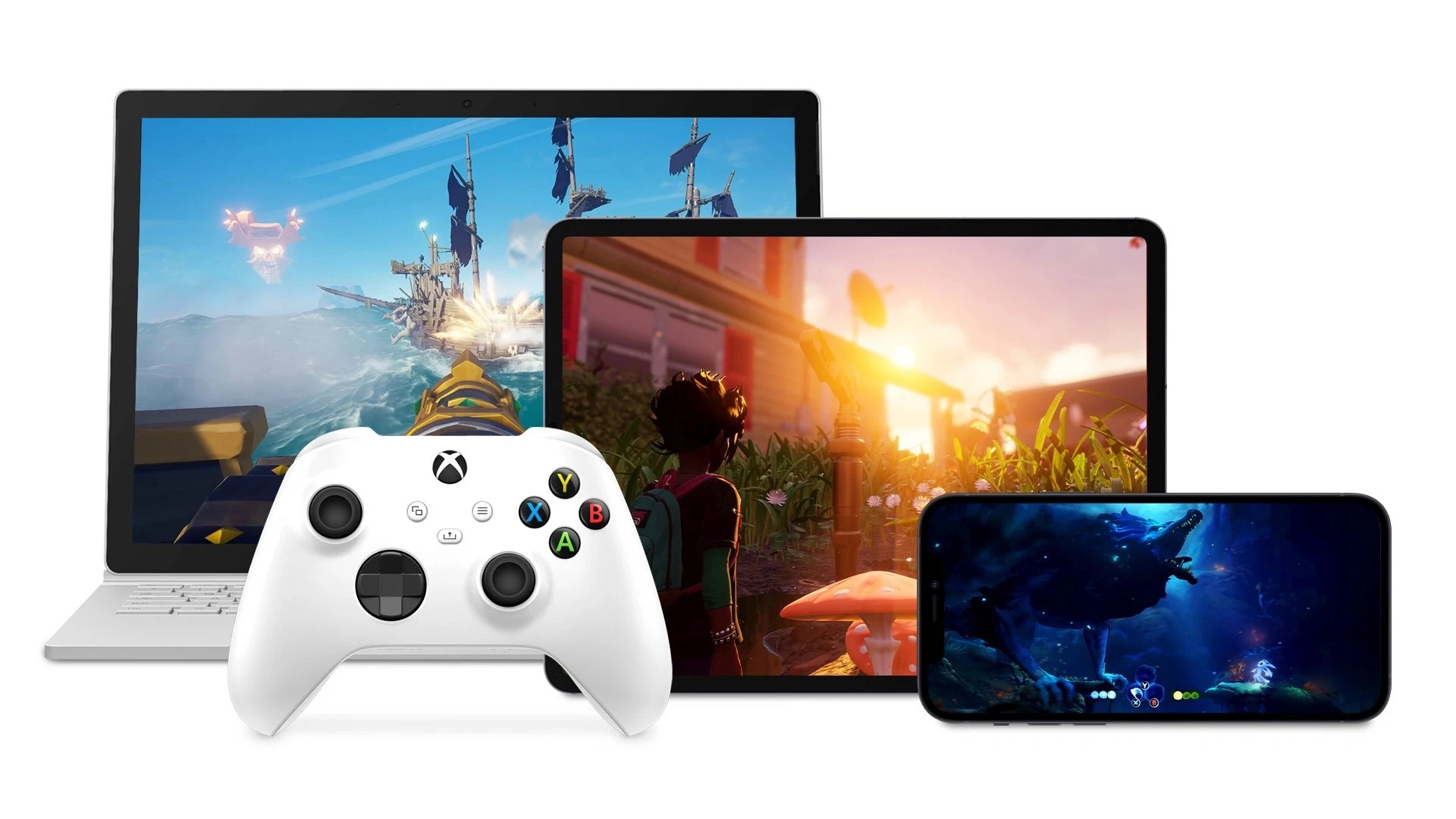
Instead, the game runs on Microsoft’s remote hardware and the resulting video is streamed to your console, PC, phone, tablet, Smart TV or another supported screen. Your controller inputs are sent back to the server in real time.
In 2026, Xbox Cloud Gaming is no longer tied to one expensive Game Pass tier. You can use monthly cloud hours included with Game Pass Essential, Premium or Ultimate, purchase standalone Cloud Playtime, or use Xbox’s free ad-supported cloud option where available. You can stream supported Game Pass titles, selected games you already own and some free-to-play games such as Fortnite.
Quick answer: Xbox Cloud Gaming is Microsoft’s game-streaming service. You need a supported device, a compatible game and a stable internet connection. Game Pass Essential includes 5 cloud hours per month, Premium includes 10, and Ultimate includes 15. Alternatively, you can buy 10, 25 or 50 hours of Cloud Playtime separately. A free ad-supported option is also available for eligible games in supported markets.
Checked: November 16, 2026.
Research basis: current Xbox Cloud Gaming pages, Microsoft Store pricing, Xbox Game Pass plan pages and current G2A.COM marketplace availability.
Table of Contents
- What is Xbox Cloud Gaming?
- How does Xbox Cloud Gaming work?
- What can you play?
- Xbox Cloud Gaming plans and prices
- Game Pass Essential vs. Premium vs. Ultimate
- What is Cloud Playtime?
- Which devices support Xbox Cloud Gaming?
- Internet and controller requirements
- How to use Xbox Cloud Gaming
- Which option should you choose?
- Xbox Cloud Gaming FAQ
What is Xbox Cloud Gaming?
Xbox Cloud Gaming is a service that runs supported Xbox games remotely and streams them to a device you already own. It is similar to streaming a movie, except the stream constantly reacts to your controller, keyboard, mouse or touch input.
That means a laptop, Smart TV or older Xbox does not necessarily need enough processing power to run the game itself. The heavy work happens in Microsoft’s cloud infrastructure.
For Xbox One owners, that can be particularly useful. Supported Xbox Series X|S games can be streamed to the older console even when there is no native Xbox One version. Cloud gaming also lets you start playing without waiting for a huge download or clearing hundreds of gigabytes of local storage.
Game runs: on Microsoft’s remote hardware.
Your device handles: video playback, audio and input.
Installation: not required for cloud play.
Main dependency: a stable internet connection.
How does Xbox Cloud Gaming work?
When you launch a cloud-enabled game, an Xbox server starts the game remotely. Microsoft then sends a compressed video and audio stream to your device. Every button press or stick movement travels back to the server, where the game reacts and sends the next frame back to you.
The process happens continuously, which is why latency matters more in game streaming than normal video streaming. Netflix can buffer a film several seconds in advance. A game cannot predict that you are about to turn left, pull the trigger or miss an easy jump.
When the connection is good, the experience can feel surprisingly close to local gaming. When it is unstable, you may notice image compression, temporary resolution drops or increased input delay.
What can you play with Xbox Cloud Gaming?
There is no single fixed Xbox Cloud Gaming catalog. In 2026, cloud games come from three main sources.
1. Cloud-enabled Game Pass games
Essential, Premium and Ultimate each include a Game Pass library, and supported games from those libraries can be streamed while they remain available in your plan.
Essential currently includes more than 50 games. Premium expands that to more than 200, while Ultimate offers more than 500 titles in the U.S. catalog and also adds the largest set of extra benefits.
2. Selected games you already own
A game does not have to be part of Game Pass to support cloud streaming. Microsoft’s Stream Your Own Game system allows selected compatible purchases from your Xbox library to run through the cloud.
Not every Xbox game supports this. Ownership alone is not enough, so the cloud icon or current Xbox cloud catalog is the important part.
3. Supported free-to-play games
Some free-to-play games can also be streamed. Xbox specifically lists Fortnite as an example that can be accessed with a free Microsoft account in supported regions.
Xbox also says supported Ubisoft+ Premium games can be streamed when they are part of that subscription’s catalog, without separately buying that individual game.
Important: cloud availability changes over time and can differ by device, region and Game Pass tier. A game being sold on Xbox does not automatically mean it can be streamed.
Xbox Cloud Gaming plans and prices in 2026
Xbox now gives players three main ways to pay for cloud gaming: use the free ad-supported option, buy standalone Cloud Playtime or get monthly cloud hours through Game Pass.
| Option | U.S. price | Cloud time | What you get |
|---|---|---|---|
| Free with ads | Free | Session limits apply | Eligible games with ads |
| Cloud Playtime | From $3.99 | 10, 25 or 50 purchased hours | Ad-free streaming without recurring Game Pass |
| Game Pass Essential | $9.99/month | 5 hours/month | 50+ games, multiplayer, benefits and Rewards |
| Game Pass Premium | $14.99/month | 10 hours/month | 200+ games, priority cloud access and additional Game Pass benefits |
| Game Pass Ultimate | $22.99/month | 15 hours/month | 500+ games, highest cloud quality, top priority, day-one titles and extra subscriptions |
These are current U.S. reference prices. Regional prices and promotions vary. Microsoft currently advertises introductory offers for some Game Pass memberships, but eligibility and duration depend on the account and market.
Game Pass Essential vs. Premium vs. Ultimate for cloud gaming
Xbox Game Pass Essential
Essential is the entry-level Game Pass plan. It costs $9.99 per month in the U.S. and includes five hours of cloud playtime each month.
Its library contains more than 50 games across supported devices, plus online console multiplayer, in-game benefits and Xbox Rewards. It is the most sensible subscription if cloud gaming is only an occasional convenience.
Check out Xbox Game Pass Essential on G2A.COM
Xbox Game Pass Premium
Premium costs $14.99 per month in the U.S. and doubles the monthly cloud allowance to 10 hours. It expands the library beyond 200 games and gives cloud users priority access compared with the entry tier.
Selected new Xbox-published games also enter Premium within roughly a year of release, although Microsoft specifically excludes Call of Duty titles from that promise.
Check out Xbox Game Pass Premium on G2A.COM
Xbox Game Pass Ultimate
Ultimate is the most complete plan at $22.99 per month in the U.S. It includes 15 cloud hours per month, Microsoft’s highest cloud-streaming quality and the shortest queues among the subscription tiers.
The subscription also includes more than 500 games in the current U.S. catalog, selected new releases on day one, EA Play, Ubisoft+ Classics and Fortnite Crew. It is the obvious Game Pass choice if cloud gaming is one part of a wider Xbox, PC and multiplayer setup.
Check out Xbox Game Pass Ultimate on G2A.COM
What about PC Game Pass? PC Game Pass is a separate $13.99-per-month plan with more than 300 PC games, day-one releases and EA Play, but Microsoft does not include monthly Xbox Cloud Gaming hours with PC Game Pass.
What is Xbox Cloud Playtime?
Cloud Playtime is the biggest structural change to Xbox Cloud Gaming in 2026. Instead of subscribing to Game Pass, you can buy a block of ad-free streaming time and use it with eligible games you own or supported free-to-play titles.
| Cloud Playtime pack | U.S. | Poland |
|---|---|---|
| 10 hours | $3.99 | 14.99 PLN |
| 25 hours | $7.99 | 28.99 PLN |
| 50 hours | $11.99 | 43.99 PLN |
Purchased Cloud Playtime behaves differently from the hours included with Game Pass. Game Pass cloud hours reset every month and unused time does not roll over. Purchased Cloud Playtime remains on the account until it is used.
If you have both Game Pass and purchased Cloud Playtime, Xbox uses the monthly Game Pass allowance first. Once those included hours run out, your purchased balance can take over.
Can Xbox Cloud Gaming be free?
Yes, for eligible games and accounts. Xbox now advertises a free ad-supported cloud option. You watch advertising as part of the cloud experience and play within session limits instead of paying for Cloud Playtime or using Game Pass hours.
Microsoft does not present one universal session-length figure on its main current Cloud Gaming page, so limits can depend on the current rollout, game and region. If you plan to use the service regularly, paid Cloud Playtime or Game Pass is more predictable.
Which devices support Xbox Cloud Gaming?
You do not need an Xbox console. The entire point of the service is to bring Xbox games to screens that would not normally run them.
| Device | How you play |
|---|---|
| Xbox One / Series X|S | Directly through the Xbox interface |
| Windows PC | Xbox app or supported browser |
| iPhone / iPad | Supported web browser |
| Android phones and tablets | Supported browser |
| Smart TVs | Xbox app on supported LG, Samsung and VIDAA-powered TVs |
| Amazon Fire TV | Xbox app on supported Fire TV devices |
| Handheld PCs | Xbox PC experience or browser depending on device |
| Meta Quest | Xbox games on a large virtual 2D display |
TV support includes selected Samsung 2020-and-newer TVs, compatible LG models running webOS 24 or newer, selected VIDAA OS devices and supported Amazon Fire TV hardware. Exact compatibility depends on model and software version.
Internet and controller requirements
Microsoft lists a minimum download speed of 10 Mbps for Xbox Cloud Gaming. Some devices may need around 20 Mbps for the best quality, and Xbox recommends 5 GHz Wi-Fi rather than a congested 2.4 GHz network.
Minimum connection: 10 Mbps download.
For better quality: around 20 Mbps may be required on some devices.
Recommended Wi-Fi: 5 GHz.
Best practical option: wired Ethernet where possible.
Most games expect a compatible controller connected through Bluetooth or USB. Xbox controllers are the obvious option, but Microsoft’s compatibility list also covers many third-party controllers and Sony PlayStation controllers.
Some cloud games support mouse and keyboard, while hundreds offer Xbox touch controls on mobile devices. Input support is game-specific, so a title that works perfectly with touch should not be treated as proof that every game will.
How to use Xbox Cloud Gaming
On an Xbox console
- Sign in to your Microsoft/Xbox account.
- Open your library or Game Pass.
- Find a game marked as cloud playable.
- Choose the Cloud option instead of installing it.
- Wait for the streaming session to start.
On Windows PC
- Open the Xbox PC app and sign in.
- Find the Cloud Gaming section or a supported title.
- Connect a controller if required.
- Launch the game through the cloud.
On a phone, tablet or browser
- Open a supported browser such as Edge, Chrome or Safari.
- Sign in to Xbox Cloud Gaming.
- Choose a supported game.
- Connect a controller or use touch controls when supported.
- Start streaming.
On a Smart TV or Fire TV device
- Install or open the Xbox app on your supported TV or streaming device.
- Sign in to your Xbox account.
- Pair a compatible controller.
- Select a cloud-enabled game and launch it.
What happens to your saves?
Xbox cloud saves are one of the strongest practical parts of the service. Your progress can follow your Xbox account between supported devices, allowing you to start on a console, continue on a PC and later pick up the same game on a TV or phone when the title supports synchronized Xbox saves.
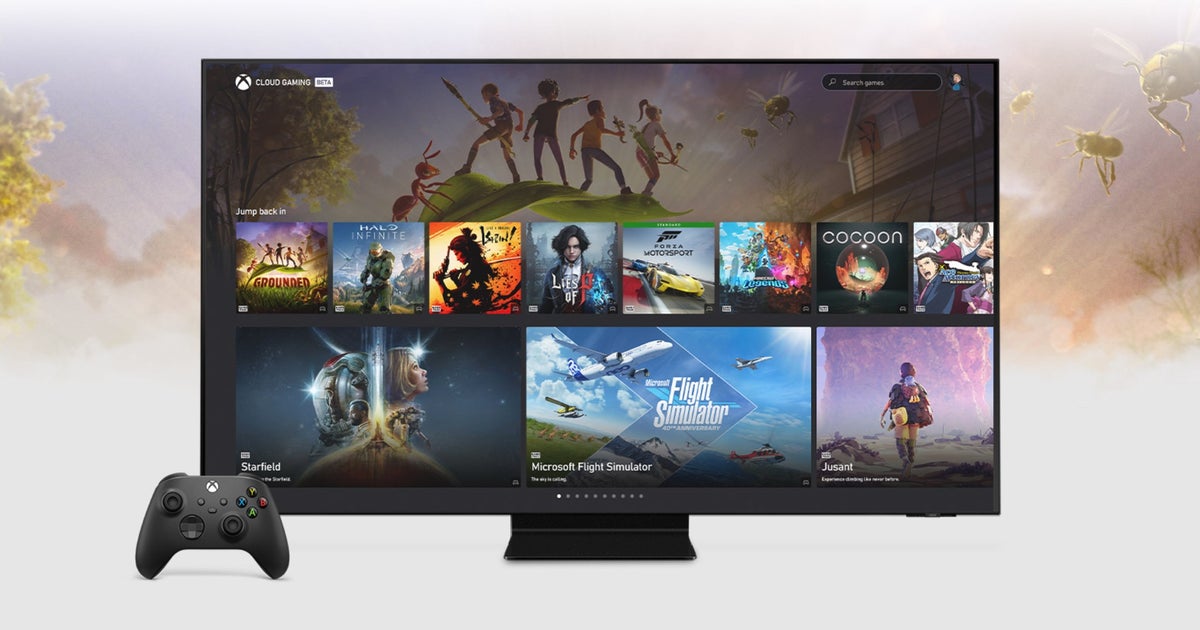
That also means Cloud Gaming is useful even if you already own powerful hardware. It can be a way to continue a game away from your normal setup without installing another copy.
Which Xbox Cloud Gaming option should you choose?
| You… | Best starting point | Why |
|---|---|---|
| Just want to test cloud gaming | Free with ads | No recurring cost |
| Own a supported game and only stream occasionally | Cloud Playtime | Pay for hours instead of a subscription |
| Mostly play locally but want occasional cloud access | Essential | 5 cloud hours plus the basic Game Pass library |
| Want a larger library and more cloud time | Premium | 10 hours and 200+ games |
| Want the best Game Pass and cloud experience | Ultimate | 15 hours, highest cloud quality, shortest queues and the largest bundle |
You can browse current Xbox Game Pass options on G2A.COM. If you prefer adding Microsoft Store balance first, Xbox Gift Cards are also available on G2A.COM.
G2A Plus: Free members can earn Plus Points on eligible purchases. Plus Premium adds member prices with discounts of up to 10% on as many as 10 eligible items per month, a free digital item every month and priority post-purchase assistance.
Xbox Cloud Gaming vs. installing a game
| Feature | Cloud | Local install |
|---|---|---|
| Download required | No | Yes |
| Storage required | Minimal | Full game size |
| Offline play | No | Sometimes |
| Input latency | Depends on network | Usually lower |
| Can play Series games on Xbox One | For supported titles | No native install |
More Xbox coverage on G2A News
- Xbox Game Pass Essential, Premium, Ultimate or PC: which tier should you choose?
- How Xbox’s free ad-supported cloud gaming test started
- How GTA VI became a major Xbox cloud-streaming showcase
Xbox Cloud Gaming FAQ
Do you need Game Pass Ultimate for Xbox Cloud Gaming?
No. Essential includes five cloud hours per month, Premium includes 10 and Ultimate includes 15. You can also buy standalone Cloud Playtime or use the ad-supported free option where available.
Do purchased Cloud Playtime hours expire?
Xbox says purchased Cloud Playtime remains available until it is used. Monthly Game Pass cloud hours are different: they reset each month and unused hours do not roll over.
Can I play games I already own?
Yes, but only selected cloud-enabled games. Buying an Xbox game does not automatically make it streamable.
Can I use Xbox Cloud Gaming without an Xbox console?
Yes. Supported PCs, phones, tablets, Smart TVs, Fire TV devices, handhelds and Meta Quest headsets can all access Xbox Cloud Gaming without owning an Xbox console.
Xbox gaming without the Xbox hardware requirement
Xbox Cloud Gaming has moved well beyond being a small Ultimate bonus. In 2026, it is effectively another way of accessing the Xbox ecosystem: subscription, prepaid hours or free ad-supported sessions.
Essential and Premium make sense when cloud gaming is secondary to a Game Pass library. Ultimate is the strongest subscription if you want the best queue priority, quality and broader bundle. Cloud Playtime is more interesting if you mainly want to stream games you already own and dislike recurring subscriptions.
The main compromise remains the network. Cloud gaming saves storage and can bypass hardware limits, but it cannot bypass latency. If your connection is stable, however, an Xbox game no longer necessarily needs an Xbox sitting underneath the screen.