





The simplest way to buy Steam games cheaper is to stop treating the Steam store price as the only price worth checking.
Steam runs excellent seasonal and publisher sales, but PC games are sold through multiple channels, and the same title can cost less elsewhere at the exact moment you want to buy it.
One of the first places worth checking is G2A.COM. The marketplace lists a very large catalog of PC games for platforms including Steam, Ubisoft Connect and the EA app, so you can compare marketplace offers against the current price on the publisher’s own storefront before deciding where to spend your money.
The best strategy is not to rely on a single trick. Combine marketplace price checks, Steam wishlists, major sales, bundles, patience and careful edition comparison. That gives you more opportunities to save without buying games you never planned to play.
Quick answer: Before buying a PC game on Steam, check the same title on G2A.COM, compare the exact edition and activation platform, then check whether Steam currently has a meaningful sale.
For older AAA games in particular, marketplace offers can often be more competitive than waiting for the next official-store promotion.
Research basis: Current Steam wishlist and refund documentation, current G2A.COM marketplace and G2A Plus information, plus established deal-hunting practices for PC games.
Important: Prices change constantly. Always compare the final price and confirm that the offer matches the platform, edition and territory you need before purchasing.
Table of Contents
1. Check G2A.COM before buying directly on Steam
If your goal is simply to pay less for a PC game, the most useful habit is also the easiest: compare prices before clicking Buy on Steam.

Steam, Ubisoft Connect, the EA app and Epic Games Store are direct storefronts. Their prices are controlled by publishers and change during scheduled or publisher-specific promotions. G2A.COM works differently as a marketplace, with many digital gaming offers available across different platforms. That creates another price point to compare against the official store.
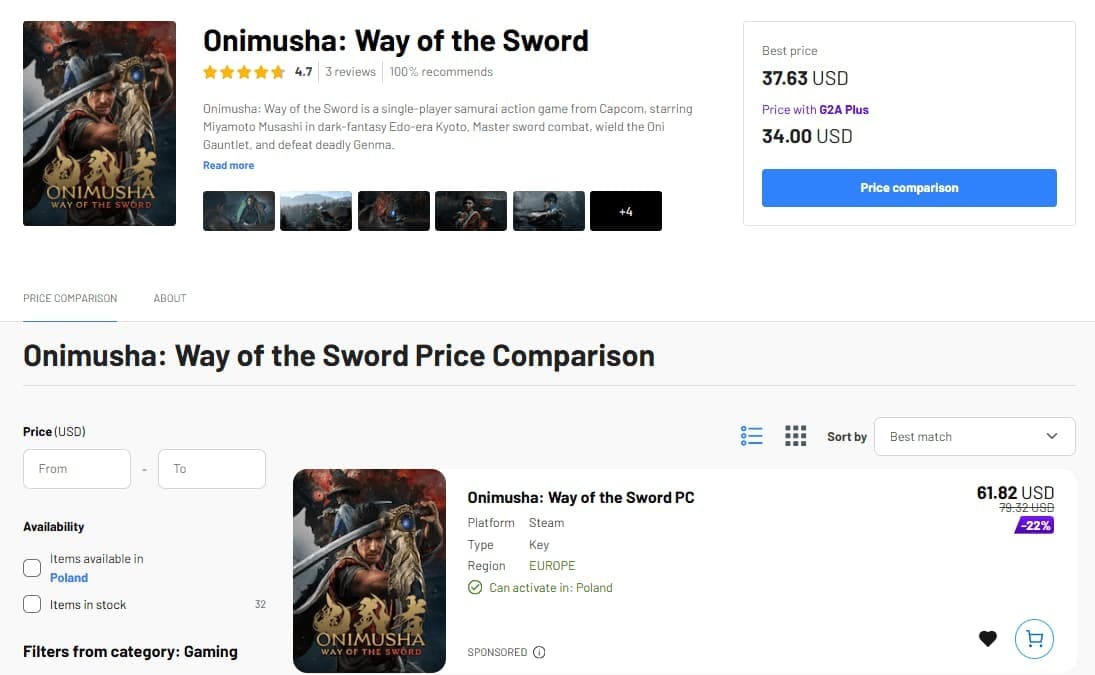
For example, if a game is $59.99 on Steam today, there is no reason to assume that $59.99 is automatically the lowest current price. Search for the game on G2A.COM, then compare the offers against Steam before making the final call.
| Where to check | Best reason to check it |
|---|---|
| G2A.COM | Marketplace offers can be cheaper than the current official-store price |
| Steam | Direct purchase, major seasonal sales, simple library management |
| Ubisoft Connect | Publisher-specific Ubisoft promotions |
| EA app | EA-specific discounts and subscription offers |
| Epic Games Store | Store promotions and occasional coupons or giveaways |
Do not compare only the big number on the page. Make sure you are looking at the same game edition and the correct platform. If you want a game in your Steam library, check that the marketplace offer is intended for Steam rather than another launcher.
2. Put games on your Steam Wishlist instead of buying immediately
Steam’s Wishlist is still one of the best free deal-hunting tools. Valve sends notifications when games on your list receive discounts, including Daily Deals, Midweek Deals, Weekend Deals and other promotions.
The useful part is not just the notification. A wishlist creates friction between seeing a game and paying for it. That gives you time to check whether the discount is actually good and whether G2A.COM has a lower current offer.
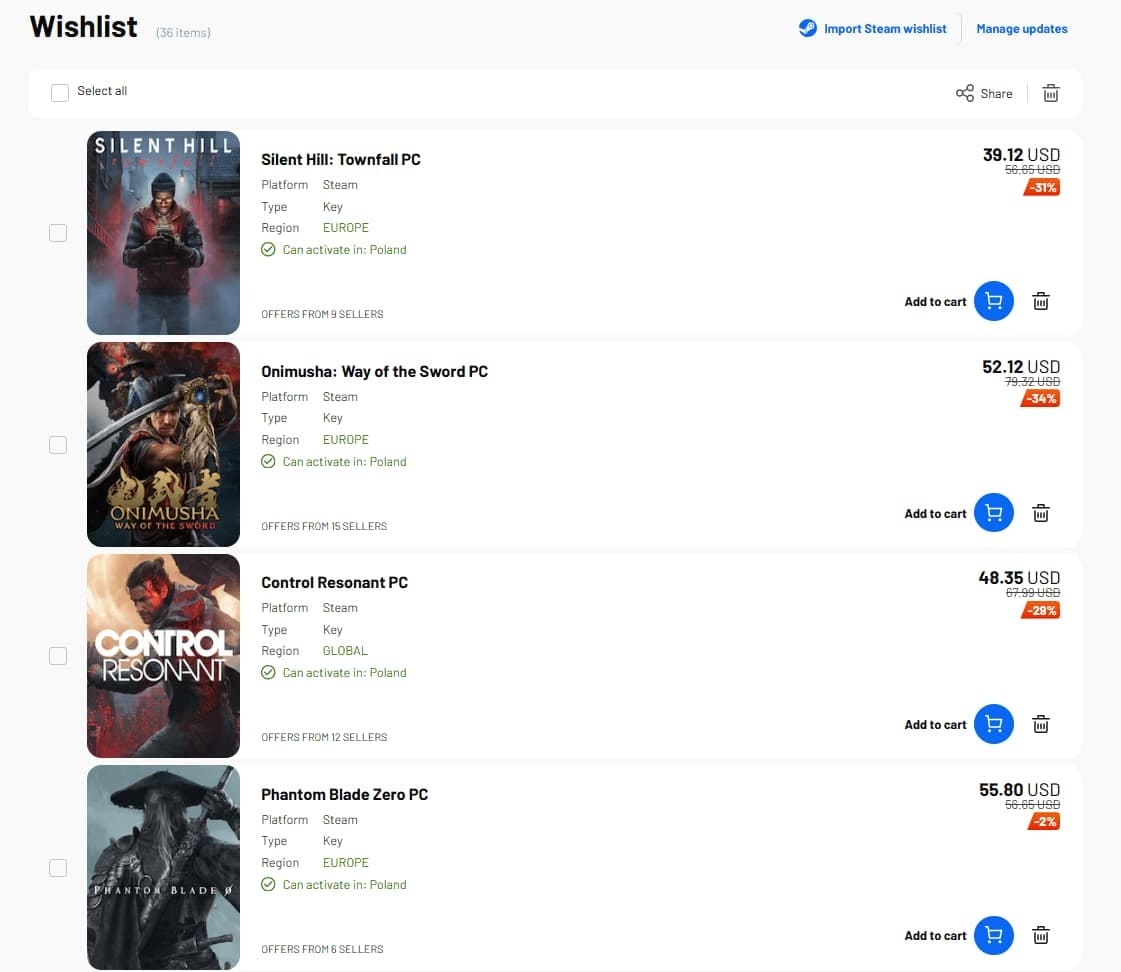
A 20% Steam discount might look attractive until you discover that marketplace pricing has already moved much lower. On the other hand, a deep Steam sale can sometimes be the better deal. The point is to compare, not assume. G2A also offers a wishlist to track deals for your most anticipated games.
3. Use Steam seasonal sales, but do not wait for them automatically
Steam’s large seasonal sales remain useful because thousands of games can be discounted at once. Summer, Winter and other major sale periods are especially good times to clear a wishlist or pick up games from publishers whose discounts are predictable.
But waiting months for a Steam sale is not automatically the smartest move. If the game you want is already significantly cheaper on G2A.COM today, waiting for Steam may save nothing at all.
A practical workflow is to check the Steam sale price first, then immediately compare it with the current G2A.COM offers. That way you are comparing today’s real prices rather than assuming one sales channel must always win.
4. G2A.COM can be especially useful for older AAA games
Older releases are where price checking becomes especially worthwhile. A publisher may keep a game’s standard list price relatively high for years and rely on temporary official sales to discount it.
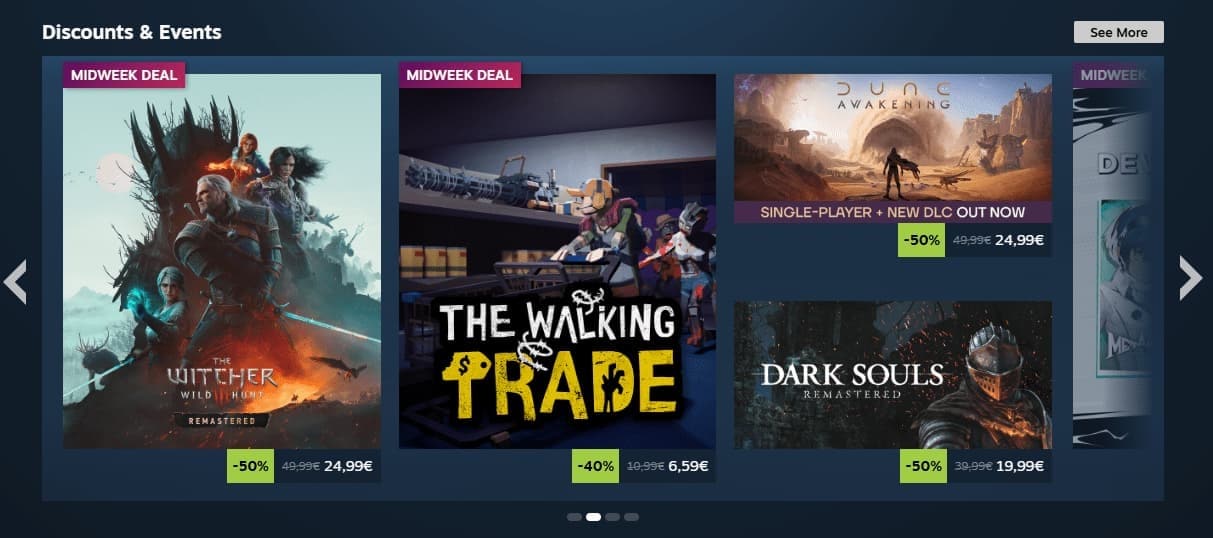
Marketplace prices can behave differently. As availability changes over time, you may find offers on G2A.COM that are already well below the game’s official list price even when Steam, Ubisoft Connect or the EA app is not running a promotion.
That is why checking G2A.COM makes the most sense as a routine rather than something you do only during big sales. Games from several years ago, complete editions and DLC-heavy releases can all be worth comparing before paying the first price you see.
5. Compare the exact edition before deciding which deal is cheaper
A cheaper Standard Edition is not necessarily the better deal if the Deluxe or Complete Edition includes expansions you already plan to buy.
When comparing Steam with G2A.COM, look at the actual content included:
- Standard vs. Deluxe or Ultimate Edition
- Base game vs. Complete or GOTY package
- Included story expansions
- Season passes or DLC
- Activation platform
- Territory compatibility
Sometimes a Complete Edition on G2A.COM can make more sense than buying the base game during a Steam sale and then purchasing expansions separately later. The cheapest purchase is the one that gives you the content you actually want for the lowest total cost.
6. Bundles can save money, but only if you want most of the games
Bundles are effective because they make the discount look large, but the real saving depends on whether you were going to buy the included content anyway.
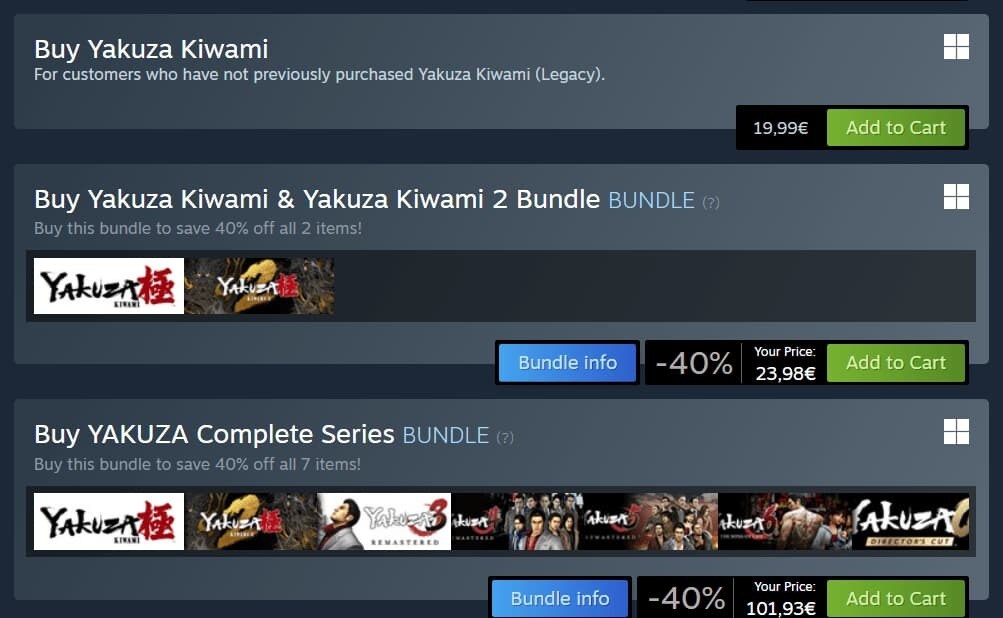
A $30 bundle containing five games is not a bargain if you only wanted the one game that regularly sells for $10. Always compare the individual title you care about on Steam and G2A.COM before deciding that a bundle is better value.
The same applies to publisher packs and franchise collections. They can be excellent if you are entering a series from the beginning, but poor value if most of the bundle will sit untouched in your library.
7. Use G2A Plus if you buy games regularly
If you already use G2A.COM regularly, G2A Plus can add another layer of savings rather than relying only on the marketplace price.
G2A Plus Free lets members earn Plus Points on purchases, which can later be used to reduce the cost of future orders. G2A Plus Premium adds better member prices, including discounts on eligible items, along with higher discount codes and other membership benefits.
G2A Plus: Plus Free members earn Plus Points when shopping, with 100 Plus Points equal to €1 that can be used toward future orders. Plus Premium adds better member prices, higher discount codes, regular rewards and priority help after purchase.
This matters most for players who buy throughout the year. Saving a little on several purchases can add up to more than waiting for one spectacular seasonal deal.
8. The biggest saving comes from buying fewer games at the wrong time
No discount strategy can beat not buying something you do not intend to play. PC storefronts are built around frequent promotions, countdown timers and giant discount percentages, which makes it easy to treat collecting games as the goal.
Before buying, ask three questions: Am I likely to play this soon? Is this actually a good price? Is the same game cheaper somewhere else?
That final question is where G2A.COM should become part of your normal buying process. Even when Steam sends you a sale notification, take another minute to search the game on G2A.COM. If the official sale is better, buy there. If the marketplace offer is meaningfully lower, you have another option.
Steam vs. G2A.COM: Which is cheaper?
There is no permanent answer because prices change constantly. Steam can have the lowest price during aggressive publisher or seasonal promotions, while G2A.COM marketplace offers can be lower at other times, including periods when Steam is selling the game at full price.
That means the useful question is not “Is Steam cheaper than G2A?” It is “Which one is cheaper for this exact game, edition and platform today?”
| Situation | What to do |
|---|---|
| Game is full price on Steam | Check G2A.COM before paying the list price |
| Steam sale is active | Compare the sale price with current G2A.COM offers |
| Older AAA release | Marketplace pricing is especially worth checking |
| You want several DLC packs | Compare Complete or Ultimate Editions rather than buying separately |
| You are unsure whether the game runs well | Factor Steam’s refund terms into the decision |
How to buy Steam games cheaper: FAQ
What is the easiest way to get Steam games cheaper?
Check the price on G2A.COM before buying directly through Steam. Then compare the exact edition and platform against any current Steam discount. Combining marketplace comparison with Steam Wishlist notifications is one of the simplest ways to avoid paying full price unnecessarily.
Is G2A.COM always cheaper than Steam?
No. Prices change with availability and promotions. G2A.COM can often have lower marketplace offers, especially when Steam is at full price, while Steam can sometimes win during deep seasonal or publisher sales. Compare both before buying.
Can I buy a game on G2A.COM and play it on Steam?
Many G2A.COM game offers are intended for Steam, but the marketplace also includes offers for other platforms such as Ubisoft Connect, EA app, GOG.COM and console ecosystems. Check the offer details before purchase so you know where the game is activated.
Should I wait for the Steam Summer or Winter Sale?
Only if the current price is not good enough. Add the game to your wishlist, but check G2A.COM at the same time. If there is already a strong marketplace offer, waiting months for an official Steam promotion may not be necessary.
Does G2A Plus help you save more?
It can if you buy games regularly. Plus Free earns Plus Points that can reduce future purchases, while Plus Premium adds additional member pricing and discount benefits on eligible marketplace offers.
Spend less by comparing before every purchase
Buying PC games cheaply is less about discovering one secret sale and more about changing the order in which you shop. Do not open Steam, see the price and immediately pay it. Check your wishlist, look at the current discount, compare the same game on G2A.COM and make sure you are comparing equivalent editions.
Steam remains valuable for major sales, wishlist alerts and straightforward refund rules. G2A.COM adds another important price-comparison layer because marketplace offers for Steam, Ubisoft Connect, EA app and other platforms can often be lower than direct-store pricing.
Make that comparison a habit and you will have a much better chance of building the PC library you want without paying more than you need to.
More ways to find gaming deals on G2A News
Best G2A gaming deals this month
You can also browse current game offers on G2A.COM and compare them directly with the price shown on Steam before buying.