
Hytale entered Early Access as a mod-focused indie title. Let’s dive into that specific part of the game: modding.
What is Hytale?
Hytale is a voxel-based sandbox RPG that may look like a Minecraft clone, but plays completely differently. It’s much more focused on action and tactical combat with strong RPG elements and progression, and more dynamic animations, resulting in a much deeper and meaningful experience.
Developers also put a huge emphasis on mod support, allowing players to shape in-game fantasy worlds according to their own needs and preferences using a variety of in-game tools.
This passion project, created by the developers from the Hypixel multiplayer Minecraft server, was supposed to be trashed by Riot, which acquired it in 2020. Thankfully for the community, after hearing the cancellation news in 2025, the original creators managed to get it back, saving the game from certain death.
The development team was thrilled to announce that Hytale would finally enter the Early Access stage with day-one support for mods. And the modding community has not disappointed; shortly after entering EA, dozens of mods have already appeared at CurseForge, and there are many more to come.
Here’s everything you need to know about Hytale modding.
How Does Modding in Hytale Work?
Hytale comes with a variety of in-game tools that streamline the modding experience and allow creative people to make their own modifications. From the look of it, the game aspires to be a mod-first title; developers basically ship the game along with the tools used to make the game, allowing players to use the same developer tools to create their own content.
To further emphasize the modding-first philosophy, developers started to share some mod-making guides directly on their blog at hytale.com. For example, you’ll find there a guide on creating in-game models for Hytale using Hytale’s plugin for a third-party model editing software, Blockbench. More guides are expected to come in the near future.
On the game’s official YouTube channel, Hytale, you can see some editing tools in action, such as entity manipulation and placement.
In-Game Modding Tools
Hytale is natively equipped with its own modding tools, allowing players to mod the game without any external software and even create their own scenarios and minigames that are vastly different from the core Hytale experience.
It has its own asset editor, model editor, asset node editor, prefab editor, item spawning tools, object and image importing, and more.
Hytale is like a game engine, similar to platforms such as Roblox, although it has fewer features as of now, simply because it’s a much newer product.
Additionally, the tools can be a bit rough, but developers promise that the modding part will be gradually improved, as it’s supposed to be a very important element of Hytale.
Monetizing Mods in Hytale – Does Hytale Take a Cut?
To incentivize creative minds to make mods for Hytale, Hypixel decided to not take any cuts from third-party servers created by the modding community using in-game tools.
This is supposed to last for at least two years, after which there’s a possibility of some tax to support development of the core game and server maintenance. Developers also promise that the cut won’t ever exceed 20%.
What Can Be Modded in Hytale?
Virtually everything you see and experience in Hytale can be modded, and if that’s not the case yet, it will probably be possible in the future.
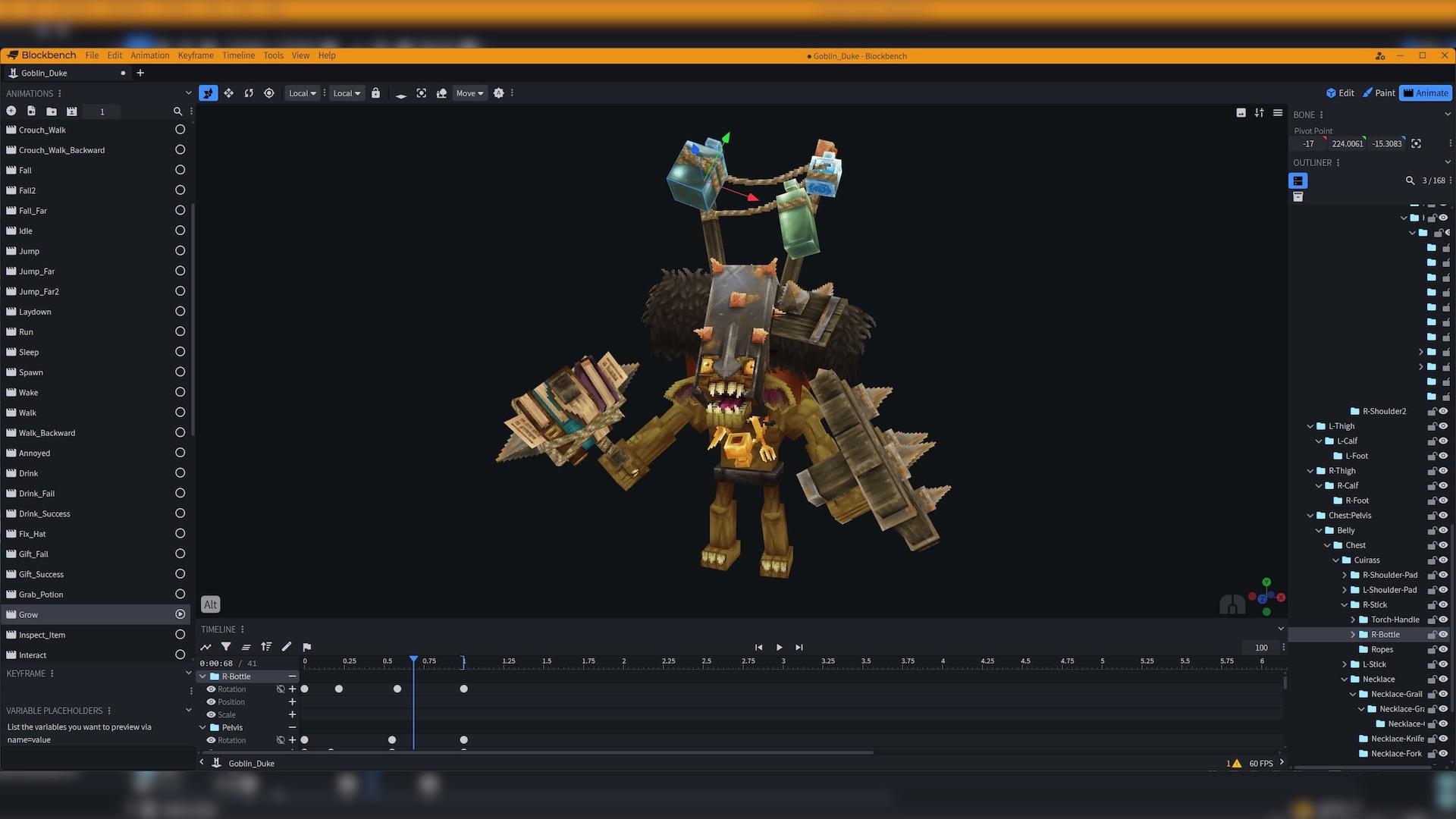
Hypixel Studios aspire to creating an easily moddable game, even if you’re not an expert in the field. A large portion of the game is supposed to be driven by user-generated content (UGC).
How to Use Mods in Hytale?
If you’re interested in using Hytale mods, not making them, then you can browse available ones at CurseForge, thanks to the CurseForge partnership.
There are already dozens of mods available, from simple ones that add new items and custom content to the game, to more complex ones that extend or improve certain core features. UI mods, gameplay overhaul mods, new monsters, convenient crafting – there’s a lot to discover, and it’s only the beginning.
If you’d like to play custom-modded games created by other players with the use of in-game tools, simply find and join their servers.
What Mods Players Want to See?
As Hytale is very early in development, there’s a lot of room for new mods. Even though many Hytale early access mods are still missing, players have already expressed their interest in using them whenever they come out.
These include Pixelmon (a mod that would add mechanics similar to Pokémon), VR support, an equivalent of Minecraft’s GregTech (general game overhaul), more biomes, and something akin to Minecraft’s Villager Recruits that would allow you to recruit troops and command them on the battlefield.
The Future of Hytale and Community Mods
Although the current modding tools in Hytale may feel a bit lacking and limited, developers expressed commitment to improving creativity-related components as the game grows. We can expect to see a lot of new tools and possibilities in the future.
We already know that the direction for Hytale in-game modding is visual scripting and nodes, making it less demanding to learn and use for designers and non-programmers.
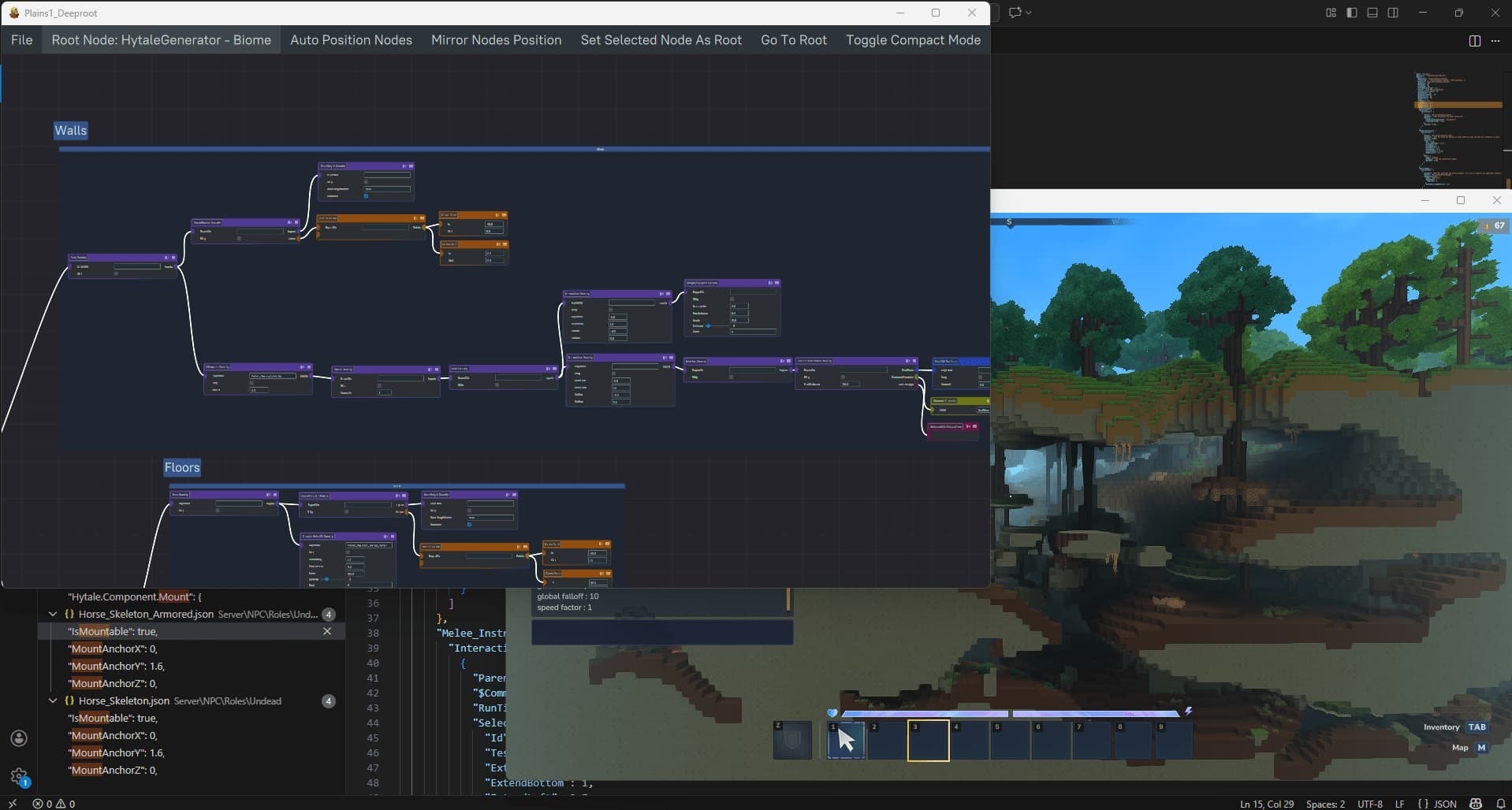
The end goal, according to the developers of Hytale, is to blur the line between playing games and creating them.
You can read a full, in-depth manifesto on modding strategy and status on Hytale’s official blog, which covers a lot of extra information that haven’t been mentioned here.
Conclusion
Hytale is a game that’s supposed to have modding as one of its core elements, allowing players to create content for others to enjoy. The development team has ambitious plans for this project; it will certainly be exciting to watch it grow, letting everyone unleash their creativity in a beginner-friendly environment.
Sources:
- https://hytale.com/news/2025/11/hytale-modding-strategy-and-status
- https://www.youtube.com/watch?v=o77MzDQT1cg
- https://www.curseforge.com/hytale