



Activision has revealed the PC requirements for the Call of Duty: Modern Warfare 4 Beta, and there is another welcome surprise for PC players: the beta will launch as a separate application and will not require the Call of Duty HQ hub.
Minimum GPU: GTX 970 / GTX 1060, RX 470, or Intel Arc A580
Minimum RAM: 12 GB
Recommended GPU: RTX 3060 Ti, RX 6700 XT, or Intel Arc B580
Recommended RAM: 16 GB
Storage: SSD required
Security: TPM 2.0 and Secure Boot required
Beta install: Standalone, no Call of Duty HQ required
The Modern Warfare 4 Beta is almost here, and PC players can now find out whether their systems are ready before downloading it.
Activision has shared the minimum and recommended PC specifications for the test, including CPU, GPU, RAM, VRAM, driver, and security requirements. The hardware requirements are relatively approachable, but there is one detail everyone should check before launch: TPM 2.0 and Secure Boot are mandatory.
There is also good news for anyone tired of launching a Call of Duty game just to navigate through another Call of Duty launcher. For the beta, Activision is separating Modern Warfare 4 from the main Call of Duty experience entirely.
Modern Warfare 4 Beta PC Requirements Revealed
The minimum specifications are not dramatically higher than recent Call of Duty releases, but players will need more than raw hardware performance to get into the beta.
Activision requires an SSD, a broadband internet connection, a DirectX 12-compatible system, TPM 2.0, and Secure Boot.
One important detail is still missing: Activision has not provided a specific storage capacity requirement in the specifications shared so far. We know an SSD is mandatory, but there is currently no confirmed number of gigabytes you need to keep free.
Modern Warfare 4 Beta Minimum PC Specs
The GTX 970 and Ryzen 5 1600 class of hardware means older gaming PCs still have a route into the beta, although the minimum requirements are naturally not the configuration to target if you want high frame rates and higher graphical settings.
Modern Warfare 4 Beta Recommended PC Specs
Activision also recommends installing the following GPU drivers before playing:
- NVIDIA: 610.47
- AMD: 26.7.1
- Intel: 32.0.101.8861
TPM 2.0 and Secure Boot Are Mandatory
The bigger hurdle for some PC players may not be the GPU.
TPM 2.0 and Secure Boot are required to play the Modern Warfare 4 Beta. Activision uses both as part of the security foundation supporting RICOCHET Anti-Cheat.
Activision’s support documentation adds an important clarification for Windows 10 users. While the specifications describe Windows 10 with the latest update, the company’s security guidance states that Windows 10 version 22H2 or later is required for the relevant Call of Duty security systems.
Windows 11 systems are more likely to have TPM 2.0 and Secure Boot enabled already. Windows 10 users should check before beta day rather than discovering the problem after the servers open.
Activision provides a Call of Duty Secure Attestation Wizard that checks whether a system meets its security requirements. This is worth running before downloading the beta if you are unsure about your BIOS configuration.
The Modern Warfare 4 Beta Does Not Need Call of Duty HQ
The other big PC announcement is less technical and probably much more popular.
The Modern Warfare 4 Beta will be a separate installation from the main Call of Duty experience.
According to configuration information provided to Insider Gaming, players can download the beta directly through their platform and launch it without first opening the main Call of Duty app.
That means:
- No need to launch Call of Duty HQ first
- No cross-launching from another Call of Duty game
- The beta has its own installation
- You launch the MW4 Beta directly from its own application
This addresses one of the biggest usability complaints surrounding recent Call of Duty releases, where multiple games and modes have been routed through the same central launcher.
You Need to Download the MW4 Beta Separately
There is an important consequence to the standalone approach.
The Modern Warfare 4 Beta will not automatically download through a normal Call of Duty update.
You need to find the Modern Warfare 4 Beta in your platform’s store or library and manually begin the download.
If you already have Call of Duty installed, do not assume that updating it has also installed the beta.
This separate installation should make launching the test much simpler, but it also means players who forget to start the preload could find themselves downloading the entire beta when everyone else is already playing.
Will Modern Warfare 4 Also Launch Without Call of Duty HQ?
No, not based on the current information.
The standalone setup applies specifically to the beta.
Information provided by Activision states that the full Modern Warfare 4 release will remain part of the connected Call of Duty experience alongside Warzone.
The reasoning is that the connected structure allows the premium game and Warzone to share content where possible and can reduce duplicate file sizes. It also makes switching between Modern Warfare 4 and Warzone easier once Season 1 begins.
Activision is, however, working on the experience itself. An updated UI and UX for the main Call of Duty installation is planned before Modern Warfare 4 Campaign Early Access.
So enjoy the standalone beta launcher while it lasts. It is not currently confirmation that Call of Duty HQ is disappearing entirely.
Modern Warfare 4 Beta and Preload Dates
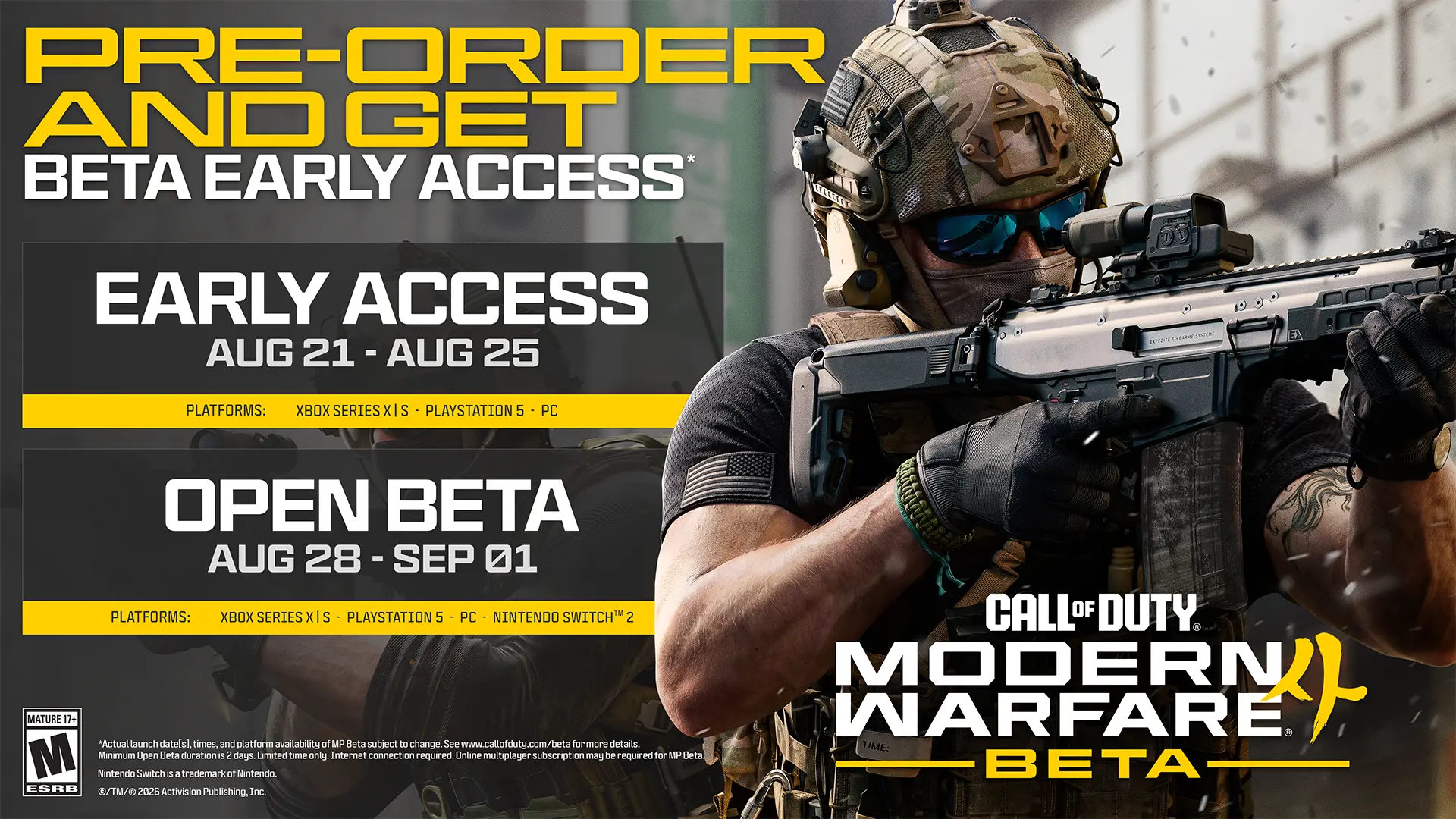
The first preload begins on August 20 at 9:00 AM PT / 12:00 PM ET / 6:00 PM CEST for players eligible for Early Access.
For exact start times, platforms, beta content, and access rules, read our Modern Warfare 4 Early Access and Open Beta guide.
If you are still deciding whether the game is for you, our complete Modern Warfare 4 guide covers the campaign, multiplayer, DMZ, platforms, release date, and other major changes.
Players looking for Early Access can also check our Modern Warfare 4 beta code guide.
Modern Warfare 4 Offers on G2A.COM
Getting ready for Modern Warfare 4?
G2A Plus Premium can provide better prices on eligible marketplace offers, Plus Points, gaming rewards, a monthly free game, and additional member benefits.
Modern Warfare 4 Beta PC FAQ
What Are the Minimum PC Requirements for the Modern Warfare 4 Beta?
You need at least a Ryzen 5 1600 or Core i5-8400, 12 GB RAM, 3 GB VRAM, and an RX 470, GTX 970 / GTX 1060, or Intel Arc A580. An SSD is required.
What GPU Is Recommended for the MW4 Beta?
Activision recommends an RTX 3060 Ti, Radeon RX 6700 XT, or Intel Arc B580 with 8 GB of video memory.
Does Modern Warfare 4 Require Secure Boot?
Yes. Both Secure Boot and TPM 2.0 are mandatory for the Modern Warfare 4 Beta on PC.
Do I Need Call of Duty HQ to Play the MW4 Beta?
No. The beta is a separate download and can be launched directly without opening the main Call of Duty experience first.
Will the MW4 Beta Download Automatically Through Call of Duty?
No. Because the beta is a separate installation, you need to find it on your platform and start the download manually.
Will the Full Modern Warfare 4 Game Be Standalone Too?
Not according to the current information. Activision says the full game will remain connected to the main Call of Duty experience and Warzone.
How Much Storage Does the Modern Warfare 4 Beta Need?
Activision’s published PC requirements currently specify that an SSD is mandatory, but they do not provide a confirmed storage capacity in GB.
One Less Launcher Between You and the Fight
Modern Warfare 4’s PC requirements should be manageable for a fairly wide range of gaming PCs. The recommended RTX 3060 Ti and Ryzen 5 3600 class of hardware is hardly cutting-edge in 2026, while the minimum tier reaches back considerably further.
The more important preparation may happen in your BIOS. TPM 2.0 and Secure Boot are not optional, so checking them before the beta begins could save a frustrating launch-day troubleshooting session.
And once your PC is ready, at least getting into the game should be easier this time.
No Call of Duty HQ. No cross-launching. Download the Modern Warfare 4 Beta, launch it directly, and get to the shooting.