




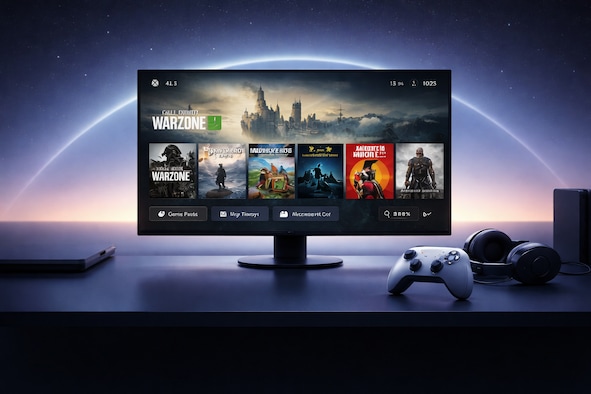
Microsoft has announced a new “Xbox mode” for Windows 11. The full-screen gaming interface is designed to make Windows feel like a console, and it’s coming to every Windows 11 device in April.
The announcement was made at GDC 2026, alongside a range of updates to DirectX, developer tools, and DirectStorage. Together, they make Windows the foundation for the next Xbox console, known as codename Project Helix.
TL;DR
- Xbox mode brings a full-screen, console-like gaming interface to every Windows 11 device in April.
- Microsoft is aligning Windows, Xbox, handhelds, and Project Helix around one shared gaming ecosystem.
- The unified GDK means games built for Windows PC will also work on Xbox Series X/S and Project Helix.
- DirectX, PIX, Advanced Shader Delivery, and DirectStorage all received new updates for developers.
- Project Helix is expected to support both Xbox console games and PC titles, with backward compatibility for Xbox Series X and Xbox Series S.
Xbox Mode Windows 11 – What Is Xbox Mode, Actually?
Xbox mode turns Windows 11 into something that looks and feels like a console. If Steam Big Picture mode comes to your mind, you’re right: it is a full-screen console-like interface built specifically around launching and managing games. It makes the most sense on a living room PC or a handheld, where navigating the standard Windows desktop just isn’t convenient.
The feature started as the Xbox Full Screen Experience (FSE) on devices like the Lenovo Legion Go. With the April rollout, it is going to be available on any Windows 11 computer as “Xbox mode.” Given that Project Helix is expected to run Windows, it will likely be the default experience on the next Xbox too.
Unified Game Development Kit for Easier Development
Microsoft is pushing a unified Game Development Kit (GDK) which is meant to make developing games easier. Build a game for Windows PC using the GDK, and it’s already compatible with Xbox Series X/S. When Project Helix arrives, that same game runs there too. No separate builds, no platform-specific requirements.
It’s great news for smaller studios – small indie games will be available for both PC and consoles (or at least Xbox).
Expect DirectX Machine Learning Shaders
Microsoft is adding linear algebra support to HLSL, which lets hardware-accelerated machine learning inside the graphics pipeline via the DirectX Agility SDK. Or, in simpler terms, games will be able to use AI-powered upscaling or denoising without relying on outside tools.
More Debugging Tools for Developers Coming to DirectX
On top of that, developers can now dump DirectX files, use DebugBreak() inside HLSL shaders, and inspect graphics pipelines with the new Shader Explorer tool. PIX received an update too, adding a Tile Mappings Viewer and hardware-specific GPU counters in the System Monitor view. Not headline-grabbing for players, but useful for studios trying to track down performance issues at the hardware level.
Advanced Shader Delivery Is Now Available
Advanced Shader Delivery (ASD) first appeared on the Xbox Ally X in a limited number of games. Microsoft is now making it available to all developers through the DirectX Agility SDK.
Developers compile and package shaders alongside their games. When a player installs a title on a supported device, the shaders are already there. No background compilation on first launch, no stutter on the first run. The Xbox Partner Center will handle delivery automatically on compatible devices.
DirectStorage Gets an Upgrade with Zstandard Compression
DirectStorage is getting support for Zstandard compression and a new Game Asset Conditioning Library, which simplifies asset management during production. Both should translate to faster load times and a cleaner pipeline for studios working on large-scale projects.
The Project Helix Next Xbox Experience
Microsoft has confirmed that Project Helix will support both Xbox console games and PC titles. The changes announced at GDC push developers towards building games for this new-but-old-but-new environment.
Project Helix will also carry backward compatibility with Xbox Series X and Xbox Series S titles. This will give Xbox a huge advantage over its competitors – current-gen console and PC games under one roof.
Handhelds and PCs Benefit from Project Helix Too
These improvements are not limited to Xbox consoles, though. Devices like the ROG Xbox Ally benefit from DirectX updates of the Xbox mode itself. Microsoft is aligning the experience across every Windows device, whether that’s a gaming PC, a handheld, or the next Xbox.