



The Binding of Isaac: Rebirth has simple controls, but some of the most important inputs are easy to forget during a run.
This guide covers the default keyboard and controller controls, including how to use pills and cards, drop trinkets, toggle fullscreen, change keybinds, and decide whether keyboard or controller is better for you.
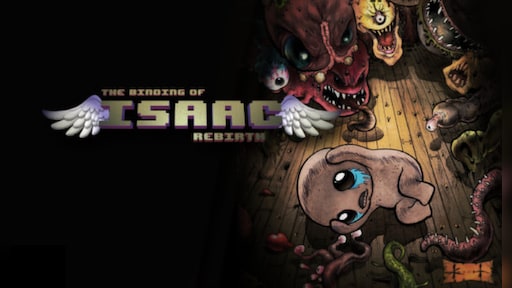
The Binding of Isaac: Rebirth
Release Date: November 04, 2014
Genres: Shooter, Puzzle, Role-playing (RPG), Adventure, Indie, Arcade
You can view and change controls from the Main Menu by going to Options and then Controls. Since checking controls mid-run is not always convenient, the tables below keep the most useful inputs in one place.
TL;DR – Key Info
- On keyboard, move with WASD and shoot with the Arrow Keys.
- Use pills, cards, runes, and other consumables with Q on keyboard.
- Use your active item with Space on keyboard.
- Drop a trinket or consumable by holding Left Ctrl.
- On controller, use consumables with RB / R1 and active items with LT / L2.
- Keyboard and controller are both viable. Pick the one that feels better during movement and shooting.
Table of Contents
Binding of Isaac Keyboard Controls
These are the default keyboard controls for The Binding of Isaac: Rebirth and its later expansions, including Afterbirth, Afterbirth+, and Repentance.
| Action | Keyboard Input |
|---|---|
| Move | W, A, S, D |
| Shoot | Arrow Keys |
| Place Bomb | E |
| Use Active Item | Space |
| Use Pill, Card, Rune, or Other Consumable | Q |
| Swap Consumable or Active Item | Left Ctrl |
| Drop Trinket or Consumable | Hold Left Ctrl |
| Toggle Map | Tab |
| Toggle Fullscreen | F |
| Restart Run | Hold R |
| Mute Music | M |
| Pause | Esc |
Binding of Isaac Controller Controls
The Binding of Isaac also works well with controllers. These are the standard Xbox-style and PlayStation-style inputs for core actions.
| Action | Controller Input |
|---|---|
| Move | Left Stick or D-Pad |
| Shoot | Right Stick or Face Buttons |
| Place Bomb | LB / L1 |
| Use Active Item | LT / L2 |
| Use Pill, Card, Rune, or Other Consumable | RB / R1 |
| Swap Consumable or Active Item | RT / R2 |
| Drop Trinket or Consumable | Hold RT / R2 |
| Toggle Map | View Button / Touchpad equivalent |
| Pause | Menu Button / Options Button |
Worth Knowing: Controller labels can vary slightly depending on platform and controller layout, but the important split is simple: right bumper uses consumables, while right trigger swaps or drops them.

How to Use Pills and Cards in The Binding of Isaac
Isaac can hold a consumable item such as a pill, card, rune, or soul stone. To use it, press Q on keyboard or RB / R1 on controller. The item is consumed immediately after activation.
To drop your current consumable or trinket, hold Left Ctrl on keyboard or hold RT / R2 on controller. This is useful if you want to save a card for later, remove a bad trinket, or swap consumables before entering a boss room.
Some items allow Isaac to hold more than one consumable. When that happens, press Left Ctrl on keyboard or RT / R2 on controller to swap between the available consumables before using one.
Quick example
If you are holding The Fool card, press Q or RB / R1 to teleport. If you want to leave it on the floor for later, hold Left Ctrl or RT / R2.
How to Fullscreen The Binding of Isaac
To toggle fullscreen in The Binding of Isaac, press F on keyboard. You can also change fullscreen settings through Options, which are available from the Main Menu and pause menu.
If you keep pressing F accidentally during runs, consider changing the fullscreen keybind or avoiding that key while using WASD movement.
How to Change Keybinds in The Binding of Isaac
To change keybinds, go to the Main Menu, select Options, and then choose Controls. Pick the input device you want to edit, highlight the action, select it, and press the new key or button you want to assign.
If your setup starts to feel messy, use Reset to Default at the bottom of the Controls menu.
Tip: Adjust controls between runs. Rebinding during active gameplay is not the smoothest way to learn Isaac, especially when you are still memorizing item, card, and trinket inputs.
Should You Play The Binding of Isaac With Keyboard or Controller?
Keyboard and controller are both good options for The Binding of Isaac. Keyboard gives you clear eight-direction movement and shooting inputs, which many players find precise and easy to read. Controller, on the other hand, can feel smoother for movement and more comfortable during long sessions.
| Input Method | Best For |
|---|---|
| Keyboard | Players who prefer precise directional movement, classic Isaac controls, and quick access to hotkeys. |
| Controller | Players who prefer analog movement, relaxed hand positioning, and couch-style play. |
The best choice is the one that feels natural during runs. Try both for a few floors, then stick with the setup that makes dodging, shooting, using cards, and dropping trinkets feel easiest.