AdGuard DNS Personal
- Loading...
- Loading...
- Loading...
- Loading...
- Loading...
- Loading...
AdGuard DNS Personal Price Comparison

3 out of 3 items
About AdGuard DNS Personal
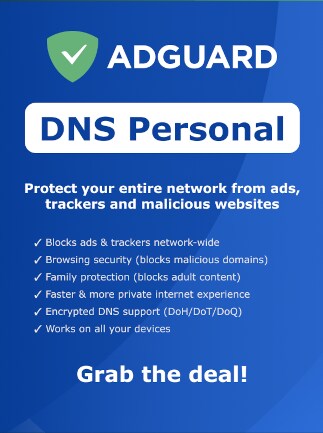
AdGuard DNS Personal is a subscription for individuals and families who want a cleaner and safer online experience. Block ads, trackers, harmful websites, and unwanted content across supported devices and your home network.
AdGuard DNS Personal Key Features
- Block many advertising and tracking domains automatically.
- Help protect devices from malicious and fraudulent websites.
- Create personal rules for websites you want to block or allow.
- Use parental controls to restrict unwanted online content.
- Manage protection for devices connected to your account.
- Review internet activity through statistics and request history.
- Adjust filtering settings to match your household needs.
- Apply protection across compatible devices and home networks.
- Supported platforms: Windows, macOS, Linux, Android, iOS, and routers.
DNS Personal license includes:
- Up to 10 million monthly requests
- Coverage for up to 20 devices
- 5 server configurations for flexible setups
- Support for 1,000 custom rules
Block Unwanted Online Content
Reduce ads, tracking, and access to unwanted websites across supported devices. Filtering works at the network level, so protection can cover more than just a single browser.
You can use the service at home across computers, phones, tablets, and other compatible devices. This makes it easier to keep similar filtering settings throughout your household.
Customize Your Protection
Choose which websites and online services should be available. Personal filtering rules let you allow trusted domains or block content you do not want to access.
Parental controls help families create a more suitable online environment for younger users. Settings can be adjusted as your household needs change.
Keep Track of Online Activity
View statistics about DNS requests made by connected devices. This can help you understand which websites and services are being accessed or blocked.
Activity records also make it easier to fine-tune your filtering settings. You can quickly adjust rules when something should be allowed or restricted.
Protect Your Internet Requests
AdGuard DNS supports secure connections between compatible devices and its DNS service. This helps keep DNS requests protected while you browse and use online apps.
Different supported devices can be managed through the same service. It is a practical choice for households using a mix of computers, phones, tablets, and network devices.
Who will like AdGuard DNS Personal
- Home users who want fewer ads and trackers online.
- Families looking for simple parental filtering controls.
- Privacy-conscious users who want more control over online requests.
- Users who want protection across several types of devices.
- Households that want to block unwanted websites centrally.
- People who want an easy way to manage online filtering.
- Users who want more visibility into activity on their network.