

Apple Pro Compressor
Apple Pro Compressor Price Comparison
Apple Pro Compressor - 1 Mac Lifetime
- PlatformApple
- TypeKey
- RegionGLOBAL
Can activate in: United StatesOFFERS FROM 4 SELLERS2.68 USD56.10 USD

1 out of 1 item
About Apple Pro Compressor
Apple Pro Compressor is a professional media transcoding application for Mac that extends Final Cut Pro and Motion with custom export settings, batch processing, workflow automation, and support for modern video, audio, streaming, and immersive formats.
Apple Pro Compressor Key Features
- Transcodes video, audio, and image sequences into a wide range of professional and consumer formats.
- Creates custom export presets for Final Cut Pro and Motion.
- Supports H.264, HEVC, MV-HEVC, ProRes, HDR, MXF, IMF, spatial video, 360-degree video, and Apple Immersive Video workflows.
- Includes built-in presets and destinations for Apple devices, social platforms, streaming, podcasting, and professional distribution.
- Processes multiple files efficiently with batch encoding.
- Automates recurring tasks through watch folders, droplets, destinations, and post-transcoding actions.
- Provides controls for frame size, frame rate, timing, color space, HDR metadata, captions, and audio tracks.
- Supports distributed processing across multiple compatible Mac computers.
Custom Encoding for Final Cut Pro and Motion
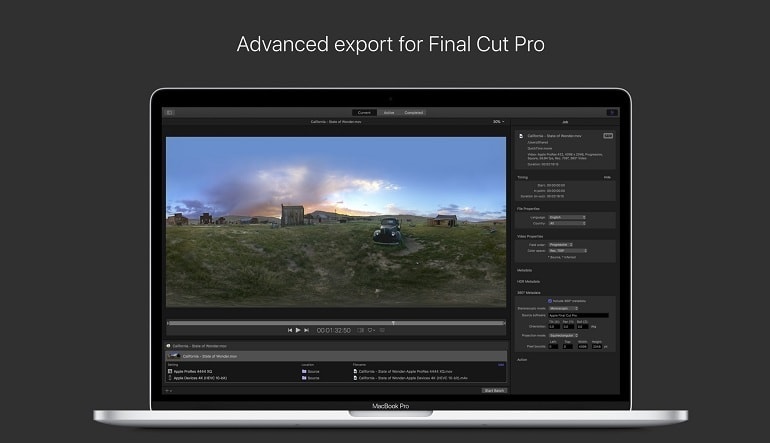
Apple Pro Compressor integrates with Final Cut Pro and Motion, allowing editors to build precise export presets for individual projects and delivery requirements. Custom settings can control codecs, resolution, frame rate, audio properties, color space, metadata, and output location.
Professional Format and Delivery Support
The software prepares media for many destinations, from Apple devices and online platforms to professional broadcast and distribution workflows. It can generate HDR content, IMF packages, iTunes Store packages, spatial video, 360-degree video, and immersive media packages for supported Apple Vision Pro experiences.
Batch Processing and Workflow Automation
Multiple encoding jobs can be organized into batches and processed together. Watch folders automatically begin transcoding when new files are added, while droplets provide convenient drag-and-drop access to frequently used settings. Destinations can combine encoding instructions with actions such as moving files or running scripts.
Detailed Control Over Media Output
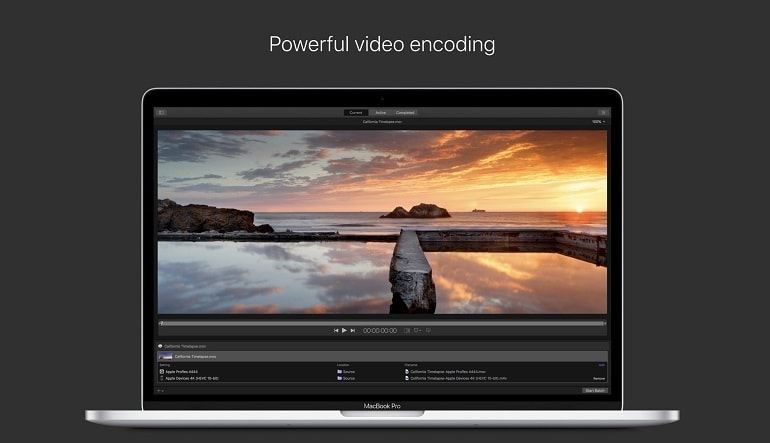
Apple Pro Compressor gives users control over resizing, cropping, retiming, deinterlacing, color conversion, HDR metadata, captions, audio layouts, and visual or audio effects. A preview function helps users review the expected result before starting a complete batch.
Who Will Like Apple Pro Compressor
- Final Cut Pro and Motion users who need advanced export controls.
- Video editors delivering content in several formats or resolutions.
- Post-production professionals working with HDR, ProRes, MXF, or IMF media.
- Content creators preparing videos for streaming and social platforms.
- Studios that need repeatable batch-processing and automation workflows.
- Creators producing spatial, 360-degree, or immersive video content.