
CorelDRAW Technical Suite 2018
Create schematics and illustrated manuals in CorelDRAW Technical Suite 2018 for Windows, with projected drawing, vector tools, 3D views, and DWG, DXF, SVG, and PDF compatibility.
CorelDRAW Technical Suite 2018 Price Comparison
CorelDRAW Technical Suite 2018 - PC 1 Device Lifetime
- PlatformCorel
- TypeKey
- RegionGLOBAL
Can activate in: United StatesOFFERS FROM 4 SELLERS0.87 USD

1 out of 1 item
About CorelDRAW Technical Suite 2018
CorelDRAW Technical Suite 2018 equips technical illustrators and documentation specialists with drawing, layout, photo editing, and 3D view tools on Windows. Create schematics and manuals using Corel DESIGNER, CorelDRAW, Corel PHOTO-PAINT, and XVL Studio Corel Edition.
CorelDRAW Technical Suite 2018 Key Features
- Symmetry drawing reflects edits across mirrored parts of a design.
- LiveSketch converts hand-drawn strokes into editable vector curves.
- Fit Objects to Path places repeated components along a curve.
- Symbol libraries hold reusable technical drawing elements.
- Supporting documentation photos can be edited in Corel PHOTO-PAINT.
- Translation Memory System support carries illustration text into localisation.
- Supported files cover DWG, DXF, CGM, WebCGM, SVG, PDF, EPS, and common bitmap formats.
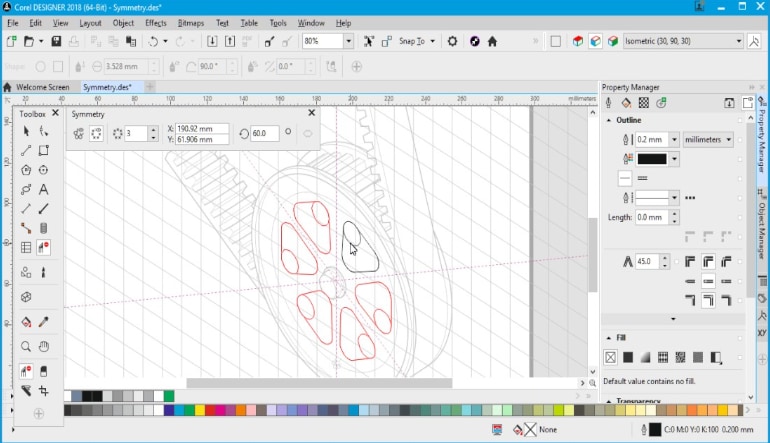
Illustrate Components and Operating Procedures
Build schematics, assembly drawings, and illustrated user instructions from technical source material. Give readers a view of the equipment that supports the accompanying explanation.
Related layouts and presentation graphics can be prepared in CorelDRAW. Keep the drawings useful beyond a single manual when the same subject appears in training or other documentation.
Position Objects with Projected Coordinates
Work with the values of the active drawing plane when creating isometric views. Copy, move, and scale objects according to the view you are illustrating.
Measurements and callouts add the details needed to identify components. Adjust curves and annotation positions where the drawing needs a more precise explanation.
Turn Existing Views into Publishable Drawings
XVL Studio Corel Edition prepares views from supported 3D models for illustration work. Existing model information becomes a reference for the drawings you need to publish.
Technical output supports publication requirements such as S1000D and ATA iSpec 2200. Keep the original drawings editable when a manual or digital document needs revision.
Who will like CorelDRAW Technical Suite 2018
- Technical illustrators working on component drawings.
- Documentation specialists assembling illustrated manuals.
- Engineers turning technical material into explanatory graphics.
- Manufacturers preparing equipment instructions.
- Trainers building visual references for procedures.
- Graphic designers who also handle technical publishing.