
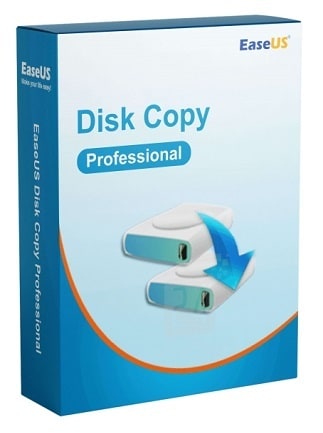
EaseUS Disk Copy Pro
Why Do You Need Disk Copy Tool? EaseUS Disk Copy can easily upgrade your hard drive from the old disk to a new one or clone MBR disk to GPT disk or GPT disk to MBR. Also, it allows you to clone HDD to SSD for better performance.
EaseUS Disk Copy Pro Price Comparison
EaseUS Disk Copy Pro - PC 1 Device Lifetime
- PlatformEaseUS
- TypeKey
- RegionGLOBAL
Can activate in: United StatesOFFER FROM 1 SELLER21.58 EUREaseUS Disk Copy Pro - PC 1 PC 6 Months
- PlatformEaseUS
- TypeKey
- RegionGLOBAL
Can activate in: United StatesOFFERS FROM 0 SELLERSOut of stockEaseUS Disk Copy Pro - PC 1 PC 1 Year
- PlatformEaseUS
- TypeKey
- RegionGLOBAL
Can activate in: United StatesOFFERS FROM 0 SELLERSOut of stock
3 out of 3 items
About EaseUS Disk Copy Pro
EaseUS Disk Copy Pro is Windows disk cloning software for migrating an operating system, applications, settings, and personal files between HDDs and SSDs without reinstalling everything.
EaseUS Disk Copy Pro Key Features
- Clone an entire HDD, SSD, or selected partition
- Migrate Windows to a new drive without reinstalling the operating system
- Create sector-by-sector copies for accurate disk duplication
- Transfer data from a larger drive to a smaller drive when sufficient space is available
- Resize partitions while copying disks
- Clone between MBR and GPT disks
- Create WinPE bootable media for offline cloning
- Support SATA, NVMe, PCIe, USB, and other common storage interfaces
- Work with drives from major HDD and SSD manufacturers
- Support hard drives with capacities of up to 16 TB
Migrate Windows Without Reinstallation
EaseUS Disk Copy Pro transfers the operating system, boot partitions, installed applications, system settings, and personal files to another drive. The new disk can be prepared as a replacement for the original drive without requiring a fresh Windows installation or manual software setup.
Upgrade From an HDD to an SSD
The software simplifies storage upgrades by cloning the contents of an existing hard drive to a faster SSD. It supports common SATA and NVMe drives, making it suitable for improving startup times, application responsiveness, and general system performance while preserving the existing Windows environment.
Flexible Disk and Partition Cloning
Users can duplicate an entire disk or copy an individual partition. The destination layout can be adjusted during the cloning process, allowing partitions to be automatically fitted or manually resized to use the available capacity of the new drive.
Sector-Level Copies and Bootable Media
Sector-by-sector cloning creates a detailed copy of the source storage device by transferring individual sectors. EaseUS Disk Copy Pro can also create WinPE bootable media, enabling disk cloning or migration when Windows cannot start normally.
Backup and Drive Replacement
A cloned drive can serve as a ready-to-use replacement if the original disk fails. Because the copy can include Windows, applications, files, and settings, users can reduce the time required to restore a familiar working environment after a storage upgrade or hardware problem.
Who Will Like EaseUS Disk Copy Pro
- PC users upgrading from an HDD to an SSD
- People replacing a small drive with a larger one
- Users moving Windows to a new storage device
- Home users creating a complete copy of an important drive
- PC enthusiasts installing SATA or NVMe SSDs
- Users who want to avoid reinstalling Windows and applications
- Anyone preparing a replacement drive for an aging or unreliable disk
