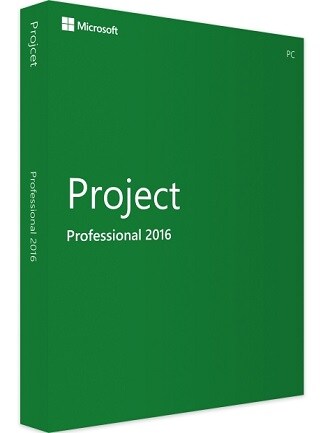
Microsoft Project 2016
Microsoft Project 2016 for Windows helps you plan tasks, build Gantt charts, manage resources and costs, track progress,and create project reports
- Loading...
- Loading...
- Loading...
Microsoft Project 2016 Price Comparison
- 15.38 USD329.41 USD
Microsoft Project 2016 - PC
- PlatformMicrosoft
- TypeKey
- RegionGLOBAL
Can activate in: United StatesSPONSORED14.23 USD329.41 USD
2 out of 2 items
About Microsoft Project 2016
Microsoft Project 2016 is project management software for managers, planners, and business owners on Windows. Build schedules, organize tasks and resources, track costs, and turn project data into Gantt charts and reports.
Microsoft Project 2016 Key Features
- Start project plans from templates to reduce setup work.
- Mark important delivery points with milestones.
- Set working calendars to account for holidays and working hours.
- Identify critical tasks that affect your project's finish date.
- Save baselines to compare current results with your original plan.
- Assign people, equipment, and materials to project tasks.
- Calculate project costs using resource rates and fixed task costs.
- Record task completion to track progress as work moves forward.
- Save plans as MPP files, create MPT templates, and exchange project data through XML.
- Runs on Windows.
Build schedules with Gantt charts
Turn a task list into a structured schedule with phases, subtasks, and durations. Gantt charts show when work happens and how activities overlap, giving you a clear view of the plan.
Link dependent tasks so automatic scheduling can adjust connected dates when plans change. Use manual scheduling when you want to enter provisional details before every estimate is confirmed.
Create graphical project reports
Prepare project summaries with charts, tables, and text directly in the application. Use built-in reports as a starting point, then choose the information your audience needs.
Reports reflect changes to the underlying project data as you update your plan. Adjust labels, colors, and chart details to make status meetings and stakeholder presentations easier to follow.
Import data and share project plans
Import existing Excel data and map spreadsheet columns to Project fields. Bring an established task list into your schedule without entering every item again.
Export selected project data to Excel for further analysis, or save a PDF for distribution. Send colleagues and clients a readable schedule they can review without opening the editable project file.
Who will like Microsoft Project 2016
- Project managers organizing schedules and delivery dates.
- Small business owners planning work and monitoring costs.
- Construction planners coordinating dependent activities.
- Event organizers preparing detailed production schedules.
- Operations managers planning maintenance and internal projects.
- Consultants preparing project plans and client reports.
- Students practicing project scheduling and resource planning.