




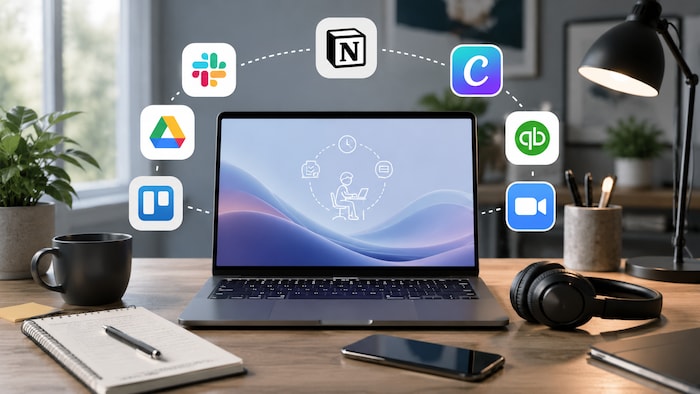
Freelancing in 2026 requires more than a laptop and an email account. You are delivering client work while also managing communication, security, files, meetings, invoices, and business administration.
The best freelancer software stack reduces repetitive work, limits unnecessary app switching, protects business data, and makes the client experience feel organized from the first message to the final payment.
You do not need every program on this list. A useful stack is small, connected, and built around the problems you regularly face. Choose one reliable tool for each essential task, then add specialist software only when your workload justifies it.
Client-data reminder: Do not upload confidential briefs, customer information, contracts, financial documents, credentials, or unpublished work to an AI or cloud service unless the client permits that workflow.
Quick Summary – Top Freelancer Programs for 2026
- How we chose these programs
- Spotify
- Microsoft Defender and Bitdefender
- NordVPN and ExpressVPN
- Canva AI
- Dropbox Dash and Backup
- Google Workspace with Gemini and Grammarly
- Slack and Zoom
- QuickBooks Solopreneur
- Best freelancer software by task
- A practical minimal freelancer stack
- Freelancer software on G2A.COM
- Related G2A News articles
- Freelancer software FAQ
- Less app switching, more paid work



How we chose these programs
This list focuses on tools that solve common problems faced by one-person businesses rather than software with the longest feature lists.
- Practical value: the tool should solve a recurring work or business problem.
- Time savings: useful automation should reduce repetitive administrative work.
- Ease of use: a freelancer should not need an IT department to maintain the setup.
- Client compatibility: files, links, and communication should be easy for clients to access.
- Security: the software should offer appropriate access, privacy, and recovery controls.
- Integrations: information should move between tools without constant manual copying.
- Scalability: the software should remain useful as the number of clients and projects grows.
- Value: subscription costs should be justified by saved time, reduced risk, or additional revenue.
The goal is not to create a mandatory shopping list. Start with the tools required to deliver your work and get paid. Add the rest when they remove a clear bottleneck.
Spotify
Best for: planned focus sessions, short mental resets, and making long solo workdays feel less repetitive.
Spotify is not an essential business application, but it can support a more deliberate work routine. Instrumental playlists, ambient audio, podcasts, and short listening breaks can help create boundaries between concentrated work and administration.
Spotify Premium includes personalized discovery features such as AI DJ. AI Playlist and newer prompted-playlist tools can also build selections from written requests where those beta features are available.
Useful applications include:
- Creating lyric-free playlists for focused work
- Using different playlists to separate creative and administrative tasks
- Taking controlled breaks between client projects
- Listening to industry podcasts during low-focus tasks
- Reducing the time spent manually choosing music
Trade-off: music and podcasts can become distractions. Use Spotify as part of a planned routine rather than allowing every song change to interrupt the task.
Microsoft Defender and Bitdefender
Best for: protecting client files, email attachments, downloaded assets, payment information, and the computer that runs your business.
Microsoft Defender Antivirus is integrated with Windows Security and provides built-in protection for current Windows computers. For many freelancers with sensible browsing habits, regular updates, multifactor authentication, and secure backups, it may provide an adequate starting point.
Bitdefender Total Security adds a broader multi-device security package for Windows, macOS, Android, and iOS. Depending on the platform and plan, its features can include malware protection, ransomware defenses, web protection, email protection, privacy tools, and device optimization.
Why security software matters:
- Freelancers regularly receive files and links from outside organizations
- A compromised device can expose several clients at once
- Malware can interrupt paid work and damage project files
- Stolen credentials can affect email, banking, cloud storage, and client systems
- Ransomware can make local files inaccessible without a tested backup
Trade-off: additional security suites can create alerts, use system resources, or duplicate protections already enabled elsewhere. Do not run several real-time antivirus products simultaneously unless the vendors explicitly support that setup.
NordVPN and ExpressVPN
Best for: freelancers who travel, use public Wi-Fi, work from shared locations, or need an encrypted connection on untrusted networks.
A VPN encrypts traffic between your device and the VPN server. It can reduce exposure on public networks and hide your regular IP address from the sites and services you access through the tunnel.
NordVPN and ExpressVPN both provide kill-switch features and split tunneling on supported platforms. Split tunneling lets you decide which applications use the encrypted connection and which connect directly.
This can be useful when you want to protect email, banking, or a client portal while keeping a video call, printer, or local network service outside the tunnel.
Useful situations include:
- Working from hotels, airports, cafes, and coworking spaces
- Connecting while travelling internationally
- Protecting selected business applications through split tunneling
- Reducing exposure on networks you do not control
- Using a consistent dedicated IP when an approved-address system requires one
Trade-off: a VPN can reduce connection speed or cause problems with banking, local printers, and services that block VPN addresses. It also does not replace device security, HTTPS, multifactor authentication, backups, or an employer-provided corporate VPN.
Canva AI
Best for: presentations, proposals, social graphics, simple videos, client reports, branded documents, and quick marketing assets.
Canva AI brings design, image generation, writing, presentations, documents, websites, and other creative tasks into one conversational workspace.
A freelancer can describe a presentation or campaign asset, generate an initial direction, revise individual elements, apply brand settings, and prepare variations for different formats.
Useful applications include:
- Creating proposals and pitch decks
- Designing social posts and advertisements
- Preparing simple brand assets
- Turning reports into visual presentations
- Creating client-editable templates
- Generating draft layouts, images, and written content
- Resizing approved designs for different platforms
Trade-off: AI-generated layouts and templates can look generic. Important branding, accessibility, licensing, factual accuracy, and client requirements still need human review.
Dropbox Dash and Backup
Best for: storing, finding, sharing, backing up, and recovering project files across several devices.
Dropbox provides cloud storage, file synchronization, sharing, recovery, transfer, and backup tools. It can keep active work available across computers while providing a separate location for important project files.
Dropbox Dash adds search and organization across connected content. Its available features depend on the selected plan, but it is designed to help users find information across tools and control access to business content.
Useful applications include:
- Synchronizing active project folders
- Backing up important desktop folders
- Delivering large files to clients
- Recovering an earlier file version
- Collecting files through requests
- Searching connected work content through Dash
- Keeping final delivery packages separate from working files
Trade-off: cloud synchronization is not the same as a complete backup strategy. Accidental deletion, ransomware, or account access problems can still affect synchronized files, so important work should have another tested backup.
Google Workspace with Gemini and Grammarly
Best for: client emails, proposals, contracts, reports, summaries, shared documents, planning, and everyday business communication.
Google Workspace combines Gmail, Drive, Docs, Sheets, Slides, Meet, Calendar, Chat, and other business applications. Gemini features are available across supported Workspace editions and can assist with writing, summarizing, researching, organizing information, and meeting notes.
Grammarly focuses more directly on communication quality. It provides spelling, grammar, clarity, tone, rewriting, and AI-assisted writing across supported websites and applications.
Choose Google Workspace when you need:
- Professional email on your own domain
- Shared documents and cloud storage
- Meetings, calendars, and appointment scheduling
- Real-time editing and client comments
- AI assistance inside Gmail, Docs, Sheets, Slides, Drive, and Meet
Choose Grammarly when you need:
- Writing assistance across several websites and applications
- Grammar and spelling checks
- Tone and clarity suggestions
- Full-sentence rewrites
- Help polishing proposals, messages, and reports
Trade-off: generated text can sound generic, misunderstand context, or introduce incorrect details. Review every client-facing document before sending it.
Slack and Zoom
Best for: ongoing client communication, meetings, project discussions, decisions, summaries, and follow-up actions.
Slack organizes written communication through channels and threads. AI features on supported plans can summarize conversations, search workspace information, translate messages, and take notes during huddles.
When AI huddle notes are enabled, Slack can capture key takeaways and action items in a shared canvas. Participants are notified when the feature is active.
Zoom is better suited to scheduled calls, presentations, interviews, workshops, and client reviews. Its meeting-summary tools can create a recap and action points after a call when the feature is enabled.
Choose Slack for:
- Frequent written communication
- Project channels and threaded discussions
- Quick questions and status updates
- Searching previous decisions
- Short huddles and AI-assisted notes
Choose Zoom for:
- Client presentations and formal calls
- Screen sharing and demonstrations
- Longer discovery or review meetings
- Meeting recordings where permitted
- AI-generated summaries and follow-up notes
Trade-off: AI summaries can miss nuance or assign an action incorrectly. Review the recap before treating it as the final record of a client decision.
QuickBooks Solopreneur
Best for: one-person businesses that need straightforward income, expense, invoice, transaction, and tax-readiness tools.
QuickBooks Solopreneur is designed for single-owner, self-employed businesses rather than larger teams with inventory, payroll, and more advanced accounting requirements.
After connecting a bank or credit-card account, the software can import and organize transactions for review. It also provides invoicing, reports, business goals, receipt capture, mileage tools, and a clearer view of business performance.
Useful applications include:
- Separating business and personal transactions
- Tracking income and expenses
- Creating and monitoring invoices
- Capturing receipts
- Reviewing cash flow and business performance
- Setting financial goals
- Preparing organized records for tax season
Trade-off: QuickBooks Solopreneur is closely aligned with United States self-employment and Schedule C workflows. Tax tools, payments, banking connections, and product availability vary by country, so international freelancers may need locally compliant accounting software instead.
Best freelancer software by task
A practical minimal freelancer stack
Many freelancers can begin with six categories rather than subscribing to every service immediately.
- Core work software: the specialist application required for the service you sell.
- Email and documents: Google Workspace, Microsoft 365, or a comparable business suite.
- Security: updated antivirus protection, a password manager, multifactor authentication, and reliable backups.
- Communication: email plus Slack, Zoom, Meet, or the platform preferred by your clients.
- File storage: Dropbox, Google Drive, OneDrive, or another service with recovery and access controls.
- Finance: invoicing and accounting software suitable for your country and business structure.
Spotify, advanced AI plans, extra meeting software, and specialist automation can be added later. A smaller stack is often easier to secure, understand, and maintain.
Freelancer software on G2A.COM
The following available offers cover entertainment, security, VPN access, visual content, writing assistance, cloud storage, and business collaboration.
Check the region, activation method, subscription duration, device limit, seller instructions, and renewal terms before ordering. The Grammarly listing is an account offer, while the Google Workspace product uses an activation link.
Build your software stack for less with G2A Plus
A G2A Plus subscription can provide additional discounts on eligible marketplace offers, Plus Points, member promotions, and premium support after a purchase.



Related G2A News articles
- Best VPN for Remote Work in 2026
- How to Secure Your Freelance Business in 2026
- 10 Tools for Freelance Copywriters and Content Creators
- Essential Software for Freelance Developers
- Must-Have Software for Freelance Graphic Designers in 2026
Freelancer software FAQ
Less app switching, more paid work
There is no universal freelancer stack. A designer, translator, consultant, developer, and copywriter may share several business tools while relying on completely different professional software.
The common requirements remain the same: protect the device, organize files, communicate clearly, document decisions, send professional invoices, and recover quickly when something goes wrong.
Start with a small foundation. Add AI, automation, meeting summaries, advanced search, and specialist subscriptions when they solve a repeated problem rather than because they appeared in another freelancer’s screenshot.
The best software stack should leave you with fewer tabs, fewer forgotten tasks, cleaner client handoffs, and more time for the work clients are actually paying you to do.