

Autodesk Inventor Professional 2019
Autodesk Inventor: Mechanical design software for ambitious ideas. Use powerful design and engineering tools.
Autodesk Inventor Professional 2019 Prijsvergelijking
Autodesk Inventor Professional 2019 - Educational PC 1 Apparaat 1 jaar
- PlatformAutodesk
- TypeSleutel
- RegioGLOBAL
Kan worden geactiveerd in: NederlandAANBIEDINGEN VAN 2 VERKOPERS59.66 PLN

1 uit 1 item
Over Autodesk Inventor Professional 2019
Inventor customers from around the world continue to provide feedback and drive enhancements to the Inventor 2019 experience. This release marks a continued focus on improved performance, automation and core modeling workflows that enable professional-grade mechanical engineering design. Inventor 2019 also connects to the Autodesk cloud to unlock collaboration, design and supply chain user workflows.
Design and engineering professionals work to deliver innovation and high-quality products every day. Inventor 2019 delivers with professional grade improvements in design, automation, and performance to stay ahead of market demands.
Assembly and Drawing Performance
We know performance is important, so we're constantly looking for ways to improve Inventor performance. This release has improvements in the following areas:
Assembly
- In-place editing
- Updates
- Pattern selection
Drawing
- View creation
- Updates
- Navigation
Key features
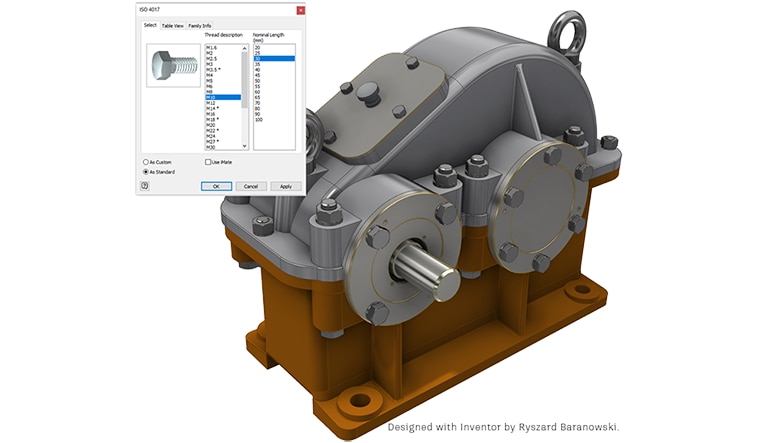
- Content Center - To reduce your time waiting for remotely hosted content to display, Inventor Content Center now caches the remote content during the session. When content is accessed, the initial content is cached for subsequent use eliminating the need to make the remote request again in that session. When the Inventor session concludes, the cache is cleared.
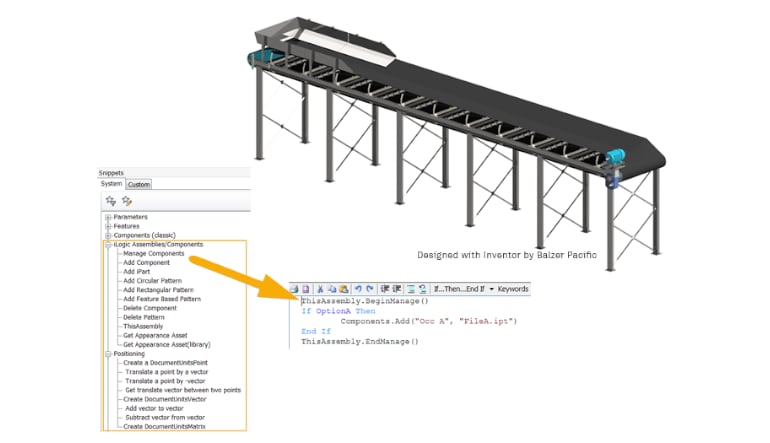
- iLogic - iLogic improvements make it easier to create rule code for adding, modifying, and deleting components and constraints.
- Document Units Geometry - There are new functions that use document units for coordinate values and objects representing points, vectors, and matrices.
- New iLogic Assembly Add Constraints Functions - The new iLogic Relationships (Add) functions allow you to create an iLogic assembly whose occurrences and constraints are generated by a rule.
- New Capture Current State Commands - The Capture Current State command now retains states when you use: Components.Add, Components Constraints.Add, Constraints.Add, and Patterns.Add.
- Constrain Geometry by Assigned Names - You can now assign names to faces and edges, and then create a rule that adds the constraint(s) directly to a face or edge with those names.
- iLogic Help for Functions - Help for iLogic functions and arguments are now available from the iLogic API Reference help node. This help content is in English only.
- Model-Based Definition - The Tolerance Advisor now displays constraint state using a color code. Click Face Status Coloring in the Tolerance Advisor to turn on the display of colors.