
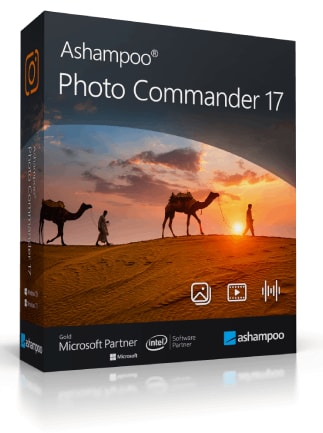
Ashampoo Photo Commander 17
Ashampoo Photo Commander 17 Fiyat Karşılaştırma
1 1 ürün arasından
Ashampoo Photo Commander 17 hakkında
Ashampoo Photo Commander 17 is an all-in-one Windows application for viewing, organizing, editing and presenting photos. It combines collection management, batch processing, image enhancement and creative design tools in one package.
Ashampoo Photo Commander 17 Key Features
- View, edit and organize photos within one application
- Manage large collections using filters, keywords, metadata and virtual albums
- Find duplicate images with a dedicated scanning wizard
- Process, convert, resize, rotate and enhance multiple images in batches
- Improve colors, contrast, sharpness and exposure with automatic correction tools
- Remove red eyes, scratches, image noise and unwanted objects
- Create 4K slideshows with transitions and background music
- Design collages, calendars, greeting cards, frames and web albums
- Add, edit and use geotags from JPG and RAW image files
- Import photos and videos from cameras and scanners
- Support modern formats including RAW, WebP, PNG, JXR, PSD, MPO and JPS
- Play video and audio files directly from the media browser
Organize Large Photo Collections
Ashampoo Photo Commander 17 helps bring order to extensive image libraries. Photos can be grouped by date, decade, theme or location and filtered using filenames, keywords, comments and EXIF or IPTC metadata. Virtual albums provide additional organization without moving the original files, while the duplicate finder helps identify unnecessary copies.
Edit and Improve Photos
The software includes tools for correcting common image problems and preparing photos for sharing or printing. Users can crop, resize, rotate and straighten images, adjust brightness, contrast, saturation, temperature and gamma, or apply effects with a live preview. Automatic optimization can improve faded, overexposed or noisy photos with minimal manual work.
Save Time With Batch Processing
Batch processing makes it possible to modify entire groups of images in one operation. Users can convert file formats, change dimensions, adjust image quality, add watermarks or frames, rotate photos and apply visual corrections across a complete folder. Dedicated wizards guide users through batch tasks, slideshow creation and duplicate searches.
Create and Present Photo Projects
Ashampoo Photo Commander 17 can turn photo collections into 4K slideshows, collages, calendars, greeting cards, PDF files and HTML albums. Slideshows support transitions and background music, while a multi-display presentation mode allows the presenter to control the show on one screen as the audience views it on another.
Import, Browse and Share Media
Photos and videos can be imported from digital cameras, scanners and other connected devices. The integrated browser supports fast navigation through image collections, as well as video and audio playback. Users can also extract images from PDF and MP4 files, email selected photos or upload them to Ashampoo webspace.
Who will like Ashampoo Photo Commander 17
- Home users who want one program for managing and editing photos
- Hobby photographers with large or unorganized image collections
- Users who regularly resize, convert or enhance many images at once
- Families creating slideshows, calendars, collages and greeting cards
- Content creators who need quick image corrections and format conversion
- Presenters who want to display photo collections on a second screen or projector
- Users looking for an accessible alternative to maintaining several separate photo applications
