

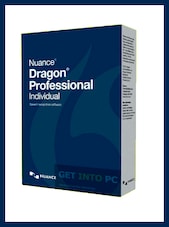
Nuance Dragon Professional Individual 14
Nuance Dragon Professional Individual 14 Fiyat Karşılaştırması
1 1 öğeden
Nuance Dragon Professional Individual 14 hakkında
Nuance Dragon Professional Individual 14 is speech recognition software for creating documents, controlling Windows applications, transcribing recordings, and automating repetitive computer tasks with voice commands.
Nuance Dragon Professional Individual 14 Key Features
- Convert spoken words into editable text on a Windows computer
- Create, format, correct, and edit documents using voice commands
- Control applications, menus, windows, and common computer functions by voice
- Transcribe prerecorded audio from compatible digital recording formats
- Add custom words, names, acronyms, and specialist terminology
- Create custom commands for frequently used text, graphics, and actions
- Insert reusable content with Auto-Text voice commands
- Manage user-created commands from a central command window
- Use an enhanced, resizable Dictation Box in applications with limited dictation support
- Access context-relevant command suggestions with the “What Can I Say?” command
- Use voice commands designed for Windows 10 functions
- Work with a DragonBar interface optimized for touchscreen devices
Create Documents Using Your Voice
Nuance Dragon Professional Individual 14 allows users to dictate letters, reports, emails, notes, and other documents instead of entering every word with a keyboard. Spoken content appears as editable text, while voice commands can be used to select passages, apply corrections, move through documents, and perform common formatting actions.
Build a Personalized Vocabulary
The software can be adapted to the language used in a particular profession or workplace. Users can add personal names, company terminology, abbreviations, technical expressions, and other uncommon words to improve recognition when dictating specialized content.
Automate Repetitive Work with Custom Commands
Custom voice commands help reduce the time spent entering frequently used information or completing repeated actions. Auto-Text commands can insert prepared blocks of text and graphics, while the custom command manager provides one place to create, edit, organize, and remove user-defined commands.
Transcribe Recorded Speech
Nuance Dragon Professional Individual 14 can convert compatible prerecorded voice files into text. This makes it useful for processing dictated notes, reports, interviews, and ideas captured with a supported recording device when working away from the computer.
Navigate Windows Hands-Free
In addition to dictation, Dragon can help users open applications, switch between windows, select menu options, press keys, search the web, and perform other computer actions by voice. Version 14 also introduces commands for Windows 10 features such as the Start menu, Settings, and Action Center.
Who Will Like Nuance Dragon Professional Individual 14
- Professionals who regularly prepare long reports, letters, or emails
- Writers, researchers, consultants, and administrative employees
- Users who prefer dictation to extended keyboard typing
- Professionals who work with specialized names and terminology
- People who need to transcribe their recorded notes and ideas
- Users looking to automate repeated text entry and computer tasks
- People seeking a more comfortable, voice-controlled way to use a Windows PC