

Vmware Workstation 17 Pro
- Loading...
Vmware Workstation 17 Pro Fiyat Karşılaştırması
Vmware Workstation 17 Pro - Sınırsız cihaz Ömür boyu
- PlatformBroadcom
- TürAnahtar
- BölgeKÜRESEL
Şurada etkinleştirilebilir: Türkiye7 SATICIDAN TEKLİFLER51.78 TRY10775.63 TRYVmware Workstation 17 Pro - 12 Cihaz Ömür boyu
- PlatformBroadcom
- TürAnahtar
- BölgeKÜRESEL
Şurada etkinleştirilebilir: Türkiye1 SATICIDAN TEKLİF40.58 TRY10775.63 TRYVmware Workstation 17 Pro - 1 Cihaz Ömür boyu
- PlatformBroadcom
- TürAnahtar
- BölgeKÜRESEL
Şurada etkinleştirilebilir: Türkiye8 SATICIDAN TEKLİFLER53.18 TRY10775.63 TRYVmware Workstation 17 Pro - 10 Cihaz Ömür boyu
- PlatformBroadcom
- TürAnahtar
- BölgeKÜRESEL
Şurada etkinleştirilebilir: Türkiye5 SATICIDAN TEKLİFLER104.95 TRY10775.63 TRYVmware Workstation 17 Pro - 15 Cihaz Ömür boyu
- PlatformBroadcom
- TürAnahtar
- BölgeKÜRESEL
Şurada etkinleştirilebilir: Türkiye2 SATICIDAN TEKLİFLER345.12 TRY10775.63 TRYVmware Workstation 17 Pro - 20 PC Ömür boyu
- PlatformBroadcom
- TürAnahtar
- BölgeKÜRESEL
Şurada etkinleştirilebilir: Türkiye2 SATICIDAN TEKLİFLER112.65 TRY10775.63 TRY
6 6 öğeden
Vmware Workstation 17 Pro hakkında
VMware Workstation 17 Pro is desktop virtualization software for Windows and Linux PCs, letting users create, run, and manage multiple virtual machines for app development, testing, demos, and secure sandboxing.
VMware Workstation 17 Pro Key Features
- Run multiple Windows, Linux, and other x86-based operating systems on the same PC.
- Create, configure, and manage virtual machines from one desktop environment.
- Build and test applications in isolated virtual environments without rebooting the host system.
- Use snapshots to save VM states and return to previous configurations when needed.
- Connect to remote vSphere or ESX servers to launch, control, and manage virtual machines.
- Support for virtual machines, containers, and Kubernetes clusters for flexible development workflows.
- Configure virtual hardware, devices, network connections, and VM options to match different project needs.
- Use automation tools such as vmrun, vmcli, and the Workstation Pro REST API.
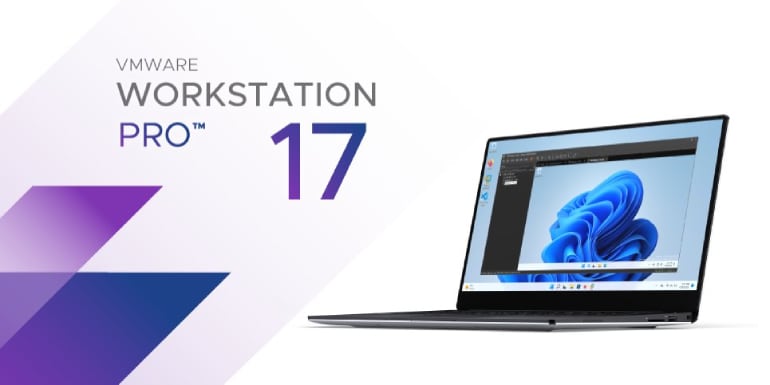
Build and Test Software in Isolated Environments
VMware Workstation 17 Pro helps developers, testers, and IT teams create safe virtual environments for software development, compatibility checks, troubleshooting, and demonstrations. Each virtual machine can run independently, making it easier to test apps, system updates, or configurations without affecting the main computer.
Run Multiple Operating Systems on One PC
With VMware Workstation 17 Pro, users can work with different operating systems on a single Windows or Linux host. This is useful for testing applications across platforms, learning new systems, checking software behavior, or maintaining legacy environments without needing separate physical machines.
Use Snapshots for Safer Experiments
Snapshots make it easier to experiment with system changes, software installs, updates, and configuration edits. Users can save the current state of a virtual machine and restore it later, reducing the risk of losing a working setup during testing or troubleshooting.
Manage Local and Remote Virtual Machines
VMware Workstation 17 Pro is not limited to local virtual machines. It can connect to remote vSphere or ESX servers, allowing users to launch, control, and manage VMs from a familiar desktop interface. This makes it useful for professionals who work with both local labs and larger virtualized environments.
Who will like VMware Workstation 17 Pro
- Software developers who need reliable environments for building and testing applications.
- QA testers who check software behavior across different operating systems and configurations.
- IT administrators who manage labs, demos, training environments, or troubleshooting setups.
- Cybersecurity learners and professionals who need isolated sandboxes for safe analysis.
- Students and educators studying operating systems, networking, virtualization, or system administration.
- Power users who want to run multiple systems on one Windows or Linux PC.