
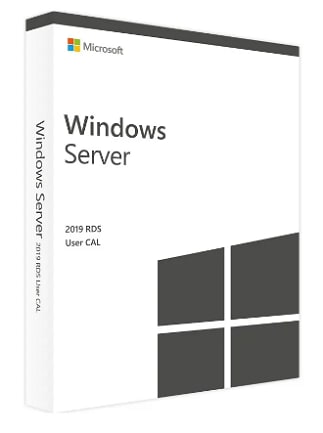
Windows Server 2019 Remote Desktop Services
By purchasing Windows Server 2019 Remote Desktop Services – 50 User CALs you will receive a 100% Original Microsoft license that can be activated directly on the official Microsoft website.
Windows Server 2019 Remote Desktop Services Fiyat Karşılaştırması
2 2 item içinden
Windows Server 2019 Remote Desktop Services hakkında
Windows Server 2019 Remote Desktop Services CALs Certificate opens up the numerous RDS advantages of this Microsoft operating system to a user. The RDS-CAL is purchased in addition to the usual CALs to unlock a desktop and application platform. As a result, session virtualization and VDI (Virtual Desktop Infrastructure) are available to deploy and manage desktops. Convenient remote connectivity for RDS users means that desktops, programs and other Windows features can be used anytime, anywhere with Internet access.
Working safely and reliably
The users of the Windows Server 2019 RDS User CAL are happy to have a secure and everywhere available operating system. Because threats lurk in any digital location, Microsoft has implemented a multi-layered security system to detect and thwart attacks. Even if attackers pass a line of defense, additional shields are available. Intrusion prevention and Windows Defender are part of the Windows Server 2019 defensive arsenal, along with encryption services and administrative tools for optimal security configuration.
Microsoft Windows Server 2019 Remote Desktop Services / Microsoft Windows Server 2019 Terminal Server is an integral part of Windows Server 2019, i.e. a license of Windows Server 2019 is required for each installed copy of the server software.
To use the Remote Desktop Protocol / Terminal Services of Windows Server 2019 the following licenses are required:
- Windows Server 2019 Server License
- Windows Server 2019 CAL (per user or per device)
- Windows Server 2019 Terminal Server CAL (per user or per device)
Licensing of access to the server software
- In addition to a Windows CAL or Core CAL, if you want to run a Windows session, you must purchase a Windows Server 2019 Terminal Server CAL (TS-CAL) for each user or device. A Windows session means a session during which the server software hosts a graphical user interface on a device (whether through the TS component of the server software or through another technology).
- Client Access License (CAL) Each RDP device CAL allows one device (used by any user) to run Windows sessions on one of your servers. Each RDP User CAL allows a user (using any device) to run Windows sessions on one of your servers. You are allowed to use a mixture of RDP device CALs and RDP user CALs at the same time as the server software, which means that the license server can manage both modes.
- Technically, either device CALs or user CALs can be set up per terminal server. Under “Terminal Services Configuration – Server Settings – Licensing” the licensing mode can be set to either Per User or Per Device. Windows sessions are not allowed in Pro Server mode.
- You do not need RDP CAL if you are connecting or mirroring with the single console session. The console session is the Windows session that is run from the designated primary keyboard and display device (or similar peripherals).