
Nintendo Account Activation Guide
Nintendo Account Activation for Nintendo Switch Console
- Go to the settings on your Nintendo Switch console
- Select "Profile" and then "Link Nintendo Account"
- Select Sign In and Link
- Use the credentials you received to enjoy your game
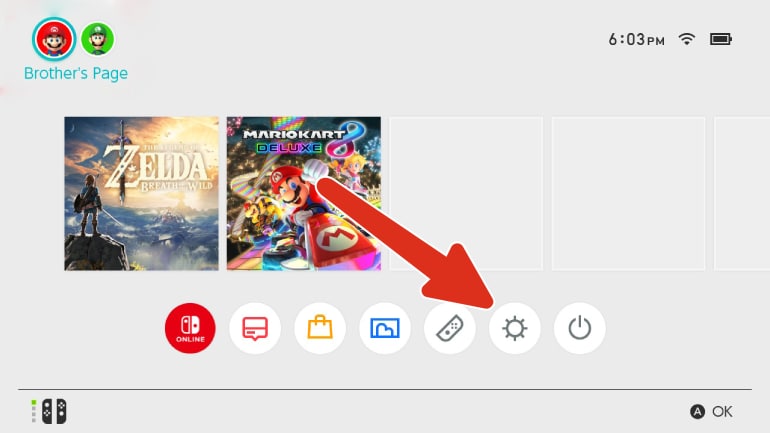
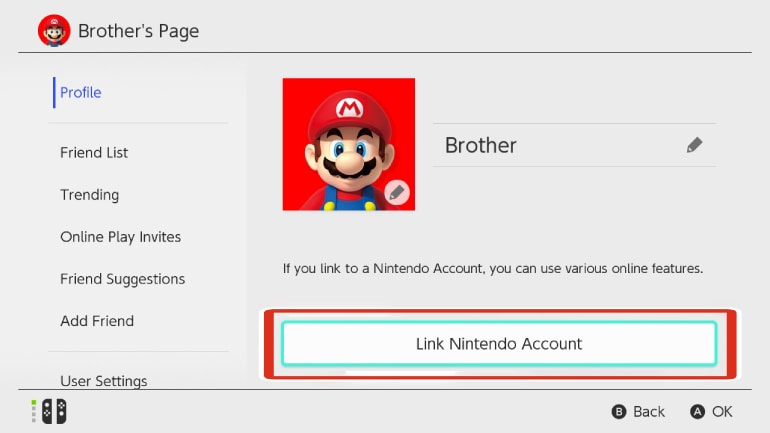
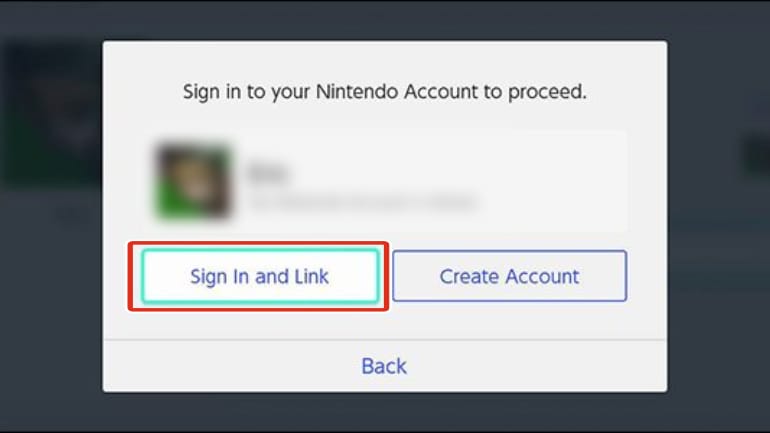
Pixelpuffin_net Nintendo Account Activation Guide
- Open the activation link you received from the seller. It will lead you to a page where you need to input your order, redeem code and e-mail adress (Phone number is optional).
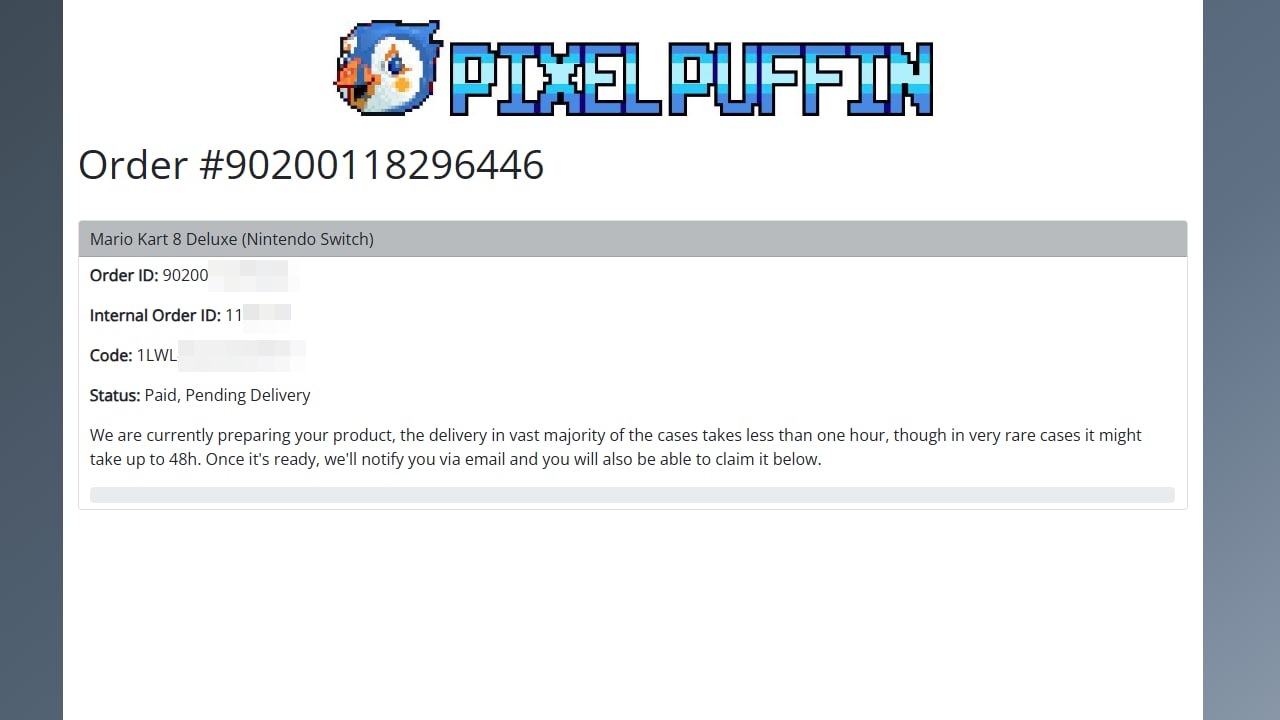
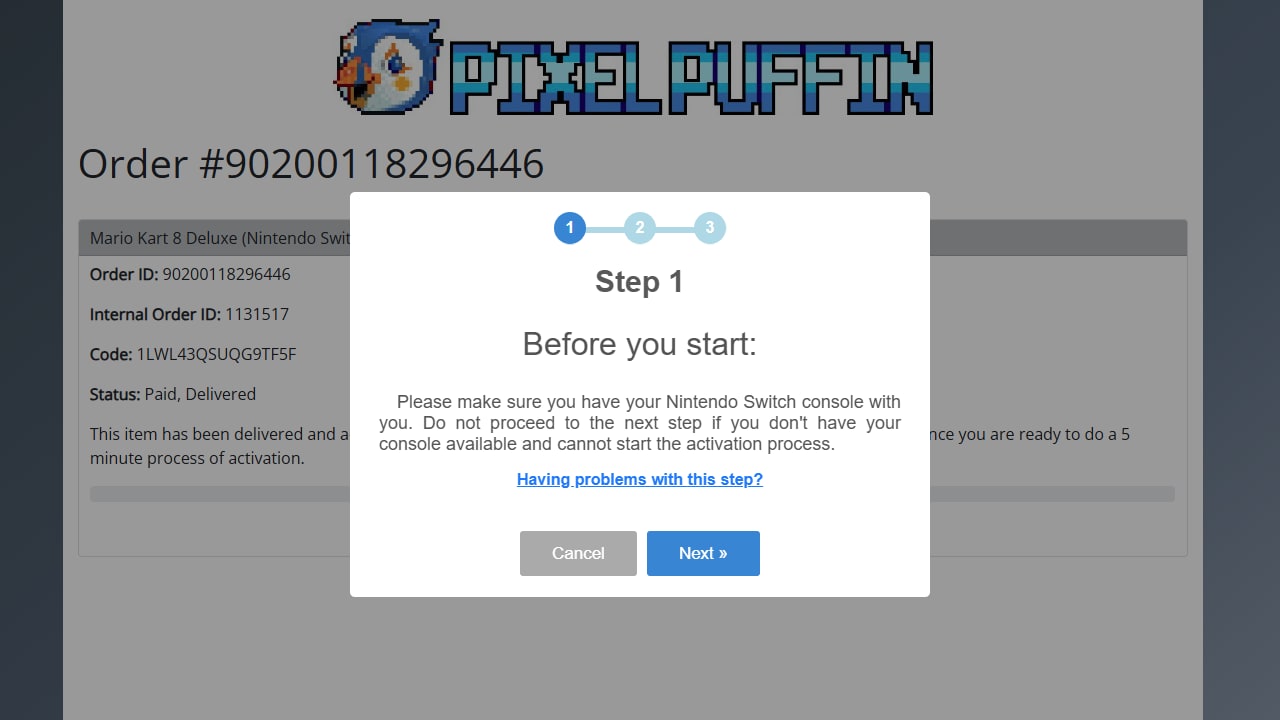
- Upon selecting "REDEEM" you will be driected to this site. Here you will be presented with details related to the current transaction status. Now you have to wait for around an hour (Up to 48 hours if there is a problem) for your account to be delivered.
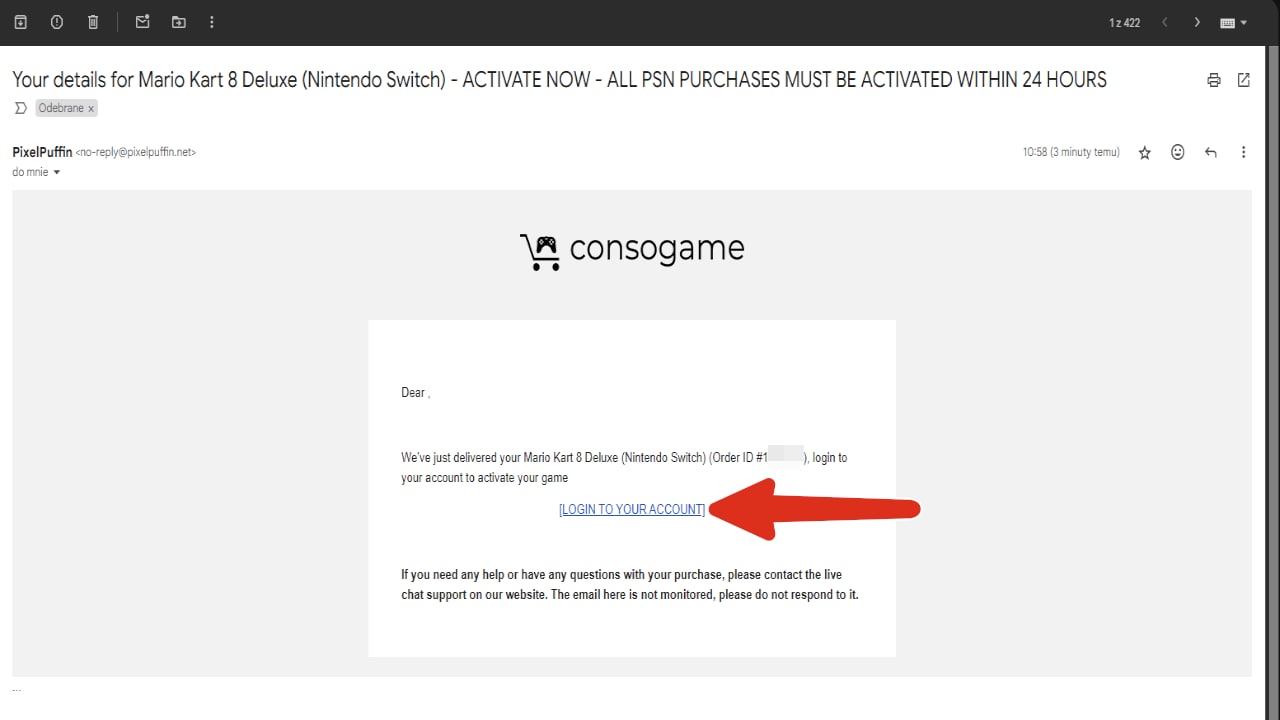
- You will recive an e-mail with a link that will lead you to redeeming your account.
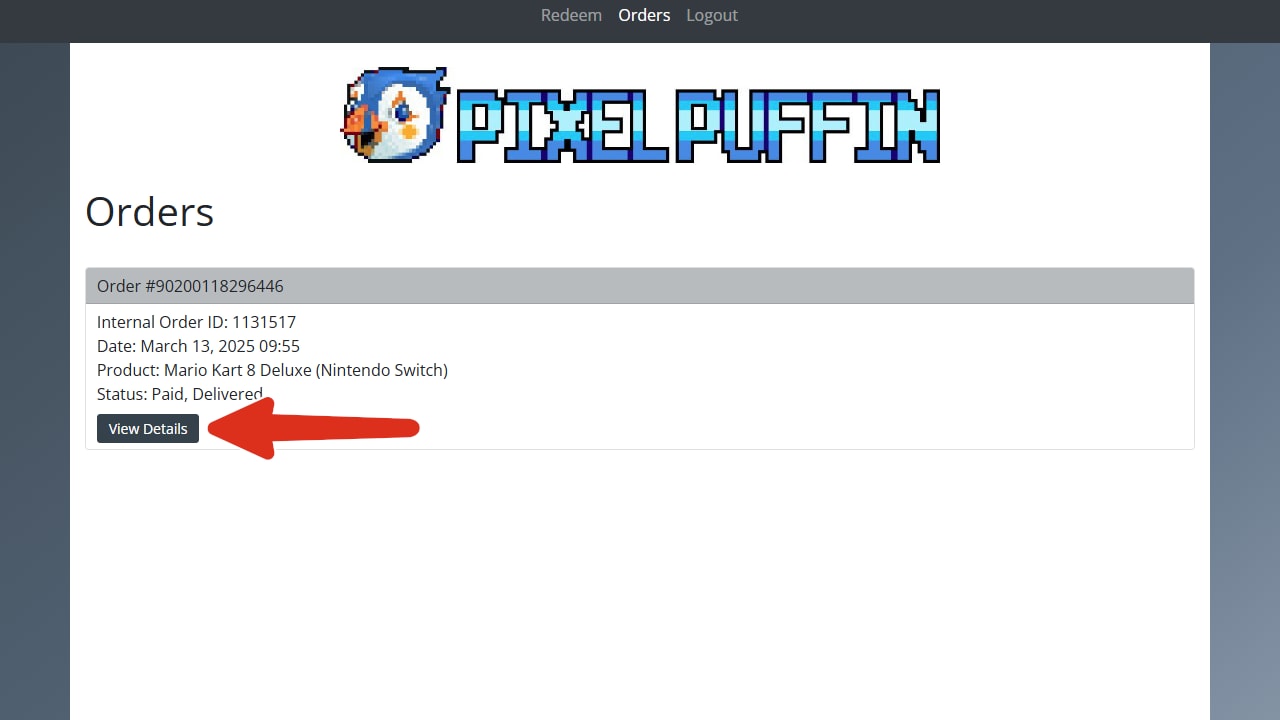
- Select "View Details".
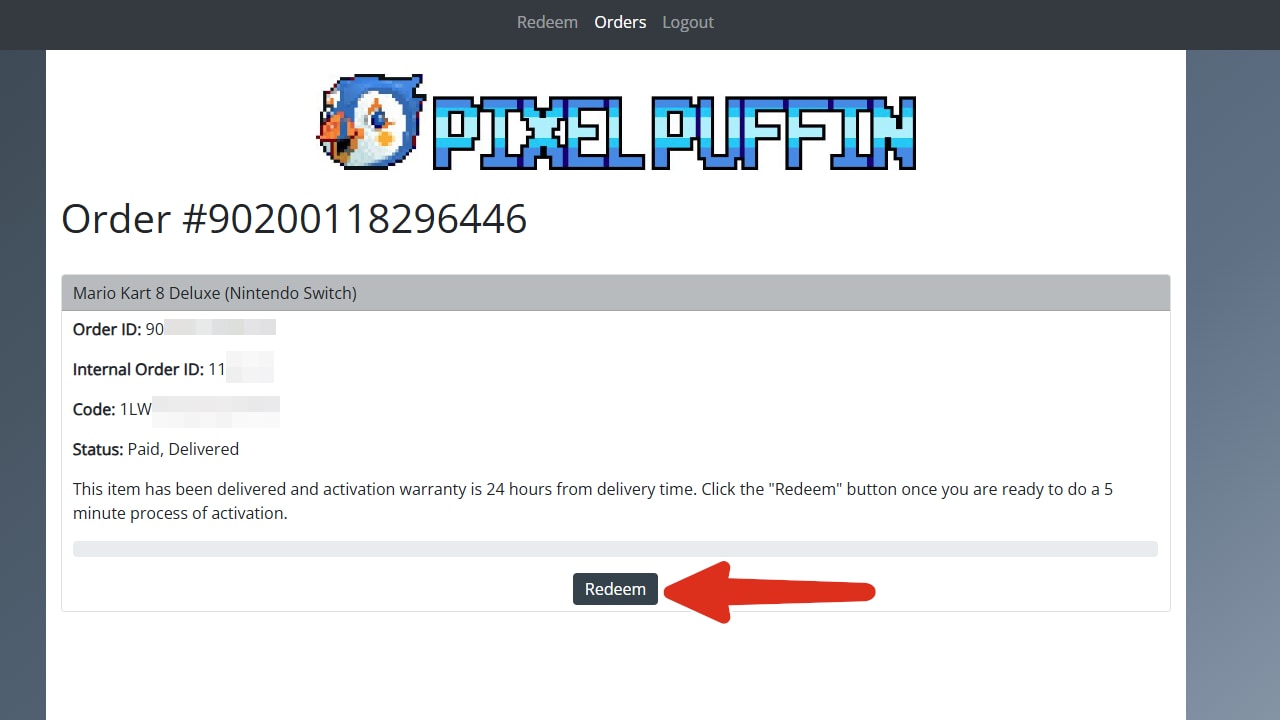
- Select "Redeem".
- Follow the on screen instructions that will guide you through the rest of the process.
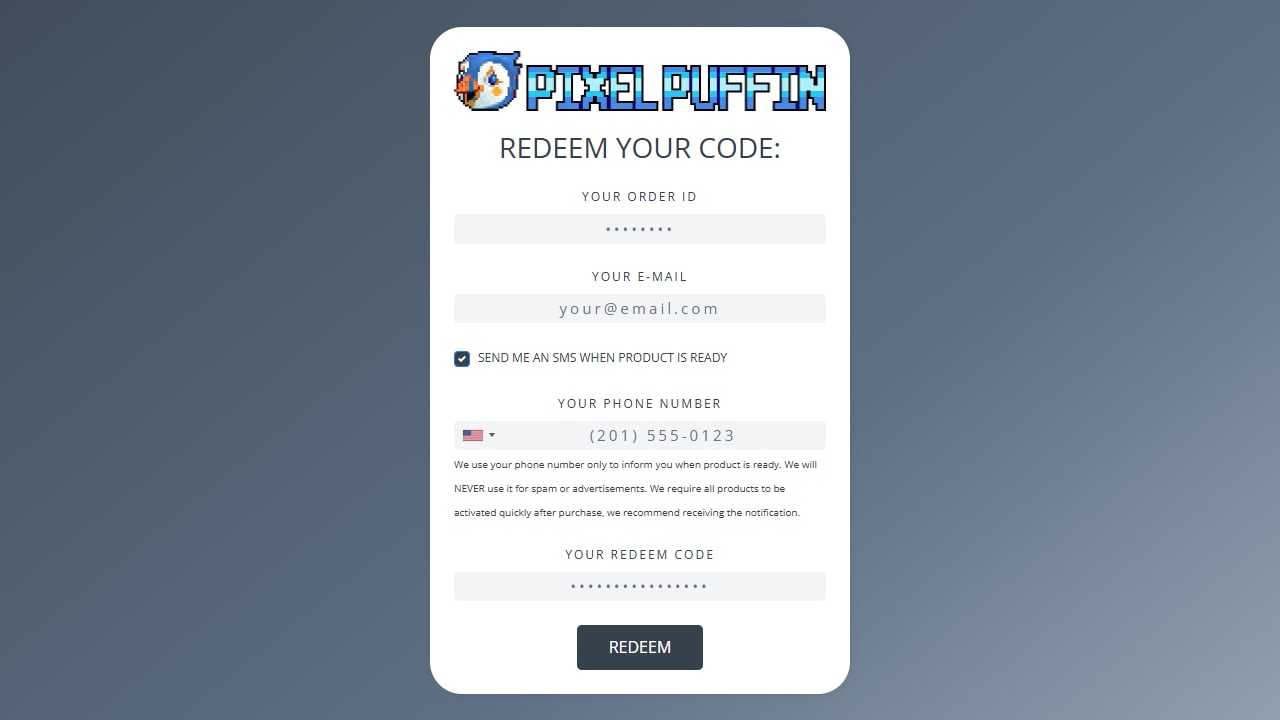
Advertisement
GESPONSERT
Beliebte Anleitungen
- Adobe-Code-Aktivierung
- Avast Antivirus-Code-Aktivierung
- GOG.COM Spiele-Key-Aktivierung
- EA / Origin Cash Card-Aktivierung
- Epic Games-Code-Aktivierung
- Battle.net-Code-Aktivierung
- G2A PLUS-Key-Aktivierung
- Google Play-Code-Aktivierung
- Grand Theft Auto V (Rockstar Game Launcher)-Aktivierung
- IL-2 Sturmovik-Aktivierung

Advertisement
GESPONSERT