
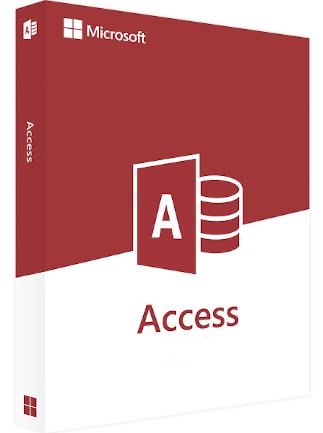
Microsoft Access 2021
Microsoft Access 2021 Preisvergleich
- 17.00 EUR18.89 EUR
1 aus 1 Artikeln
Über Microsoft Access 2021
Access 2021 lets you build and share a database in seconds. You supply the information and Access does the rest, making it easy to create and structure your data. Reports and queries put your data into the format you want, so your applications consistently look great.
Add tables with fewer clicks
Use the Add Tables task pane, which stays open while you work, to add tables to relationships and queries.
Keep tabs on your database objects
You can clearly see the active tab, easily drag tabs to rearrange them, and close database objects with just one click.
Refresh, relink, or remove linked tables
The updated Linked Table Manager is a central location for viewing and managing all data sources and linked tables in an Access database. From time-to-time you may need to refresh, relink, find, edit, or delete linked tables. This is because of changes to the data source location, table name, or table schema.
The Date/Time Extended data type has better precision
We’ve implemented the DateTime2 data type into Access to enhance syntax compatibility with SQL to increase accuracy and level of detail in records that include dates and times.
The DateTime2 data type includes a larger date range (0001-01-01 through 9999-12-31) with higher-specified time precision (nanoseconds, rather than seconds).

Dark theme support
The dark gray and black themes are perfect for those who prefer a softer take on high-contrast visuals.
Improvements to SQL View
Use the Find and Replace dialog box in SQL View to search for and replace text in an SQL statement, which is especially useful for long statements.
Improvements to the Query Designer
We’ve added new time-saving options for table objects. In Query Design View, right-click to select Open, Design View or Size to Fit.
Improvements to the Relationships Window
Quickly adjust the table size to reveal additional fields and relationships, select a subset of tables and relationships, and scroll horizontally and vertically by using the mouse scroll wheel.
Pick the perfect color
Based on your feedback, we’ve added a new input field in the Colors dialog for Hex color values. No need to spend time converting Hex color values into RGB values.
For any property where you can define a color in Access, you can now enter a Hex color value in the Hex box, for example, #0F4C81 or 444.
Bewertungen
Schau dir an, was unsere Kunden von diesem Titel haltenEs sind noch keine Bewertungen für diesen Artikel vorhanden
Füge eine Bewertung hinzu und erhalte einen 5 % Rabatt für deinen nächsten EinkaufMelde dich für unseren Newsletter an und hol dir 11 % Rabatt




 und 200+ mehr
Installiere die G2A-App
Hol dir tolle Angebote für Spiele, egal wo du bist!
4.4 - 55,900 Stimmen

G2A.COM Limited (Plattformbetreiber)
Adresse: 31/F, Tower Two, Times Square, 1
Matheson Street
Causeway Bay, Hongkong
Handelsregisternummer: 63264201
G2A LLC (Plattformbetreiber)
Adresse: 701 South Carson Street, Suite 200,
Carson City, Nevada 89701,
Nevada 89701, USA
Handelsregisternummer: E0627762014-7
G2A.COM Direct B.V. (Plattformunterstützung)
Adresse: James Wattstraat 77 A 3
1097DL Amsterdam, Niederlande,
Handelsregisternummer: 89975561


Durch die Nutzung der G2A.COM-Plattform erklärst du dich mit den G2A-Nutzungsbedingungen einverstanden. Informationen darüber, wie wir deine personenbezogenen Daten verarbeiten, findest du in der Datenschutz- und Cookie-Richtlinie. Copyright © G2A Group. Alle Rechte vorbehalten.