
Nintendo Account Activation Guide
Nintendo Account Activation for Nintendo Switch Console
- Go to the settings on your Nintendo Switch console
- Select "Profile" and then "Link Nintendo Account"
- Select Sign In and Link
- Use the credentials you received to enjoy your game
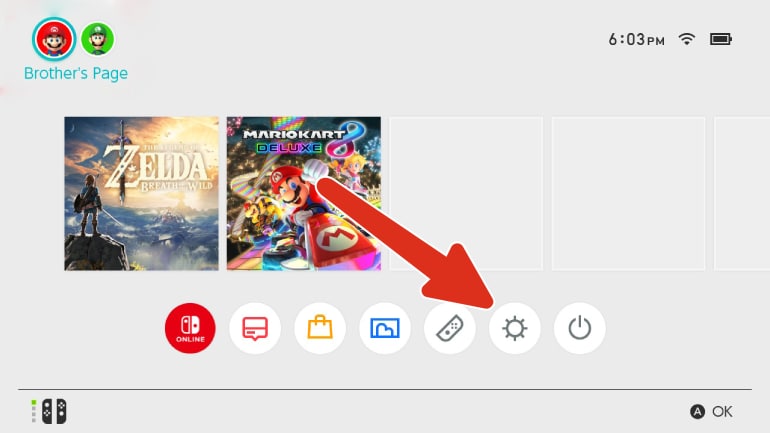
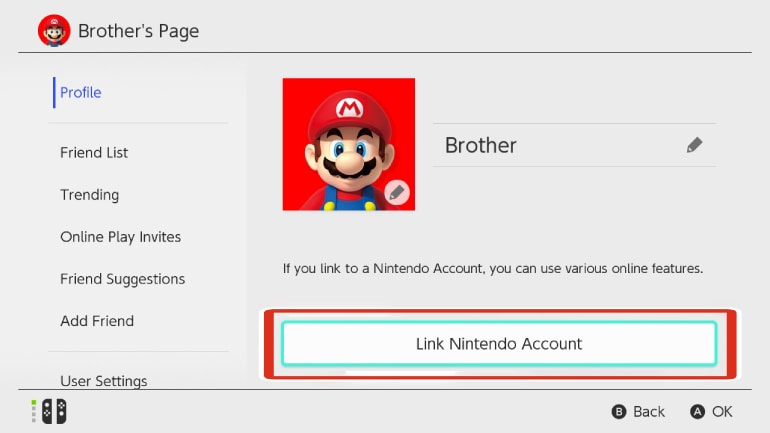
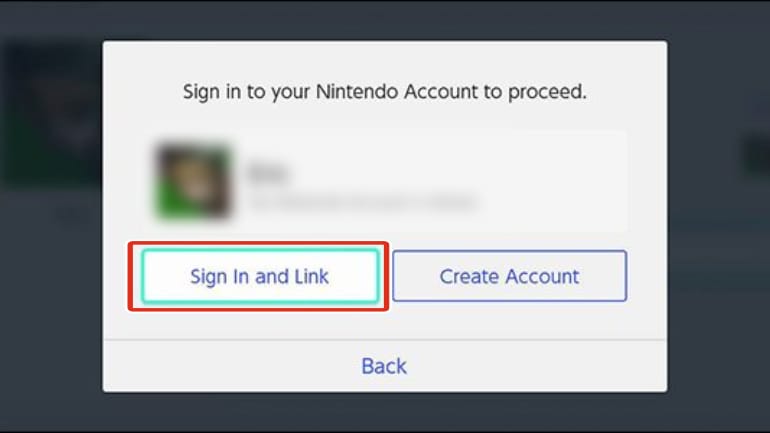
Pixelpuffin_net Nintendo Account Activation Guide
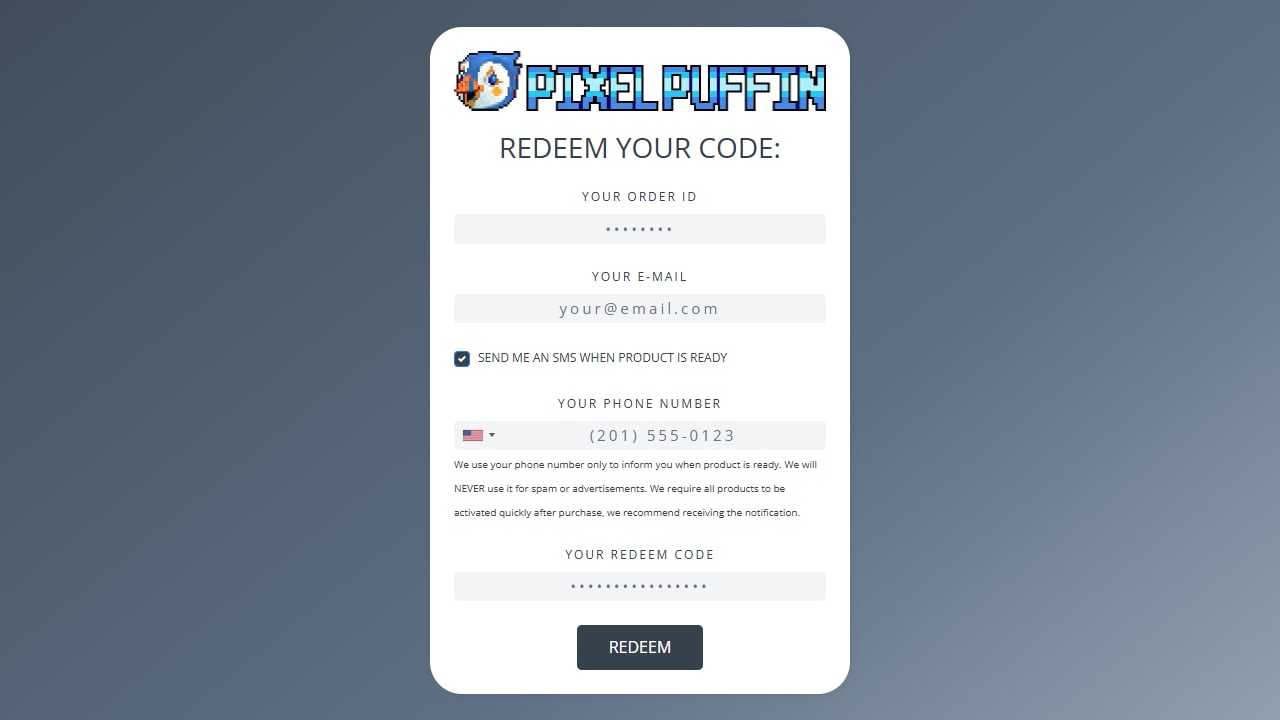
- Open the activation link you received from the seller. It will lead you to a page where you need to input your order, redeem code and e-mail adress (Phone number is optional).
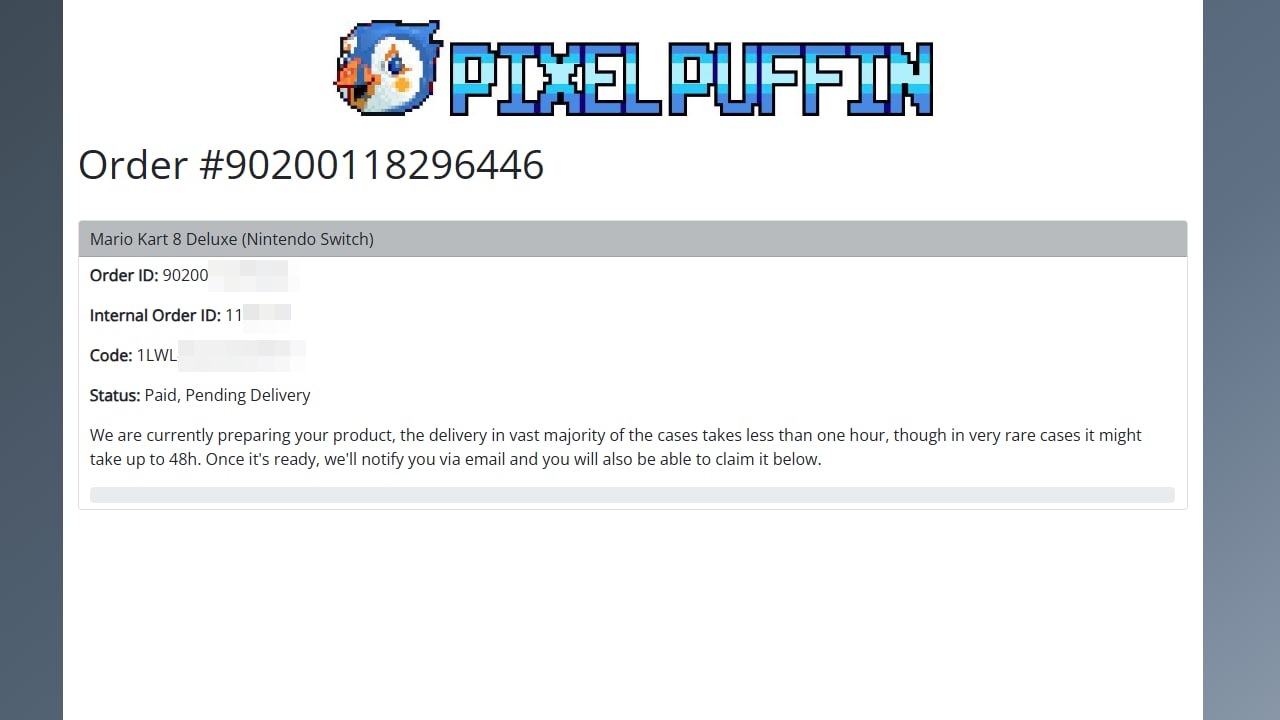
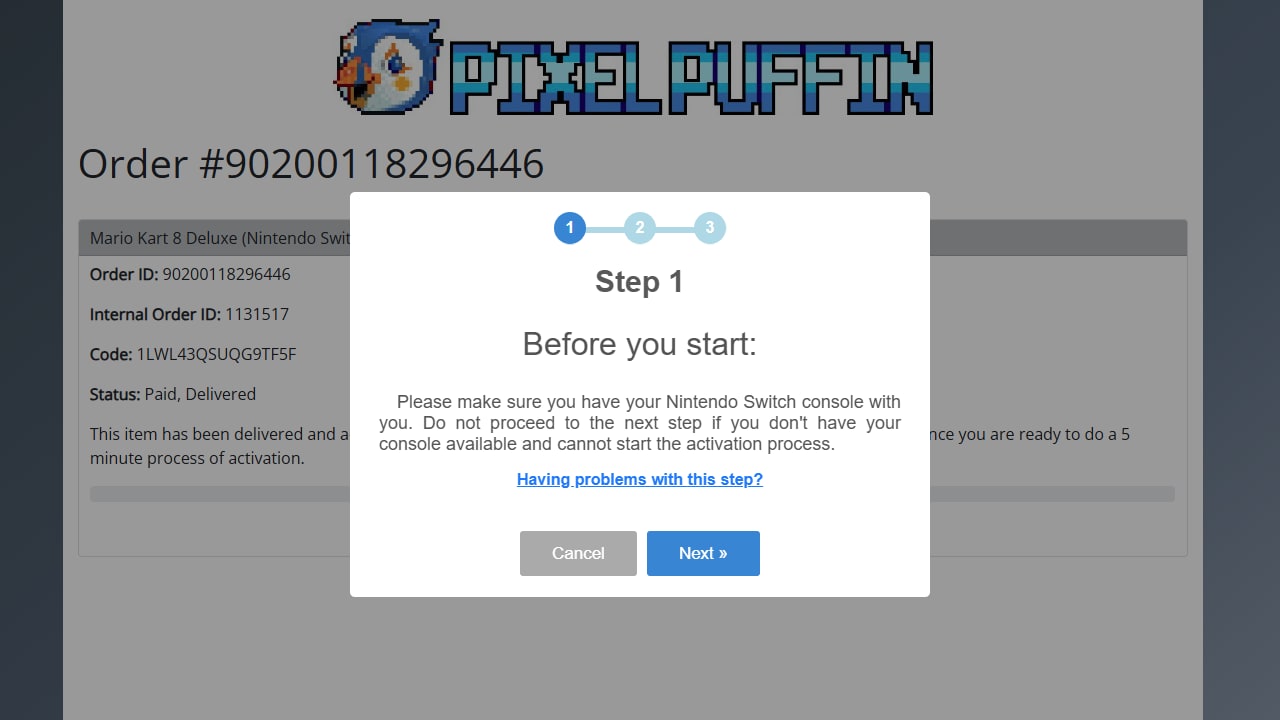
- Upon selecting "REDEEM" you will be driected to this site. Here you will be presented with details related to the current transaction status. Now you have to wait for around an hour (Up to 48 hours if there is a problem) for your account to be delivered.
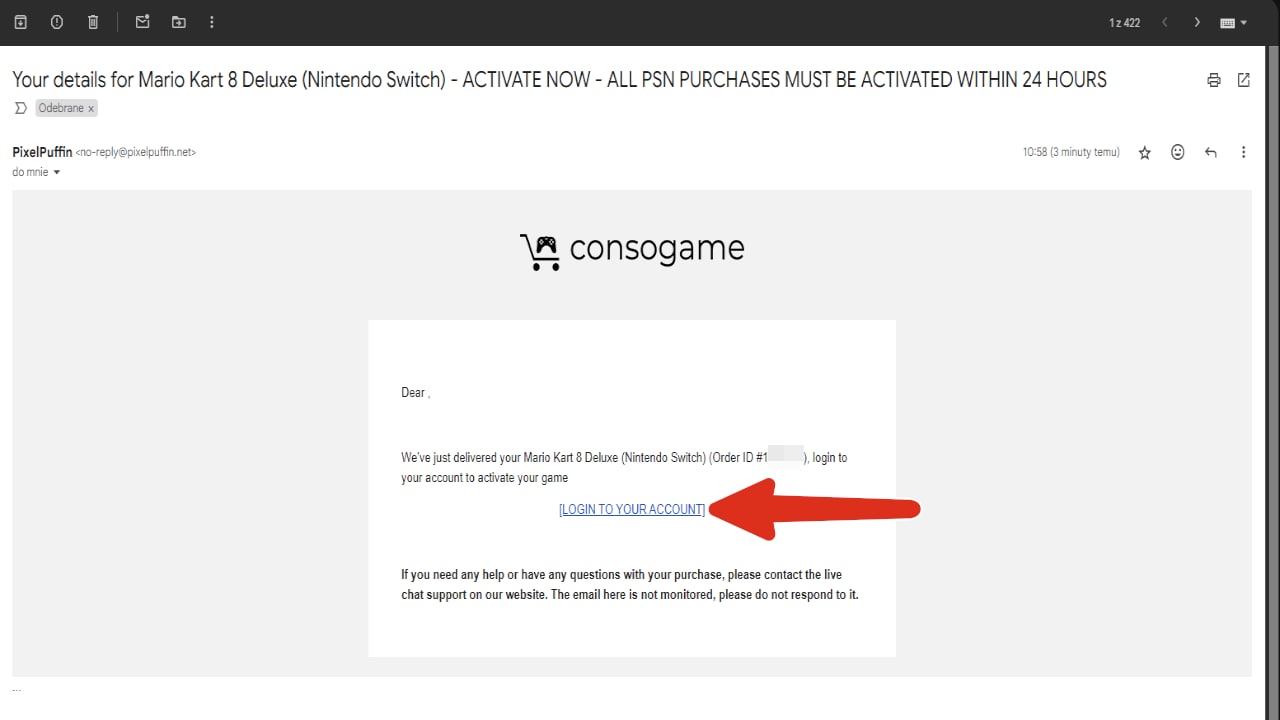
- You will recive an e-mail with a link that will lead you to redeeming your account.
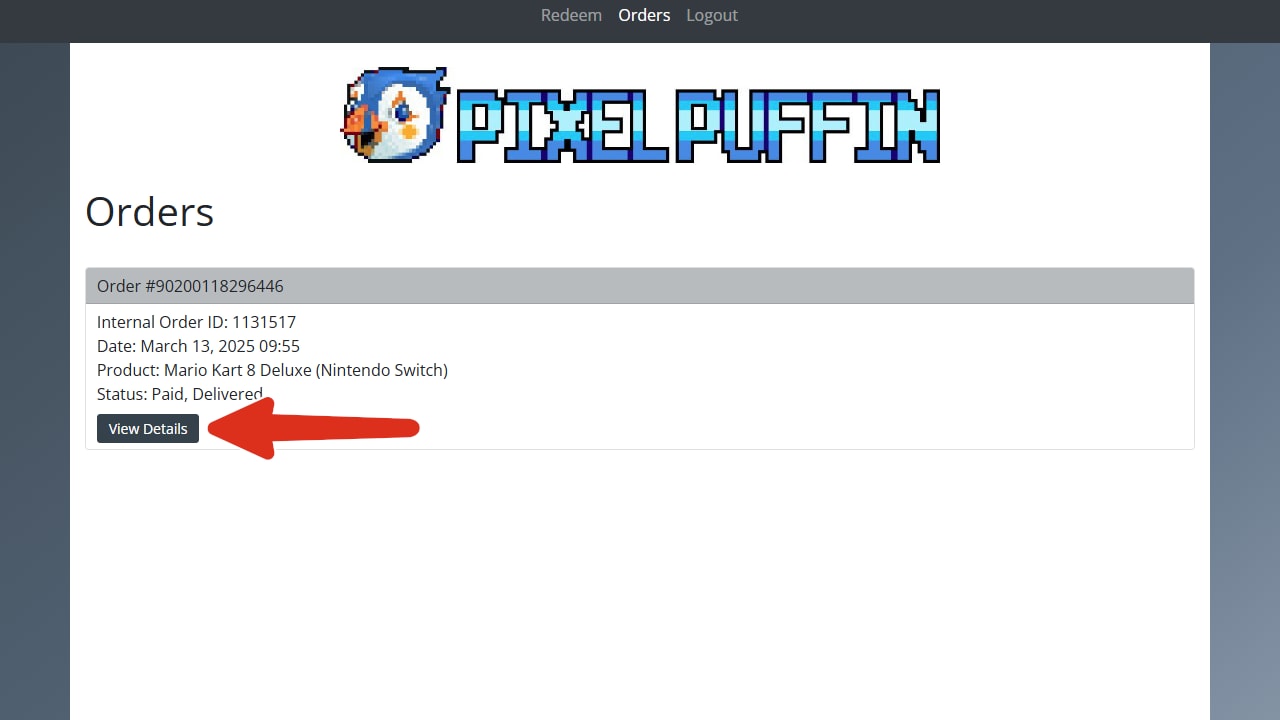
- Select "View Details".
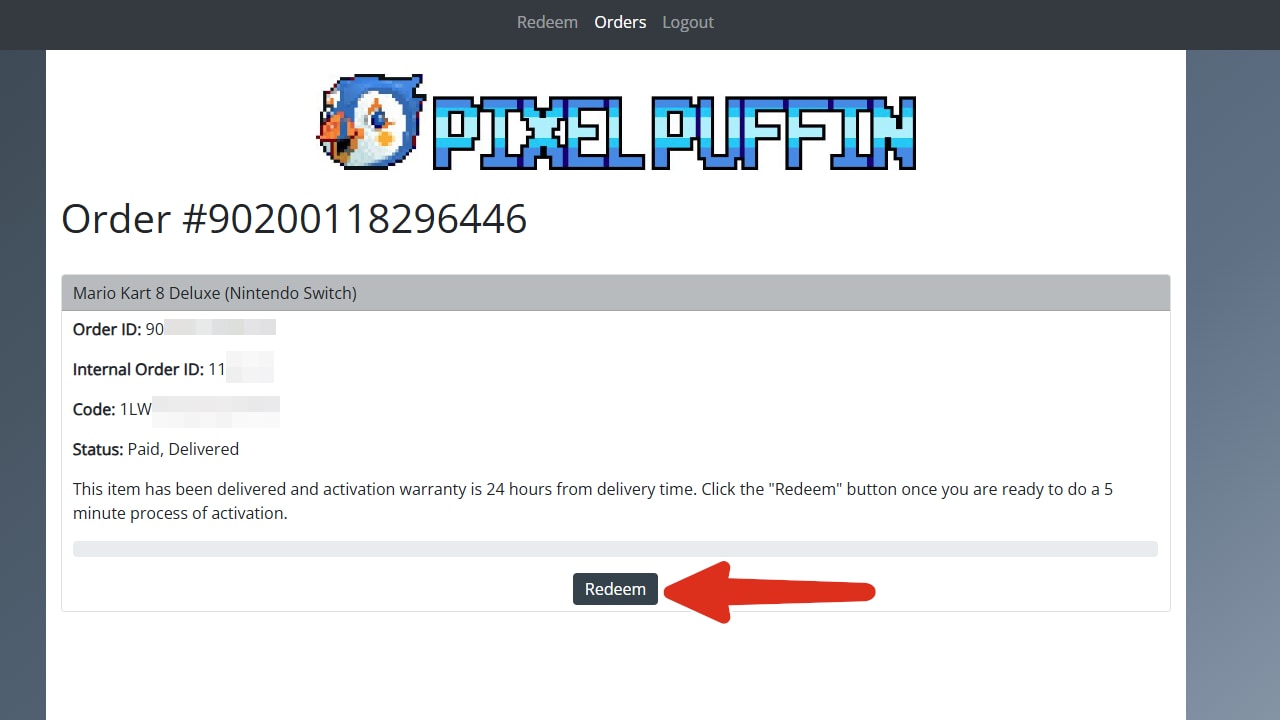
- Select "Redeem".
- Follow the on screen instructions that will guide you through the rest of the process.
Advertisement
PATROCINADO
Guías populares
- Activación de código de Adobe
- Activación de código de Avast Antivirus
- Activación de clave de juego de GOG.COM
- Activación de tarjeta de saldo EA / Origin
- Activación de código de Epic Games
- Activación de código de Battle.net
- Activación de clave de G2A PLUS
- Activación de código de Google Play
- Activación de Grand Theft Auto V (Rockstar Game Launcher)
- Activación de IL-2 Sturmovik
- Activación de iTunes
- Activación de Microsoft Office 2019
- Activación de Microsoft Store
- Activación de Microsoft Windows 10
- Activación de Microsoft Windows 7
- Activación de Microsoft Windows 8.1
- Activación de Minecraft (Windows 10 Edition)
- Activación de código de Netflix
- Activación de código de Nintendo 3DS

Advertisement
PATROCINADO