
Movavi Video Suite 2021 Steam Edition -- Video Making Software - Video Editor, Screen Recorder and Video Converter
Movavi Video Suite 2021 Steam Edition -- Video Making Software - Video Editor, Screen Recorder and Video Converter Comparación de precios
Acerca de Movavi Video Suite 2021 Steam Edition -- Video Making Software - Video Editor, Screen Recorder and Video Converter
Movavi Video Suite 2021 Steam Edition
has everything you need for video editing in a single program. This set of first-rate tools will help you turn your gameplay footage into engaging Let’s Play videos, quickly convert them to any popular media format, capture program usage, playback any video or audio, transfer data to optical disks, and more.
Highlights
- Add transitions to picture-in-picture tracks to give your footage more dynamism
- Detach your clips and move them freely around on the entire timeline
- Use professional lookup tables to color-grade your footage
- Sync audio streams from different sources
- Trim your video frame by frame with total precision before conversion
Grab webcam video and system audio without recording the screen
Make Video Editing Your Favorite Playground
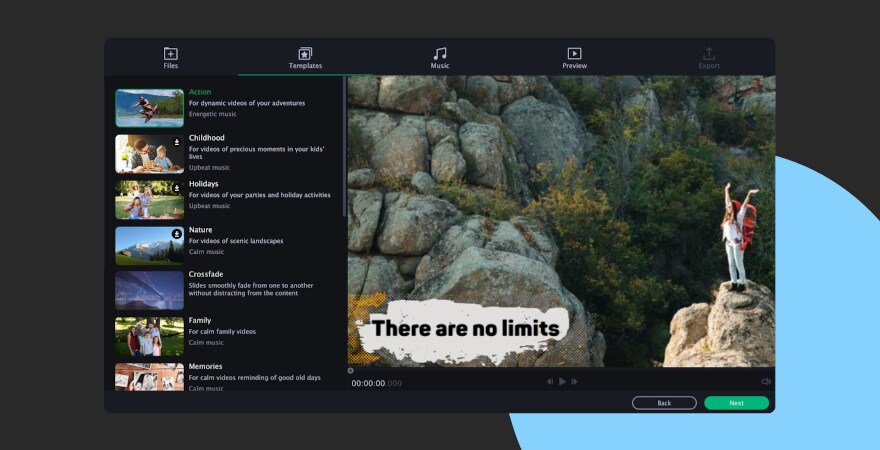
Use your creativity to make the most engaging vlog ever – you have everything you need to do it. Manage your footage on a convenient multi-track timeline and don’t worry about large files – the program is perfect for working with even Full HD and 4K videos. Trim, rotate and enhance clips, color-grade videos with lookup tables, add special effects like Chroma Key and Object Animation, insert stickers, logos, and titles. Cut, trim, and sync audio, normalize volume, tweak equalizer settings, and more. Make your own intro from anything you can find in the program: backgrounds, titles, stickers, callouts, and even music – then save the clip and use it in every video you create.
Convert Files at the Speed of Light
Make sure your gameplay videos can be seen on any platform or device – thanks to 180+ supported formats and 200+ available mobile presets. Compress large videos to save disk space and prepare them for sharing online on YouTube, Vimeo, and other video hosting services. SuperSpeed mode guarantees lossless conversion in no time, plus you can use other types of hardware acceleration: Intel HD Graphics, AMD, NVIDIA NVENC and CUDA. Perfect your files before conversion with the built-in editor: trim clips with precision, adjust color, stabilize footage, embed subtitles, enhance audio quality, and more.
Record Live Streams at Optimal Quality
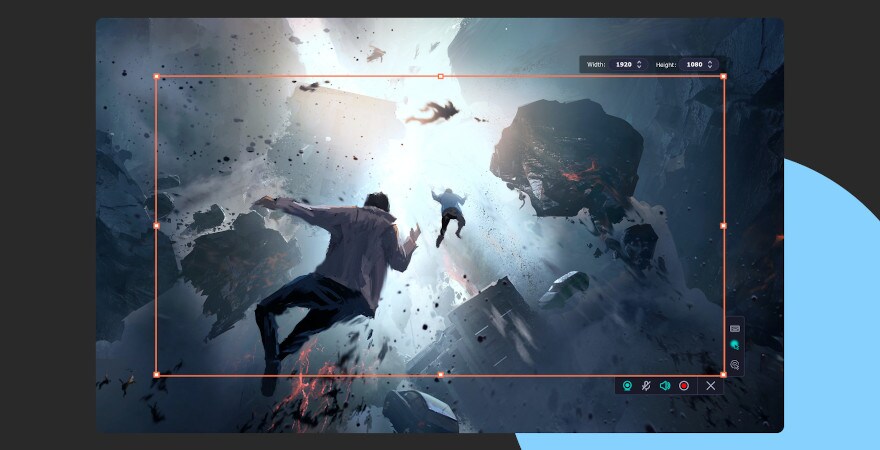
Capture any activity on your desktop: live streaming, video chats, or program usage. Overlay a webcam video, and you’ll get a real live screencast. You can also record audio and webcam video without recording the screen. Grab and edit screenshots in two clicks: add texts, arrows, shapes, and more. The advanced scheduler ensures you miss any live streams – create multiple recording tasks, and the program will do the rest, and even remind you to open the required window at the right time.
Even More Tools
- Easily share captured or edited videos via YouTube or Google Drive
- Send file links to your friends via Telegram and WhatsApp
- Automate video making with the Montage Wizard: just add the footage and enjoy the result
- Split videos into multiple clips with one click
- Watch videos and listen to your favorite music via a handy media player
- Transfer data to CD, DVD, or Blu-ray
- Capture video from any external device – webcam, TV tuner, or VHS