
Apple Pro Compressor
Apple Pro Compressor integrates tightly with Final Cut Pro and Motion to add power and flexibility to your video conversions. Quickly customize output settings, enhance images, and package your film for sale on the iTune...
En savoir plusMeilleur prix
2.67 USD
Prix avec G2A Plus
2.35 USD
Apple Pro Compressor Comparaison des prix
Apple Pro Compressor - 1 Mac À vie
- Plate-formeApple
- TypeClé
- RégionGLOBAL
Peut être activé à : FranceOFFRES DE 4 VENDEURS2.35 USD58.95 USD

1 sur 1 article
A propos de Apple Pro Compressor
Apple Pro Compressor integrates tightly with Final Cut Pro and Motion to add power and flexibility to your video conversions. Quickly customize output settings, enhance images, and package your film for sale on the iTunes Store. For even faster conversions, easily set up distributed encoding using other Mac computers.
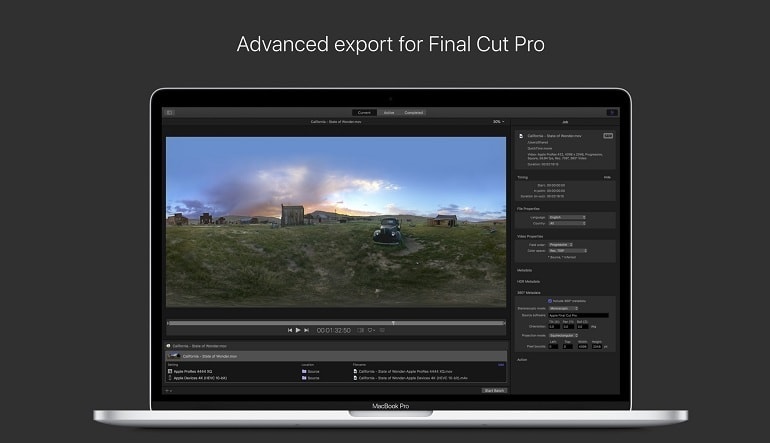
Advanced Encoding for Final Cut Pro
- Use Compressor to customize encoding settings for use in Final Cut Pro and Motion
- Set up batch processes to streamline the encoding of large numbers of files
- Create self-contained Droplets to encode on the desktop with drag-and-drop ease
- Automatically encode videos that are added to selected folders in the file system
- Encode videos recorded on iPhone 13 in Cinematic mode (requires macOS Monterey)
- Unrivaled performance with optimizations for the M1 Pro, M1 Max and M1 Ultra chips on the new Mac Studio and MacBook Pro
iTunes Store Package Creation
- Import and organize your movie, trailer, closed captions, audio descriptions, and subtitles into an iTunes Store-compliant package for submission to an Apple-certified iTunes delivery partner
- Audition video with any audio, caption, or subtitle to verify sync
- Built-in error detection helps you identify issues with your iTunes Store Package
- Deliver HDR video as P3 D65 PQ, Rec. 2020 HLG, and Rec. 2020 PQ for HDR10
- Support in the iTunes Store Package to link a Dolby Vision graded video file to a Dolby Vision XML
Support for Industry Standards
- Encode to a broad range of industry standard formats including HEVC, MPEG-4, H.264, MXF and ProRes
- Import Targa, DPX, TIFF, PSD, PNG or OpenEXR image sequences and encode them using any setting
- Create, view, adjust, and deliver closed captions in CEA-608, SRT, and iTT formats
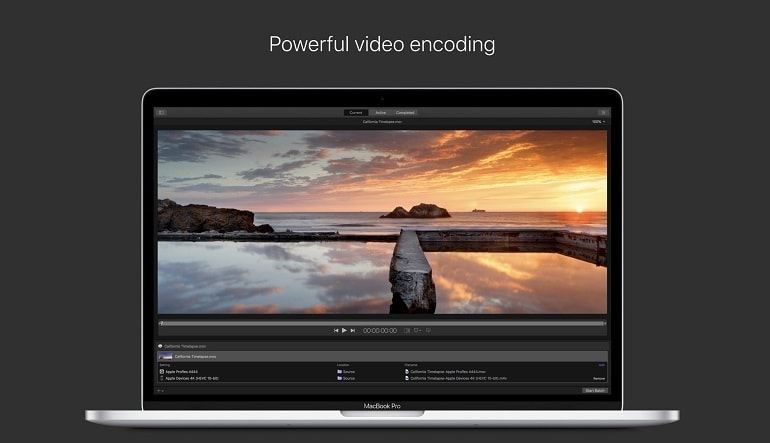
Pristine Format Conversions
- Convert any file between formats — such as NTSC to PAL, SD to HD or progressive to interlaced video
- Import and manipulate wide color video, then deliver in standard Rec. 601 and Rec. 709 color spaces or in wide Rec. 2020 color space
- Deliver High Dynamic Range (HDR) video with controls for color space conversions and HDR metadata
- Deliver HDR video as P3 D65 PQ, Rec. 2020 HLG, and Rec. 2020 PQ
- Add effects to your content like custom LUTs, a timecode overlay, and watermarks
- Speed up video, slow it down, or adjust the frame rate to make the duration match a runtime
- Convert log-encoded video to SDR and HDR color spaces using built in camera LUTs for Panasonic, Sony, Canon, Blackmagic, Nikon and ARRI or add a custom camera LUT
- Convert ProRes Raw and ProRes Raw HQ media to other professional file formats
- Play and transcode Canon Cinema RAW Light to other video codecs and formats
Avis
Découvrez ce que nos clients pensent de ce titreNote globale de l'article
4.5
2 avis
2 de 2 (100%) Les évaluateurs recommandent cet article
Note
Sélectionnez une ligne pour filtrer les avis
1
0
2
0
3
0
4
1
5
1
Donnez un avis sur cet article
Obtenez une réduction de 5 % sur votre prochaine achat pour vous remercierLes clients inscrits ayant effectué au moins un achat peuvent donner un avis
1 - 2 de 2 avis
Trié par :
- Plus récente
- Meilleur note
- Plus basse note
- Plus utile
- Moins utile
Everything as it supposed to beRévisé le: 16 août 2025

Est-ce que cet avis vous a été utile ?
0
0
Sweet and sourRévisé le: 2 juin 2025
Est-ce que cet avis vous a été utile ?
0
0
Inscrivez-vous à notre lettre d'information et bénéficiez de 11 % de réduction
Abonnez-vous pour recevoir des mises à jour, confirmez votre inscription
et recevez un code de réduction à utiliser immédiatement.
En vous abonnant à la lettre d'information, vous consentez à ce que G2A.COM Limited envoie des communications commerciales à votre adresse e-mail, y compris des offres personnalisées disponibles sur la place du marché de G2A. L'administrateur de vos données à caractère personnel est G2A.COM Limited. Vous pouvez retirer votre consentement à tout moment. Si vous retirez votre consentement, cela n'affectera pas la légalité des données traitées auparavant. Nous traitons vos données à caractère personnel conformément à la Politique de confidentialité et de cookies. Chaque nouvel utilisateur qui s'abonne pour la première fois à la lettre d'information reçoit un code de réduction unique de 11 % qu'il peut utiliser une fois pour de futurs achats sur la plate-forme g2a.com. Le code est valable 3 jours et ne peut être utilisé que pour acheter des clés d'activation (hors précommandes) d'une valeur inférieure à 50,00 EUR dans les catégories jeux vidéo, logiciels, aléatoires et DLC, auprès des vendeurs participant à ce programme de réduction. G2A.COM Limited n'est pas responsable de l'ajustement de la valeur des articles promotionnels, car cela ne dépend que des vendeurs participants.
En vous abonnant à la lettre d'information, vous consentez à ce que G2A.COM Limited envoie des communications commerciales à votre adresse e-mail, y compris des offres personnalisées disponibles sur la place du marché de G2A. L'administrateur de vos données à caractère personnel est G2A.COM Limited. Vous pouvez retirer votre consentement à tout moment. Si vous retirez votre consentement, cela n'affectera pas la légalité des données traitées auparavant. Nous traitons vos données à caractère personnel conformément à la Politique de confidentialité et de cookies. Chaque nouvel utilisateur qui s'abonne pour la première fois à la lettre d'information reçoit un code de réduction unique de 11 % qu'il peut utiliser une fois pour de futurs achats sur la plate-forme g2a.com. Le code est valable 3 jours et ne peut être utilisé que pour acheter des clés d'activation (hors précommandes) d'une valeur inférieure à 50,00 EUR dans les catégories jeux vidéo, logiciels, aléatoires et DLC, auprès des vendeurs participant à ce programme de réduction. G2A.COM Limited n'est pas responsable de l'ajustement de la valeur des articles promotionnels, car cela ne dépend que des vendeurs participants.