
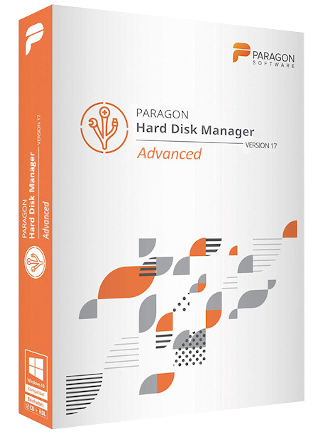
Paragon Hard Disk Manager 17
Paragon Hard Disk Manager 17 Comparaison des prix
1 sur 1 article
A propos de Paragon Hard Disk Manager 17
FREIBURG, Germany – February 22, 2019 – Paragon Software Group, a recognized data storage expert, releases Paragon Hard Disk Manager 17, the all-inclusive data management tool, now with a new user interface, advanced partitioning, and disk clone functionality. Hard Disk Manager 17 encompasses four indispensable system management tools: Backup & Recovery, Partition Manager, Drive Copy, and Disk Wiper, all of which are easily accessible from a single UI. The 17th edition introduces a new disk clone functionality which enables PC users to create an exact, uncompressed replica of a system hard drive on another drive, saving migration time and effort while allowing for greater OS portability. On top of this new functionality, the user interface has been fully redesigned to deliver a smoother experience thanks to the revamped look and feel. Paragon Hard Disk Manager 17 embraces a new color scheme, intuitive controls, and comprehensive improvements for users.
New and key features in Hard Disk Manager 17:
- New! User interface color scheme, intuitive controls, and comprehensive UX improvements.
- New! Granular partitioning for power users:
- Undelete, merge, move, resize partitions;
- Easily edit and view sectors in the built-in hex editor;
- Convert partitions into primary or logical;
- Perform a surface test to identify bad sectors.
New! Disk Cloning for easy system migration — Create an exact, uncompressed replica of a system hard drive on another drive, saving migration time and effort with greater OS portability.
Backup & Recovery delivers smart, automated backup strategies and system recovery management.
Partition Manager provides hard disk storage organization and optimization. Whenever internal drives run low on disk space due to multiple partitions accommodating different systems and data types, this feature resizes partitions to maximize available storage capacity.
Drive Copy assists with migration of an entire hard drive or operating system to a larger-capacity HDD or a speedy SSD. The user can continue working uninterrupted while live migration of the system is performed, and only switch over once migration is completed.
Disk Wiper is a professional data erasure tool that ensures safe HDD and SSD recycling and information security. Home users can permanently wipe sensitive data before transferring a computer to a third party, thus protecting their privacy and eliminating the risk of personal data misuse. Disk Wiper employs more than 10 algorithms adopted by military and government organizations worldwide.
Avis
Découvrez ce que nos clients pensent de ce titreIl n'y a pas encore d'avis sur cet article
Ajoutez un avis et obtenez une réduction de 5 % pour votre prochain achatInscrivez-vous à notre lettre d'information et bénéficiez de 11 % de réduction



 et 200+ autres
Installer l'application G2A
Profitez des offres spéciales sur les jeux où que vous soyez!
4.4 - 55,900 votes

G2A.COM Limited (opérateur de la plate-forme)
Address: 31/F, Tower Two, Times Square, 1
Matheson Street
Causeway Bay, Hong Kong
Numéro d'enregistrement de l'entreprise : 63264201
G2A LLC (opérateur de plateforme)
Address: 701 South Carson Street, Suite 200, Carson City,
Nevada 89701, USA
Numéro d'enregistrement de l'entreprise : E0627762014-7
G2A.COM Direct B.V. (platform support)
Addres: James Wattstraat 77 A 3, 1097DL Amsterdam,
Pays-Bas,
Numéro d'enregistrement de l'entreprise : 89975561


L'utilisation de la plateforme G2A.COM implique l'acceptation des conditions générales de G2A. Des informations sur la manière dont nous traitons vos données à caractère personnel peuvent être trouvées dans la Politique en matière de confidentialité et de cookies. Copyright © Groupe G2A. Tous droits réservés.