
Spotify Premium Activation Guide:
Standard Spotify Premium Activation:
- Go to Spotify
- Log in with your Spotify account

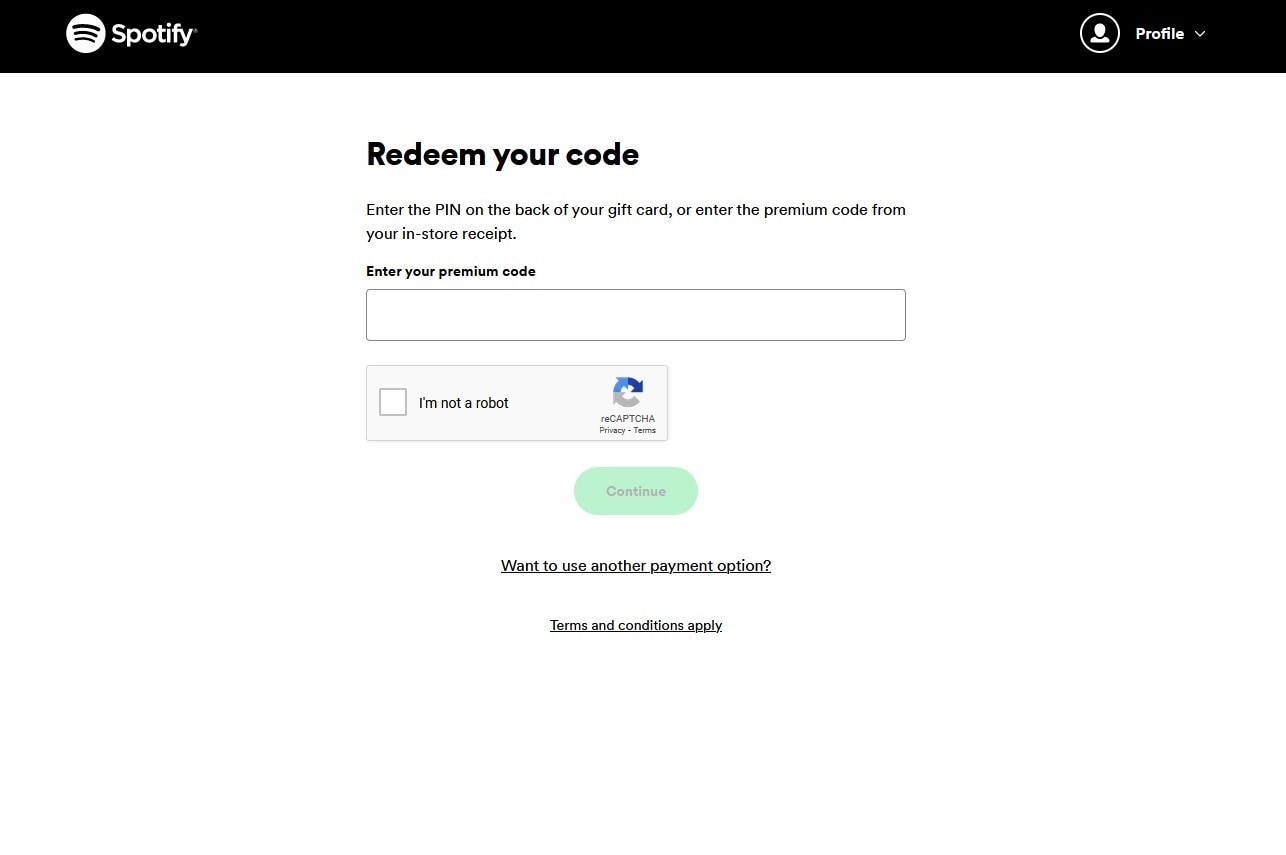
- You will be presented with this page where you can enter your code and then select "Enter Code" button.

- After that the activation process is complete.
Activation via Spotify app:
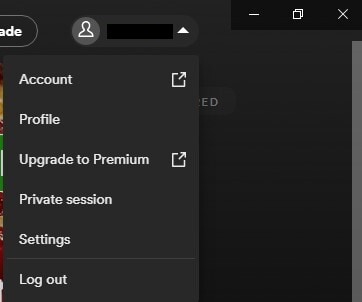
- In order to activate your code via the application you need to login to your account.
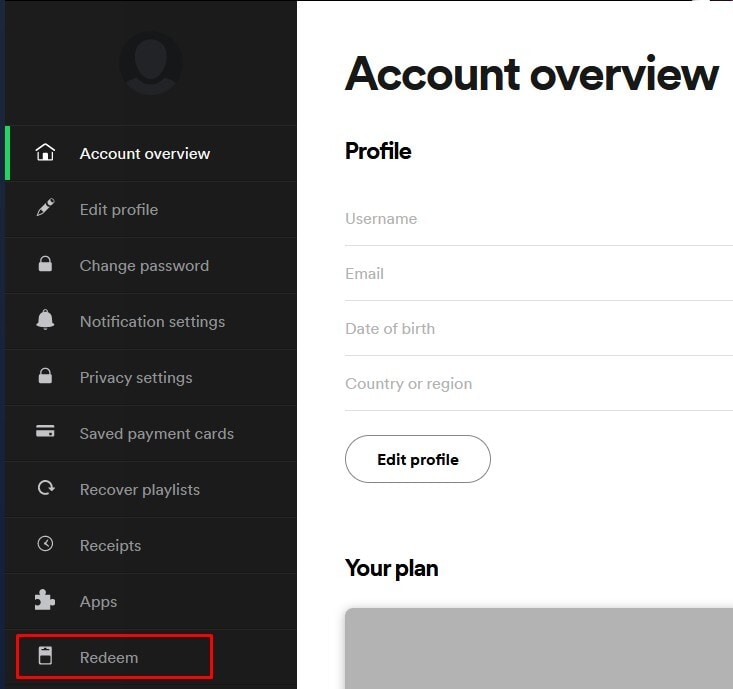
- Once logged in, navigate to your account name in the top-right corner of the app and select "account" from the drop-down menu.
- You will be forwarded to the website of your account overview. Select the "redeem" option at the bottom of the menu.
- Here you can input your code and then select "Continue" in order to redeem it.
Spotify Premium TRIAL activation:
Important! Trial version is for new accounts ONLY.
- Go to this site, and click on start trial.
- If you are not logged on a Spotify account, log in or click signup to create a new one.
- To activate the subscription, you need to add a payment method.
- After you create the account or log in, enter your code and then select "Get Started" button.
Advertisement
SPONSORED
Popular guides
- Adobe Code Activation
- Avast Antivirus Code Activation
- GOG.COM Game Key Activation
- EA / Origin Cash Card Activation
- Epic Games Code Activation
- Battle.net Code Activation
- G2A PLUS Key Activation
- Google Play Code Activation
- Grand Theft Auto V (Rockstar Game Launcher) Activation
- IL-2 Sturmovik Activation