DIRECT TOP-UP ACTIVATION GUIDE
Mobile Legneds Genshin Impact Honkai: Star Rail Honkai Impact 3 Blood Strike Zenless Zone Zero Magic Chess: GO GO
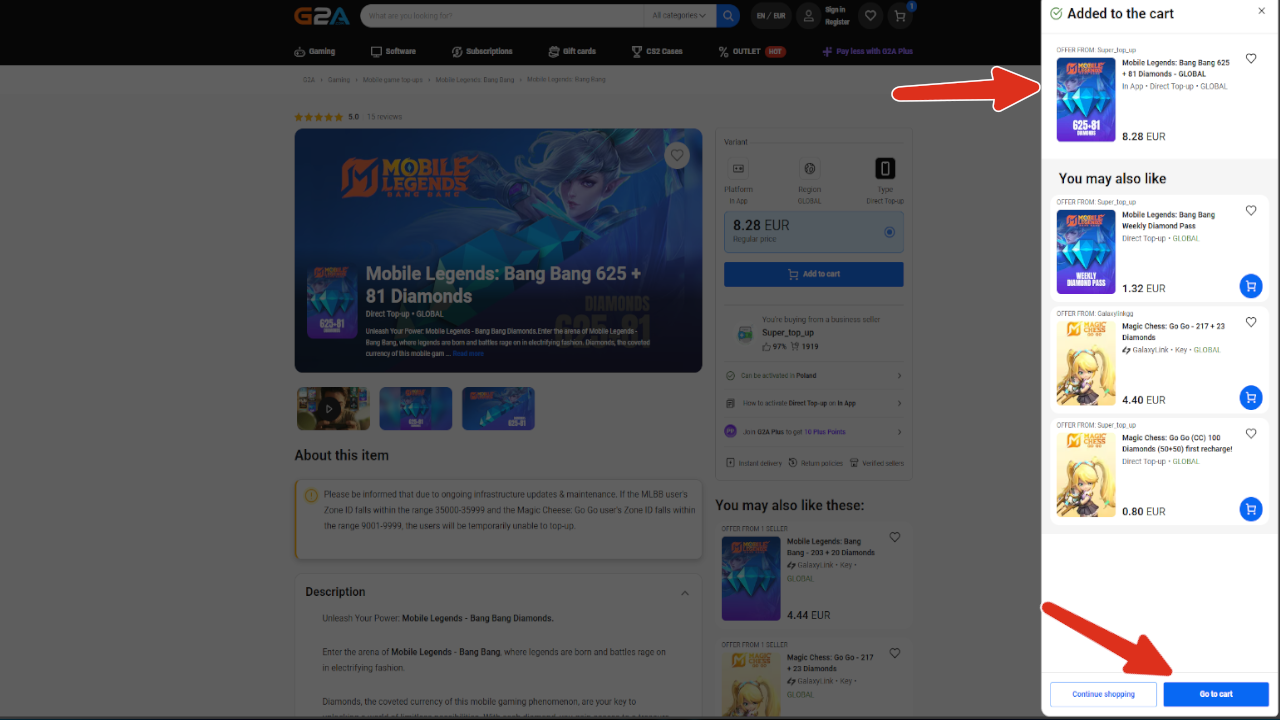
MOBILE LEGENDS:
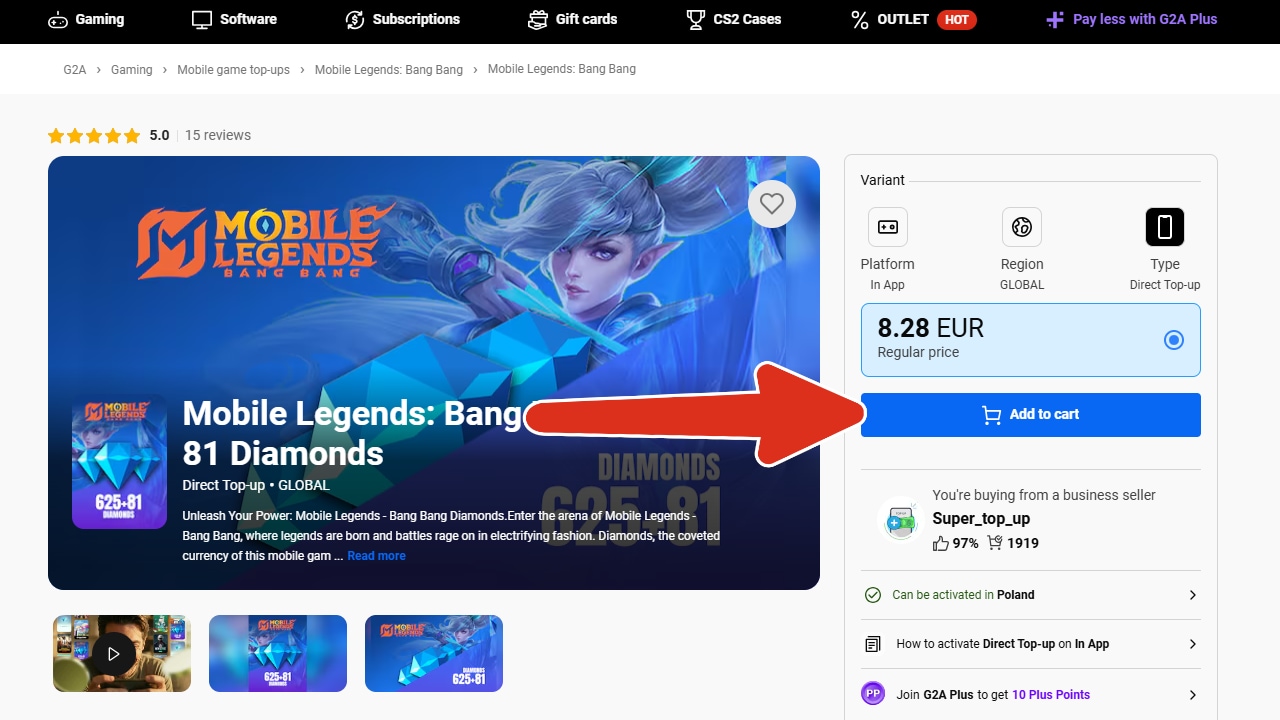
- Add desired item to your cart.
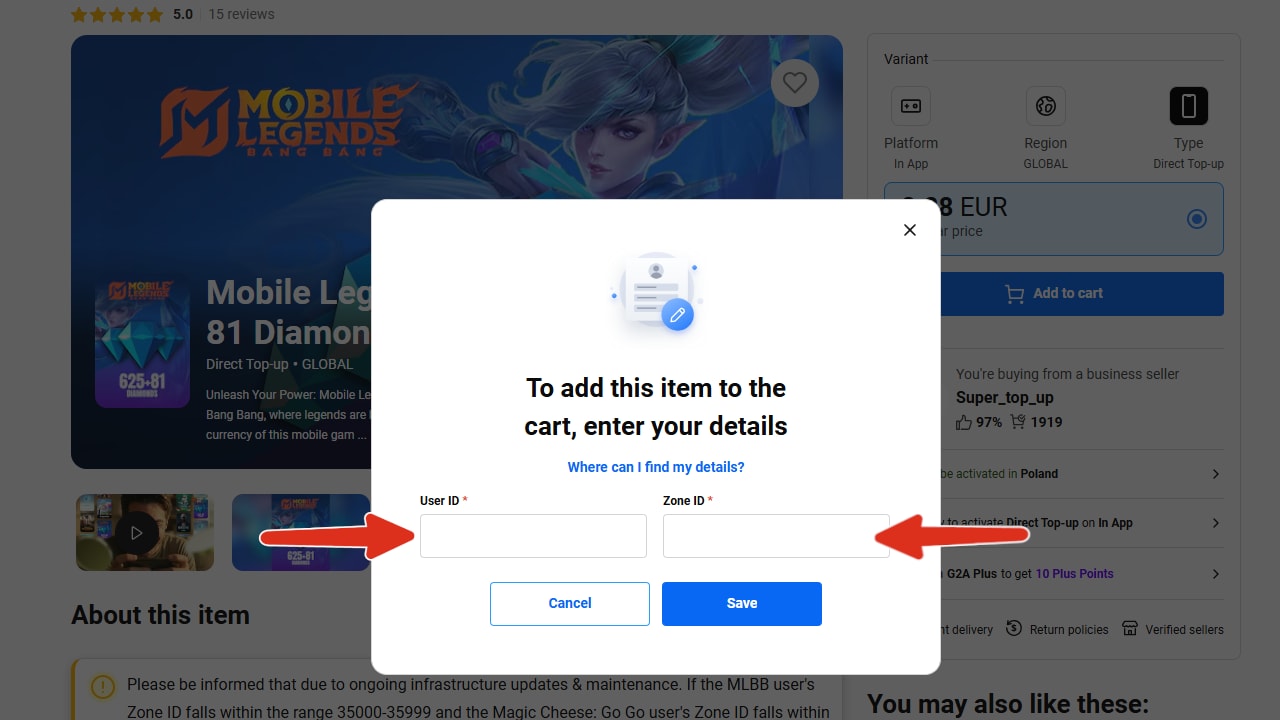
- You will be prompted to input your: UserID and ZoneID. Which you need to fill out in order to proceed.
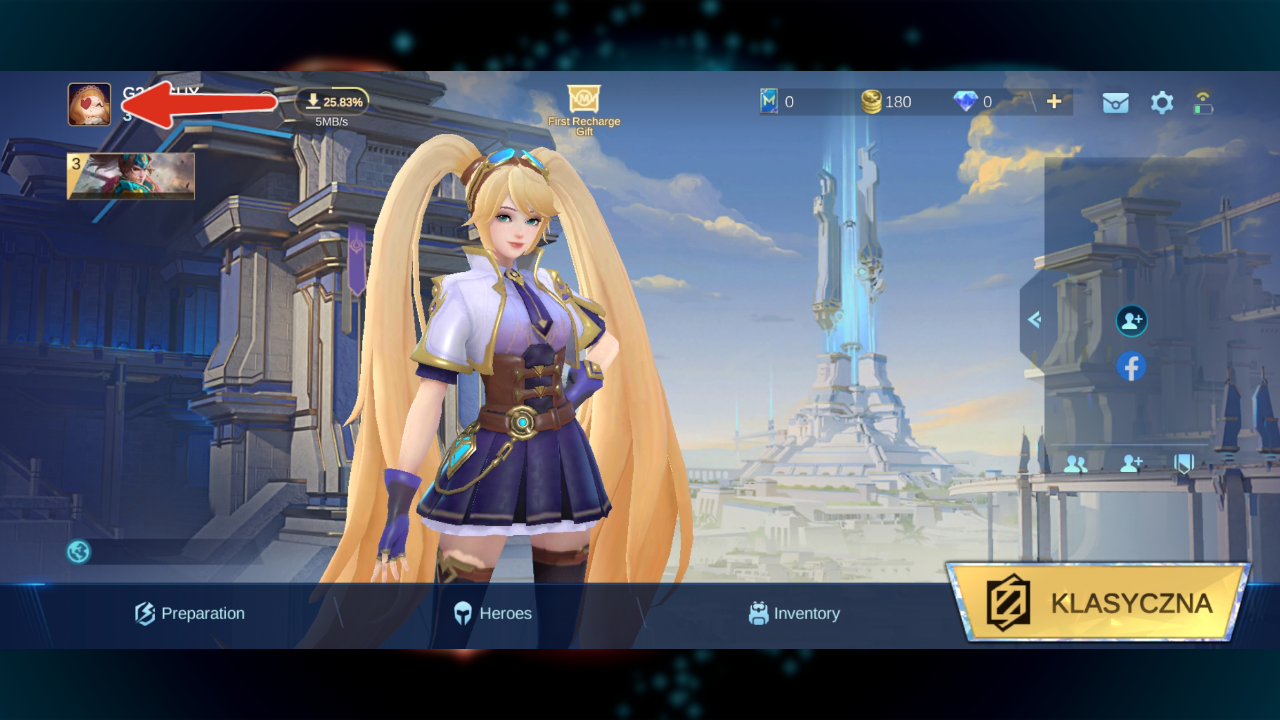
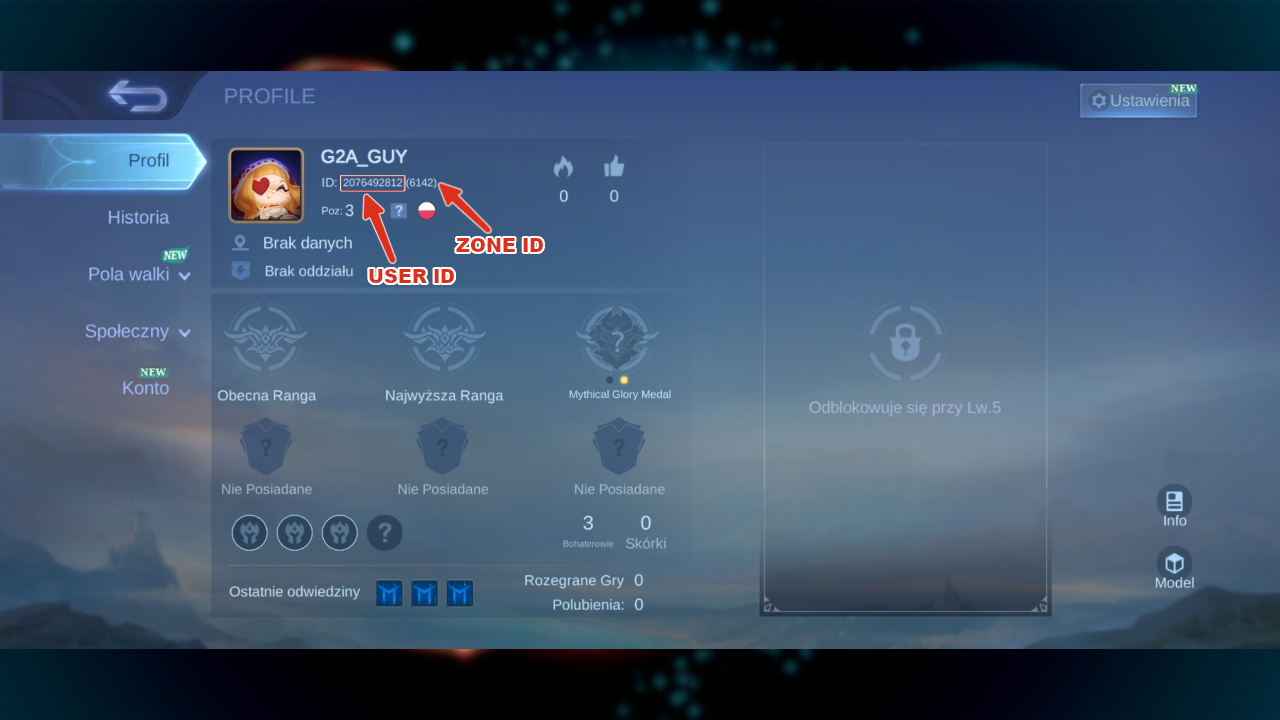
What is UserID and ZoneID: On your profile page, you can see your ID to the right side of your avatar.
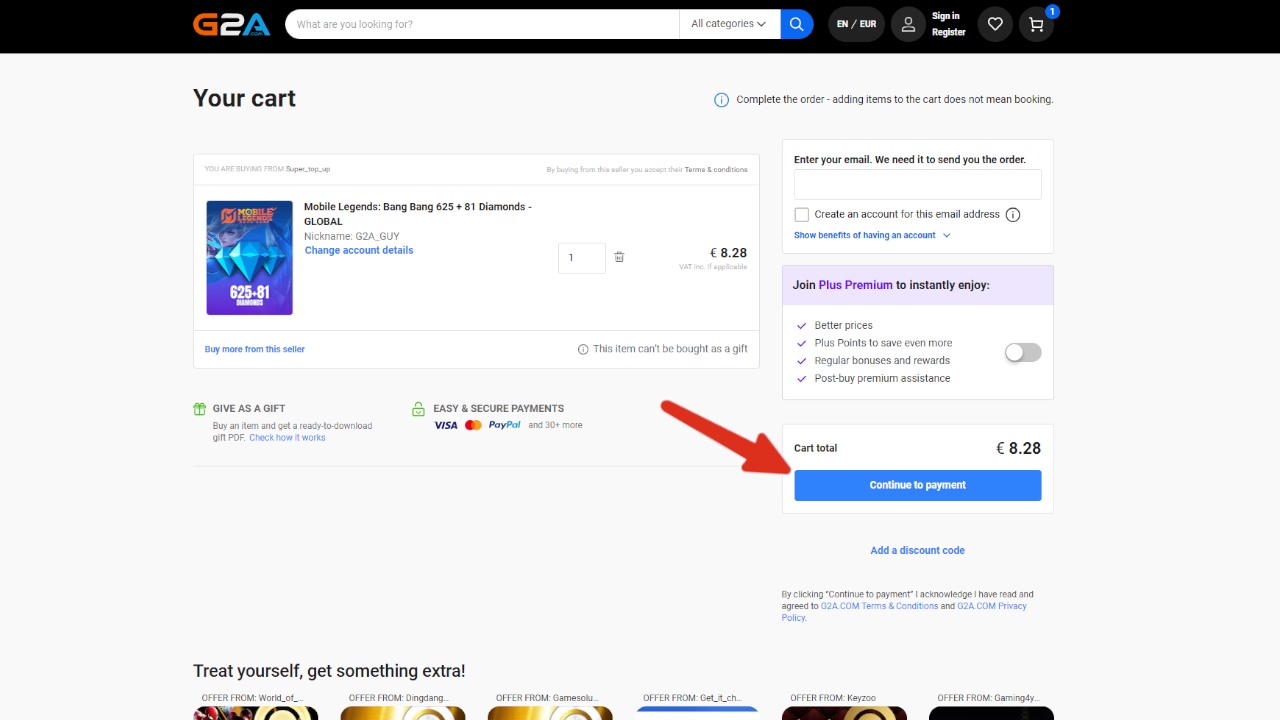
The first eight digits are your User ID. The following four digits within brackets are your Zone ID. - If your information are correct the item will be added to your cart. From this point you can proceed to payment section.
- Here you can pay for your item. Once the transaction is complete your account should be topped up within a few minutes.
- What if the account is not topped up despite paying for the order? If any items from your order are missing, please let us know by creating a ticket HERE and we will check it for you!
Genshin Impact:
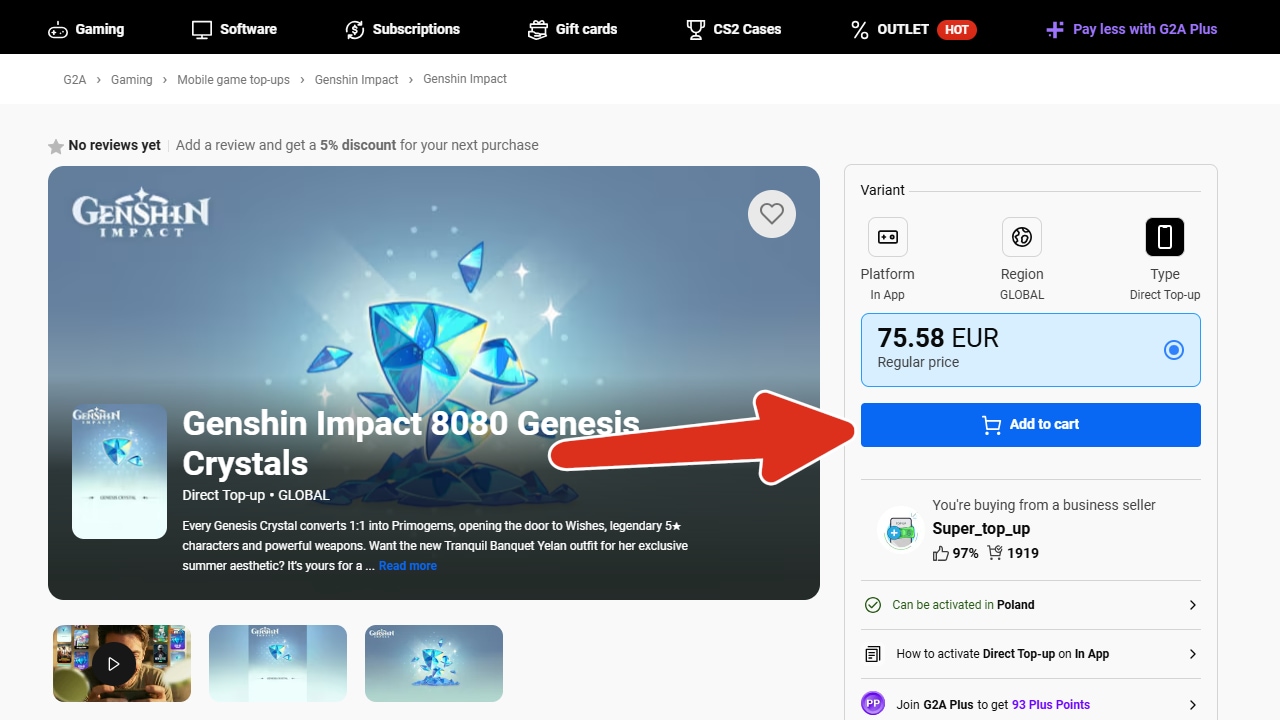
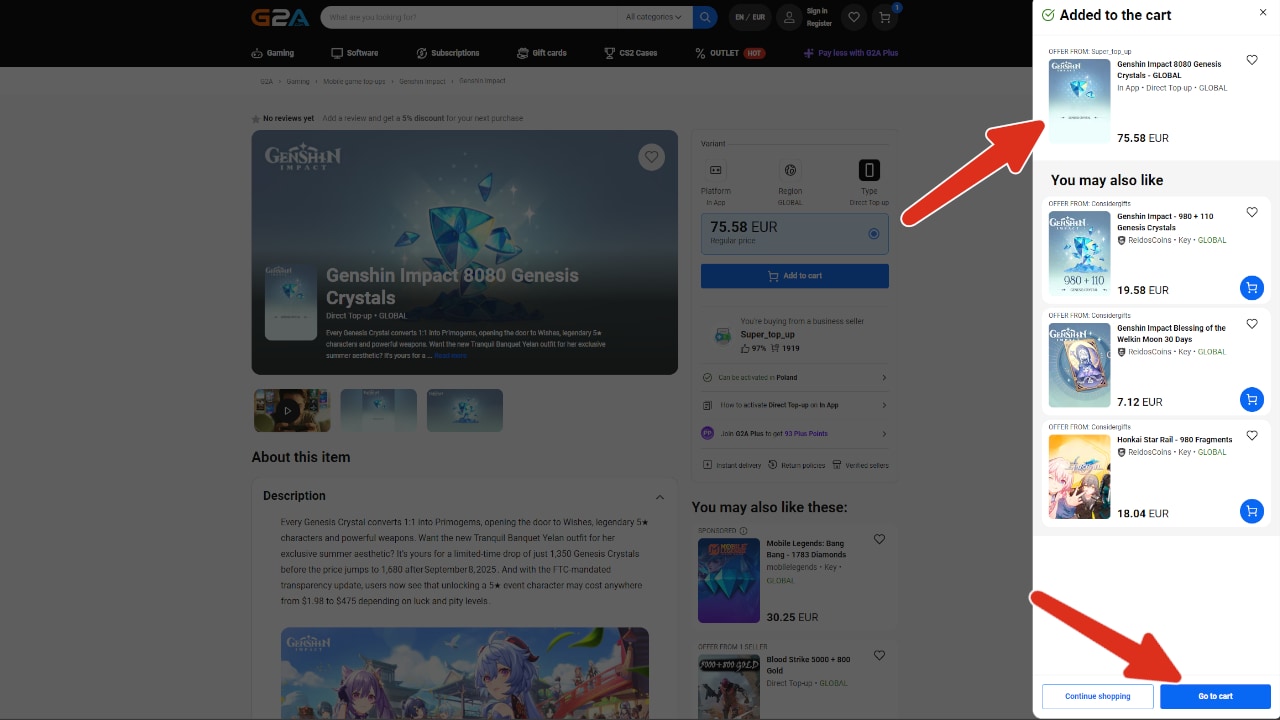
- Add desired item to your cart.
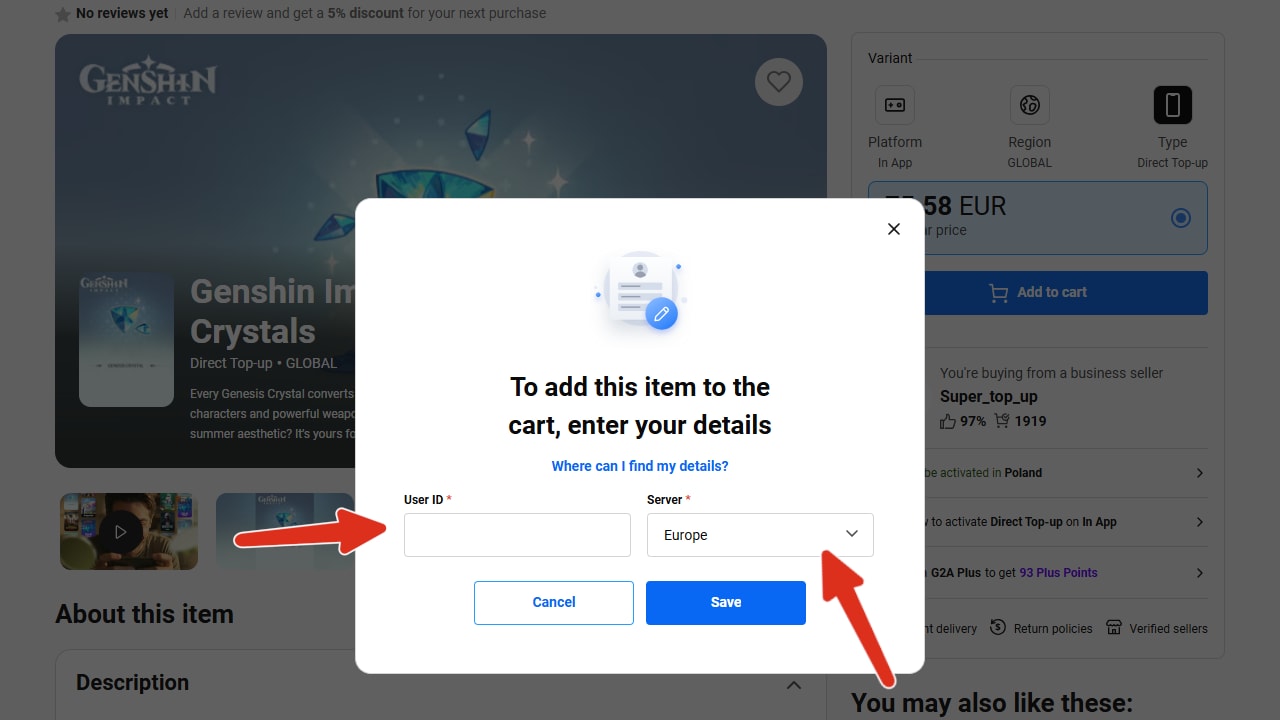
- You will be prompted to input your: UserID and choose the correct server. Which you need to fill out in order to proceed.
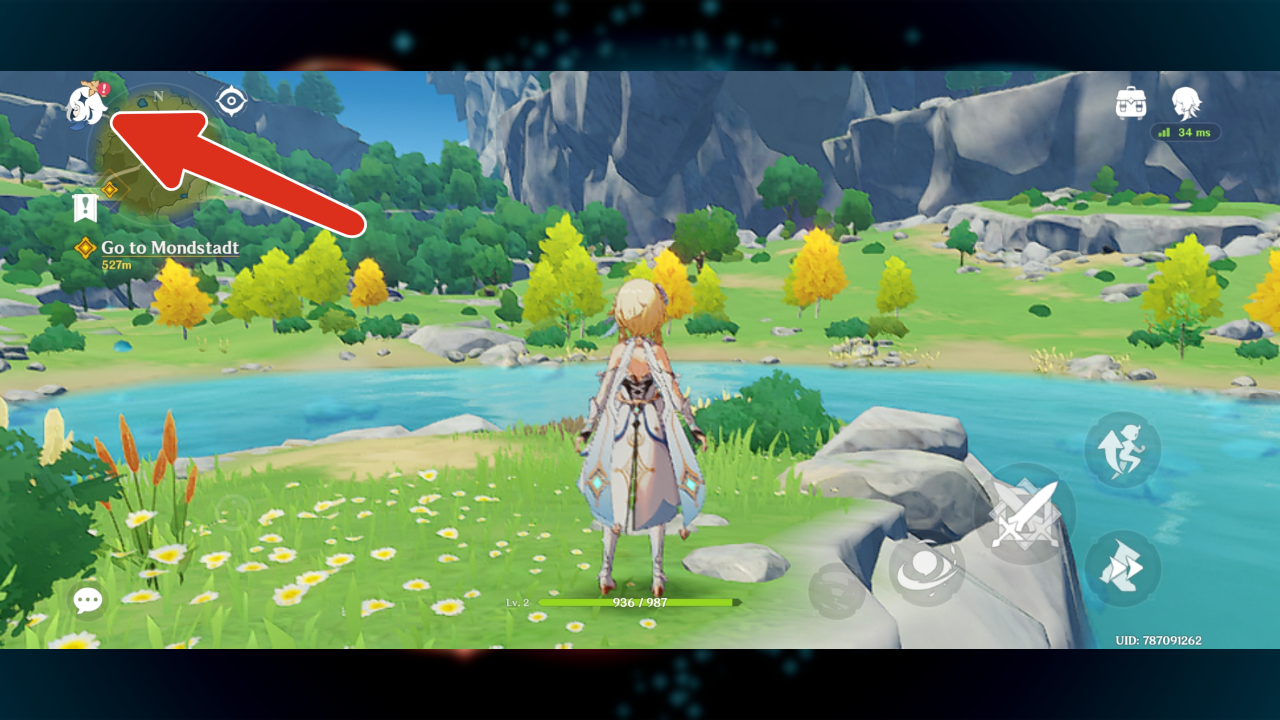
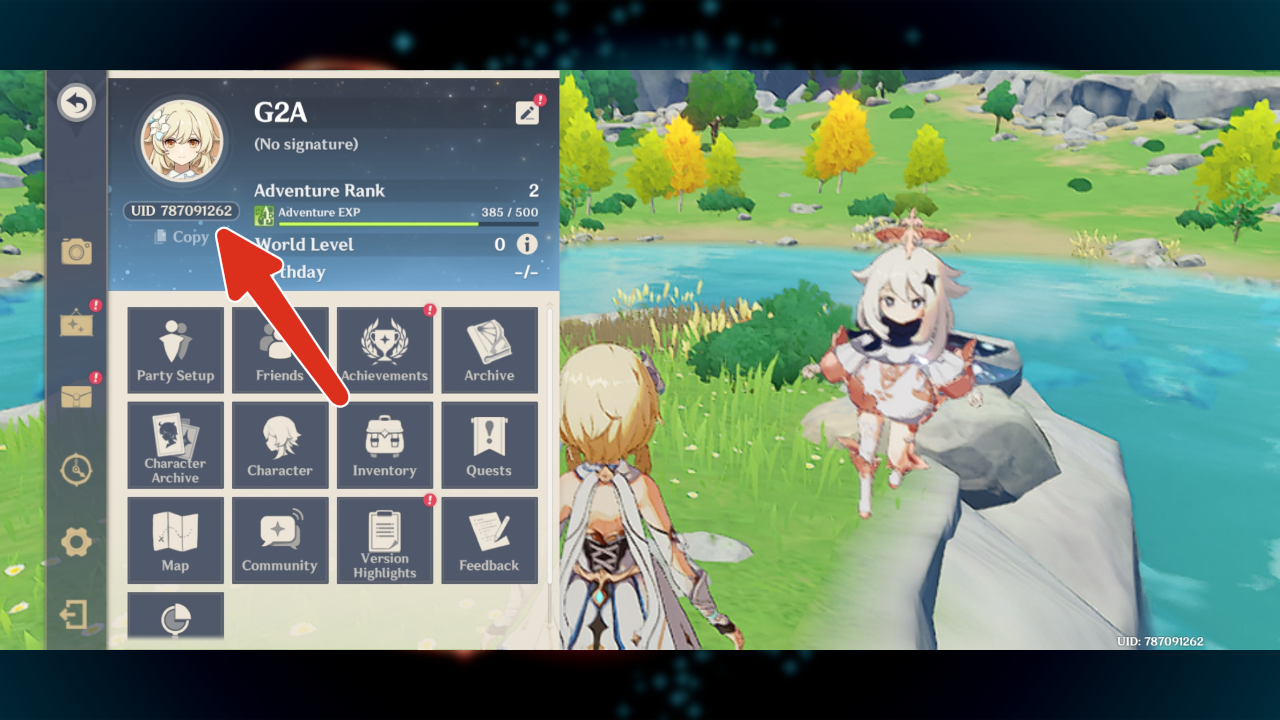
What is UserID and Server: UserID or UID is the number you can find under your profile. Your Server is the server region you're playing on.
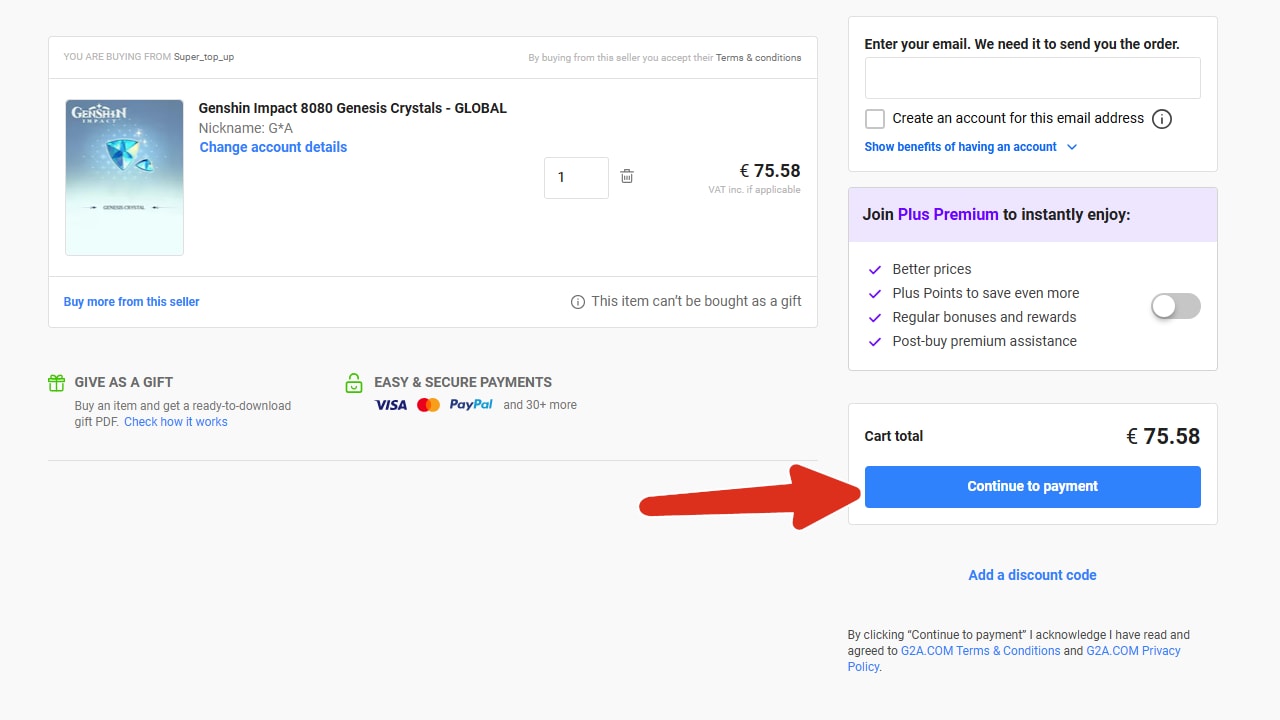
You can copy you UserID by selecting "Copy". - If your information are correct the item will be added to your cart. From this point you can proceed to payment section.
- Here you can pay for your item. Once the transaction is complete your account should be topped up within a few minutes.
- What if the account is not topped up despite paying for the order? If any items from your order are missing, please let us know by creating a ticket HERE and we will check it for you!
Honkai: Star Rail:
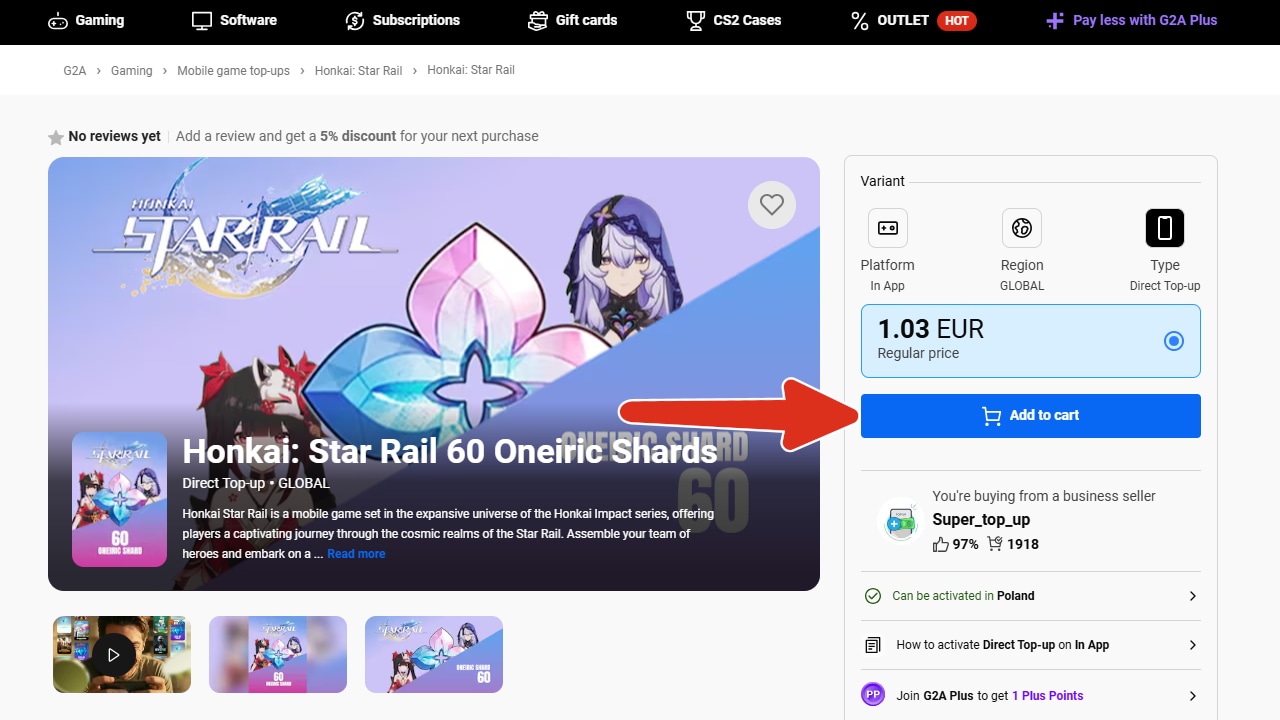
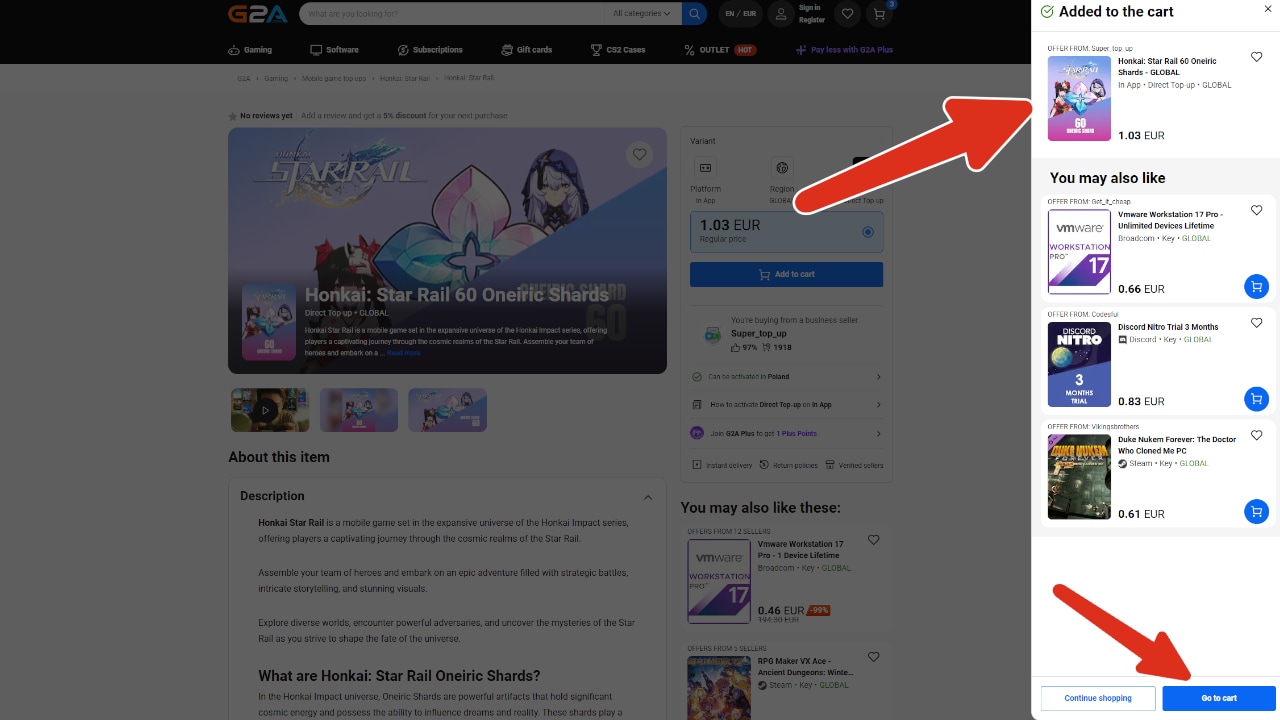
- Add desired item to your cart.
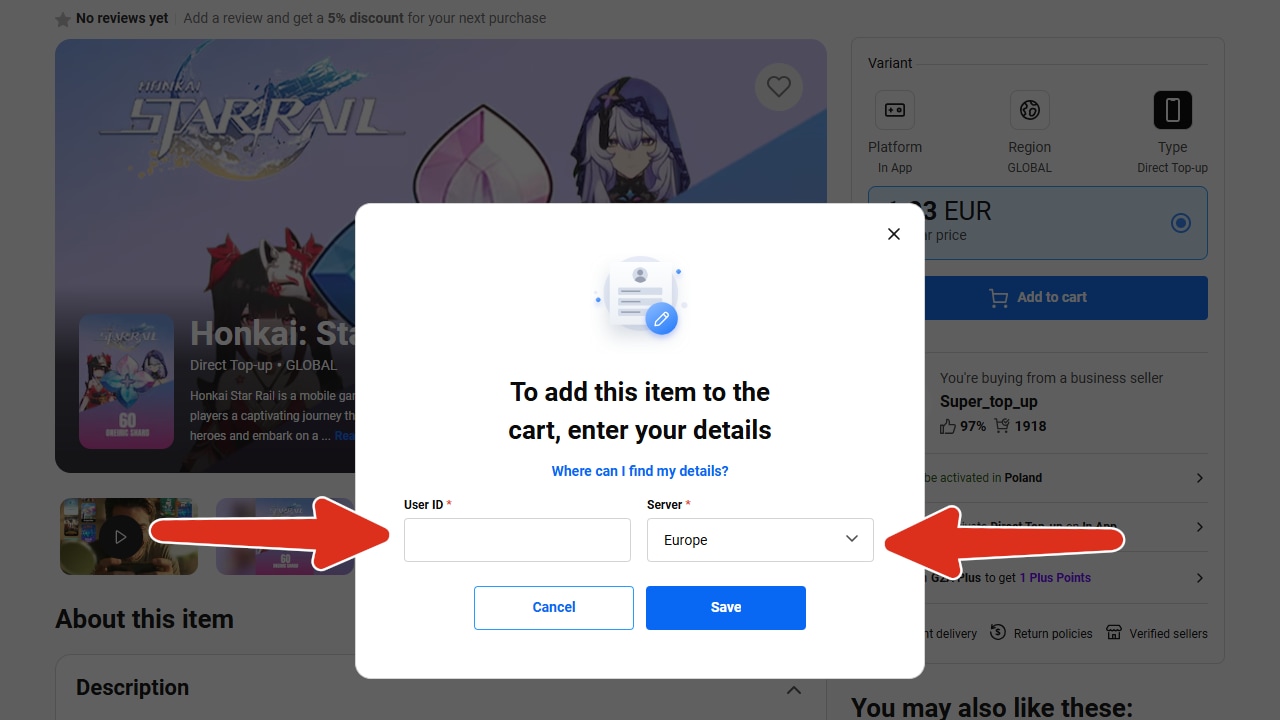
- You will be prompted to input your: UserID and choose the correct server. Which you need to fill out in order to proceed.
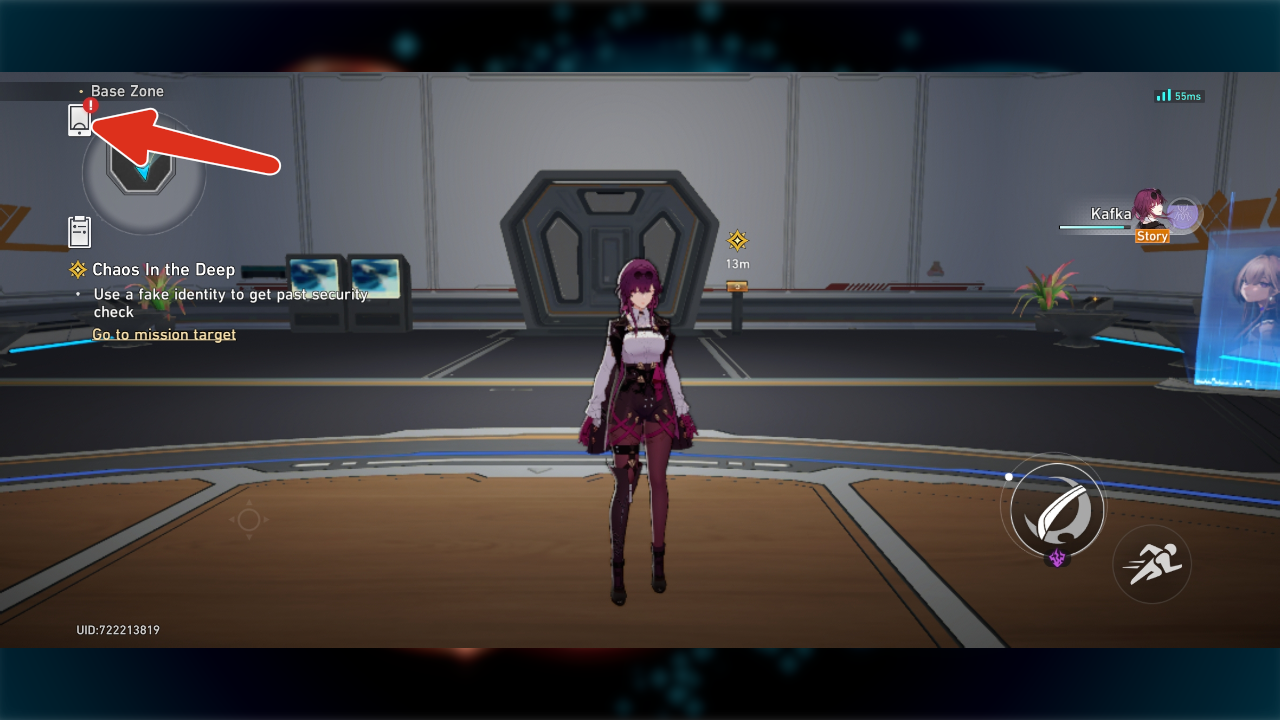
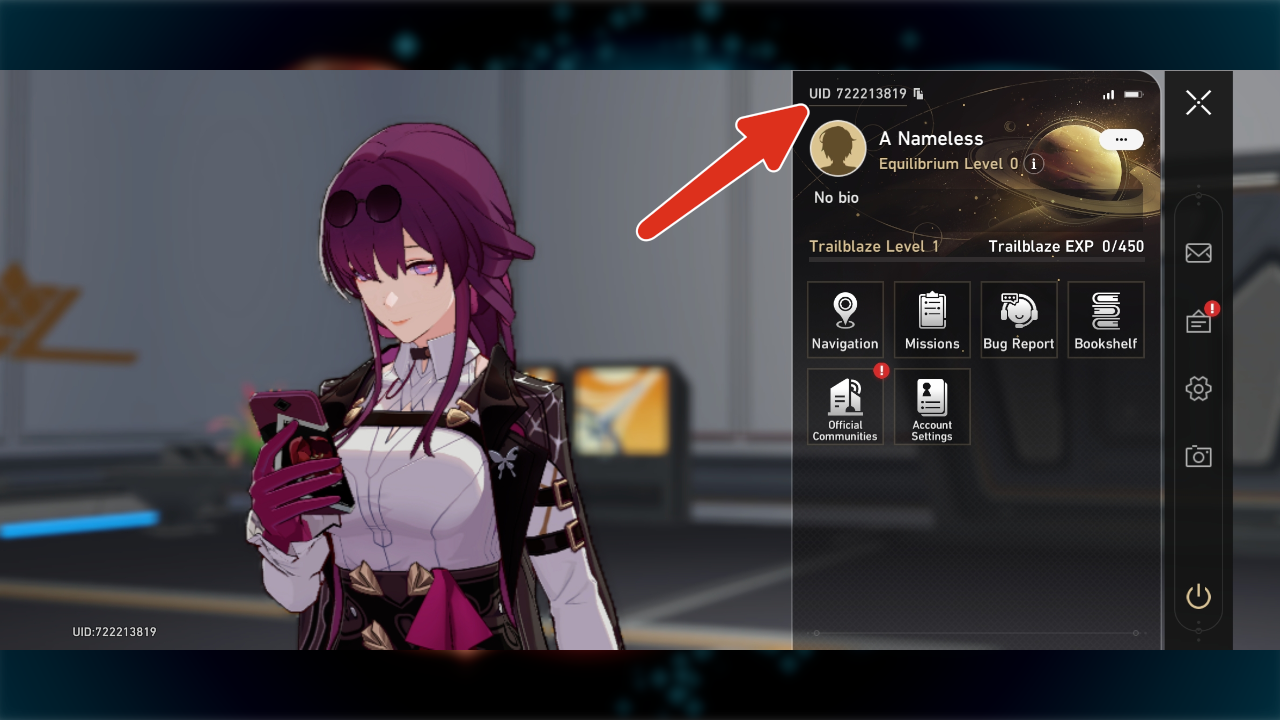
What is UserID and Server: UserID or UID is the number you can find under your profile. Your Server is the server region you're playing on.
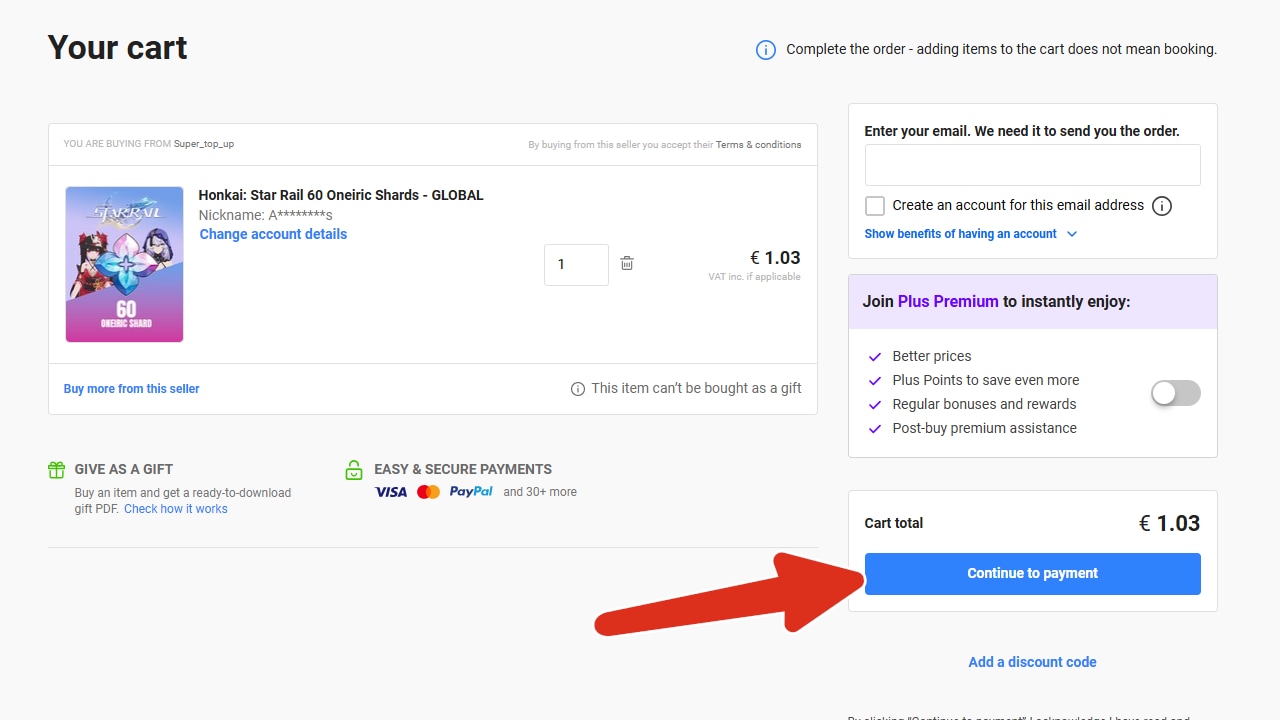
- If your information are correct the item will be added to your cart. From this point you can proceed to payment section.
- Here you can pay for your item. Once the transaction is complete your account should be topped up within a few minutes.
- What if the account is not topped up despite paying for the order? If any items from your order are missing, please let us know by creating a ticket HERE and we will check it for you!
Honkai Impact 3:
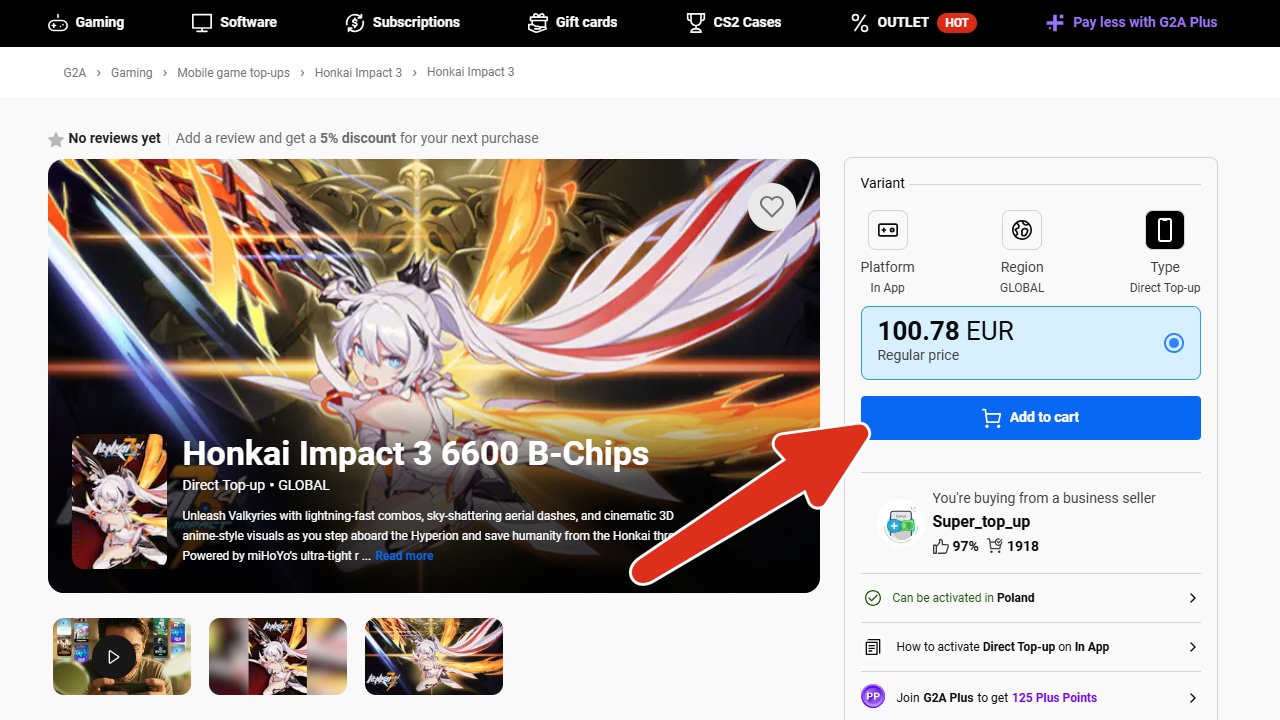
- Add desired item to your cart.
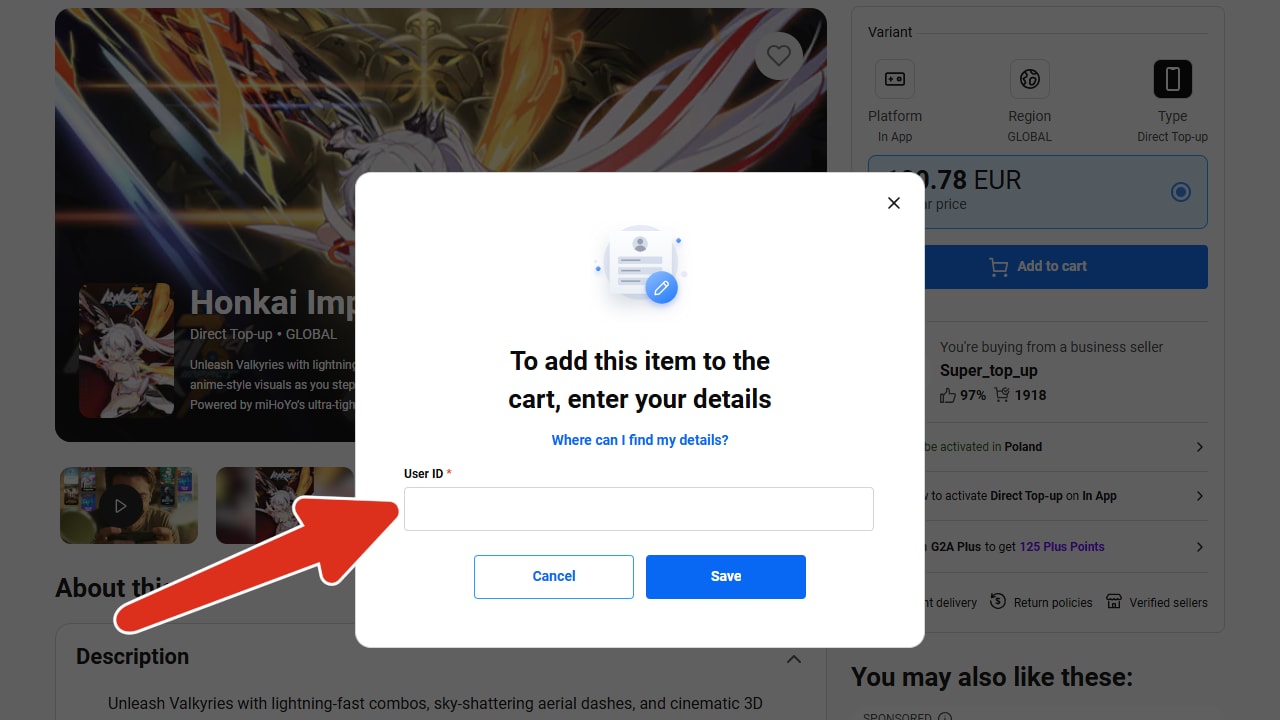
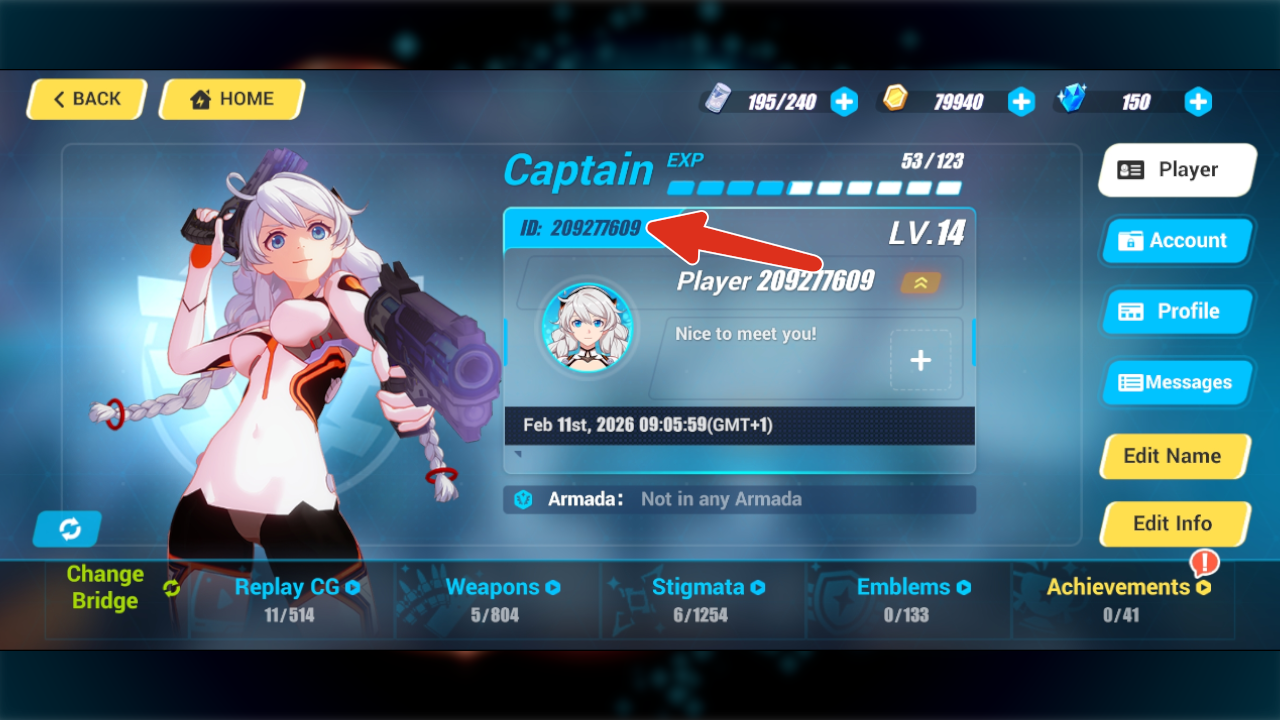
- You will be prompted to input your UserID which you need to fill out in order to proceed.
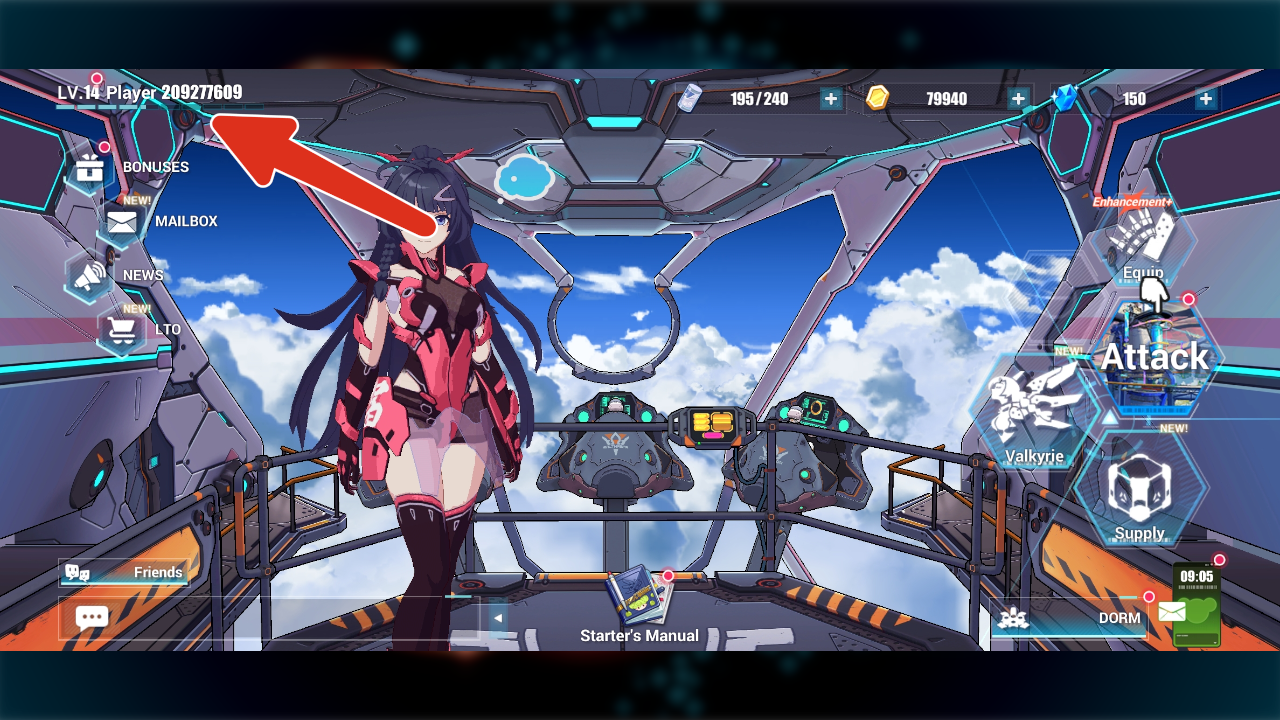
What is UserID: UserID or UID is the number you can find under your profile.
- If your information are correct the item will be added to your cart. From this point you can proceed to payment section.
- Here you can pay for your item. Once the transaction is complete your account should be topped up within a few minutes.
- What if the account is not topped up despite paying for the order? If any items from your order are missing, please let us know by creating a ticket HERE and we will check it for you!
Blood Strike:
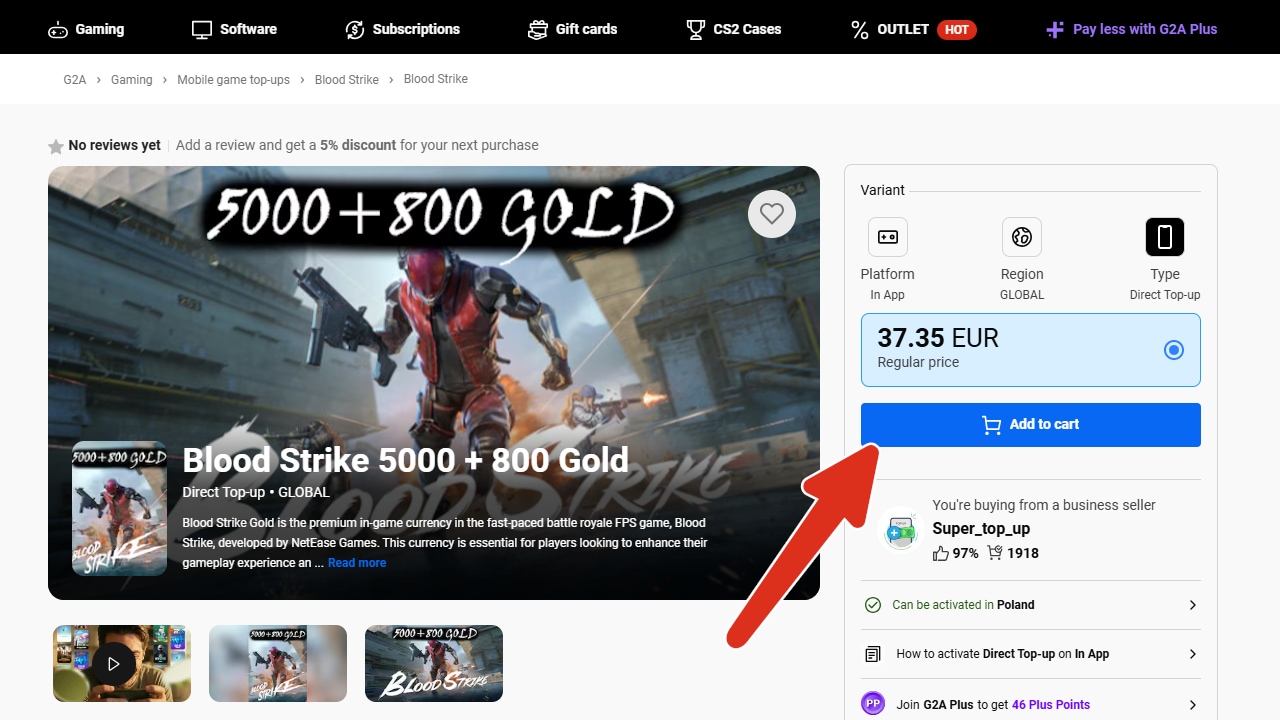
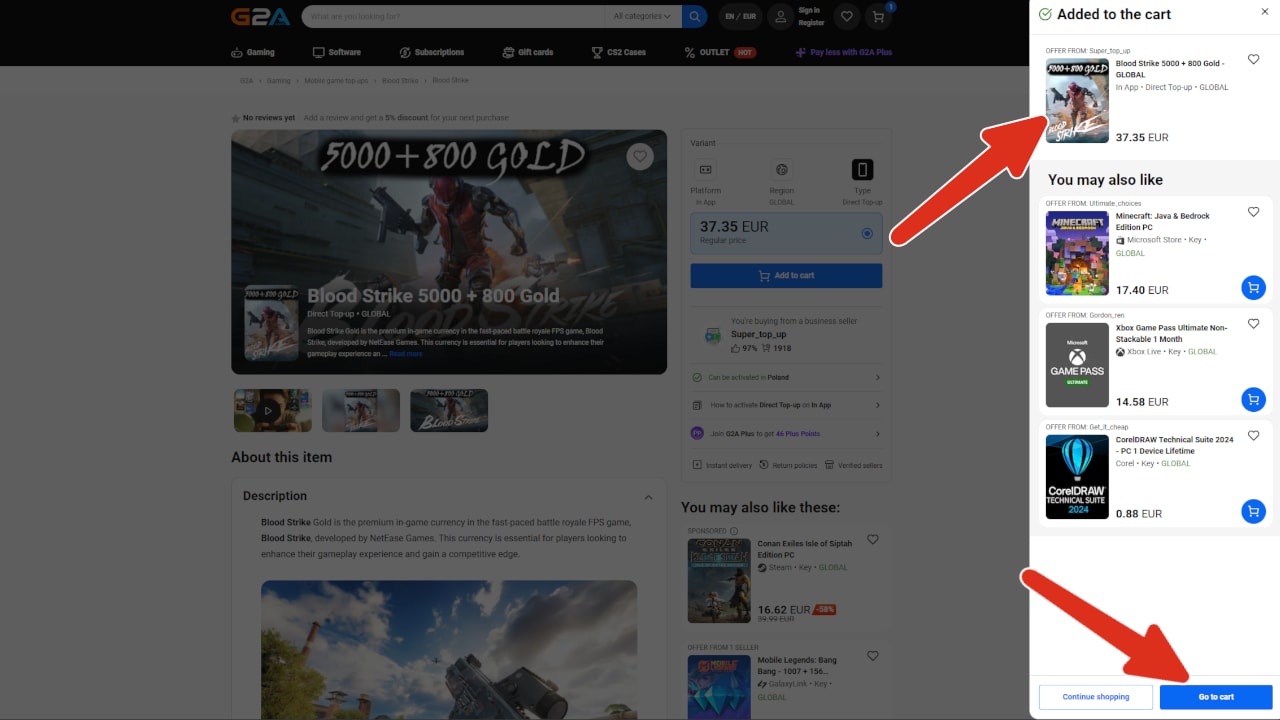
- Add desired item to your cart.
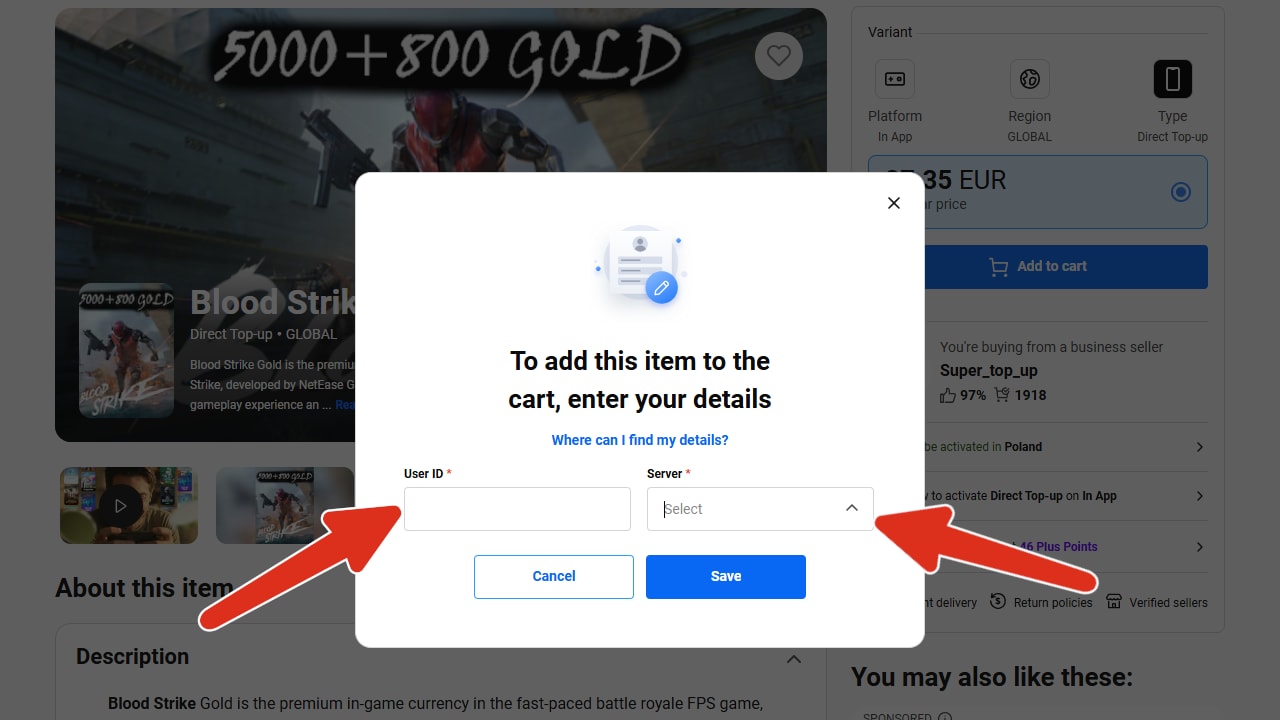
- You will be prompted to input your: UserID and choose the correct server. Which you need to fill out in order to proceed.
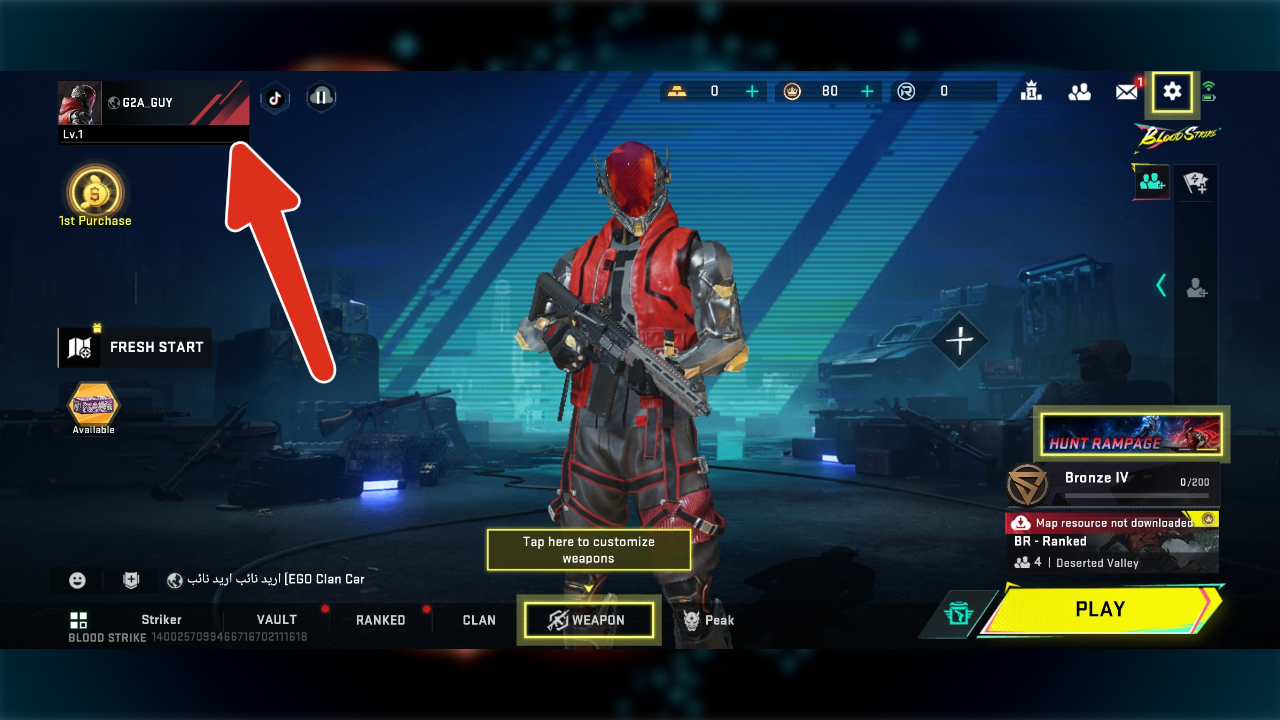
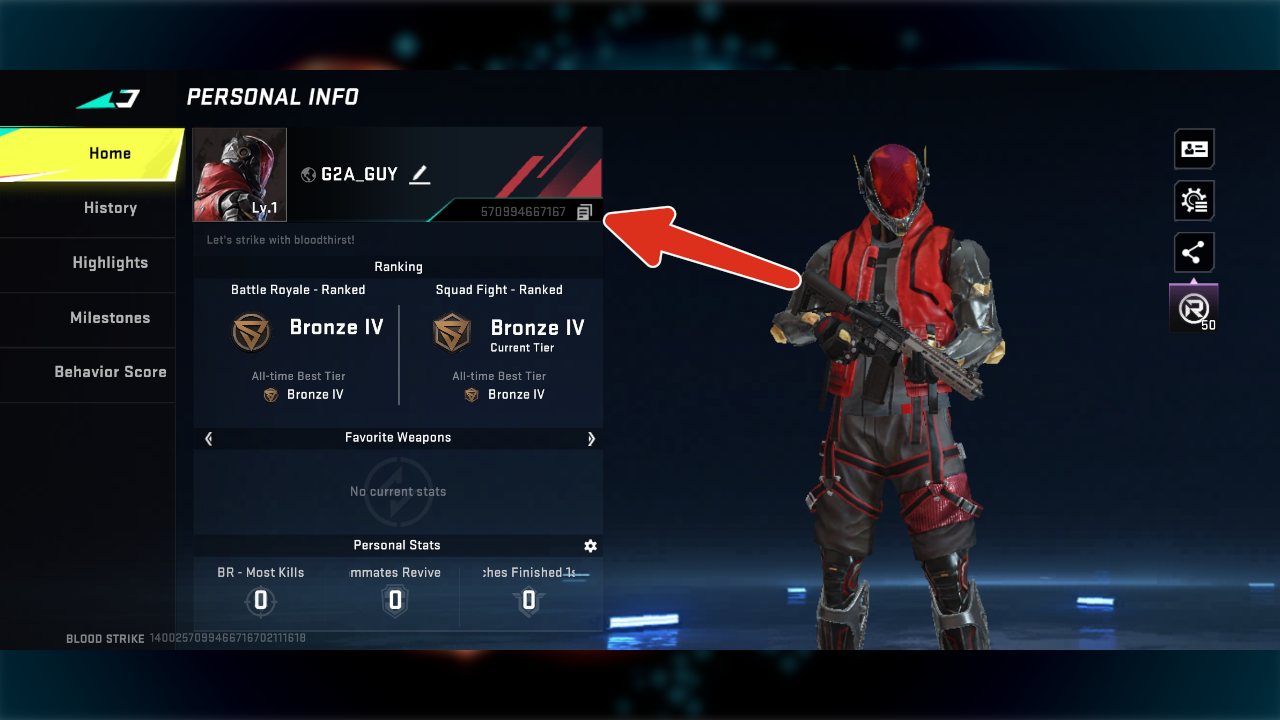
What is UserID and Server: UserID or UID is the number you can find under your profile. Your Server is the server region you're playing on.
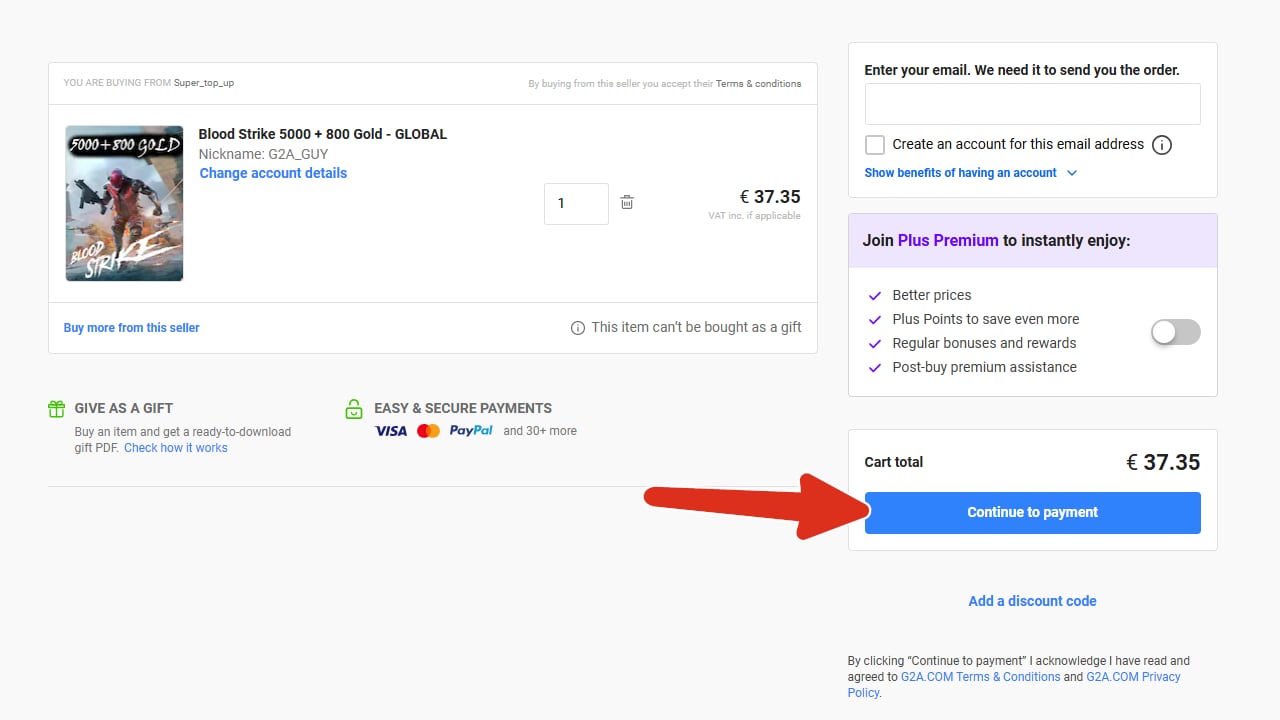
You can copy you UserID by selecting "Copy". - If your information are correct the item will be added to your cart. From this point you can proceed to payment section.
- Here you can pay for your item. Once the transaction is complete your account should be topped up within a few minutes.
- What if the account is not topped up despite paying for the order? If any items from your order are missing, please let us know by creating a ticket HERE and we will check it for you!
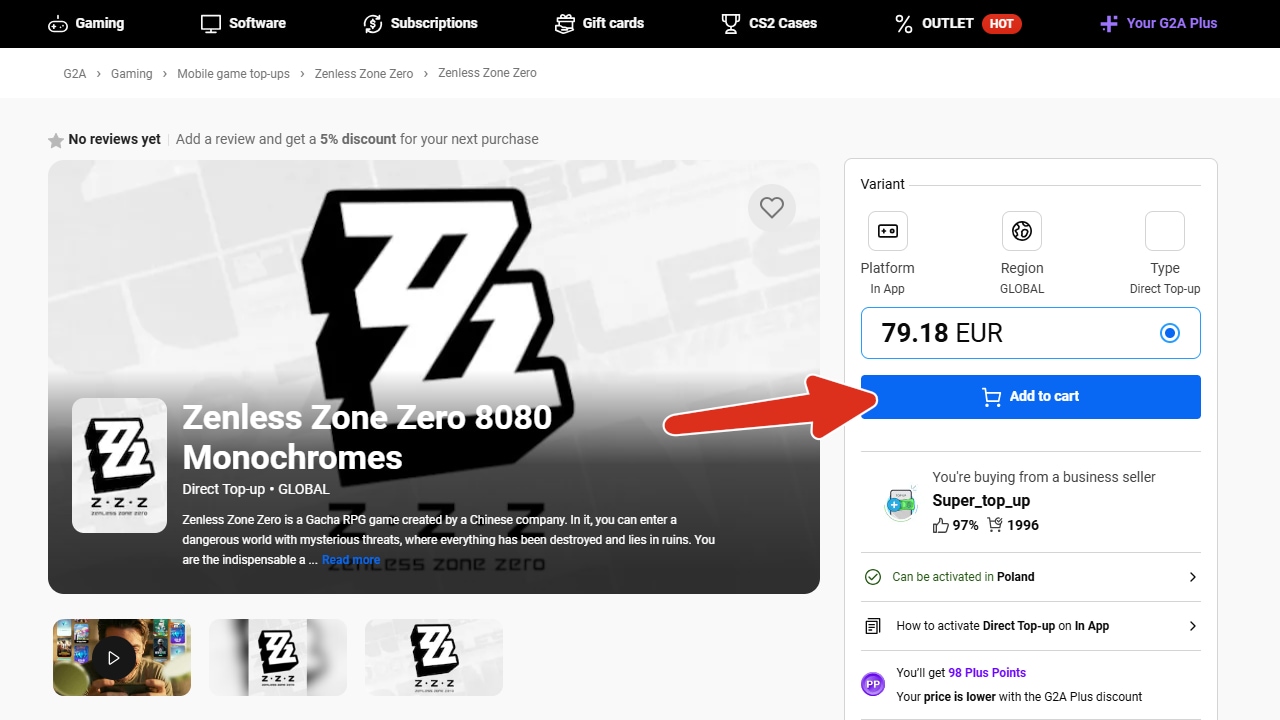
Zenless Zone Zero:
- Add desired item to your cart.
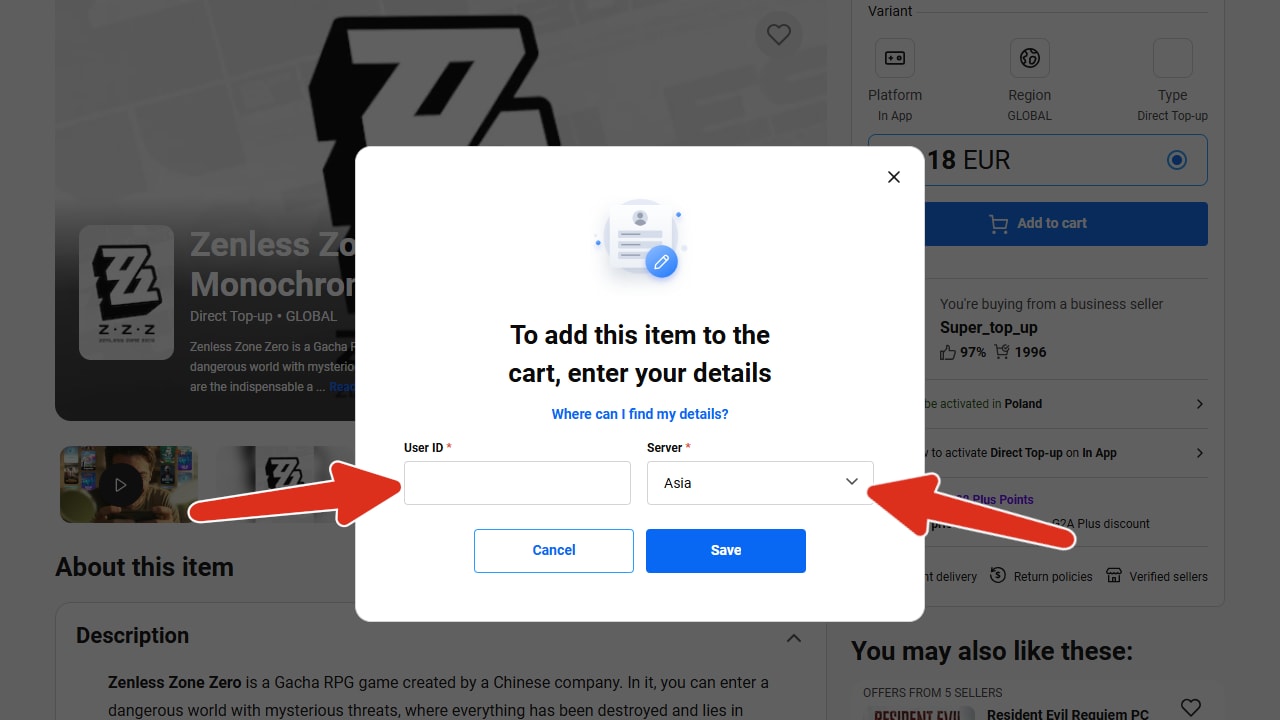
- You will be prompted to input your: UserID and choose the correct server. Which you need to fill out in order to proceed.
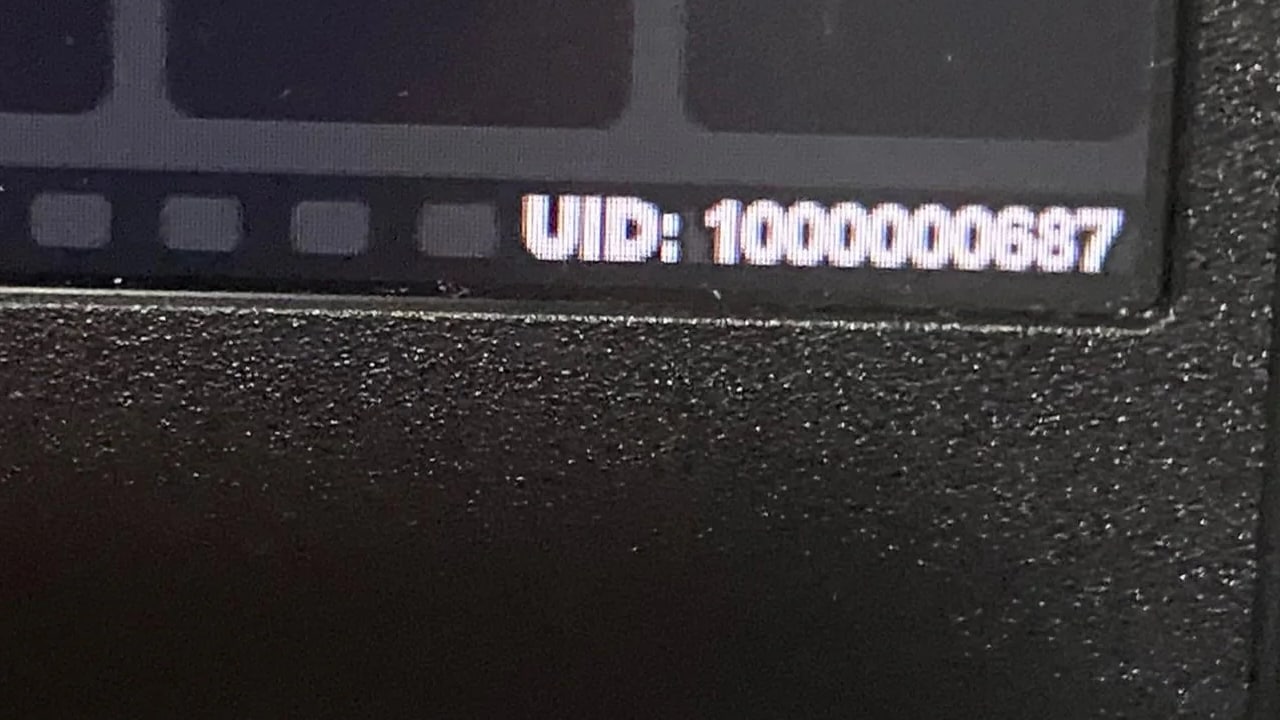
What is UserID and Server: UserID or UID is the number that is always visible in the bottom right corner of the screen. Your Server is the server region you're playing on.
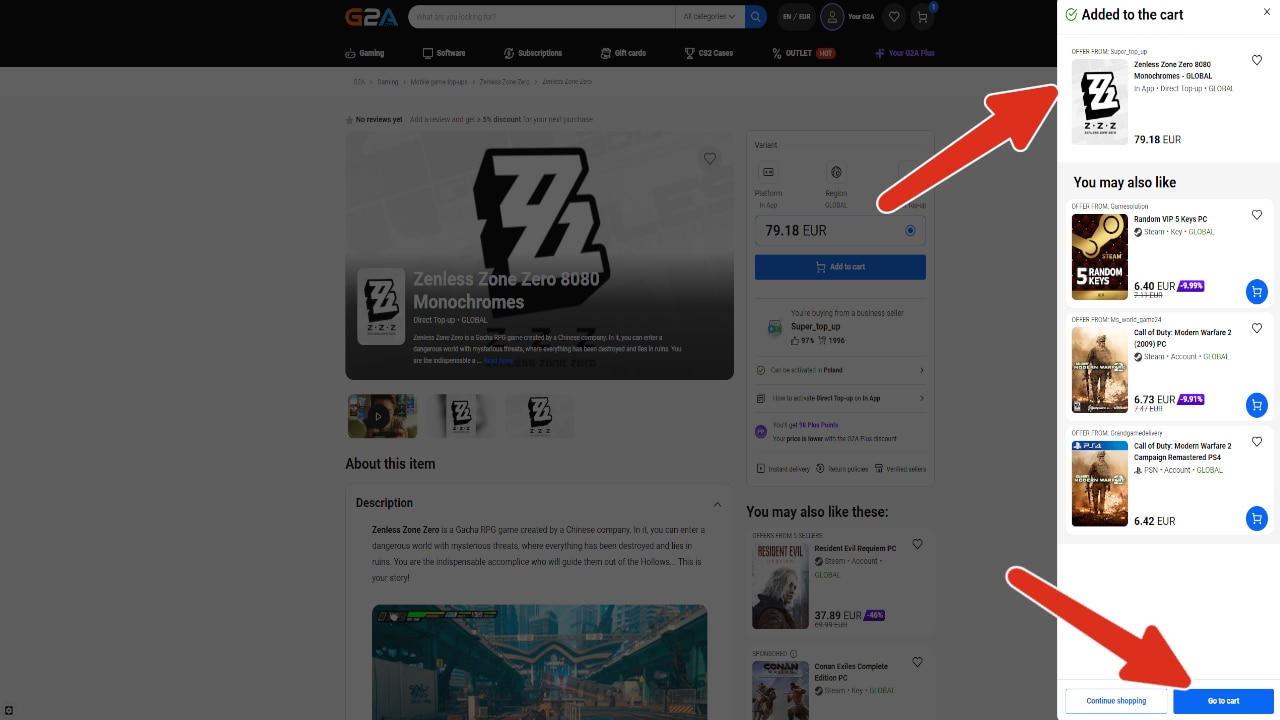
You can copy you UserID by selecting "Copy". - If your information are correct the item will be added to your cart. From this point you can proceed to payment section.
- Here you can pay for your item. Once the transaction is complete your account should be topped up within a few minutes.
- What if the account is not topped up despite paying for the order? If any items from your order are missing, please let us know by creating a ticket HERE and we will check it for you!
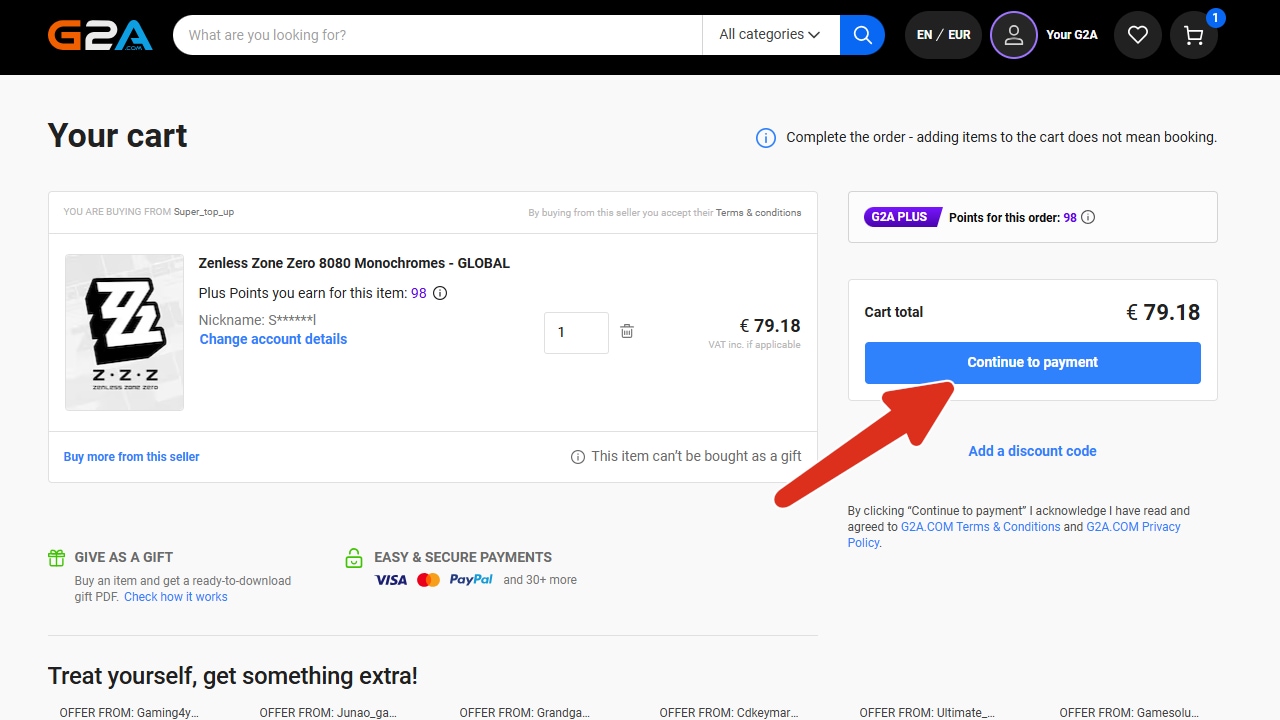
Magic Chess GO GO:
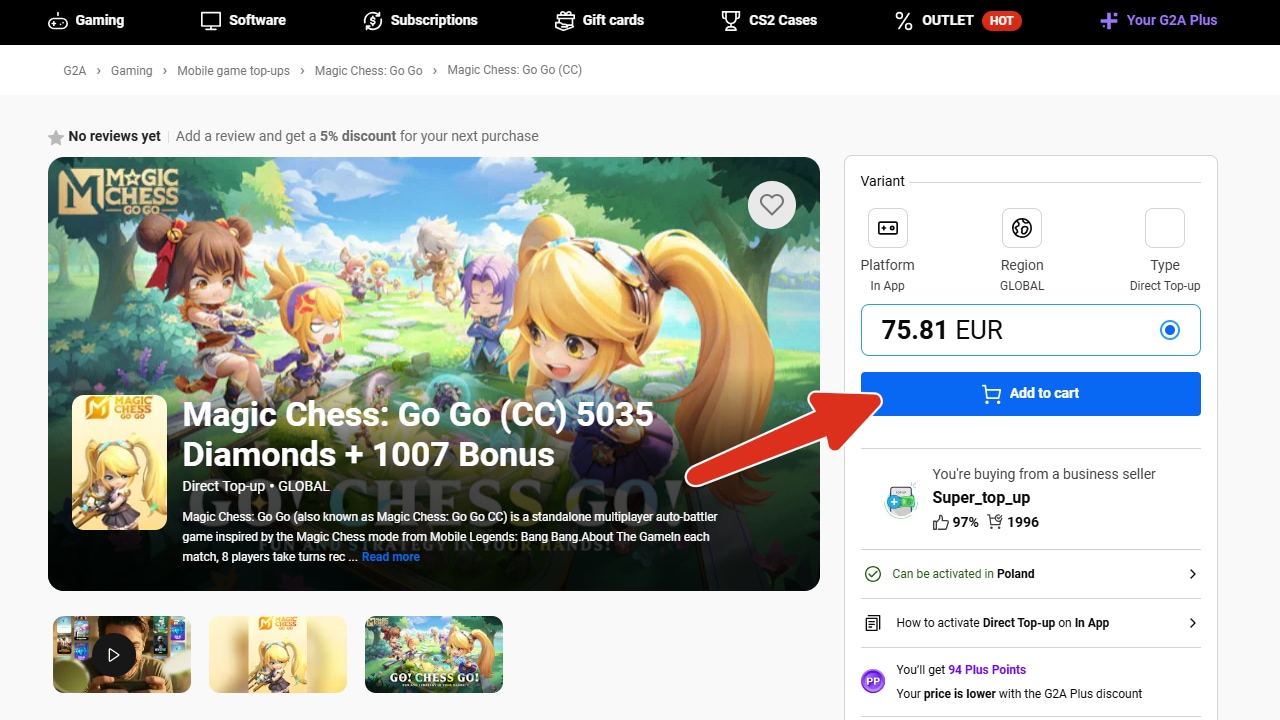
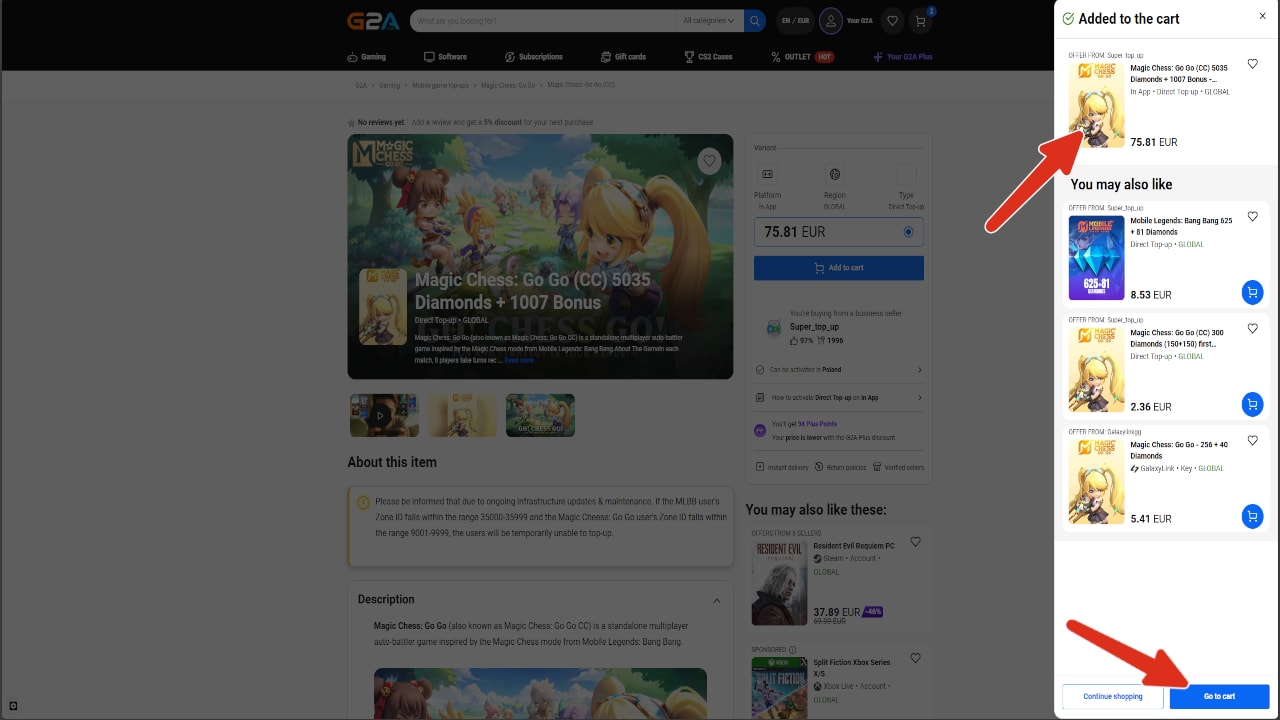
- Add desired item to your cart.
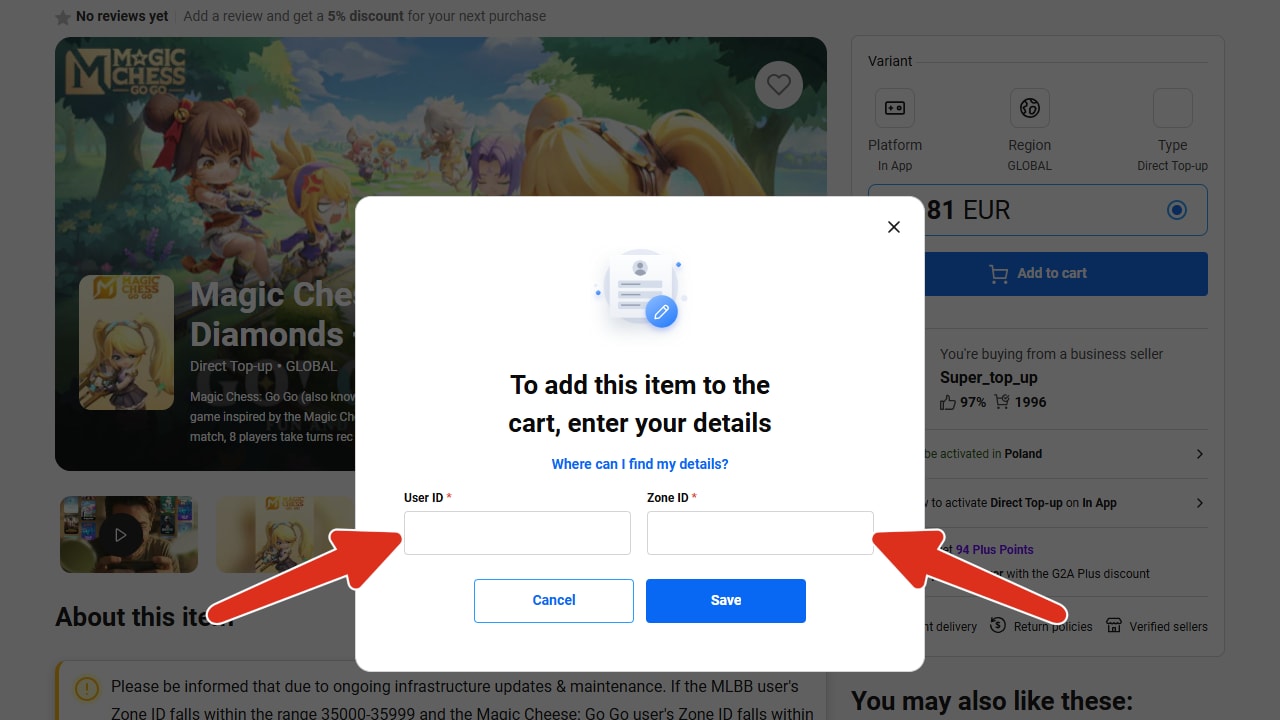
- You will be prompted to input your: UserID and ZoneID. Which you need to fill out in order to proceed.
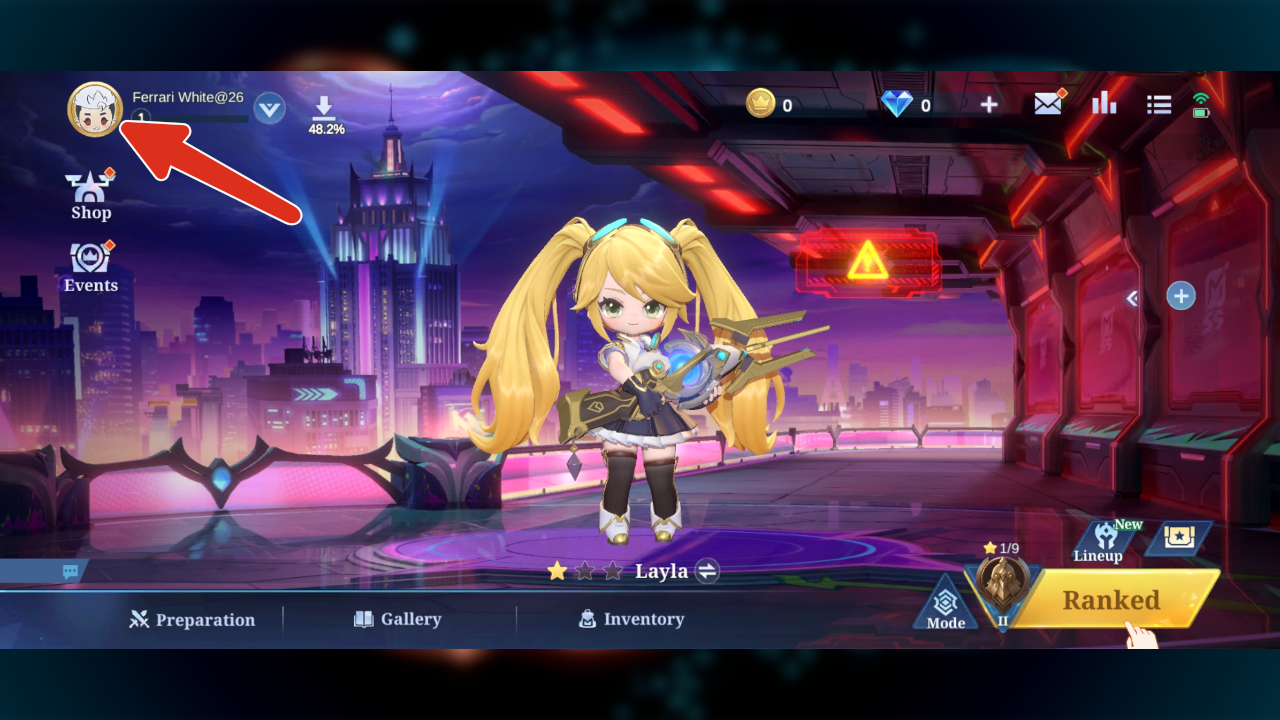
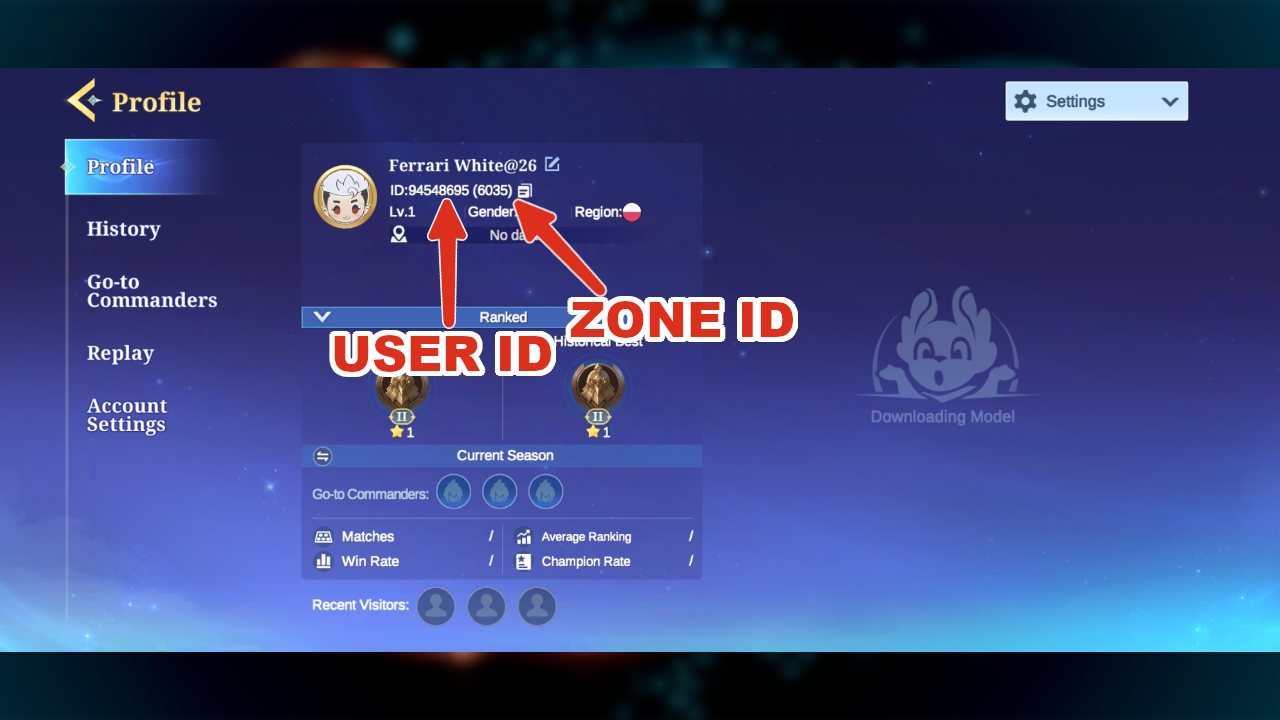
What is UserID and ZoneID: On your profile page, you can see your ID to the right side of your avatar.
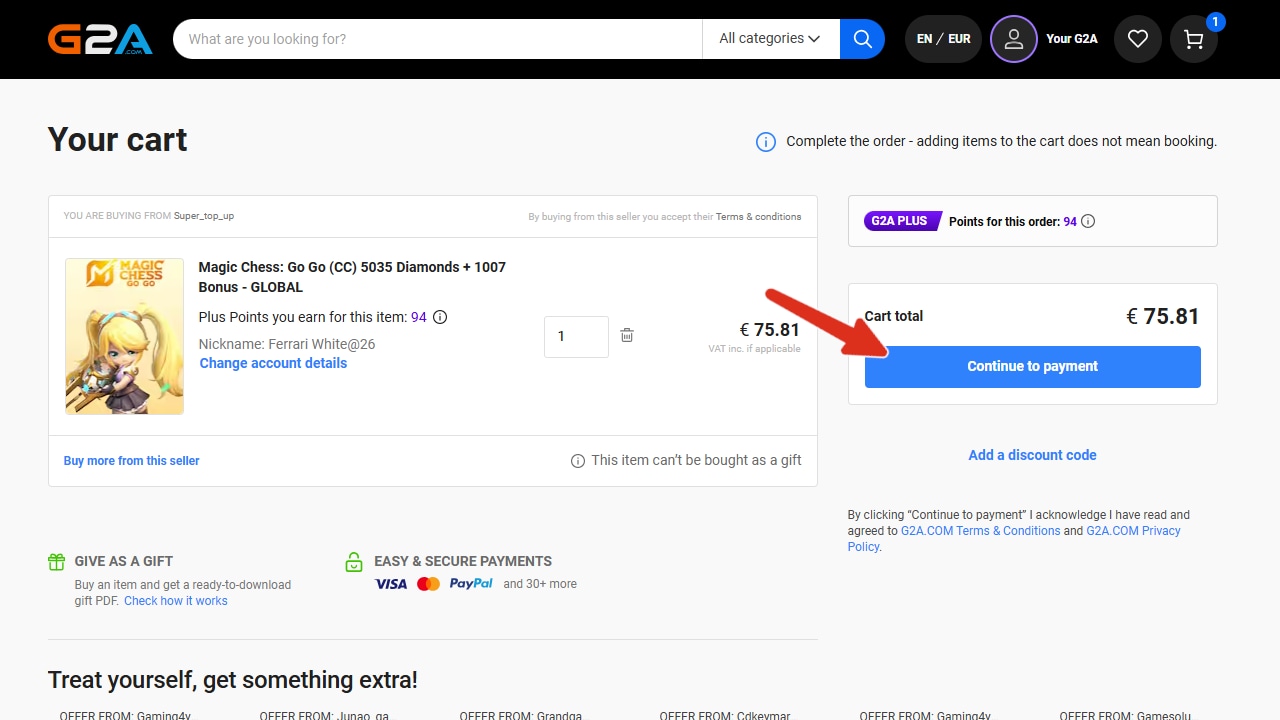
The first eight digits are your User ID. The following four digits within brackets are your Zone ID. - If your information are correct the item will be added to your cart. From this point you can proceed to payment section.
- Here you can pay for your item. Once the transaction is complete your account should be topped up within a few minutes.
- What if the account is not topped up despite paying for the order? If any items from your order are missing, please let us know by creating a ticket HERE and we will check it for you!
Popular guides
- Adobe Code Activation
- Avast Antivirus Code Activation
- GOG.COM Game Key Activation
- EA / Origin Cash Card Activation
- Epic Games Code Activation
- Battle.net Code Activation
- G2A PLUS Key Activation
- Google Play Code Activation
- Grand Theft Auto V (Rockstar Game Launcher) Activation
- IL-2 Sturmovik Activation