

Playstation Network Code Activation
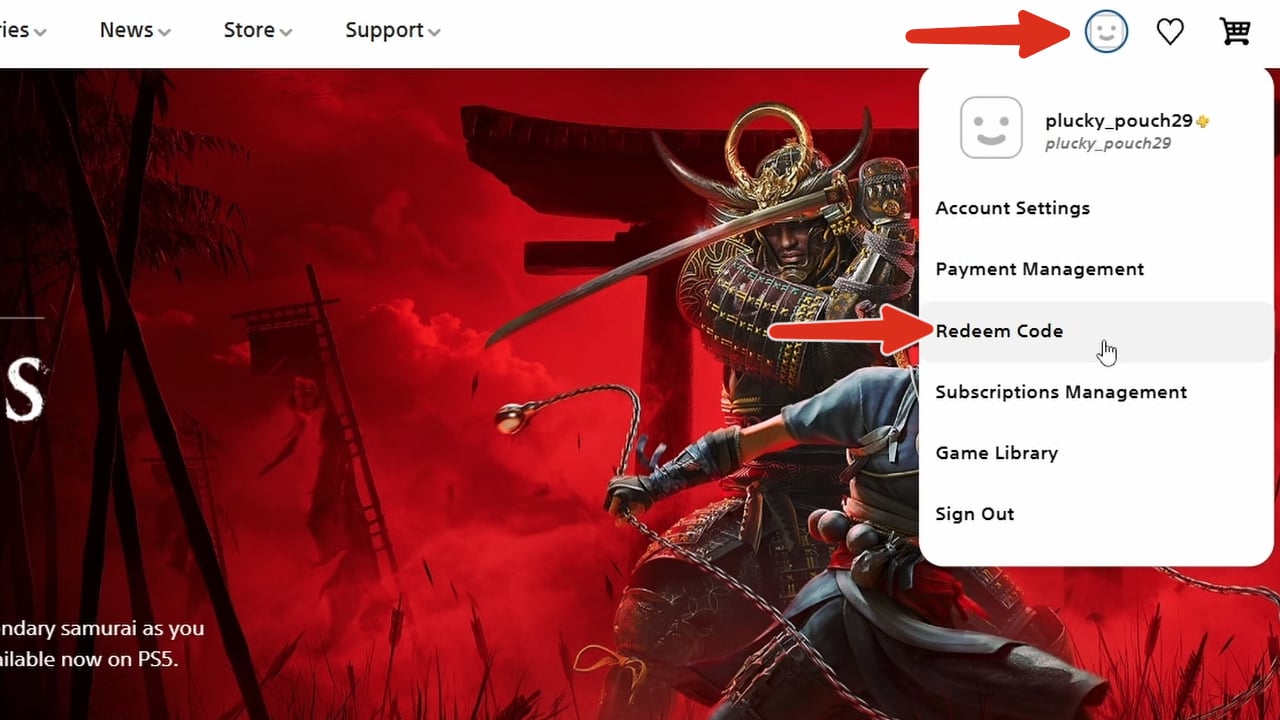
- Start by logging into your PSN account
- Select your profile icon. Then select "Redeem Code" option.
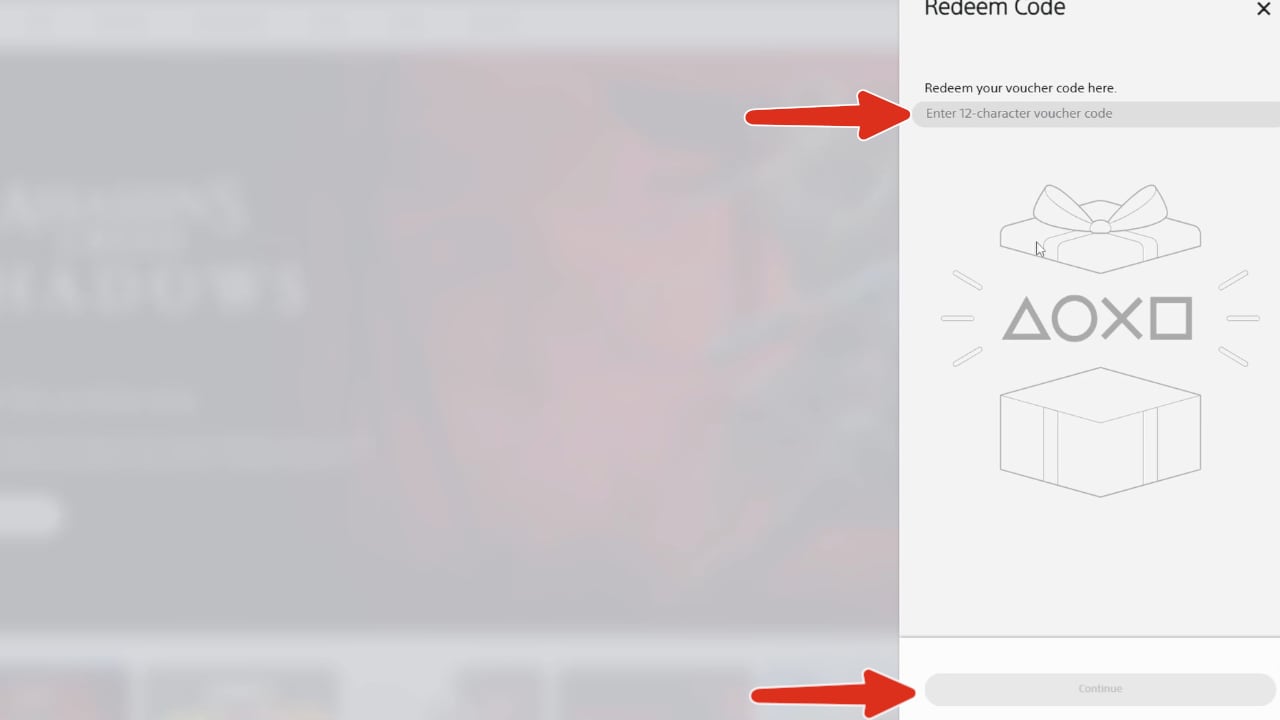
- A pop-up menu will appear where you can input your code. Selecting "Continue" will complete the process.

Popular guides
- Adobe Code Activation
- Avast Antivirus Code Activation
- GOG.COM Game Key Activation
- EA / Origin Cash Card Activation
- Epic Games Code Activation
- Battle.net Code Activation
- G2A PLUS Key Activation
- Google Play Code Activation
- Grand Theft Auto V (Rockstar Game Launcher) Activation
- IL-2 Sturmovik Activation
A PSN code is a digital code that can be redeemed through PlayStation Store to add eligible content to your PlayStation account. Depending on the item, a PlayStation code may provide access to a game, add-on, subscription, wallet funds, or other digital content.
Read more
Always check the item’s description before redeeming a code to make sure it matches the content you want and is compatible with your account.
How to redeem a PSN code
To redeem a PSN code, sign in to the PlayStation account you want to use and open the code redemption option in PlayStation Store.
Enter your PlayStation code and follow the instructions displayed on the screen. After successful redemption, the corresponding content or funds will be added to the account used during activation.
How to redeem PlayStation codes online
Eligible PlayStation codes can also be redeemed online through PlayStation Store.
Sign in to your account, open the redemption section, enter the code, and follow the on-screen instructions to complete the process.