
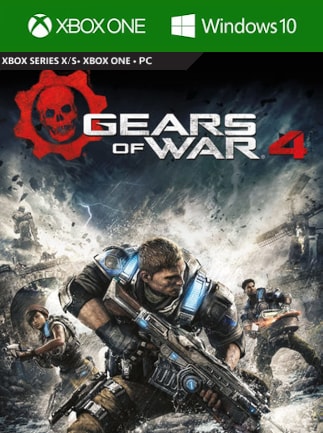
Gears of War 4
- Loading...
- Loading...
- Loading...
- Loading...
- Loading...
- Loading...
Gears of War 4 Confronto dei prezzi
Gears of War 4 Xbox One Windows 10
- PiattaformaXbox Live
- TipoChiave
- RegioneGLOBALE
Può attivarsi in: ItaliaSPONSORIZZATO140.11 RON157.53 RONGears of War 4 Xbox One Windows 10
- PiattaformaXbox Live
- TipoChiave
- RegioneEUROPA
Può attivarsi in: ItaliaSPONSORIZZATO59.18 RON157.53 RONGears of War 4 Xbox One, PC Windows 10
- PiattaformaXbox Live
- TipoChiave
- RegioneTURCHIA
Non attivabile in: ItaliaOFFERTO DA 2 VENDITORI48.18 RON315.12 RONGears of War 4 Xbox One Windows 10
- PiattaformaXbox Live
- TipoChiave
- RegioneSTATI UNITI
Non attivabile in: ItaliaOFFERTO DA 5 VENDITORI90.98 RON157.53 RONGears of War 4 Xbox One, PC Windows 10
- PiattaformaXbox Live
- TipoChiave
- RegioneREGNO UNITO
Non attivabile in: ItaliaSPONSORIZZATO85.66 RON315.12 RONGears of War 4 Xbox One, PC Windows 10
- PiattaformaXbox Live
- TipoAccount
- RegioneGLOBALE
Può attivarsi in: ItaliaOFFERTO DA 0 VENDITORIEsaurito
6 esauriti 6 articoli
Sul Gears of War 4
A new saga begins for one of the most acclaimed video game franchises in history. After narrowly escaping an attack on their village, JD Fenix and his friends, Kait and Del, must rescue the ones they love and discover the source of a monstrous new enemy.
Never Fight Alone: Enjoy two-player co-op campaign with friends locally via split-screen or over Xbox Live. Player 2 can select either Kait or Del. Horde 3.0: Team up with four others and battle wave after wave of increasingly difficult enemies by choosing your combat class, leveling up your skills and deploying fortifications anywhere on the map. Explosive Versus Multiplayer: Compete online in new and favorite game types, all at 60fps on dedicated servers. A new visible ranking system means fairer matchmaking for social, competitive and professional players alike.
Key features:
To download the game on Windows 10:
- The Anniversary Edition update of Windows 10 is required (if you have automatic updates turned on you should already have it).
- Open the Windows Start bar and select Windows Store.
- Log into the Windows Store with the same Microsoft account where you activated the Gears of War 4 key.
- Search for Gears of War 4 and when you reach its store page you will see a button to download the game.
