Scroll all the way to the bottom under "CorelDRAW 2023 (one-time purchase)(DG24 serial number)" for the relevant downloads and download the installation file from there.
Run the installation file and follow the prompts. (Please make a note of which email address you sign in with during this process, as you will need to use this email address to sign in in future installations)
Once you have signed in during the installation, it will authenticate to your Corel account.
Details
Releasedatum:
Januari 01, 2023
Duur:
Levenslang
Juridische informatie
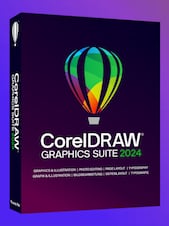
CorelDRAW Graphics Suite 2023 Professional graphic design software for Windows and MAC
Creativity meets productivity
CorelDRAW® Graphics Suite is your fully loaded professional design toolkit for delivering breathtaking vector illustration, layout, photo editing, and typography projects with total efficiency. A budget-friendly subscription provides incredible ongoing value with instant, guaranteed access to exclusive new features and content, peak performance, and support for the latest technologies.
All the tools you need to tackle any project
CorelDRAW® -Vector illustration and page layout Create anything and everything with this powerful full-featured graphic design application for vector illustration, page layout, and more.
CAPTURE™ - Screen capture Capture and save images of your computer screen, including the entire screen, individual windows, or menu lists, in one click.
Corel PHOTO-PAINT™- Image editing and pixel-based design Process images in high gear with the robust AI-powered Corel PHOTO-PAINT and enjoy an integrated workflow with CorelDRAW.
Corel® Font Manager - Font exploration and management Organize and manage your font library with the simple, yet intuitive, Corel Font Manager, and use your favorite fonts without needing to install them.
CorelDRAW.app™ - Browser-based vector illustration and graphic design Use CorelDRAW.app on web or iPad for convenient collaborative file review or to design on the go. SUBSCRIBER EXCLUSIVE!
AfterShot™ HDR - RAW photo editor Make professional-grade corrections and enhancements to RAW or JPEG photos and create high dynamic range images with AfterShot HDR. Available in English, German and Japanese
Professional design tools at your fingertips
Vector illustration - Use CorelDRAW's powerful vector illustration tools to turn basic lines and shapes into complex works of art. Create curves with many versatile shaping and drawing tools. Add creative effects to your vector artwork with effect tools like Contour, Envelope, Blend, Mesh Fill, and more.
Page layout - Find all the tools you need to create layouts for brochures, multi-page documents and more. Toggle between single page and multipage editing, giving you creative freedom to work the way you want.
Typography - Arrange type beautifully with a complete set of typography tools. Add effects to text like block shadows and contours, fine-tune fonts responsively with variable font support, fit text to paths, and more.
Font management - Organize and manage your font library with the intuitive Corel Font Manager, and use your favorite fonts without installing them. Work faster with fonts using the network storage feature, and enjoy direct access to over 1,000 Google Fonts families.
Photo editing - Adjust color and tone, remove imperfections, correct perspective and more with Corel PHOTO-PAINT's powerful layer-based photo editing tools. Improve the size and quality of your images with artificial intelligence, and use AfterShot HDR to create stunning High Dynamic Range photos from your RAW images.
Collaboration - Accelerate your creative process with a cloud-based collaboration workflow that offers a dramatically better way to connect with clients and colleagues on designs in real-time. Gather live comments and annotations from one or many contributors right within your CorelDRAW design file and resolve feedback simultaneously.
Minimale vereisten
Processor
Intel Core i3/5/7/9 or AMD Ryzen 3/5/7/9/Threadripper, EPYC
Grafische
OpenCL 1.2-enabled video card with 3+ GB VRAM
Geheugen
8 GB RAM
Schijfruimte
5.5 GB hard disk space for application and installation files
Systeem
Windows 11 or Windows 10 (Version 21H2 or later), 64-bit, with latest Updates
Andere
Internet connection is required to install and authenticate CorelDRAW Graphics Suite and access some of the included software components, online features and content.
Minimale vereisten
Processor
Apple M1 (or higher) or Multicore Intel processor
Grafische
OpenCL 1.2-enabled video card with 3+ GB VRAM
Geheugen
8 GB RAM
Schijfruimte
4 GB available hard disk space for application files (Solid-state drive recommended); Case-sensitive file systems are not supported
Systeem
macOS Ventura (13) or macOS Monterey (12), with the latest revision
Netwerk
Internet connection is required to install and authenticate CorelDRAW Graphics Suite and access some of the included software components, online features and content.
Advertisement
GESPONSORD
Reviews
Bekijk wat onze klanten van deze titel vinden
Er zijn nog geen reviews voor dit item
Plaats de eerste review en ontvang 5% korting op je volgende aankoop
Alleen ingelogde klanten met minimaal 1 aankoop kunnen een review schrijven
Sluit je gratis aan bij Plus en krijg direct 11% korting om te gebruiken
Plus Free is een gratis lidmaatschapsprogramma waarmee je punten verdient voor aankopen op G2A.COM. Elke 100 punten = €1 die je kunt gebruiken om het totaalbedrag van je volgende bestelling te verlagen. Punten blijven 365 dagen geldig. Iedere nieuwe gebruiker die zich inschrijft voor marketing-e-mails ontvangt een kortingscode van 11% voor een eenmalige aankoop op G2A.COM. Je ontvangt de code per e-mail.
Door Inloggen en deelnemen te selecteren, ga je ermee akkoord marketing-e-mails van G2A.COM Limited te ontvangen over aanbiedingen, promoties en kortingen. Je kunt je op elk moment uitschrijven.