MICROSOFT PRODUCT ACTIVATION
NOTE: This instruction includes the following sections:
Microsoft Store game / app code activation:
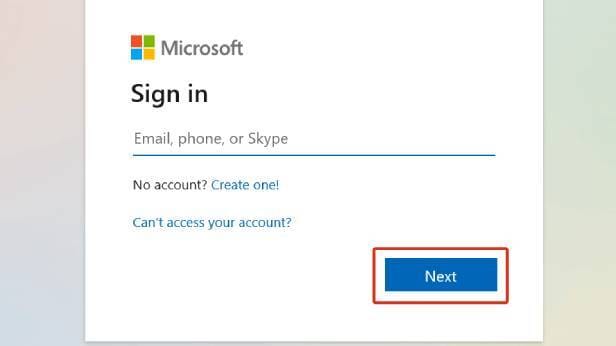
- Go to this page and log in
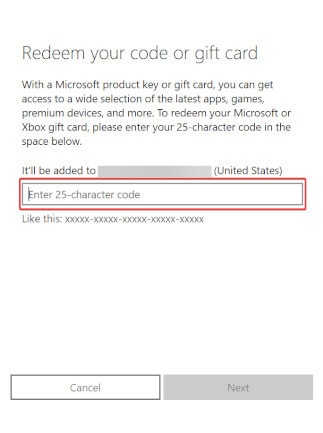
- Enter your code and click 'Next'
- Confirm your activation by clicking 'Continue'
- Proceed with the instruction on screen (you can find and install your game from Microsoft Store)
Activation Microsoft Account - Redeem Guide:
- Open the activation link you received from the seller. It will lead you to the page like this:
 Enter your email and click the "Get an account"
 - Copy the username and password

- Go to the website Minecraft.net -> Sign in witch Microsoft

- Enter your email and click "Next"

- Enter Password > Sign in

- Enter your email and click "Send code"

- Go back to the activation link where you received the login and password, click the "Get code"

- Wait for the receipt of the code (it takes no more than two minutes), copy the received code and paste it on the Microsoft website


 Click the "Next" button
 - After successful authorization, you will be redirected back to the Minecraft website:
- Follow the Instructions for changing the account's email address:
Click "Instructions for changing the account email" to open the instructions

Popular guides
- Adobe Code Activation
- Avast Antivirus Code Activation
- GOG.COM Game Key Activation
- EA / Origin Cash Card Activation
- Epic Games Code Activation
- Battle.net Code Activation
- G2A PLUS Key Activation
- Google Play Code Activation
- Grand Theft Auto V (Rockstar Game Launcher) Activation
- IL-2 Sturmovik Activation