PayPal code "via Rewarble" Activation Instruction
Most of the codes intended for activation on the Rewarble platform are activated using the method presented below
Activation via Rewarble
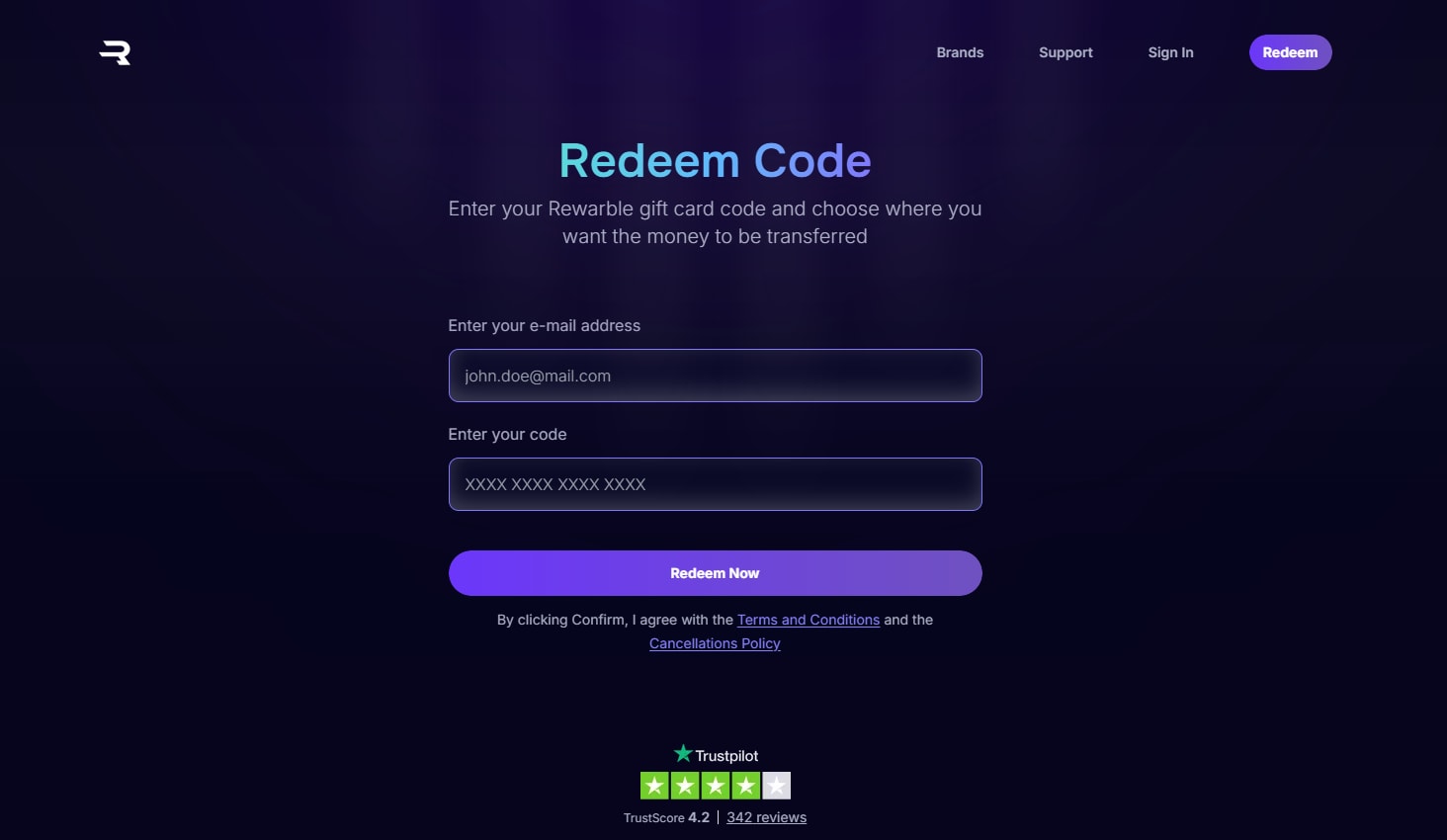
- Start by going to Rewarble site. Then enter your e-mail address that is connected to your PayPal Account and type in the code from your purchase.
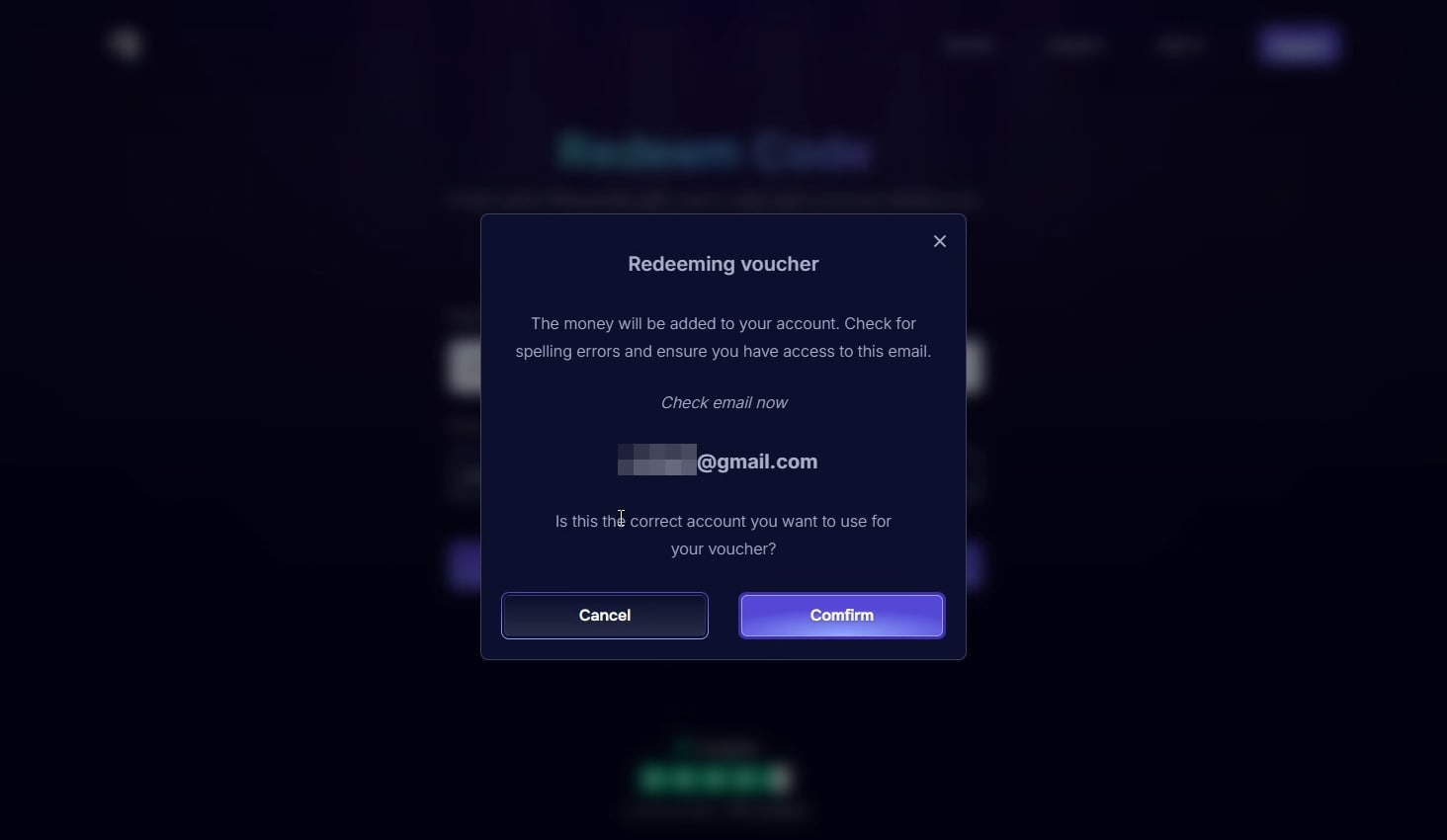
- Upon selecting "Redeem Now" a pop-up window will appear asking you to "Confirm" your e-mail.
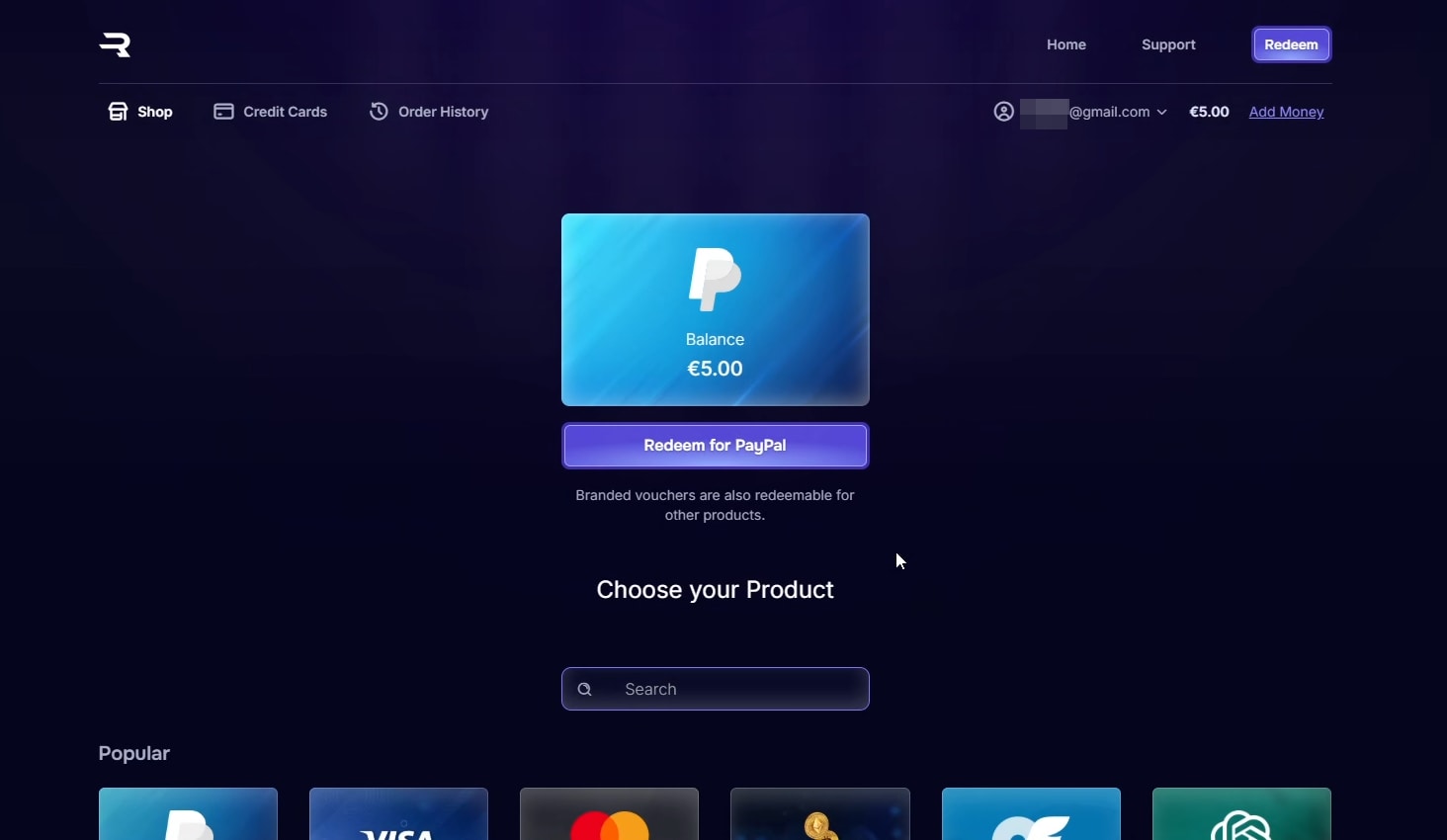
- Next you will see a window displaying the product you are about redeem. Select "Redeem for PayPal".
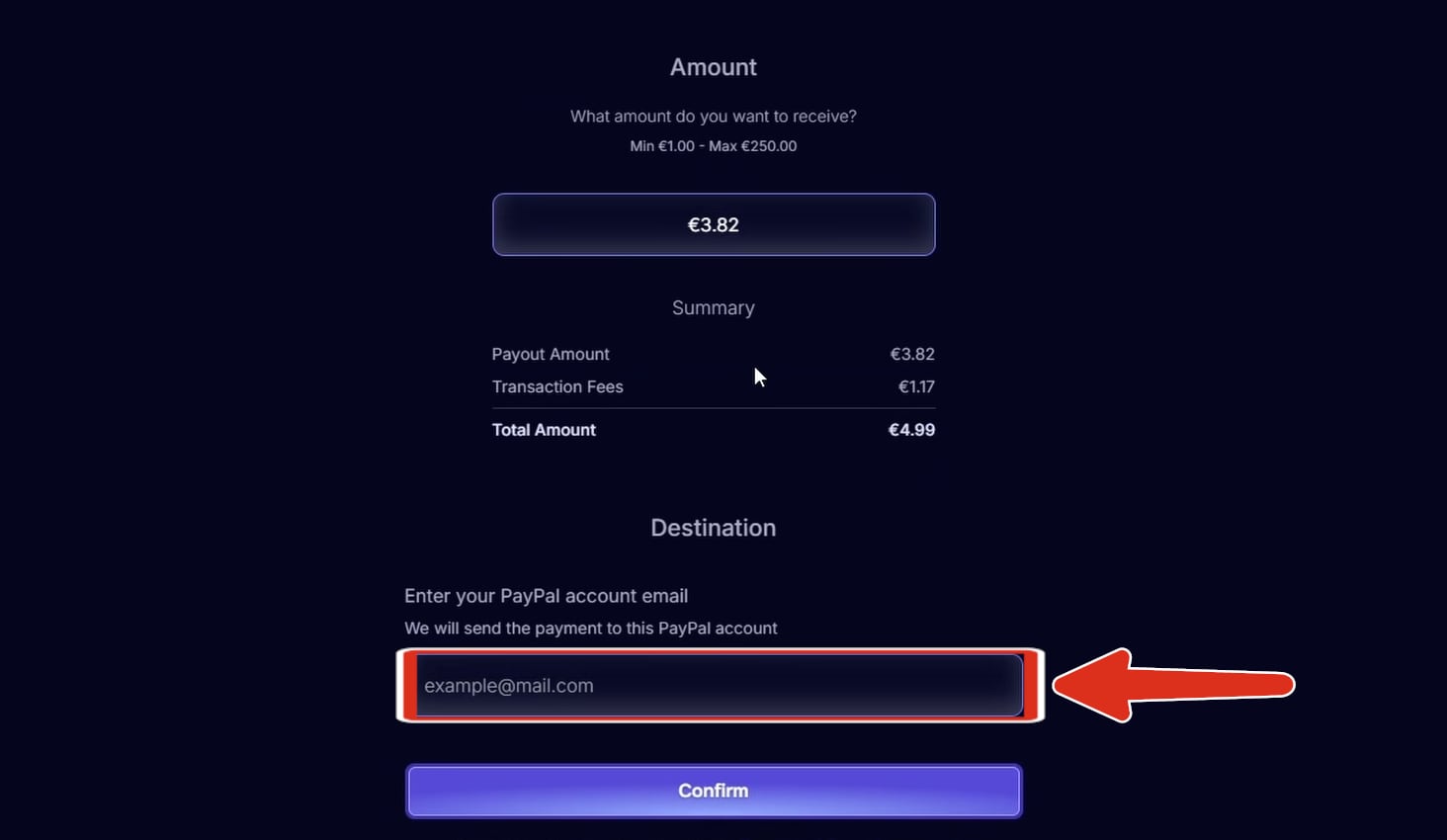
- On the next page you will se detailed information about your item. Type in your e-mail address and select "Confirm".
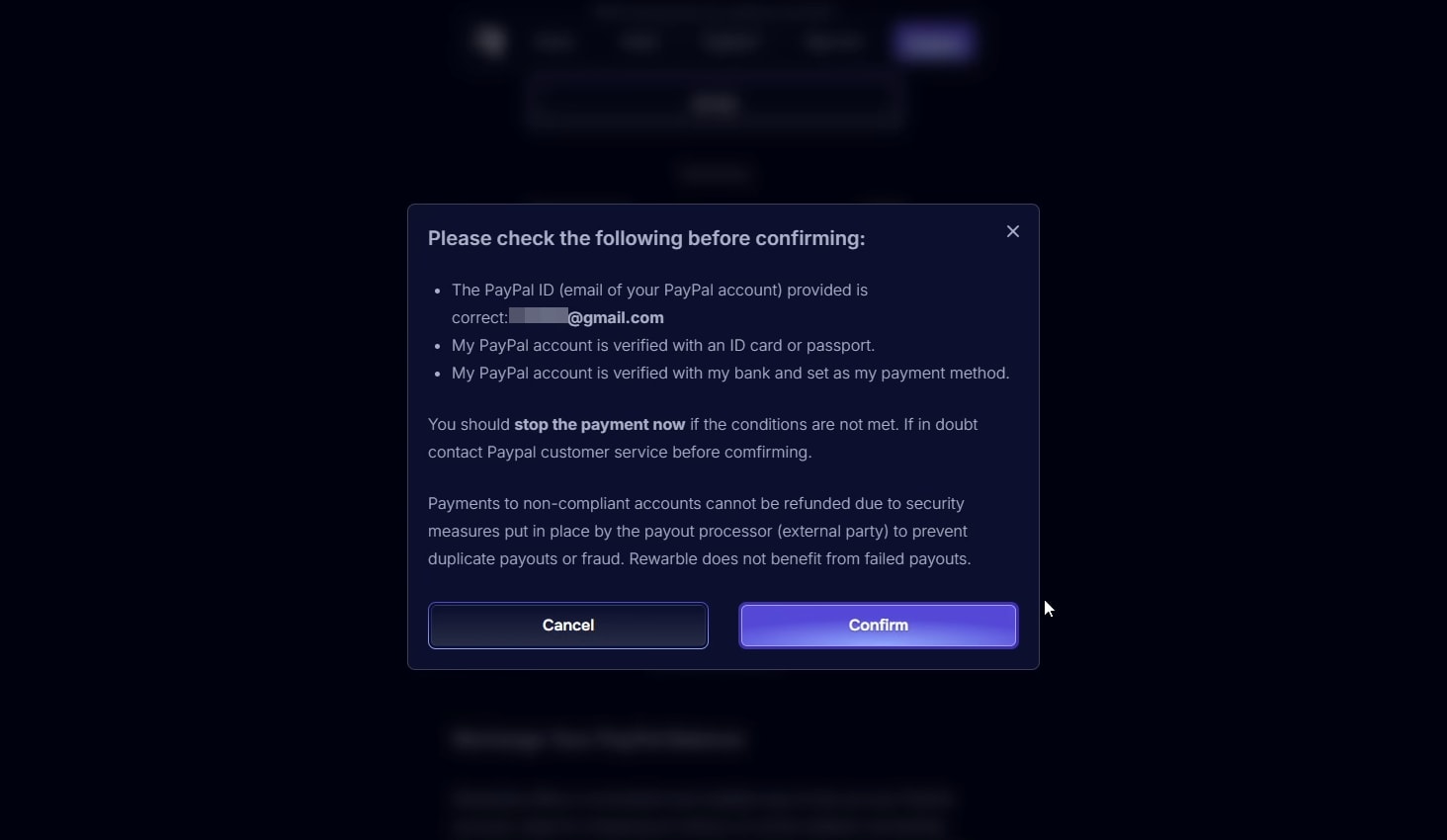
- A pop-up window will appear asking you to make sure that the information you have provided is correct. Once you make sure your information is correct select "Confirm".
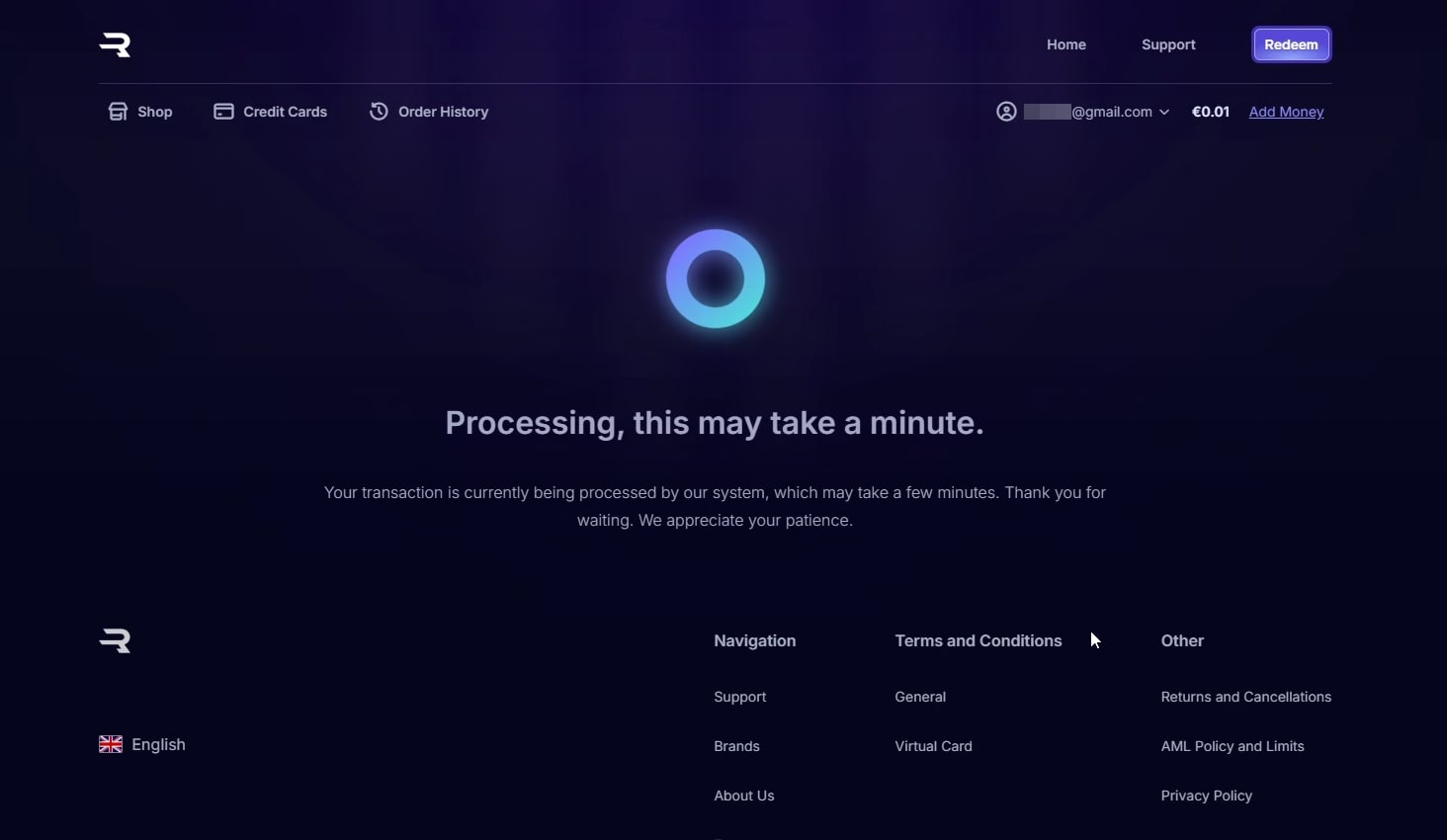
- You will be presented with a waiting screen. Give it a few minutes to complete processing your purchase.
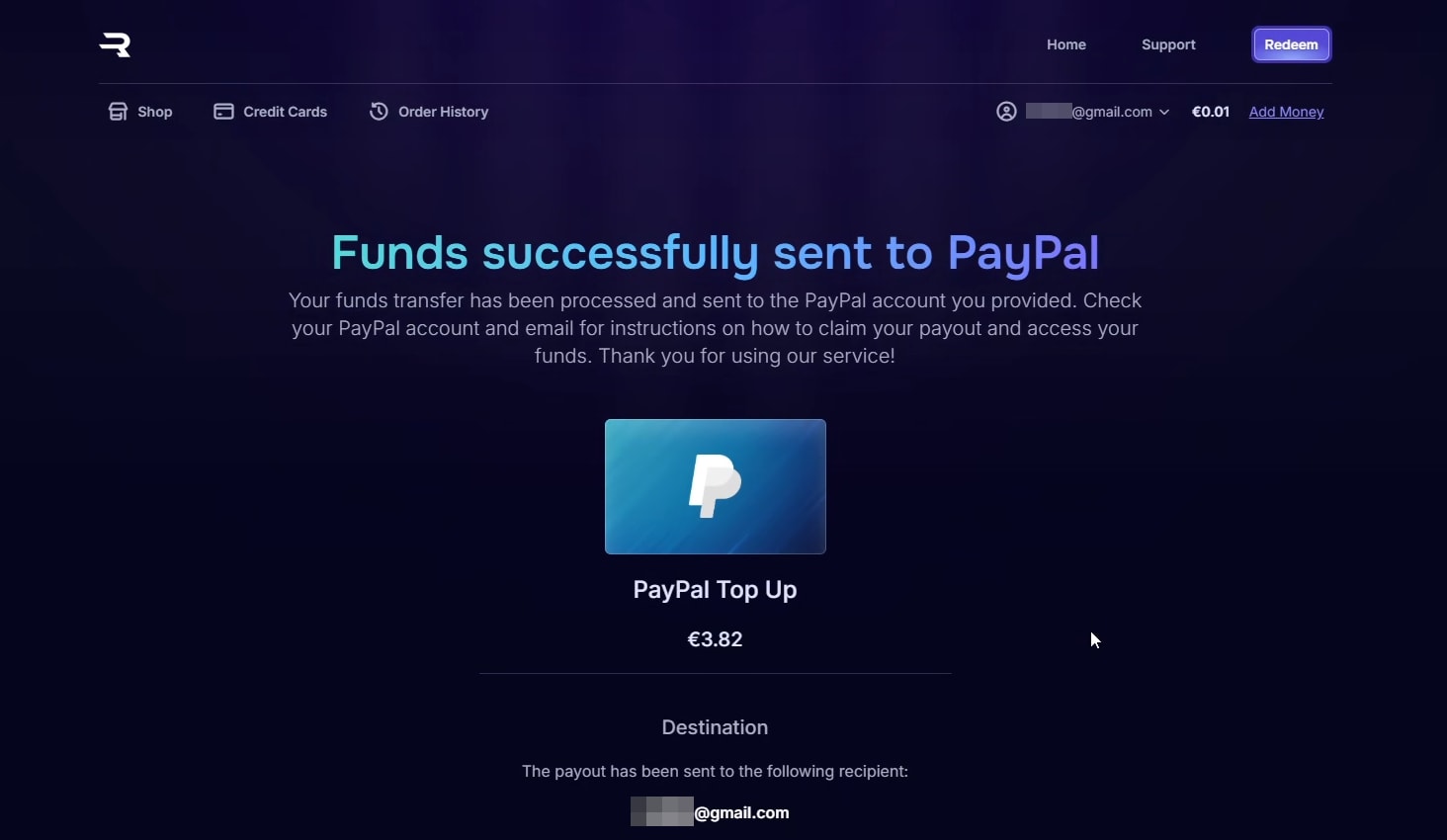
- Aftter a few minutes you will be greeted by this notification signaling that the redemption process is complete.