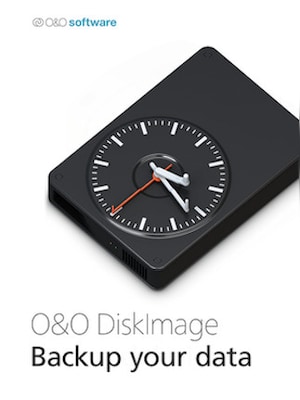
O&O DiskImage 17 lets you back up an entire computer or single files whenever you want – even while the computer is being used. In the event you should lose your personal data it can be quickly restored with just a few m ...
Download trial version and activate your key within the software
Juridische informatie
O&O DiskImage 17 lets you back up an entire computer or single files whenever you want – even while the computer is being used. In the event you should lose your personal data it can be quickly restored with just a few mouse clicks – even when Windows is no longer able to start. It also supports SSD drives and the latest UEFI System.O&O DiskImage lets you carry out a system restore and to duplicate or clone an entire PC or hard drive. You can even restore this backup onto a computer whose hardware is different from the original machine, for instance, where you have changed a motherboard on the target machine or have bought a brand new PC and want to restore an old backup onto it.
Further functions of O&O DiskImage:
All default and advanced features are combined in one single product
Backup entire PCs, hard drives or files with the push of a button
Quick and easy system restore – even onto different hardware
Plug-and-play function
Create a boot medium directly from within the program
Features
Backup an entire computer with the push of a button
Backup system and hard drives, clone drives and entire disks
Brand new file-based backup: now twice as fast as ever before – backup and restore individual files and/or folders
Direct creation of VHD/VHDX
Monitoring and warning of security risks
Incremental/differential backup: back up only the changes
Easily restore files, folders, drives and disks
System restore onto different hardware (M.I.R.)
Create a Windows Boot system directly from within the program with driver integration
Plug-and-play: Selected files and folders are automatically backed up and synchronized
Variable pixel density settings: adjusts to the selected DPI setting of the connected monitor
New and enhanced functions Control via Command Lines
Supports Windows 11, Windows 10 and Windows 8.1
Advertisement
GESPONSORD
Reviews
Bekijk wat onze klanten van deze titel vinden
Er zijn nog geen reviews voor dit item
Plaats de eerste review en ontvang 5% korting op je volgende aankoop
Alleen ingelogde klanten met minimaal 1 aankoop kunnen een review schrijven
Sluit je gratis aan bij Plus en krijg direct 11% korting om te gebruiken
Plus Free is een gratis lidmaatschapsprogramma waarmee je punten verdient voor aankopen op G2A.COM. Elke 100 punten = €1 die je kunt gebruiken om het totaalbedrag van je volgende bestelling te verlagen. Punten blijven 365 dagen geldig. Iedere nieuwe gebruiker die zich inschrijft voor marketing-e-mails ontvangt een kortingscode van 11% voor een eenmalige aankoop op G2A.COM. Je ontvangt de code per e-mail.
Door Inloggen en deelnemen te selecteren, ga je ermee akkoord marketing-e-mails van G2A.COM Limited te ontvangen over aanbiedingen, promoties en kortingen. Je kunt je op elk moment uitschrijven.