
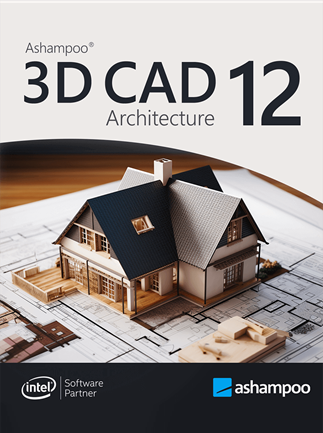
3D CAD Architecture 12
- Loading...
- Loading...
- Loading...
Porównanie cen 3D CAD Architecture 12
3D CAD Architecture 12 - PC 1 urządzenie Dożywotnio
- PlatformaAshampoo
- TypKlucz
- RegionGLOBALNY
Można aktywować w: PolskaOFERTY OD 2 SPRZEDAWCÓW44.57 PLN340.58 PLN
1 z 1 pozycji
O 3D CAD Architecture 12
Design your home virtually
Want to plan your home in peace and comfort on your PC? Ashampoo 3D CAD Architecture is the user-friendly design software for anyone ready to turn their vision into reality! The step-by-step wizard delivers quick and easy results, even for beginners. With 2D, 3D, and cross-section views, you always know exactly where your project stands and can instantly spot what’s missing and where changes are still needed—perfect for identifying weaknesses and avoiding design bottlenecks. New: A powerful electrical planning assistant helps place outlets, switches, and lighting fixtures quickly and accurately. Whether building from scratch, renovating, or just redecorating, find out what your future space will look like today. Get the 3D home planner that truly moves your project forward!
Powerful electrical planning assistant included!
Electrical planning has never been easier: With the new assistant, you can place outlets, switches, and lights exactly where you need them–with just a few clicks. Choose from predefined room types and equipment configurations or create your own templates. The assistant automatically analyzes your rooms and suggests optimal placements–saving you time and helping you avoid mistakes. Whether you're a beginner or a pro, this feature makes electrical planning faster, easier, and more intuitive!
Customization and full control over electrical symbols
In addition to the built-in symbols, you can add and manage your own electrical symbols. Use custom directories to directly integrate personalized elements into your plans. The assistant automatically creates a dedicated layer for electrical symbols, so you can show or hide the entire electrical installation with a single click. You can also manually move, rotate, and adjust all symbols–for maximum flexibility and precision! The assistant even auto-enhances your planning with a parts list of all electrical components used in your project.
New doors and sliding doors–enhancing design flexibility for more realistic drafts
New door models give you even more creative options. Innovative extra: Doors with asymmetrical wall openings. Now you can realistically depict sliding doors with track systems and without awkward overlaps. This added flexibility lets you design your floor plans even more accurately and individually, perfect for modern open concepts and advanced architectural projects!
- Auto-save or reminders to save manually
- Context menu with cut, copy, paste support
- Handy program help with direct links
- Program assistants for wall modifications
- Modify and transfer wall layers
- Modify the structure of multiple wall layers
- Copy buildings between projects
- Transfer floors between buildings and projects
- Copy slides
- Modify 2D display of slides, e.g., for new construction, redecoration, demolition projects
- Adjust print order for slides
- Powerful floor plan analysis and correction features
- New triangle 2D element
- Faster 2D DXF/DWG preview dialogs