








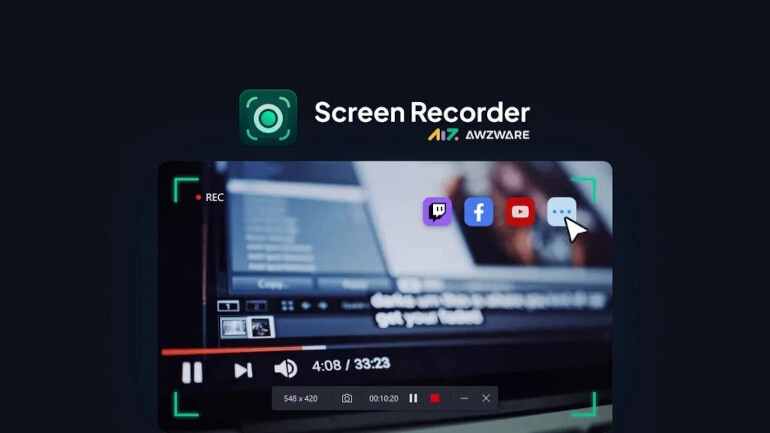
AWZ Screen Recorder Pro is for PC screen recording software for educators, gamers, content creators, and business users. Capture screen activity, webcam video, system sound, and microphone audio for tutorials, demonstrations, presentations, and gameplay clips.
AWZ Screen Recorder Pro key features
- Record the full screen or a selected area.
- Capture webcam video with audio.
- Record microphone input and system sound.
- Use a dedicated mode for gameplay recording.
- Schedule recording tasks in advance.
- Take screenshots of on-screen content.
- Reduce background noise in recorded audio.
- Add annotations while recording.
- Save video in formats including MP4, WMV, AVI, MKV, MOV, FLV, MPEG, ASF, and TS.
- Supported platform: PC
Create tutorials and demonstrations
Record on-screen processes for lessons, software walkthroughs, presentations, and demonstrations. Capture the screen together with webcam, microphone, or system audio when your explanation needs additional context.
Create reusable recordings for training, support, or instructional material. Viewers can follow the recorded process at their own pace.
Explain steps with live annotations
Add text, arrows, shapes, and freehand marks while recording. Use annotations to draw attention to important controls, actions, or areas of the screen.
Capture screenshots when a still image is more useful than a complete recording. Recorded material remains available for further editing after capture.
Edit and compress recordings
Trim unwanted sections and adjust audio volume with the built-in editing tools. You can also import existing video or audio files for editing.
Compress video files when you need a smaller output file. Choose a compression level and save the processed recording to your computer.
Record gameplay and scheduled content
Use the dedicated game recording mode to capture gameplay with optional webcam and audio. The recorder can also display mouse clicks and keystrokes during supported recording workflows.
Schedule recordings to start and stop automatically at configured times. This is useful for planned streams, meetings, presentations, and other time-based recording tasks.
Who will like AWZ Screen Recorder Pro
- Educators preparing recorded lessons and tutorials.
- Software trainers explaining application workflows.
- Gamers creating gameplay recordings.
- Support teams preparing reusable visual instructions.
- Business users recording demonstrations and presentations.
- Content creators producing screen-based videos.
- Users who need scheduled screen recordings.

