
Ashampoo PDF Pro 3
Ashampoo PDF Pro 3 Comparaţie de prețuri
- 50.65 RON56.14 RON
1 în afară de 1 articol
Despre Ashampoo PDF Pro 3
Ashampoo PDF Pro is not only ideal to fill out forms but also to create and edit your own. It takes only a few clicks to add interactive elements, like selection lists, checkboxes or input fields, to your PDF form. These forms can then easily be filled out by anyone using a standard PDF reader.
Create snapshots
Would you like to capture parts of your document as image files? You got it! The new screenshot tool can capture any portion of your document quickly and easily with custom formats, resolutions and color depths, including alpha channel support. Simply capture the parts that really matter to you!
Handy bates numbering
Need to apply unique numbers and/or date/time-marks to several PDFs for further processing, e.g. a batch of invoices? The new bates numbering feature makes it possible: Process any number of files or entire folders and add numbers, texts, e.g. headers and footers, or date stamps with incredible ease.
Seamless image editing through external applications
This may sound familiar: You need to edit an image embedded into a PDF with an external image editor. Usually, you would have to export the image, open it in the external editor, save the changes and then reimport it into the PDF. With Ashampoo PDF Pro , a single click opens the image in your preferred editor and, once you hit save, Ashampoo PDF Pro will then ask you whether you wish to apply the changes to the PDF document.
Find and replace colors
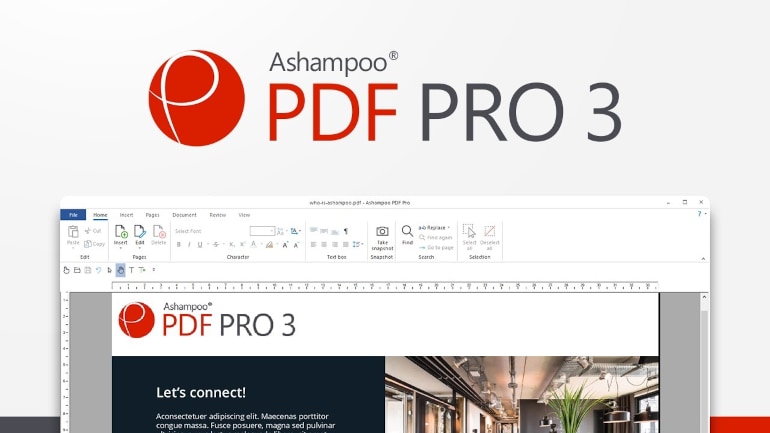
Sometimes, you need to replace colors through the entire document, e.g. to adapt its design to company or project requirements. The new find and replace feature makes it easy: Just select the color to be replaced, followed by the replacement and Ashampoo PDF will do the rest. Save time and effort with the new features in Ashampoo PDF Pro!
Convert documents into Word or other formats
Ashampoo PDF Pro features a mature OCR engine that converts scanned characters into computer-editable text. Naturally, the program also features seamless file exchanges with Microsoft Word.
Find and replace in seconds
Ashampoo PDF Pro's find and replace goes far beyond what you will find in other PDF editors. Not only can you replace text at the click of a button but also hyperlinks, fonts and colors. It's the fastest and easiest way to adjust the design of your document and you can even apply this feature across multiple files.
Document protection with 128-bit AES encryption
Thanks to strong AES-encryption, your PDFs are protected against unauthorized and unwanted actions such as opening, editing, printing or text extraction. You decide what recipients can and can't do with your files! You can also permanently and irrevocably blacken sensitive information.
