
Advertisement
SPONSORIZAT
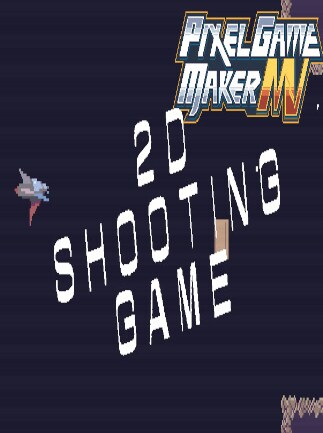
Pixel Game Maker MV -2D Side-scroller Shooting Game Sample Project
This sample game is a simple 2D side-scroller shooting game. Please use the objects for reference. All materials included in this project can be used freely.Your vehicle can fire normal shots and perform a close-range at...
Citește mai mult- Loading...
- Loading...
- Loading...
- Loading...
Cel mai bun preț
5.26 RON
Preț cu G2A Plus
5.26 RON
Pixel Game Maker MV -2D Side-scroller Shooting Game Sample Project Comparaţie de prețuri
Pixel Game Maker MV -2D Side-scroller Shooting Game Sample Project PC
- PlatformăSteam
- TipCheie
- RegiuneGLOBAL
Se poate activa în: RomâniaOFERTE DE LA 2 VÂNZĂTORI4.73 RON25.44 RON

1 în afară de 1 articol
Advertisement
SPONSORIZAT
Despre Pixel Game Maker MV -2D Side-scroller Shooting Game Sample Project
This sample game is a simple 2D side-scroller shooting game. Please use the objects for reference. All materials included in this project can be used freely.
Your vehicle can fire normal shots and perform a close-range attack combined with a dodge technique, and you can also capture enemies and use bombs for wider-ranged attacks as well.
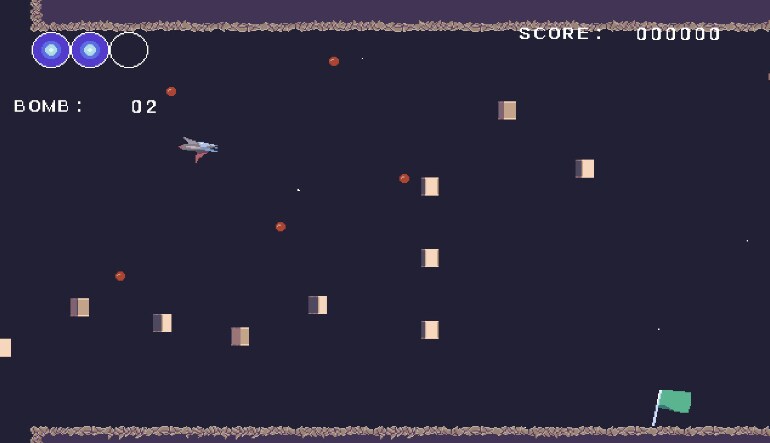
If your energy hits 0, you'll have to restart from the beginning of the stage, but if you're touching a flag, you can restart from that point.
Your score, energy level, and number of bombs are displayed onscreen.
How to Level-up and Enhance Your Vehicle
- Each time you defeat an enemy, there is a chance you will receive a power-up item. Touch it for something cool to happen to your vehicle.
- Energy Restoration
- Attack Power-up
- +1 Bomb
- The above are the available power-ups.
Attack Power-up
- There are three levels to attack power-ups.
- 1st Level: Low-speed, low-power shots
- 2nd Level: Higher-speed, higher-power beam-style shots.
- 3rd Level: Laser attack which fires forward, covering a wider range. There is a time limit to this level, and after a set amount of time it will be reverted to Level 2.
Stage Details
- The first stage is set up like a vertical cave, with two types of enemies appearing.
- Make it to the deepest level to clear the stage.
- The second stage features an industrial-style background, and features two new types of enemies not appearing in the first stage, as well as one boss enemy.
- Defeat the boss to clear the stage.
Controls (Xinput-compatible controllers)
- Up/Down/Left/Right: Move
- B: Normal Shot
- Y: Close-range Attack (combined with Dodge)
- X: Bomb
- A: Capture Enemy (optional when touching an enemy)
Controls (Keyboard)
- Cursor keys: Move
- Space bar: Normal Attack
- C key: Close-range Attack (combined with Dodge)
- X key: Bomb
- Z key: Capture Enemy (optional when touching an enemy
Development Environment
- Ver.1.0.4.2
- *Bugs may occur when using other versions.
Stored Area
- Select "Sample" to display the sample project.
- If it is not displayed, please try uninstalling and reinstalling.
Recenzii
Verifică ce părere au clienții noștri despre acest titluNu există încă recenzii pentru acest articol
Adaugă prima recenzie și obține o reducere de 5% pentru următoarea achizițieClienții conectați cu cel puțin 1 achiziție pot recenza
Înscrie-te la jurnalul de știri și bucură-te de 11% reducere
Abonează-te pentru a primi actualizări, confirmă abonamentul și primești
un cod de reducere pe care să-l utilizezi instantaneu
Prin abonarea la jurnalul de știri, consimți ca G2A.COM Limited să trimită comunicări comerciale la adresa ta de email, inclusiv oferte personalizate disponibile pe Platforma G2A. Administratorul datelor tale personale este G2A.COM Limited. Poți retrage consimțământul în orice moment. Dacă retragi consimțământul, acest lucru nu va afecta legalitatea datelor tale procesate anterior. Procesăm datele personale în conformitate cu Politica de confidențialitate și cookie-uri. Fiecare utilizator nou care se abonează pentru prima dată la jurnalul de știri primește un cod de reducere unic de 11% care poate fi folosit o singură dată pentru achiziții viitoare pe platforma g2a.com. Codul este valabil timp de 3 zile și poate fi folosit doar pentru achiziționarea de parole pentru activare (cu excepția precomenzilor) sub 50,00 EUR în categoriile: jocuri video, software, randoms și DLC, de la vânzătorii care participă la acest program de reduceri. G2A.COM Limited nu este responsabilă pentru ajustarea valorii oricăror articole promoționale, acest lucru depinde exclusiv de vânzătorii participanți.
Prin abonarea la jurnalul de știri, consimți ca G2A.COM Limited să trimită comunicări comerciale la adresa ta de email, inclusiv oferte personalizate disponibile pe Platforma G2A. Administratorul datelor tale personale este G2A.COM Limited. Poți retrage consimțământul în orice moment. Dacă retragi consimțământul, acest lucru nu va afecta legalitatea datelor tale procesate anterior. Procesăm datele personale în conformitate cu Politica de confidențialitate și cookie-uri. Fiecare utilizator nou care se abonează pentru prima dată la jurnalul de știri primește un cod de reducere unic de 11% care poate fi folosit o singură dată pentru achiziții viitoare pe platforma g2a.com. Codul este valabil timp de 3 zile și poate fi folosit doar pentru achiziționarea de parole pentru activare (cu excepția precomenzilor) sub 50,00 EUR în categoriile: jocuri video, software, randoms și DLC, de la vânzătorii care participă la acest program de reduceri. G2A.COM Limited nu este responsabilă pentru ajustarea valorii oricăror articole promoționale, acest lucru depinde exclusiv de vânzătorii participanți.