
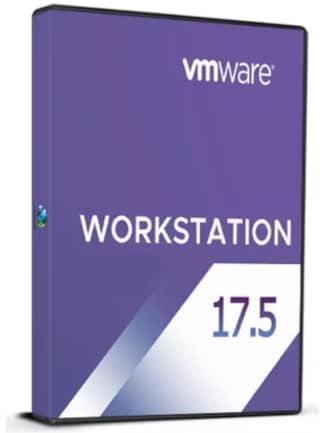
VMware Workstation 17.5 Player
VMware Workstation 17.5 Player Comparaţie de prețuri
VMware Workstation 17.5 Player - PC 1 dispozitiv Lifetime
- PlatformăBroadcom
- TipKey
- RegiuneGLOBAL
Se poate activa în: RomâniaOFERTĂ DE LA 1 VÂNZĂTOR2.33 USDVMware Workstation 17.5 Player - PC 50 Dispozitive Lifetime
- PlatformăBroadcom
- TipKey
- RegiuneGLOBAL
Se poate activa în: RomâniaOFERTE DE LA 2 VÂNZĂTORI2.09 USD
2 2 din articole
Despre VMware Workstation 17.5 Player
VMware Workstation Player is a streamlined desktop virtualization application that runs another operating system on the same computer without rebooting.
VMware Workstation Player provides a simple user interface, unmatched operating system support, and portability across the VMware ecosystem.
New Security Enhancement
This release introduces new security enhancement by providing an improved encryption scheme (XTS instead of CBC) for maximum protection with a reduced performance overhead. Please see https://kb.vmware.com/s/article/93071 for more information.
This release resolves CVE-2023-34044. For more information on these vulnerabilities and their impact on VMware products, see VMSA-2023-0022.
Control Virtual Machines using the VMRUN Commands
You can now control virtual machines using the VMRUN command line utility in Workstation Player. You can use commands to perform various guest operations such as power on or off, capture snapshots for data backup, manage network adapters, run an executable program, manage files and directories, manage processes running on the operating system, and so on.
Import and Export Virtual Machines with vTPM device
You can now import or export a virtual machine with a vTPM device enabled using the OVF Tool. You can export a virtual machine with vTPM device into an OVF file, and then use the OVF file to import the virtual machine with a vTPM.
Manage Power Operations of Encrypted Virtual Machines using VMREST API
You can now power on/off, suspend, pause, unpause, or retrieve the state of an encrypted virtual machine using the VMREST API service.