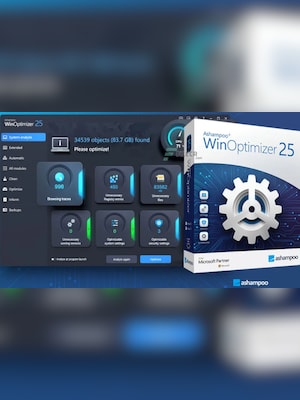
Ashampoo WinOptimizer 25 is a Windows optimization suite for cleaning unnecessary data, improving performance, protecting privacy, customizing system settings, and managing essential maintenance tasks.
Ashampoo WinOptimizer 25 Key Features
- One-click system analysis and optimization
- Drive, registry, browser, and temporary file cleaners
- In-depth cleaning for old Windows files, updates, and system caches
- Cookie Manager for retaining trusted cookies while removing unwanted ones
- Windows privacy and telemetry controls
- Startup, service, process, and task management tools
- Windows 11 customization options for the taskbar, File Explorer, and other system areas
- Duplicate file detection, secure file deletion, encryption, and file recovery tools
- Hardware information, disk analysis, and system benchmarking
- Backup and restore tools for reversing system changes
Clean Windows and Reclaim Disk Space
Ashampoo WinOptimizer 25 helps remove temporary files, browsing traces, obsolete registry entries, broken shortcuts, old Windows installations, update backups, and unnecessary system caches. Its enhanced cleaning modules scan critical system areas and help recover storage space without requiring users to inspect every folder manually.
Improve Startup and System Performance
The software provides tools for examining startup entries, running processes, Windows services, scheduled tasks, and installed applications. Users can identify unnecessary background activity, manage resource usage, optimize system settings, and reduce elements that may slow down startup or everyday operation.
Manage Privacy and Browser Data
Privacy controls allow users to review Windows telemetry and data-sharing settings from a centralized interface. The Cookie Manager can preserve cookies from trusted websites while clearing unwanted tracking data, and browser-cleaning tools remove browsing traces, caches, and temporary internet files.
Customize and Maintain Windows
Ashampoo WinOptimizer 25 includes customization options for Windows 11, Windows 10, and Windows 7. Users can adjust hidden system settings, modify taskbar and File Explorer behavior, manage file associations, create restore points, review hardware information, and schedule recurring maintenance tasks.
Work with Files and Storage
Additional utilities help locate duplicate or large files, securely erase sensitive data, recover accidentally deleted files, encrypt documents, split large files, inspect disk health, and benchmark system components. These tools provide a centralized workspace for routine file and storage management.
Who will like Ashampoo WinOptimizer 25
- Windows users who want a simpler way to clean and maintain their computers
- People looking to reclaim disk space and remove unnecessary system data
- Users who want greater control over Windows privacy settings
- Owners of older computers seeking smoother startup and everyday performance
- Windows 11 users interested in additional customization options
- Advanced users who want access to system, process, startup, and file-management tools