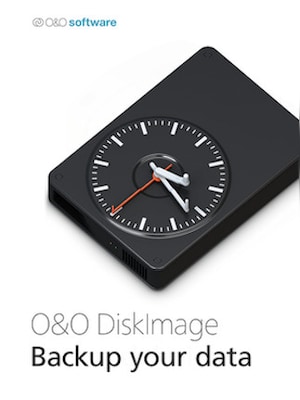
O&O DiskImage 17 lets you back up an entire computer or single files whenever you want – even while the computer is being used. In the event you should lose your personal data it can be quickly restored with just a few m ...
Download trial version and activate your key within the software
Rechtliche Informationen
O&O DiskImage 17 lets you back up an entire computer or single files whenever you want – even while the computer is being used. In the event you should lose your personal data it can be quickly restored with just a few mouse clicks – even when Windows is no longer able to start. It also supports SSD drives and the latest UEFI System.O&O DiskImage lets you carry out a system restore and to duplicate or clone an entire PC or hard drive. You can even restore this backup onto a computer whose hardware is different from the original machine, for instance, where you have changed a motherboard on the target machine or have bought a brand new PC and want to restore an old backup onto it.
Further functions of O&O DiskImage:
All default and advanced features are combined in one single product
Backup entire PCs, hard drives or files with the push of a button
Quick and easy system restore – even onto different hardware
Plug-and-play function
Create a boot medium directly from within the program
Features
Backup an entire computer with the push of a button
Backup system and hard drives, clone drives and entire disks
Brand new file-based backup: now twice as fast as ever before – backup and restore individual files and/or folders
Direct creation of VHD/VHDX
Monitoring and warning of security risks
Incremental/differential backup: back up only the changes
Easily restore files, folders, drives and disks
System restore onto different hardware (M.I.R.)
Create a Windows Boot system directly from within the program with driver integration
Plug-and-play: Selected files and folders are automatically backed up and synchronized
Variable pixel density settings: adjusts to the selected DPI setting of the connected monitor
New and enhanced functions Control via Command Lines
Supports Windows 11, Windows 10 and Windows 8.1
Advertisement
GESPONSERT
Bewertungen
Schau dir an, was unsere Kunden von diesem Titel halten
Es sind noch keine Bewertungen für diesen Artikel vorhanden
Füge eine Bewertung hinzu und erhalte einen 5 % Rabatt für deinen nächsten Einkauf
Angemeldete Kunden mit mindestens einem Kauf können eine Bewertung abgeben
Tritt Plus Free bei und sichere dir sofort 11 % Rabatt
Plus Free ist ein kostenloses Mitgliedschaftsprogramm, bei dem du für Artikel, die du auf G2A.COM kaufst, Punkte sammelst. Je 100 Punkte = 1 EUR, die du nutzen kannst, um den Gesamtbetrag deiner nächsten Bestellung zu reduzieren. Die Punkte sind 365 Tage gültig. Jede neue Person, die Marketing-E-Mails abonniert, erhält einen 11-%-Rabattcode, der einmal auf G2A.COM verwendet werden kann. Du erhältst ihn per E-Mail.
Mit der Auswahl von Anmelden und beitreten stimmst du zu, Marketing-E-Mails von G2A.COM Limited zu Angeboten, Aktionen und Rabatten zu erhalten. Du kannst dich jederzeit abmelden.