Google Workspace Application Online Tutorial by Award-Winning Professional - LearnDrive Clé - GLOBAL
1/1
Plate-forme:LearnDrive
Peut être activé dans France
Clé d’activation
Vous l’utiliserez avec votre propre compte
Région:GLOBAL
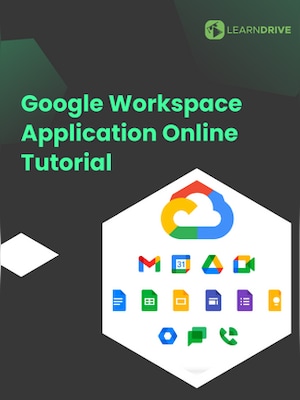
Enrol in our Google Workspace Application Tutorial and become adept at using the full range of Google Workspace tools. Sign up now to enhance your digital productivity and collaboration skills! Course Introduction: St...
Once you have the voucher code/ key go to the site
Enter the necessary details such as your name and email address
Confirm your email accuracy, as we will forward your access credentials to this address.
Please copy and paste the voucher code/ key rather than typing it manually.
Proceed by clicking on the “SUBMIT” button.
Your course will then be available on your learning dashboard.
Await an email from us containing your login information.
Language version of the course: English
Informations juridiques
Enrol in our Google Workspace Application Tutorial and become adept at using the full range of Google Workspace tools. Sign up now to enhance your digital productivity and collaboration skills!
Course Introduction: Start with an introduction to the course, outlining the objectives, and what you will learn about Google Workspace.
What is Google Workspace: Understand what Google Workspace is, its components, and its relevance in today's digital landscape.
General Overview 1-5: Dive into the first five Google Workspace applications, exploring their basic functionalities.
General Overview 5-10: Continue with an overview of the next set of applications, understanding their primary features.
General Overview 10-15: Explore further applications within Google Workspace, delving into their uses and benefits.
General Overview 15-20: Conclude the general overview with the last set of applications, rounding out the foundational understanding of Google Workspace.
How to use Gmail: Master Gmail for effective email communication, organisation, and management.
How to use Google Drive: Learn to store, organise, and share files effectively with Google Drive.
How to use Google Drive for Desktop: Understand how to synchronise and access your files from your desktop.
How to use Google Docs: Gain proficiency in creating, editing, and collaborating on documents with Google Docs.
How to use Google Sheets: Learn the essentials of data management and analysis with Google Sheets.
How to use Google Slides: Master creating impactful presentations with Google Slides.
How to use Google Meet: Understand how to conduct and participate in virtual meetings using Google Meet.
How to use Google Forms: Create, manage, and analyse surveys and forms with Google Forms.
How to use Google Keep: Learn to organise notes, lists, and reminders with Google Keep.
How to use Google Translate: Utilise Google Translate for language translation and comprehension.
How to use Google Calendar: Master scheduling, event planning, and time management with Google Calendar.
How to use Google Jamboard: Explore collaborative brainstorming and visual project planning with Google Jamboard.
How to use Google Photos: Learn to store, organise, and share photos with Google Photos.
How to use Google Tasks: Manage tasks and to-do lists effectively with Google Tasks.
How to use Google Classroom: Understand how to create and manage classes, assignments, and communications with Google Classroom.
How to use Google Earth: Explore the world and gather geographic information with Google Earth.
How to use Google Chat: Learn to communicate and collaborate efficiently with Google Chat.
How to use Google Sites: Create and manage websites easily with Google Sites.
How to use Google Drawings: Discover how to create diagrams and simple graphics with Google Drawings.
Conclusion + Project: Conclude the course with a final project to apply your learning, and a wrap-up of key takeaways and insights
Advertisement
SPONSORISÉ
Avis
Découvrez ce que nos clients pensent de ce titre
Il n'y a pas encore d'avis sur cet article
Ajoutez un avis et obtenez une réduction de 5 % pour votre prochain achat
Les clients inscrits ayant effectué au moins un achat peuvent donner un avis
Adhérez à Plus Free et obtenez immédiatement une remise de 11 % à utiliser dès maintenant
Plus Free est un programme d'adhésion gratuit où vous gagnez des points pour les articles que vous achetez sur G2A.COM. Chaque 100 points = 1 EUR que vous pouvez utiliser pour réduire le total de votre prochaine commande. Les points sont actifs pendant 365 jours. Toute nouvelle personne s'abonnant aux e-mails marketing reçoit un code de réduction de 11 % à utiliser une fois sur G2A.COM. Vous le recevrez par e-mail.
En sélectionnant Se connecter et rejoindre, vous acceptez de recevoir des e-mails marketing de G2A.COM Limited concernant des offres, promotions et remises. Vous pouvez vous désinscrire à tout moment.